

Callio
Overview
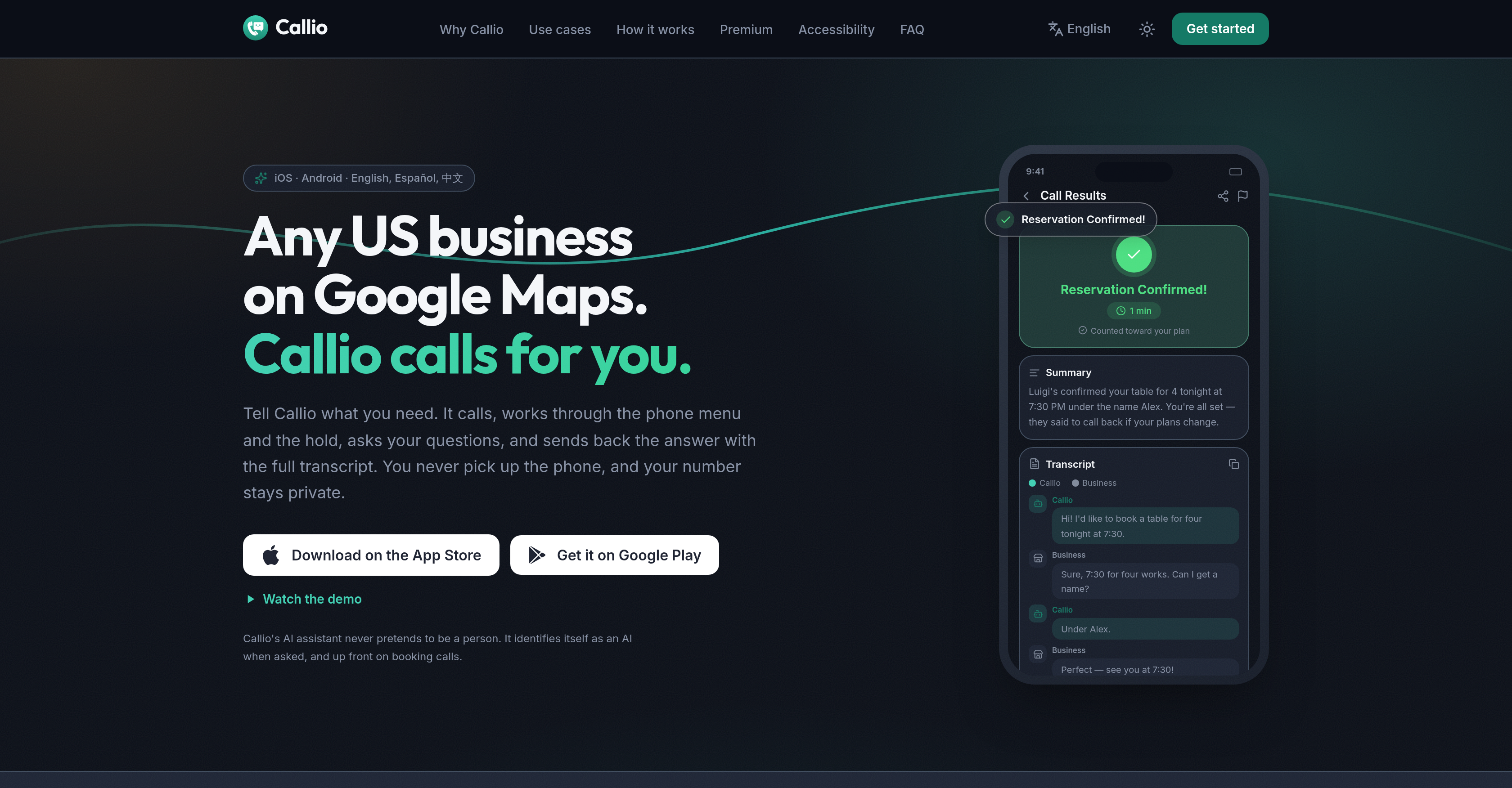
- Reach any US business without speaking a word yourself, thanks to Callio's AI calling agent that retrieves business contacts from Google Maps and places the call on your behalf.
- Skip the frustration of English phone calls by submitting your request in English, Spanish, or Chinese while Callio handles the entire conversation in English and translates the results back to your language.
- Stop waiting on hold or navigating phone menus, because Callio listens to menu options, presses the right choices, and holds the line until a real person responds.
- Communicate with businesses entirely in text if you are Deaf, hard of hearing, or speech-impaired, using Callio to convert your written request into a full phone conversation.
- Keep your personal number off business caller ID displays, since Callio calls from its own number and identifies itself as an AI entity rather than impersonating you.
- Review exactly what Callio will say before the call is placed, using the preview step to confirm your request and avoid miscommunication.
- Get a clear summary and a complete transcript after every call, so you can verify what was discussed even when a call does not go as planned.
- Test Callio's real call voice for free in the Callio Playground before committing to a subscription, so you know exactly how it sounds to businesses.
- Reclaim hours of your day by letting Callio manage routine business calls end to end while you focus on other work.
Pros & Cons
Pros
- User-language communication
- Google Maps integration
- Summary and transcript provision
- Spanish language support
- Chinese language support
- Support for Deaf
- Support for hard of hearing
- Support for speech-impaired
- Maintains user privacy
- Advanced premium features
- Saves user time
- Handles phone menus
- Holds the line
- Zero user participation calls
- Pulls businesses from Google Maps
- Accessibility for non-native English speakers
- Improves call management
- Direct business contact
- Useful for those uncomfortable calling
- Built for busy individuals
- Handles reservations and appointments
- Handles business pricing inquiries
- User number stays private
- Customized summary reports
- Supports instant summaries
- Includes full call transcripts
- Application available on iOS
- Application available on Android
- Demands user confirmation before calling
- Ensures call verification
- Provision of quick-action options
- Handles calls entirely in text
- Improves accessibility for speech-privileged
- Lets users describe needs in own words
- Allows users to pay only when ready
- Send results in user's language
- User retains full control over calls
- Handles calls from its own number
- Clear results after each call
- Offers cancellation anytime in premium version
- Handles short phone menu answers
- Calls are made to real person
Cons
- Only calls US businesses
- Only English call support
- Independency on Google Maps
- Limited language input support
- Premium features locked
- No real-time participation
- Summary language limitation
- Requires user language input
- Call restrictions
Reviews
Rate this tool
Loading reviews...
❓ Frequently Asked Questions
Callio is capable of making calls to any business located in the United States.
Yes, Callio does support other languages besides English. The user can communicate their needs to the tool in English, Spanish, or Chinese. However, all calls are made in English.
Callio is designed to interact with phone menus effectively. It listens to the options, navigates through them, and holds the line when required. The user does not need to participate in this process at all.
After each call, Callio provides two forms of information - a summary and a full transcript of the conversation. The summary outlines the key details of the conversation, whereas the transcript offers a full report of the entire exchanged dialogue.
Yes, Callio does identify itself as an AI entity during the calls. It does not pretend to be a human and makes its AI status clear when asked.
Callio can be useful for a wide range of individuals. It's particularly beneficial for those who find English calls challenging, those who are not comfortable with making phone calls, the Deaf, hard of hearing, speech-impaired, or those who are often too busy to make calls themselves.
Callio takes user privacy very seriously. The user's number remains private throughout the process. When making a call, the business is informed that it is Callio making the call and never sees the user's number as caller ID.
The details of the additional features offered in the premium version of Callio are not explicitly mentioned on their website.
If a call made by Callio does not go as planned, the user will receive a transcript of the conversation. This allows them to see exactly what happened during the failed call.
Callio obtains the business contact information from Google Maps based on user-specified requirements. The user chooses a business from Google Maps and tells Callio what they need.
Yes, users can hear Callio's voice before subscribing to its services. On their website, there is a platform called 'Callio Playground' which allows the user to hear exactly how Callio sounds on a real call, free of charge.
Yes, the businesses are fully aware that it's an AI making the call. Callio identifies itself as an AI entity during the calls.
Yes, Callio is designed to assist those who find English calls challenging. Users can input their requirements in Spanish or Chinese. The call will be made in English, and the responses will be translated into the user’s language of choice.
In most cases, the user's number is not shared with the businesses that Callio calls and it calls from its own number. However, in scenarios where a booking is being made the business does receive the number saved in the user's profile, in order to confirm the booking.
Callio provides the summary of the call details in three languages, namely English, Spanish, and Chinese.
To initiate a call using Callio, all one has to do is search for the business in the Callio app or share a place from Google Maps, then inform Callio what they need in their own words.
Yes, Callio can make calls on behalf of Deaf, hard-of-hearing, or speech-impaired people. It allows these individuals to effectively communicate with businesses entirely in text.
Yes, businesses need to have a listing on Google Maps to be reached by Callio. Callio retrieves the contact information of the businesses it calls from Google Maps.
Yes, Callio provides an opportunity for you to preview what it's going to say before making the call. It shows you what it will ask for before placing the call, allowing you to review and confirm when ready.
Yes, Callio can be particularly beneficial for individuals who frequently need to make business calls but are short on time. It can manage calls and all their intricacies, allowing users to continue with their day while the call is being made and dealt with.
Pricing
Pricing model
Pricing
Paid options from
N/A