
Canva AI Assistant
Transform ideas into finished designs instantly by describing your vision with natural language text or voice commands
Listing not yet reviewed by our editors · How we check
Overview
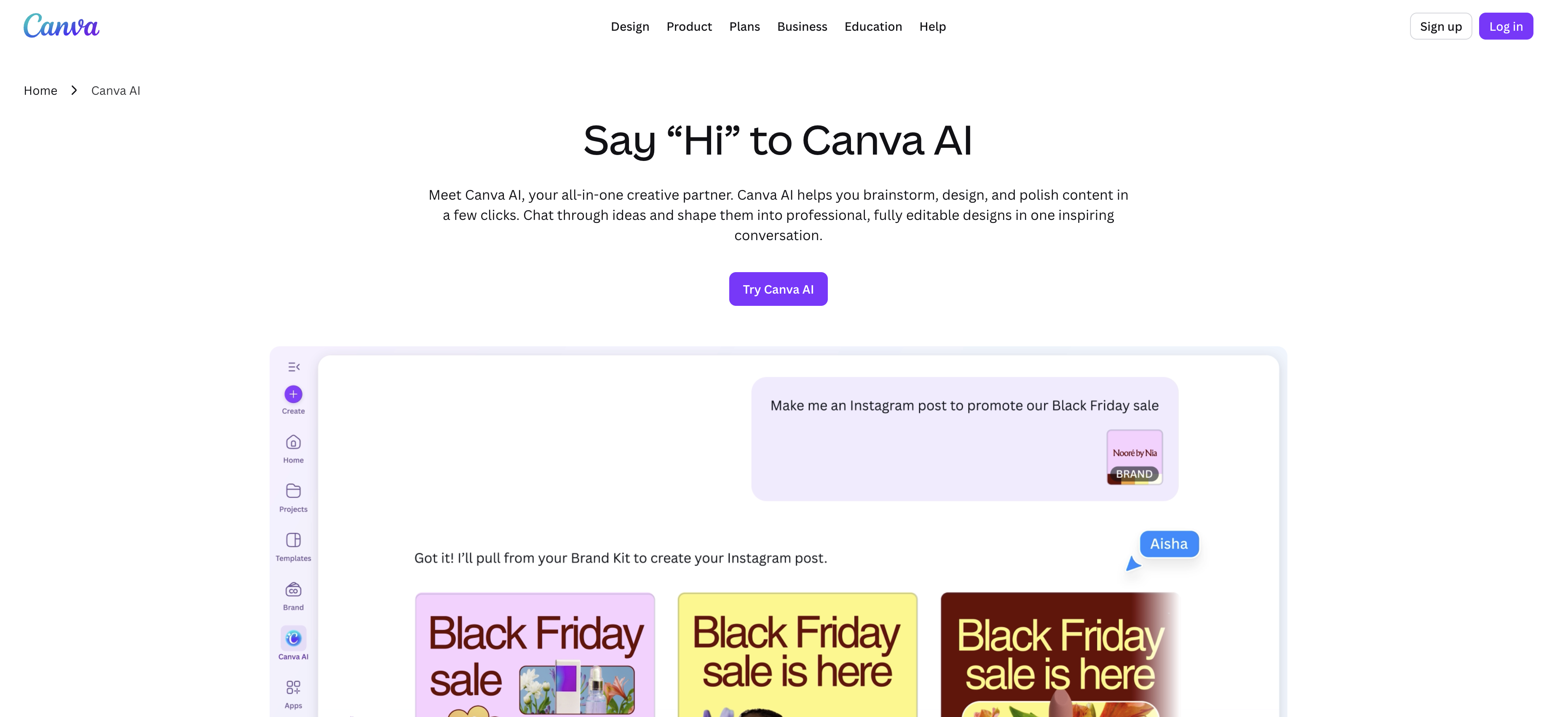
- Transform ideas into finished designs instantly by describing your vision with natural language text or voice commands
- Maintain perfect brand consistency across every project with automatic integration of your Brand Kit elements
- Get personalized feedback and refinement tools that understand your specific creative goals and context
- Collaborate seamlessly by tagging @Canva in comments to generate new ideas, images, or text with your team
- Work without interruptions using a single platform that combines writing, design, and visual capabilities
- Create with confidence using multi-layered safeguards, adjustable access controls, and privacy configurations
Pros & Cons
From the listing; not yet checked by our editors.
Pros
- Text and voice commands
- Understands creative goals
- Personalized design feedback
- Automatic brand element incorporation
- Collaboration features
- Multi-layered content safeguard
- Integrated into creative workflows
- Interactive platform
- Helps refine designs
- App integration capability
- Natural language understanding
- Visual content generation
- Design brainstorming capability
- Centralizes design process
- Eliminates app-switching
- Tailored advice in comments
- Creative contexts understanding
- Generate content at conversation speed
- Personalized brand consistency
- Ensured safety and privacy
- Design, write, image, video, code tools
- Voice, text, image communications
- Guided experience through creation
- Text to image capabilities
- Design creation with prompts
- Template fallback feature
- Content insight and exploration
- Attachment of your assets
- Lightweight editing panel
- Mobile and desktop utilization
- Effortless brand consistency
Cons
- No offline usage
- Limited voice command functionality
- No native app integration mentioned
- No multi-language support mentioned
- Lack of tutorial content
- No explicit multi-user collaboration
- No pricing information provided
- Access controls not thoroughly detailed
- Limited customization options
- Detailed usage log not mentioned
Alternatives to Canva AI Assistant
Tools that share the most tags with Canva AI Assistant.
- GETitOUT
Extract ideal buyer personas from competitors to understand your target audience faster using the Persona Generator
Free trial
Not listed
Not yet checked
- UXCanvas.ai
Transform ideas into coded designs instantly using natural language conversations instead of manual design tools
Free trial · from $49/month
$49/month
Not yet checked
- Lang.ai
Cut average response times by 75% by automating intelligent triage of complex customer requests instead of adding headcount
Not listed
Not listed
Not yet checked
- MiriCanvas
Generate complete presentation drafts automatically by simply entering your topic with the AI Presentation feature
Freemium
Not listed
Not yet checked
- AI Designer
Transform a brief text description into a complete, editable UI design in seconds using AI-powered generation
Freemium · from $30/month
$30/month
Not yet checked
- Userpersona
Create detailed customer profiles in minutes instead of hours using just a short product description
Free
Not listed
Not yet checked
Related Videos
How we use Canva AI 2.0 | Canva Create
Canva · Apr 16, 2026
Reviews
Rate this tool
Loading reviews...
Frequently asked questions
What is Canva AI?
Canva AI is a conversational AI-powered assistant that's been designed to streamline and support the creative process. This tool combines text, voice, and visual capabilities into a single interactive and user-friendly platform. It enables users to brainstorm, design, and refine content. You can communicate with Canva AI using natural language, whether through text or voice commands.
How does Canva AI use natural language processing?
Canva AI leverages natural language understanding to allow users to interact with it through text or voice commands. It's akin to having a conversation with a team member. Based on the user's input and the context, Canva AI can understand the user's creative goals, thereby enabling it to produce high-quality output.
What can I use Canva AI to create?
Canva AI can be used to create a vast array of content ranging from text-based work to visual designs. The tool enables you to brainstorm ideas, produce designs, and refine content. In addition, it can connect to your Brand Kit and automatically incorporate brand elements into your designs.
Can I use voice commands with Canva AI?
Yes, Canva AI does support voice command input. Alongside conventional text entry, users can speak to Canva AI using natural language, making the experience more akin to having a conversation with a fellow team member.
How does Canva AI understand my creative goals?
Canva AI is designed to understand your creative goals by analyzing the context provided through your voice or text commands. It makes use of this communication and understanding to enhance the quality of output, helping you achieve your specific creative objectives.
How does the Canva AI provide personalized feedback?
Canva AI provides personalized feedback by understanding your unique creative goals and context. It offers tools to help refine your designs and ensures you retain full control over your creative projects.
What types of designs can I refine with Canva AI?
With Canva AI, you can refine all types of designs. This includes brainstorming, creating, and tweaking content. From simple social media posts to complex presentations, Canva AI gives you an arsenal of tools to fine-tune your work.
How does Canva AI integrate with my brand?
Canva AI incorporates brand elements automatically by connecting to your Brand Kit. This means every generated design will maintain the consistency of your brand's aesthetic, allowing you to keep visual coherence across different creative projects.