Overview
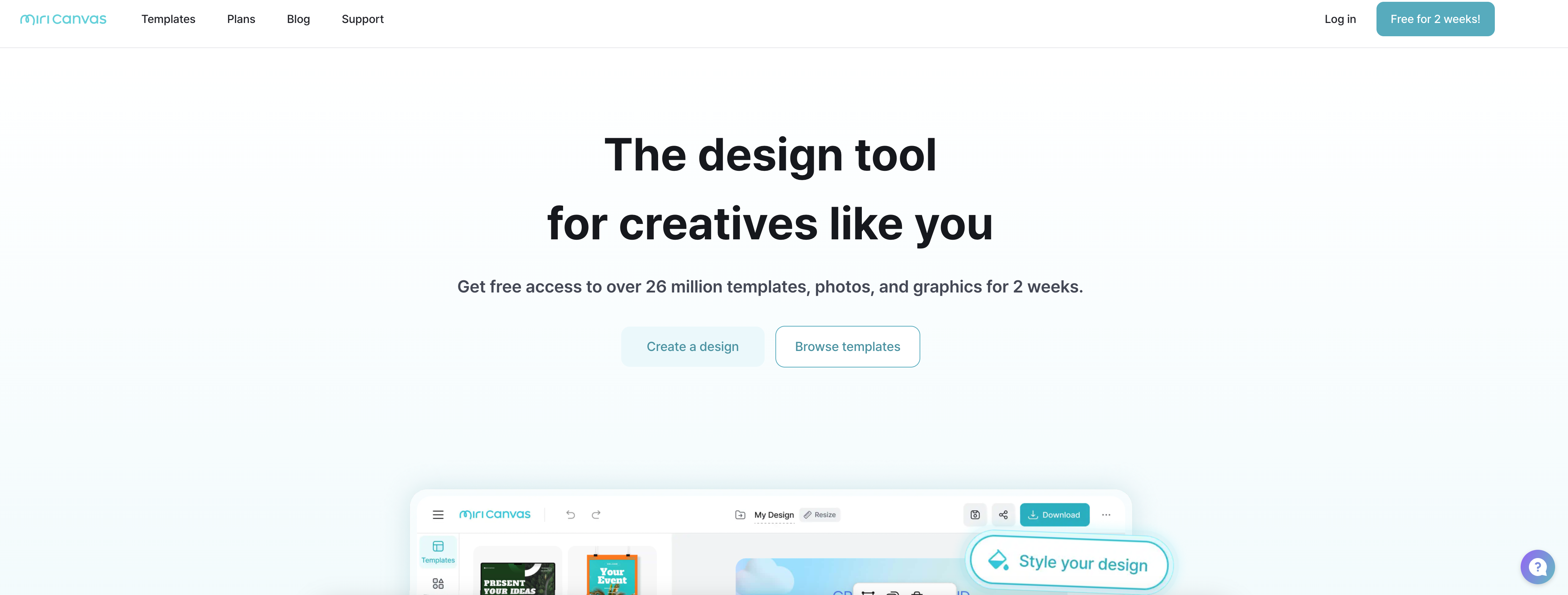
- Generate complete presentation drafts automatically by simply entering your topic with the AI Presentation feature
- Create professional social media graphics and YouTube thumbnails in minutes using 530,000+ pre-built templates
- Remove image backgrounds instantly with one click for transparent images that integrate seamlessly into any design
- Add high-impact animations to text and elements without complex software using simple drag-and-drop functionality
- Design from any device with full platform access on PC, tablet, or mobile for consistent workflow across locations
- Enhance image quality automatically with AI-powered editing tools that require no technical photography skills
- Produce engaging educational content and quizzes quickly using specialized templates designed for classroom engagement
- Print designs directly through integrated printing services without exporting to other platforms for physical materials
Pros & Cons
Pros
- Numerous templates available
- Powerful photo editing
- Resource-rich design tool
- Background removal
- Image Quality Improvement
- High-quality design elements
- Animations applicable
- Multi-platform accessibility
- Offers corporate solutions
- Wide user base
- Supports multiple languages
- Education-friendly interface
- Easy integration of text
- High-quality templates
- Versatile design options
- Help center available
- Resource for social media content
- Available on mobile devices
- Saves design time
- Faster production process
- Numerous design elements
- Simplified design process
- Contains business-specific templates
Cons
- No mobile app
- No English Language Support
- Limited Platform Compatibility
- Inadequate Template Variety
- Complex Navigation Interface
- Limited User Assistance
- Requires High Bandwidth
- No Offline Work Mode
- Limited Free Version
- Lacks Collaboration Features
Reviews
Rate this tool
Loading reviews...
❓ Frequently Asked Questions
MiriCanvas is a design platform that allows users to create quality designs quickly and easily. It offers numerous templates and design elements for various content such as presentations, cards news, videos, and social media content. It features enhanced photo editing tools and AI design functions.
MiriCanvas provides a variety of features for graphic design purposes. It offers a plethora of design elements and templates which users can choose from. MiriCanvas also includes AI design functions which simplify the design process. Furthermore, it provides powerful photo editing tools which further enhance users' ability to create high-quality design.
Yes, MiriCanvas can be used for video editing. The platform has video-specific templates, along with the capability to add high-impact animations without the need for complex operations. This allows users to effectively communicate their messages through video.
MiriCanvas AI functionalities help streamline and enhance the design process. For instance, with AI presentation, users only need to input the subject, and the AI creates an initial draft of the presentation. AI also aids in creating images, providing numerous design elements for use.
MiriCanvas offers over 530,000 templates. These include templates for presentations, videos, social media content, posters, detailed web pages, YouTube thumbnails, and various other purposes. The templates cater to a broad range of business, educational, and personal needs.
Yes, MiriCanvas provides business solutions. While the exact specifics are not detailed on their website, their wide array of templates and design tools can support various business needs such as presentations, video content and social media posts.
MiriCanvas can be used effectively in educational settings. While the exact specifics are not detailed on their website, their range of templates and design tools, such as presentation templates, can facilitate the creation of educational content.
Templates available on MiriCanvas can be viewed by accessing the 'templates' page of their website. Here, users can browse through a vast selection of design templates for various content types such as presentations, videos, and social media content.
Yes, there is a help center for MiriCanvas. The help center can be accessed from their main page and it provides support and useful resources for users.
The plans and pricing details for MiriCanvas can be viewed on the 'pricing' page on their website. The exact specifics, however, are not mentioned on their website.
Designhub is a link provided on the MiriCanvas page. The specific details about this feature or service are not mentioned on their website.
Yes, you can directly print designs from MiriCanvas. The 'printhub' link on their website redirects to 'bizhows.com', a platform where you can presumably print your MiriCanvas designs.
Yes, you can use MiriCanvas on several devices. Whether you're at home or on the move, you can use it on your PC, tablet, or mobile device, catering to your convenience.
The AI Presentation feature on MiriCanvas helps create a draft of a presentation based on the topic provided by the user. By merely inputting the subject, the AI assists in preparing an initial draft for your presentation.
Yes, MiriCanvas does support the use of animations in design. With just a few clicks, users can apply animation effects to texts and design elements, thereby creating dynamic and impactful designs.
While it is not explicitly stated on their website, it appears that there are no specific download requirements to use MiriCanvas online on a web browser. However, to use the mobile version of MiriCanvas, users would need to download the application.
The MiriCanvas app can be downloaded from a yet unspecified source, as the website does not provide explicit information or a link to the application's download page.
MiriCanvas boasts over 2 million monthly active users, servicing in over 180 countries. This number highlights the platform's popularity among a diverse global user base.
MiriCanvas provides users with superior image enhancement features. The website mentions features like background removal and quality enhancement which can be used to improve image quality for a more professional-looking design.
Yes, MiriCanvas provides the feature to remove unnecessary backgrounds from images with just a click. This helps users to have transparent background images for design, increasing their design flexibility.
Pricing
Pricing model
Freemium
Paid options from
Free tier available
Billing frequency
Monthly
Refund policy
Users can request a refund within 7 days for unused paid services. Refunds are not given for change of mind, misunderstanding, or user negligence.
Related Videos
MiriCanvas Quick Start Guide: Font Filter #miricanvas #design
MiriCanvas•1.0K views•Sep 6, 2023