

Overview
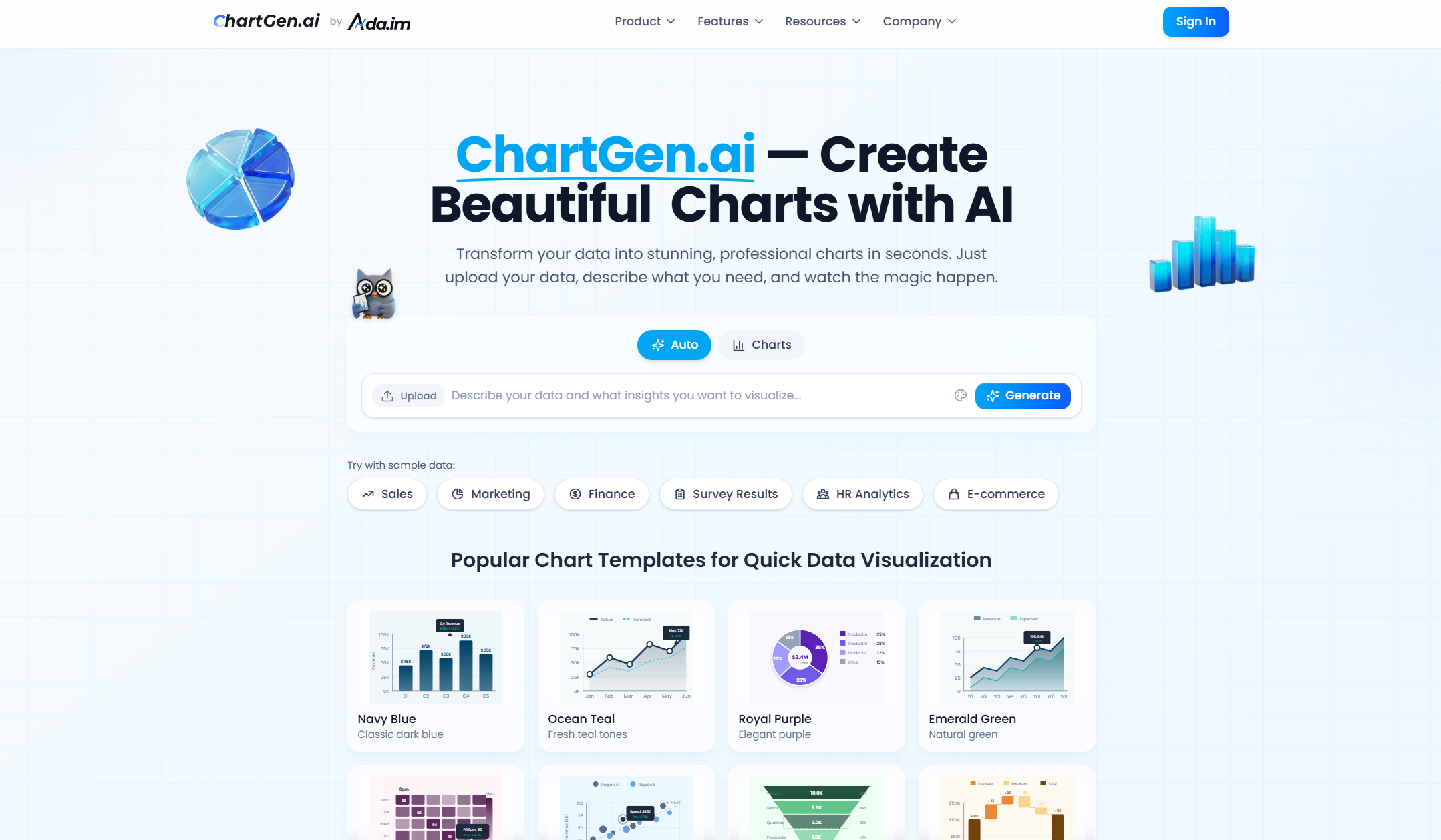
- Create presentation-ready charts in seconds without design skills by describing your goal in plain English and uploading a CSV or Excel file.
- Visualize complex data for marketing analytics or academic research with nine professional chart types, including heatmaps, waterfall, and funnel charts.
- Ensure your reports and social media infographics stand out with 12 customizable color themes and six export size options for PNG, SVG, and PDF.
- Keep your visualizations current with live data synchronization that automatically refreshes charts when the underlying data changes.
- Work with confidence knowing your data is protected by enterprise-grade SOC 2 compliant security during processing.
Pros & Cons
Pros
- Zero Learning Curve, No Technical Skills Required
- Flexible Customization with AI Efficiency
- Built-in Data Insights, Not Just Charts
- Lightweight Entry with Scalable Growth
- Enterprise-Grade Security and Data Protection
- AI That Understands Both Data and Intent
- Automatic column type detection
- Zero learning curve
- No requirement for credit card
- Custom colors for charts
- Plain English chart description
Cons
- Advanced team collaboration features are limited
- No Python/R code export (No-code focus)
- Focuses on visualization over raw data cleaning
- Not designed for complex SQL database management
- Web-based only (No offline desktop version)
Reviews
Rate this tool
Loading reviews...
❓ Frequently Asked Questions
ChartGen.ai is an AI-powered tool that creates professional data visualizations instantly. Users input their requirements in natural language and the AI generates the requested charts in seconds.
ChartGen.ai can generate a variety of charts, including bar charts, line charts, pie charts, scatter plots, heatmaps, combo charts, waterfall charts, and funnel charts.
ChartGen.ai supports .xlsx, .xls, and CSV file formats for data upload.
Yes, ChartGen.ai allows direct data paste for more versatility.
ChartGen.ai provides six export size options to cater to various practical requirements.
ChartGen.ai has 12 professional color themes to choose from, enabling users to cater to differing aesthetic preferences.
Yes, ChartGen.ai offers a free tier which allows limited chart generation per month with no need for a credit card.
In the free tier of ChartGen.ai, users are allowed to create 50 charts per month.
Yes, ChartGen.ai supports one-click PNG download for a user-friendly experience.
ChartGen.ai uses AI technology to interpret user's natural language inputs and transform their data into the desired visual representation. This AI application enhances the reporting process by quickly turning unorganized datasets into insightful visualizations.
Yes, ChartGen.ai is ideal for creating social media infographics with its variety of charts and customization options.
Yes, ChartGen.ai is a tool that can be resourceful for academic research, offering a swift way of transforming data into a range of instant, professional data visualizations.
Yes, ChartGen.ai is optimal for creating business presentations with its easy chart generation capabilities and diverse visual representation options.
ChartGen.ai uses SOC 2 compliant security to keep user data and process secure.
SOC 2 compliant security is an auditing procedure that ensures service providers securely manage data to protect the interests and privacy of their clients. Yes, ChartGen.ai is SOC 2 compliant, indicating robust data security practices.
Users can specify their chart requirements in plain English in ChartGen.ai, and the AI system interprets this to create the desired chart.
Yes, ChartGen.ai is particularly beneficial for marketing analytics, allowing swift visualization of complex data to gain actionable insights.
ChartGen.ai generates the desired charts in a matter of seconds, transforming raw data into insightful visuals promptly.
Yes, ChartGen.ai is designed to cater to a wide range of data representation needs with support for multiple chart types and customizable aesthetic elements.
Users can upload data files in .xlsx, .xls, and CSV formats to ChartGen.ai.
ChartGen.ai supports a variety of chart types, including bar, line, pie, area, scatter plots, heatmaps, combo charts (bar + line), waterfall, and funnel charts.
Data can be imported to ChartGen.ai through CSV files, Excel files, or by directly pasting data into the tool’s interface.
ChartGen.ai supports CSV files and Excel (.xlsx, .xls) file formats for data import.
Yes, ChartGen.ai is well-equipped for academic research. It quickly creates comprehensive visual representations of data, making it an efficient tool for researchers and students alike.
Yes, ChartGen.ai has features suitable for marketing analytics. It provides real-time data visualization, creating a variety of charts to represent marketing data more effectively. This assists in analyzing campaign performance, customer demographics, and other related metrics.
ChartGen.ai comes with 12 professional color themes. Some of them are Navy Blue, Ocean Teal, Royal Purple, Emerald Green, Coral Pink, Sky Blue, Forest Green, Amber Orange, Rose Pink, Slate Gray, Mint Cyan, and Violet Dream.
Yes, there are limitations in the free tier of ChartGen.ai. It allows the generation of 50 charts per month for free.
Natural language request in ChartGen.ai allows users to describe their chart requirements in plain English. The AI engine interprets the request and generates the desired chart based on the given instruction.
Yes, ChartGen.ai provides the feature of live data synchronization, which means charts can be updated or refreshed automatically whenever the underlying data changes.
ChartGen.ai provides six export sizes and the formats available are PNG, SVG, and PDF.
Charts created by ChartGen.ai can be used in various scenarios such as business presentations, data analysis reports, marketing analytics, academic research, and social media infographics.
In the context of ChartGen.ai, SOC 2 compliance refers to the platform's commitment to data security. It complies with the security principles outlined in the Service Organization Control 2 (SOC 2), a standard that focuses on the management of customer data based on privacy, confidentiality, processing integrity, availability, and security.
Yes, users can directly paste data into ChartGen.ai, giving them the ability to quickly generate charts without needing to upload a file.
ChartGen.ai ensures data security by employing SOC 2 compliant security mechanisms. It uses HTTPS for secure data transmission and doesn't store uploaded files permanently on its servers. It also doesn't share user data with third-party entities.
Yes, users can customize the aesthetics of the charts on ChartGen.ai. The platform features 12 professional color themes for personalizing the look of the charts.
Yes, ChartGen.ai does provide the functionality to automatically refresh charts. Using its live data synchronization feature, charts refresh automatically whenever the underlying data changes.
Yes, ChartGen.ai offers a one-click PNG download feature, making it straightforward to save the generated charts.
ChartGen.ai supports nine chart types. These include bar (both vertical and horizontal), line, pie, area, scatter plots, heatmaps, combo charts (bar + line), waterfall and funnel charts.
ChartGen.ai allows the creation of varied charts such as bar, line, and pie for social media infographics. The tool’s ability to generate charts in seconds and customize their aesthetics makes it an excellent choice for creating visually pleasing and information-dense social media content.
Pricing
Pricing model
No Pricing
Related Videos
ChartGen Unleashed: The Future of AI-Powered Chart Generation
Rehan AI Lab•179 views•Oct 19, 2023









