

Overview
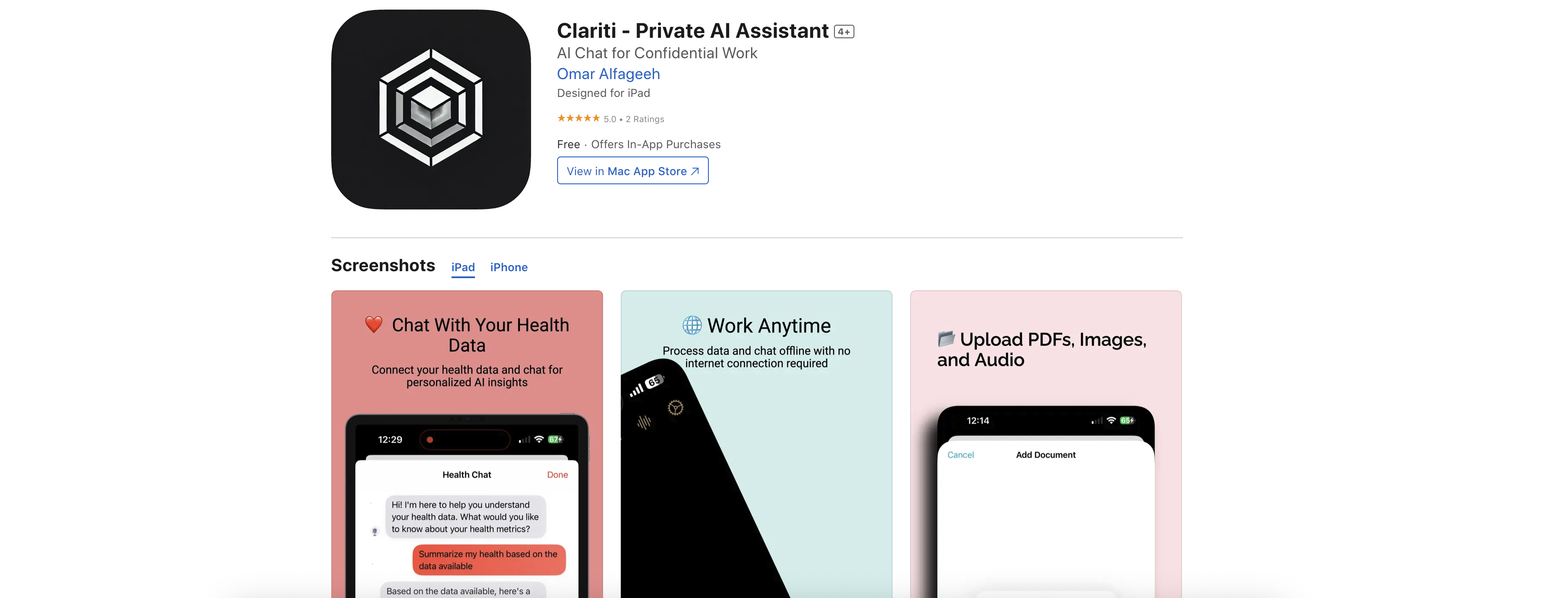
- Keep sensitive data completely private with full offline operation that ensures no information ever leaves your device
- Extract instant insights from confidential documents using Smart Documents feature that analyzes PDFs and images locally
- Optimize your schedule automatically with Calendar Genius that identifies and resolves time conflicts before they happen
- Gain personal health insights by tracking and analyzing fitness data through private Health and Wellness services
- Transform voice memos into actionable notes with transcription and analysis that works entirely on your device
- Secure encrypted conversations with your data through private chat functionality for documents, calendars, and health records
Pros & Cons
Pros
- Offline operation post-setup
- No cloud storage requirements
- Sensitive data management
- Regulated work handling
- Integration with personal data
- In-depth data analysis
- Encrypted chat with data sectors
- Smart Document feature
- Extract insights from files
- Health and Wellness service
- Recording and analyzing health data
- Calendar Genius feature
- Optimized scheduling
- Resolving scheduling conflicts
- Transcribe and analyze voice memos
- Smart note-taking solutions
- Document intelligence
- Calendar management
- Health tracking
- Smart writing
- Productivity enhancement
- Strict data privacy
- Strict data security
- Fitness tracking
- Works on Apple devices
- 100% Private - on-device data storage
- Seamless Integration with data
- Lightning Fast - Apple's Neural Engine powered
- Zero cloud storage
- True privacy by design
- Safe file management
- Personal health insights
- Fitness trend analysis
- Sleep pattern monitoring
- Meeting transcription
- Voice memo analysis
- Action item extraction
- Voice Recording Chat
- Web summarization
- Research assistance
- App designed for iPad
Cons
- Requires initial internet connection
- No cloud storage
- Limited to Apple devices
- Only English language
- In-app purchases required
- Size (416 MB) significant
- Requires iOS 17.0 or later
- Mac requires Apple M1 chip
- Unclear data backup system
- Not suitable for group work
Reviews
Rate this tool
Loading reviews...
❓ Frequently Asked Questions
Clariti is a privacy-first AI assistant. It is specifically designed for sensitive, confidential, and regulated work and operates entirely offline post initial setup. The tool is ideal for professionals who handle sensitive data, research scholars, and users who hold privacy in high regard. Its capabilities include integration with personal data such as health records, documents, calendars, and more directly from the user's device.
Clariti ensures privacy by operating entirely offline post-setup, which means that none of the user's data is stored in the cloud. All features, including chatting, document analysis, calendar management and more work locally on the user's device. No data is uploaded or leaves the user's phone. Privacy is, therefore, by design in Clariti.
Clariti offers an array of functionalities offline. These include seamless integration with personal data, encrypted chats, in-depth analysis, document handling through the 'Smart Documents' feature, personal health data management, and scheduling optimization using the 'Calendar Genius'. Clariti also offers transcription and analysis of voice memos and smart note-taking solutions.
Clariti integrates smoothly with personal data including health records, documents, calendars, and more. The data is accessed directly from the user's device, working offline and ensuring none of the data leaves the device. It allows in-depth analysis and creates opportunities for encrypted chats with these individual data sectors.
Yes, Clariti can analyze your health and fitness data. It offers 'Health and Wellness' services which include recording and analyzing personal health and fitness data. This provides users with personal health insights, fitness trend analysis, and allows private health data chat.
Yes, Clariti can help manage schedules. With its 'Calendar Genius' feature, Clariti optimizes scheduling while also identifying and resolving time clashes. This feature brings about time management AI and private calendar chat, making it easier to handle scheduling and potential time conflicts.
Clariti handles document insights through its 'Smart Documents' feature. It allows users to extract and discuss insights from their files, such as PDFs and images. This feature enables instant document analysis, secure file management and, being part of Clariti, works in a private, safe environment.
'Smart Documents' is a feature in Clariti that allows users to chat with their files such as PDFs and images. It performs instant analysis of these documents, aiding in secure file management, and acting as a private research assistant.
Clariti's 'Calendar Genius' feature is a tool for schedule optimization. It identifies and resolves potential time clashes while planning schedules. It operates via AI, providing users with smart meeting preparations and aiding in time management. It also facilitates private calendar chats, bringing a new dimension to schedule handling.
The only functionality of Clariti that requires an internet connection is the initial setup. After setup, all subsequent features of Clariti including chat, document analysis, personal health data management, scheduling, and everything else function entirely offline.
Clariti ensures data security by adopting a privacy-first approach to all its operations. The AI assistant does not use cloud storage, and no data leaves the user's device, making it very secure. The assistant does not require internet access after the initial setup, further decreasing any potential security risks.
Yes, Clariti can transcribe voice memos. It possesses the capability to transcribe and analyze voice memos, allowing users to draw insights and take smart notes directly from the conversation.
Yes, Clariti offers smart note-taking solutions. It can transcribe voice memos and extract action items, assisting in record-keeping and organization tasks.
Yes, Clariti can be used for research assistance. The 'Smart Documents' feature can perform instant document analysis and securely manage files, acting as a reliable private research assistant.
Yes, Clariti incorporates encrypted chats. Users can have secure, encrypted chats with their data sectors, such as health records, calendars, documents, and more. This private chat function extends to document review, calendar management, and health data too.
Yes, Clariti can track personal health data. It offers 'Health and Wellness' services, providing in-depth recording and analysis of personal health data. Users can gain insights into their health patterns and fitness trends directly from the device.
Clariti can be used to handle sensitive data directly on the user's device. It does not require cloud storage or internet post-setup. All sensitive data such as health records, documents, calendars, and more are processed offline on the device, thereby ensuring complete privacy and security.
No, Clariti does not require cloud storage. It operates entirely offline post-setup, meaning your data is processed directly on your device and stays on your device. Not using cloud storage prevents the risks of data uploading and adds another level of privacy and security.
Clariti's unique features for productivity and data privacy include operating completely offline post-setup, ensuring no data leaves the user's device. Its productivity features include document intelligence, calendar management, health tracking, smart writing, and research assistance. For privacy, it offers encrypted chats, zero cloud storage, and true privacy by design.
The requirements for using Clariti include an iOS device as it is designed for iPad and requires iOS 17 or later. The device needs to be compatible with the latest software. Internet is required only for initial setup.
Pricing
Pricing model
Paid
Paid options from
$4.99/month
Billing frequency
Monthly