Overview
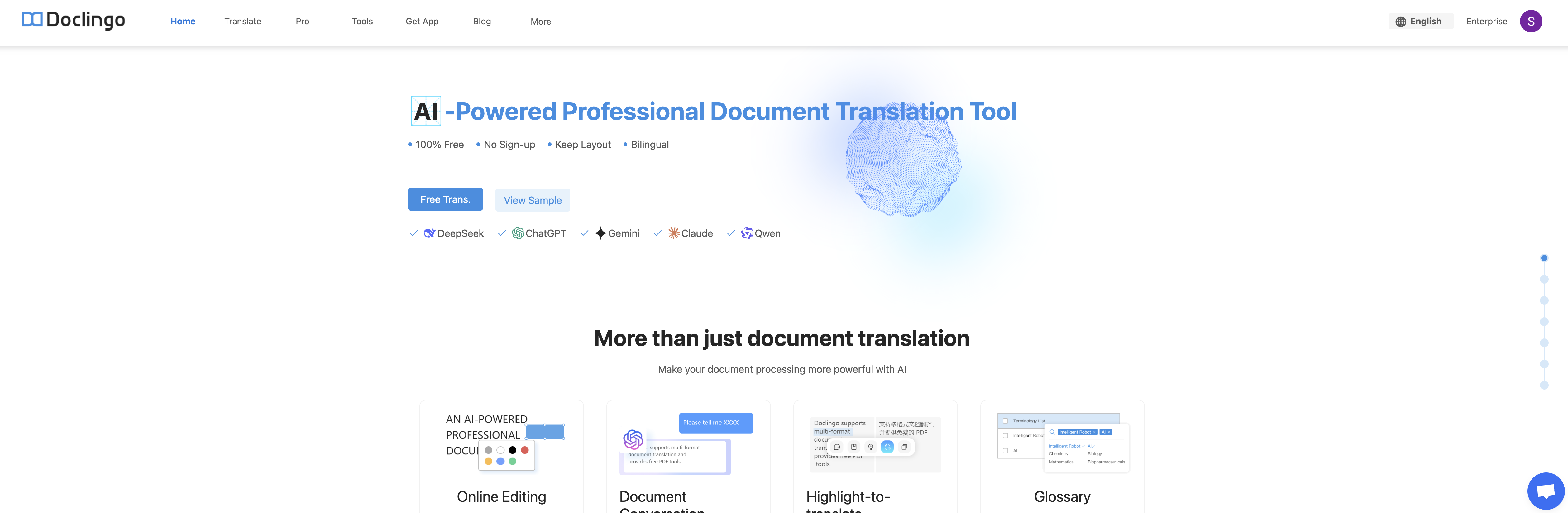
- Translate entire documents instantly with AI precision, handling complex formatting and multiple languages including English, Chinese, Japanese, and Arabic
- Integrate translation directly into your business software and workflows using the dedicated API for automated multilingual document processing
- Access and manage translations anywhere with the dedicated mobile application, enabling work on documents while traveling or away from your desk
- Scale translation for enterprise needs with business-specific solutions designed for handling high volumes of multilingual documents securely
- Maintain translation quality as an auxiliary tool for professional translators, making the process more accessible and manageable without replacing human expertise
- Stay informed on product improvements and best practices through the active blog, which provides user-focused content and update details
Pros & Cons
Pros
- Multilingual translation tool
- Translation assistance in multiple languages
- Standard & professional translation services
- Mobile application
- Enterprise option availability
- API access
- Support infrastructure (help center, email)
- Accessibility through modern web browsers
- Active blog for updates
- Strong commitment to user privacy
- Detailed terms of service
- Supports individual & enterprise needs
- Provides solutions for document translation
- Professional tools for streamlining processes
- Email-based customer support
- Encourages users to keep browsers updated
- App for on-the-go translations
- Not reliant on desktop environment
Cons
- Limited browser support
- No offline mode
- No JavaScript fallback
- Lacks professional translation accuracy
- No translation memory
- No language pairing control
- Platform-specific mobile app
- Limited API documentation
- No browser plugin support
- No real-time translation
Reviews
Rate this tool
Loading reviews...
❓ Frequently Asked Questions
Doclingo supports translations in multiple languages including English, Simplified Chinese, Japanese, Korean, Hindi, French, German, Arabic, Italian, Indonesian, and Ukrainian.
No, Doclingo is not compatible with all web browsers. It is designed to function with updated versions of Chrome or Edge.
Yes, Doclingo offers an application for mobile use.
The enterprise option in Doclingo offers business-specific solutions for companies that need to handle multilingual documents as part of their operations.
Doclingo has provided access to an API, however, further details on how to access it are not readily available from their website.
Yes, Doclingo has a dedicated Help Center and supports users via email.
You can contact Doclingo's support team through the email address: [email protected].
No, Doclingo should not be seen as a replacement for professional translators but as an auxiliary tool that makes the translation process more accessible and manageable.
The exact details of the professional translation tools offered by Doclingo are not given on their website.
Businesses dealing with multilingual documents can benefit from using Doclingo as it offers document translation, professional translation tools, an enterprise option, and access to an API.
Doclingo utilizes an AI-driven approach to interpret and understand documents for translating them across multiple languages.
Your browser may not be supported by Doclingo because it only functions with updated versions of Chrome or Edge.
The exact features offered by the Pro Tools option in Doclingo are not specified on their website.
To use Doclingo, you need to upgrade your browser to the latest versions of Chrome or Edge. However, specific steps for the upgrade process are not provided on their website.
There is no explicit mention of language learning services being provided by Doclingo on their website.
Doclingo deals with different language scripts by translating documents across multiple languages. However, the specific mechanism is not detailed on their website.
Doclingo's privacy policy can be accessed from the footer of their website.
Yes, Doclingo is beneficial for individuals needing translation services as it offers document translation across multiple languages.
Details about version updates for Doclingo can be found on their website. However, the specific details or frequency of these updates are not mentioned.
Doclingo supports a variety of languages, including English, Simplified Chinese, Japanese, Korean, Hindi, French, German, Arabic, Italian, Indonesian, and Ukrainian.
API feature in Doclingo is an integration tool. It allows Doclingo to be integrated into other software systems for streamlined workflow, particularly useful for businesses handling multilingual documents.
Doclingo can be contacted for support through the email, [email protected].
Yes, Doclingo offers a mobile application to aid translations on the go.
Doclingo provides a set of professional translation tools but specific details on what these tools are, have not been provided on their website.
Yes, Doclingo can be used by businesses on an enterprise level. It offers an enterprise option which could prove valuable for businesses dealing with multilingual documents.
No, Doclingo is not meant to replace professional translators. It is an auxiliary tool designed to make the translation process more accessible and manageable.
AI functionality in Doclingo is seen in its document translation process. The AI helps in translating documents with precision, catering to both individual and enterprise needs.
Yes, Doclingo appears to be an effective tool for document translation. It leverages AI precision to translate documents, making it versatile and handy for diverse language translation tasks.
Yes, Doclingo has an active blog on their website providing updates, user-focused content, and comprehensive understanding of its product updates
While Doclingo states its commitment to user privacy and the presence of Terms of Service on their website, the precise details about their privacy policy are not mentioned.
The specifics on how Doclingo ensures user's data privacy are not provided on their website. However, they have indicated their commitment to user privacy.
While the presence of Terms of Service is indicated on their website, the specific details of Doclingo's Terms of Service are not provided.
Yes, Doclingo appears to support multilingual documents given its ability to translate across several languages.
Version updates for Doclingo appear to be available on their website, potentially in their blog section. However, the exact location of these updates hasn't been specified.
Yes, Doclingo requires updated browser versions for optimal performance, specifically Chrome or Edge.
The specifics of how Doclingo integrates into other systems through its API are not stated. However, the API is intended to allow integration for streamlined workflows.
Doclingo enhances language translation tasks through its AI precision. This aids in the accurate translation of documents across several languages, catering to both individual and enterprise needs.
Pricing
Pricing model
Freemium
Paid options from
$7.59/month
Billing frequency
Monthly
Related Videos
🎉 Good News! Free Image Translation is Now on Doclingo
Doclingo Translation•55 views•May 12, 2025