

Overview
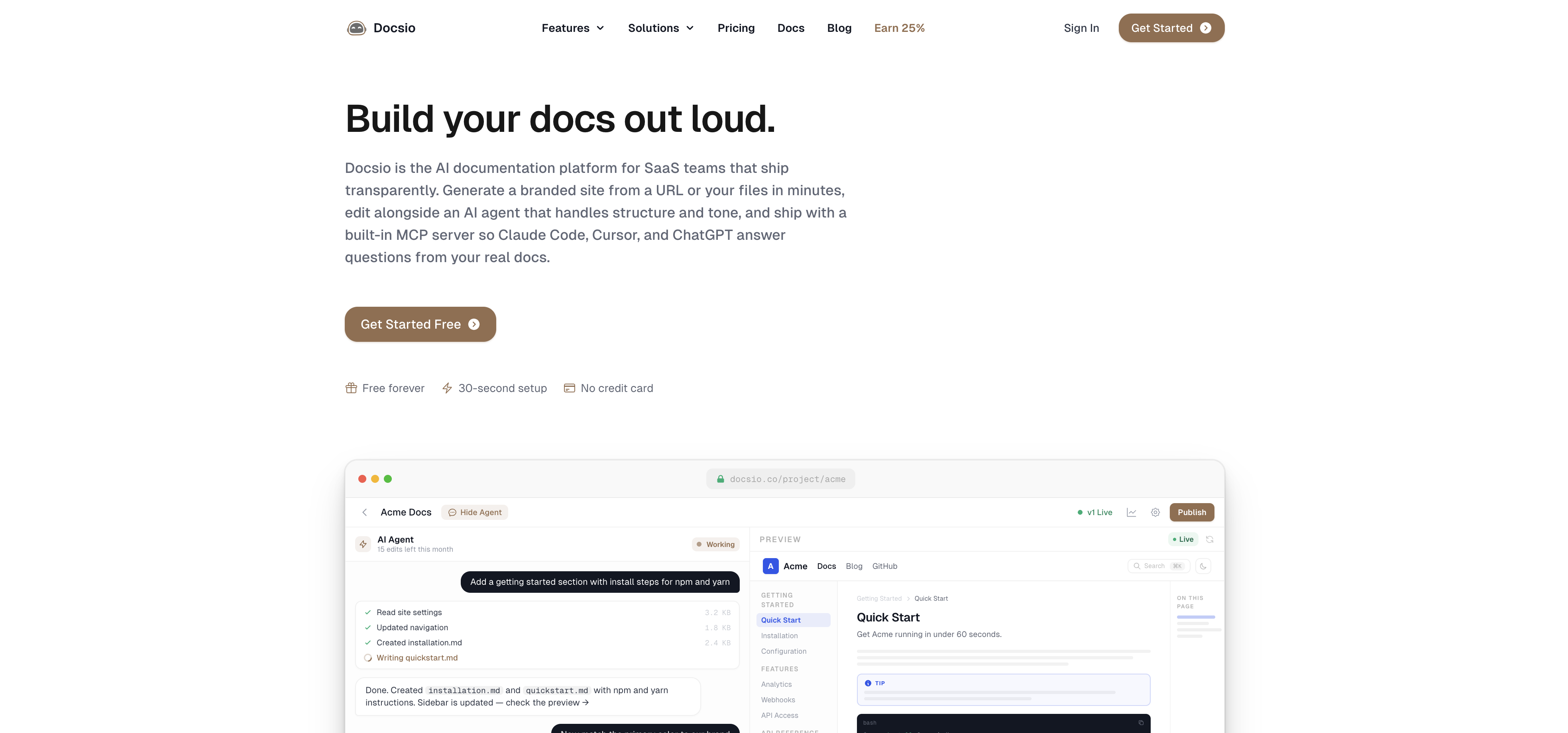
- Launch a professional documentation site in minutes by simply pasting a URL or uploading internal documents, with AI automatically stripping sensitive data.
- Match your product's exact look and feel without any design work, as AI extracts colors, logo, fonts, and favicon from your existing site.
- Edit documentation sections or navigation using plain English commands, with the AI agent editor updating every file instantly and no coding required.
- See every change reflected in real time on a live dev server inside an isolated sandbox, ensuring edits are perfect before going live.
- Publish your complete documentation site with one click and host it on your own custom domain for a seamless brand experience.
- Give visitors instant, accurate answers through an embedded AI chat widget that acts as an interactive assistant on every published page.
- Make data-driven decisions with visitor analytics that reveal pageviews, unique visitors, top pages, referrers, countries, and device breakdowns per document.
- Enrich documentation with images, embedded videos, a changelog, or a full blog section across the entire site using simple AI instructions.
- Integrate external AI agents that read, edit, and publish your documentation site via plain English commands, expanding your workflow capabilities.
Pros & Cons
Pros
- Generates documentation sites
- Removes sensitive data
- User structural approval
- Brand extraction feature
- Details aesthetic match
- No additional design work
- Allows section rewriting
- Navigation updating without coding
- Live preview feature
- Isolated sandbox environment
- Immediate information to visitors
- Supports image addition
- Video embedding
- Allow change logs
- Blog section creation
- One-click publishing
- Domain customization
- Visitor analytics
- Individual document insights
- Plain English instructions
- Data-driven strategy support
- User-friendly documentation
- Real-time editing
Cons
- No offline access
- No multi-language support
- Uncontrolled sensitive data removal
- Single user editing
- No versioning of documents
- No collaboration features
- Limited customization options
- No explicit data backup
Reviews
Rate this tool
Loading reviews...
❓ Frequently Asked Questions
Docsio is an AI-assisted platform designed to simplify the generation of documentation sites. Taking a URL or internal documents as input, it constructs a professional, branded documentation site while ensuring automatic removal of any sensitive data, with the user holding control over the structural approval and the AI implementation process.
Docsio takes a URL or the user's internal documents, constructs a documentation site that aligns with the user's brand aesthetics and provides the user with a live preview of the site. It also embeds an AI chat widget that acts as an interactive AI assistant on every published documentation site, providing immediate, accurate information to visitors.
Docsio comes with an array of features including an AI agent editor that can make changes to every file in the document, brand extraction that automatically pulls colors, logo, fonts, and favicon from the user's site, live preview feature, one-click publishing, domain customization, visitor analytics, integration with external AI agents, content enhancements like adding images, embedding videos and the creation of a blog section.
Yes, Docsio offers a domain customization feature enabling users to publish their documentation sites on their own custom domain.
Yes, Docsio supports integration with external AI agents allowing them to read, edit, and publish the user's documentation site via plain English instructions.
Sensitive data in Docsio is handled through its AI, which strips any sensitive data from the uploaded documents before generating the documentation site. Such sensitive information could include internal details like architecture, credentials, and team information, all of which are automatically removed during the process.
Docsio provides visitor analytics, offering insights into individual document usage like pageviews, unique visitors, top pages, referrers, countries, and device breakdowns. This allows for a clear data-driven strategy by the user.
The AI agent editor of Docsio has access to every file in the document, enabling the user to instruct it to make changes such as rewriting sections, updating navigation, or making color changes. This can be done without coding and updates appear real-time in the live preview.
The live preview feature in Docsio offers a real-time view of changes made to a documentation site. The user can see these changes instantly on a live dev server running within a sandbox environment.
Docsio supports a variety of content enhancements such as adding images, embedding videos, including a change log, and even creating a blog section. These enhancements can be implemented across the entire documentation site.
Yes, Docsio enables real-time editing of documents. The AI agent editor can instantly apply any changes the user instructs it to make, such as rewriting sections or updating navigation, and these changes can be seen in the live preview.
Yes, Docsio allows the user to create a blog section as part of its content enhancement features. This can be instructed through the AI agent editor and can be implemented across the entire documentation site.
Users of Docsio maintain complete control over the AI implementation process. They are involved in structural approval and instruct the AI agent editor on any changes to be made to the documents. Final approval for publishing the documentation site is also in the user's hands.
Docsio uses a feature referred to as brand extraction to pull colors, logo, fonts, and favicon directly and automatically from the user's existing site. This ensures that the built documentation sites will aesthetically match the user's brand, requiring no additional design work.
Docsio's AI tool has full access to every file in the document, enabling the user to instruct it to make changes such as updating navigation. The user can make directives in plain English, requiring no coding.
Yes, Docsio offers a sandbox environment. The Live-Preview feature demonstrates the changes instantly in a live dev server that runs in an isolated sandbox.
In terms of information security, Docsio employs an AI that automatically removes any sensitive data from the documents before creating the documentation site. Also, the user has control over the AI implementation process, allowing for review and approval before publishing.
Docsio provides a no-coding platform for document editing. With access to every file in the document, the AI agent editor can be instructed to make changes, such as rewriting sections or updating navigation, using simple English commands.
Docsio ensures user-friendly documentation by providing features that enhance ease of navigation and understanding. These include integration with an AI chat widget that provides immediate, accurate information to visitors, analytics to understand visitor behaviour, and content enhancements like the addition of images and videos.
Docsio's intelligent platform takes the given URL or internal documents, generates a clean, user-friendly documentation website that aligns with the user's brand. This is aided by AI-driven features like an AI agent editor, live preview, one-click publishing, domain customization, visitor analytics, an interactive AI chat widget, and integrations with external AI agents. These collectively make content easier for users to navigate, understand, and engage with.
Pricing
Pricing model
Freemium
Paid options from
$60/month
Billing frequency
Monthly