

DocuWriter.ai
Ship fully documented code without writing docs by hand: automatic code documentation generation parses your source code files and produces complete documentation in one click.
Listing not yet reviewed by our editors · How we check
Overview
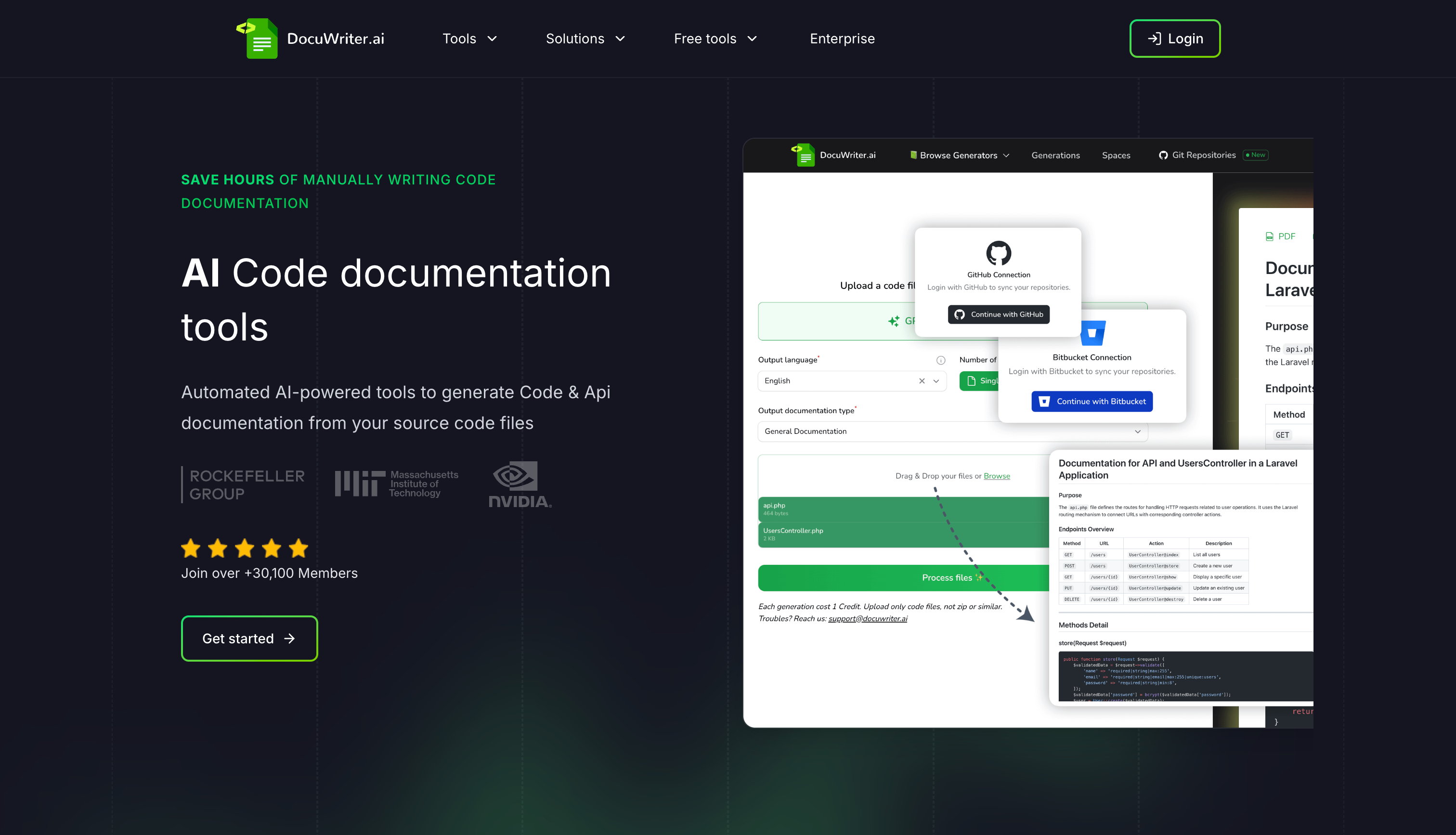
- Ship fully documented code without writing docs by hand: automatic code documentation generation parses your source code files and produces complete documentation in one click.
- Keep one documentation standard across your entire stack: support for all popular programming languages covers polyglot projects and mixed-language teams.
- Drop docs straight into your repo, README, or wiki: Markdown export delivers plain-text documentation that stays readable and version-control friendly.
- Cover untested and messy code from the same source: built-in test generation and code refactoring work from the files you already upload for documentation.
- Trace how your codebase evolved: unlimited history generations keep every past documentation run, giving you a running record of changes.
- Onboard developers faster and cut misunderstandings in code reviews: consistent, auto-generated documentation gives every team member the same explanation of how each function and file works.
- Find bugs and plan new features with less guesswork: clear documentation of how existing code is implemented makes troubleshooting and maintenance faster.
- Match cost to your output: the Professional plan includes 200 generations per month at $29, and the Agency plan includes 1,000 generations at $99 with extra documentation export options and priority support.
- Plug documentation into your existing automation: Agents, API, and MCP support let you run code documentation generation inside your own pipelines and AI tools.
- Test it on real code before you commit: a 5-day trial and cancel-anytime subscriptions remove lock-in.
Pros & Cons
From the listing; not yet checked by our editors.
Pros
- Comprehensive code documentation
- One-click operation
- Supports all languages
- Exports in Markdown
- Flexible pricing plans
- Automatic documentation generation
- Unlimited history generations
- 5-day trial period
- Documentation export options (Agency plan)
- Priority support (Agency plan)
- Promotes improved collaboration
- Time-saving solution
- Enhances software maintainability
- Boosts software quality
- Suitable for diverse projects
- Promotes code understanding
- Clear example code breakdowns
- Multi-language support
- Well-organized documentation
- Efficient code documentation
- Aids in project maintainability
Cons
- No offline functionality
- Limited generation in plans
- - NO 1
- - NO 2
- - NO 3
Alternatives to DocuWriter.ai
Tools that share the most tags with DocuWriter.ai.
- Stenography
Generate plain English explanations for your entire codebase automatically every time you save, using the AI-powered API
Paid · from $10/month
$10/month
Not yet checked
- Theneo
Eliminate manual documentation work with AI-generated descriptions and summaries that create complete API documentation in seconds
Freemium · from $120/month
$120/month
Not yet checked
- Code Wiki
Eliminate the tedious, error-prone task of manual documentation updates with AI-powered automation that syncs with every code change
Not listed
Not listed
Not yet checked
- Syntha AI README Generator
Eliminate hours of manual documentation work by generating comprehensive README files in seconds with automated code analysis
Freemium · from $14
$14
Not yet checked
- AIGNE DocSmith
Eliminate manual documentation work entirely by automatically generating comprehensive documentation from your codebase
Not listed
Not listed
Not yet checked
- Docmonster
Convert more API customers by letting them interact with your documentation through an intelligent chat interface before purchasing
Free trial · from $99/month
$99/month
Not yet checked
Reviews
Rate this tool
Loading reviews...
Frequently asked questions
What is DocuWriter.ai?
DocuWriter.ai is an AI-powered tool specifically designed for code documentation. It automatically generates comprehensive and accurate documentation from source code files simply with a click.
What programming languages does DocuWriter.ai support?
DocuWriter.ai is compatible with all popular programming languages. This makes it a versatile tool suitable for varied projects and teams, regardless of the programming language used.
What documentation format does DocuWriter.ai generate?
DocuWriter.ai generates documentation in Markdown format. This format is often used for writing rich text documentation in a plain text format, and it's widely adopted due to its simplicity and readability.
Can I export the documentation generated by DocuWriter.ai?
Yes, the documentation generated by DocuWriter.ai can be exported. The tool provides the documentation in Markdown format which you can then export for use in your projects or for sharing with your team.
What is the pricing for DocuWriter.ai?
DocuWriter.ai is available in two pricing plans. The professional plan is priced at $29 per month while the agency plan is priced at $99 per month. This provides users with flexibility to choose a plan according to their needs and usage.
Does DocuWriter.ai come with a trial period?
Yes, DocuWriter.ai does come with a trial period. Users can try the platform for five days before deciding whether to subscribe to a paid plan.
What are the difference between the professional and agency plans of DocuWriter.ai?
The professional and agency plans of DocuWriter.ai differ primarily in the number of code generations provided and the additional features. The professional plan provides 200 code generations per month, while the agency plan provides 1000. The agency plan also includes additional features not present in the professional plan.
What additional features do I get with the agency plan on DocuWriter.ai?
Subscribers of the agency plan on DocuWriter.ai get some additional features not available in the professional plan. These include documentation export options and priority support.