Syntha AI README Generator
Overview
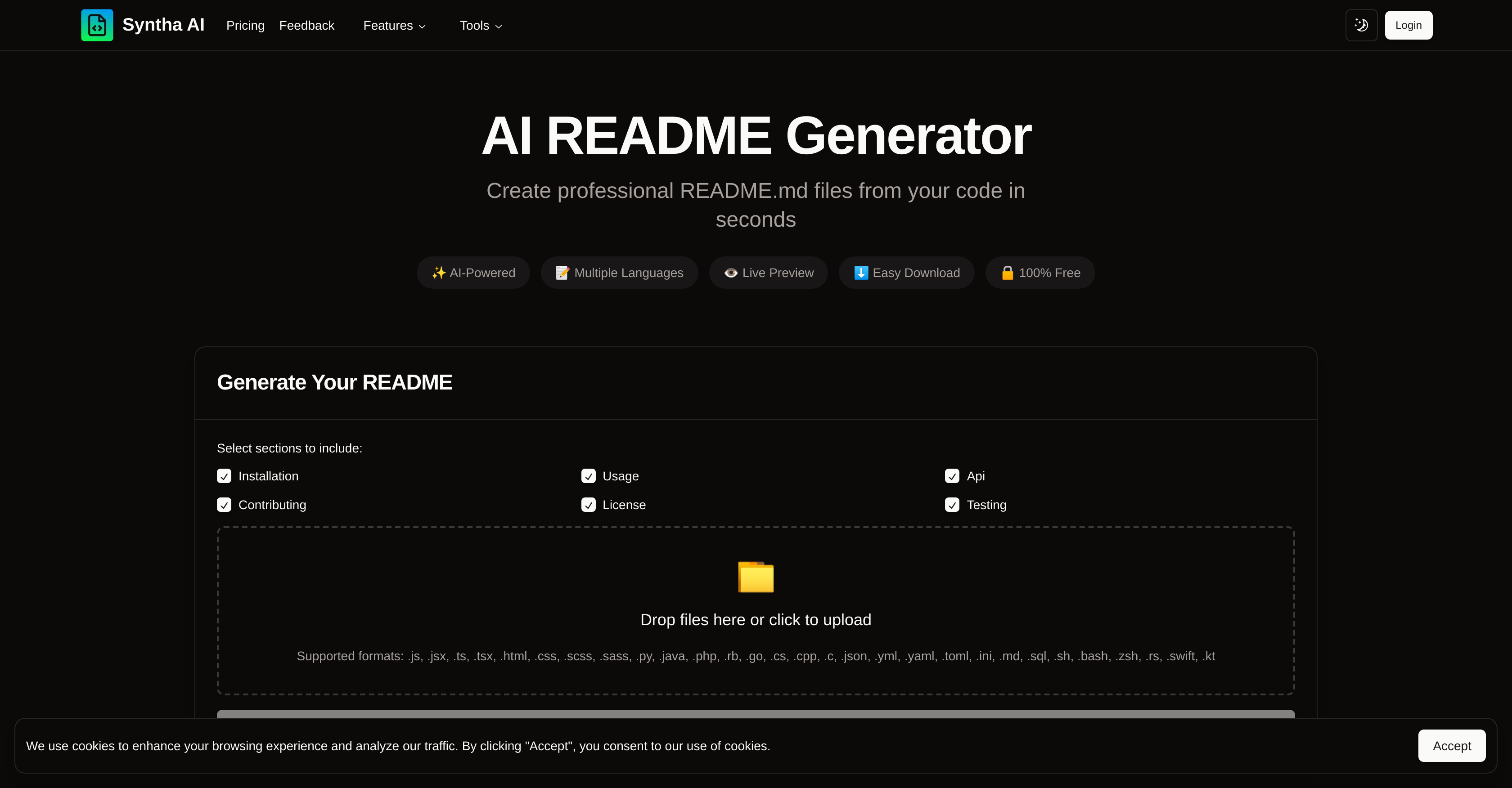
- Eliminate hours of manual documentation work by generating comprehensive README files in seconds with automated code analysis
- Create professional, standardized documentation that follows industry best practices with structured README templates
- Customize documentation to match your project's specific needs by selecting preferred sections like installation, usage, and API
- Ensure documentation accuracy across all major programming languages including JavaScript, Python, Java, and 20+ others
- Preview and refine your README before downloading to guarantee it meets your project requirements
- Maintain consistent project documentation quality with drag-and-drop file upload for any codebase size
Pros & Cons
Pros
- Free usage
- Automatic README.md creation
- Wide programming language support
- Customizable README structure
- Preview before download
- Follows industry standards
- Time-saving
- Professional documentation
- Supports multi-language programming
- Drag-and-drop files upload
- Markdown download format
- Can choose sections to include
- Support for frameworks
- Easy download
- Secured and free
- Instant documentation
Cons
- Requires file upload
- No in-line editing
- No versioning support
- Limited customization options
- No collaboration features
- No offline use
- No built-in error detection
- No direct Github integration
- Limited template selection
- Potential data privacy concerns
Reviews
Rate this tool
Loading reviews...
❓ Frequently Asked Questions
Syntha AI README Generator supports a wide array of programming languages: .js, .jsx, .ts, .tsx, .html, .css, .scss, .sass, .py, .java, .php, .rb, .go, .cs, .cpp, .c, .json, .yml, .yaml, .toml, .ini, .md, .sql, .sh, .bash, .zsh, .rs, .swift, .kt.
Syntha AI README Generator is capable of generating a README.md file in seconds.
To get started with Syntha AI README Generator, you need to upload your project files, then choose your preferred README structure and sections, followed by generating and downloading your README.
To upload a project file to Syntha AI README Generator, you can either drag and drop your files or click on the upload section to select them.
Yes, Syntha AI README Generator provides a preview feature allowing users to review and ensure that the generated README.md file meets their expectations before the final download.
Yes, Syntha AI README Generator automatically creates professional README.md files from code in seconds.
You can customize the output in Syntha AI README Generator by selecting your preferred README structure and sections during the generation process.
The sections you can choose to include with Syntha AI README Generator are: installation, usage, API, contributing, license, and testing.
Supported formats for uploading files to Syntha AI README Generator are: .js, .jsx, .ts, .tsx, .html, .css, .scss, .sass, .py, .java, .php, .rb, .go, .cs, .cpp, .c, .json, .yml, .yaml, .toml, .ini, .md, .sql, .sh, .bash, .zsh, .rs, .swift, .kt.
Yes, Syntha AI README Generator is 100% free to use with all its features.
Yes, Syntha AI README Generator adheres to best industry standards and practices while generating the README.md files.
Yes, with Syntha AI README Generator, you can save hours of work and generate comprehensive README files in seconds instead of spending hours writing documentation manually.
Yes, Syntha AI README Generator generates professional, standardized and well-structured README.md files that follow best practices and industry standards, thereby adding professionalism to your projects.
The README files generated by Syntha AI README Generator are professional and standardized, following best industry practices. They are well-structured and match individual requirements of the projects, which ensures the highest quality of code documentation.
Yes, Syntha AI README Generator enables users to customize their output by choosing their preferred README structure and sections.
Yes, Syntha AI README Generator supports multiple language programming, including all major programming languages.
To download the generated README in markdown format from Syntha AI README Generator, you simply need to generate and preview your README and then click download.
Using Syntha AI README Generator saves time and provides professional standardized documentation. With it, you can generate comprehensive README files in seconds instead of spending hours writing documentation manually.
Syntha AI README Generator ensures accurate documentation for any project by supporting all major programming languages and frameworks, and allowing for customizable output that suits your project's needs.
Pricing
Pricing model
Freemium
Paid options from
$14
Billing frequency
One-time