

Dub AI
Reach viewers in new markets without reshooting a single frame: AI video translation and dubbing converts your content into more than 25 languages.
Listing not yet reviewed by our editors · How we check
Overview
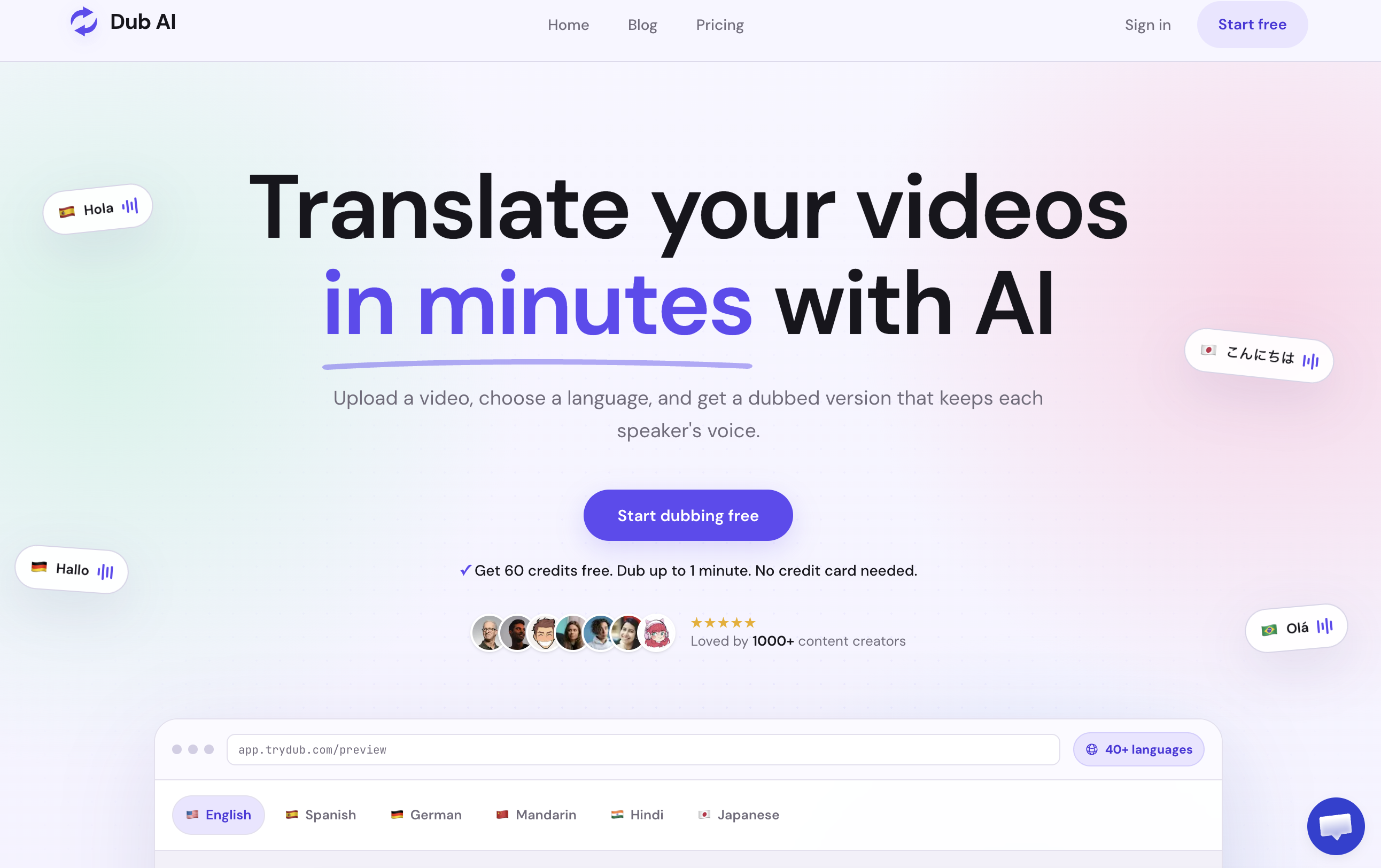
- Reach viewers in new markets without reshooting a single frame: AI video translation and dubbing converts your content into more than 25 languages.
- Keep your brand sounding like your brand in every country: voice cloning carries your original voice into each dubbed version.
- Localize interviews, podcasts, and panel discussions without manual voice assignment: automatic speaker detection identifies and dubs up to ten speakers in a single file.
- Go from YouTube link to dubbed video with no downloading or re-uploading: paste a YouTube URL and the content is translated and dubbed directly.
- Finish projects in minutes even without editing experience: a three-step workflow lets you upload audio or video, choose your target language, and download the result.
- Add subtitles, fine-tune timing, or repurpose content across channels: translated transcripts and separate dubbed audio clips download alongside the final audio or video file.
Pros & Cons
From the listing; not yet checked by our editors.
Pros
- Supports 25+ languages
- Voice cloning
- Automatic speaker detection
- Multi-speaker support
- Provides translated transcripts
- Provides audio clips
- Easy file uploading
- Accepts YouTube URLs
- Simple three-step process
- Instant translation
- Final dubbed file download
- Brand identity maintenance
- Tool for video localization
- Aids in global outreach
- Valuable for post-processing
- User-friendly interface
- No credit card requirement
- Free trial available
- Localizes video content
- Loved by 1000+ creators
- Multilingual content support
- High-quality audio, video dubbing
- Automated dubbing process
- Accessible transcripts, audio clips
- Helps expand audience globally
Cons
- Limited to 25 languages
- Supports only 10 speakers
- No clear offline functionality
- No explicit API mentioned
- No MacOS or Linux client
- Voice clone might decrease quality
- No live-streaming support
- No multi-platform uploading mentioned
- May over-simplify complex languages
- No mentioned voice editing tools
Alternatives to Dub AI
Tools that share the most tags with Dub AI.
- Checksub
Get captioned videos ready to publish in minutes. Auto-Subtitles generates and syncs subtitles to any video, and turns scripts into timed captions without manual timing.
Free trial · from $18/month
$18/month
Not yet checked
- LipDub AI
Fix a line, update an offer, or replace an entire script without reshooting, because EasyDub rewrites video dialogue from a few words to a full script and re-syncs the speaker's lips to the new audio.
Paid · from $149/month
$149/month
Not yet checked
- DubMog
Follow every sentence without waiting for the speaker to finish: real-time speech-to-speech translation recognizes speech as it is spoken and plays the voiced translation a few seconds behind.
Freemium · from $9.99/month
$9.99/month
Not yet checked
- Speechify AI Dubbing
Cut localization budgets and timelines by replacing human translators and voice actors with automated video dubbing that transcribes, translates, and generates new voice tracks.
Freemium · from $19/month
$19/month
Not yet checked
- Dubecos
Reach viewers in up to 35 languages from a single video: AI video dubbing converts your content into the languages your audience speaks.
Not listed
Not listed
Not yet checked
- EarDub
Watch foreign-language YouTube videos without reading subtitles: real-time AI dubbing starts each translated line exactly when the speaker starts talking.
Freemium · from $9.99/month
$9.99/month
Not yet checked
Reviews
Rate this tool
Loading reviews...
Frequently asked questions
What is Dub AI?
Dub AI is an AI-powered tool designed to aid in the localization of videos. It provides services such as translation, voice cloning and automatic speaker detection, supporting translation to over 25 languages.
How does Dub AI translate videos?
Dub AI translates videos by using advanced AI technology. After the user uploads a video file or enters a YouTube URL, the AI tool translates the content and dubs it in the desired language.
Can Dub AI clone voices?
Yes, Dub AI has the capacity to clone voices. This feature assists in maintaining a consistent brand identity across diverse markets.
How does Dub AI's automatic speaker detection work?
The automatic speaker detection in Dub AI operates by supporting up to ten speakers at once. The tool locates individual speakers and applies appropriate voice cloning and translation, enhancing multi-speaker dialogues.
How many languages can Dub AI translate a video to?
Dub AI can translate a video to more than 25 languages, supporting a broad global audience access.
Can Dub AI translate and dub a YouTube video directly?
Yes, Dub AI can directly translate and dub a YouTube video. Users just need to provide the YouTube URL and the tool will handle the rest.
What is the process of dubbing a video using Dub AI?
The process of dubbing a video using Dub AI involves uploading the video file or entering a YouTube URL, enabling AI to instantly translate and dub the content to the desired language, and ultimately downloading the final dubbed audio or video file.
How do I upload a file to Dub AI?
Users can upload a file to Dub AI by selecting the 'Upload file' option provided on the platform. The platform allows for the uploading of both audio and video files.