

DubTab
Watch foreign-language videos the moment you find them: DubTab translates and dubs the tab that's already playing, with no video upload and no file processing.
Listing not yet reviewed by our editors · How we check
Overview
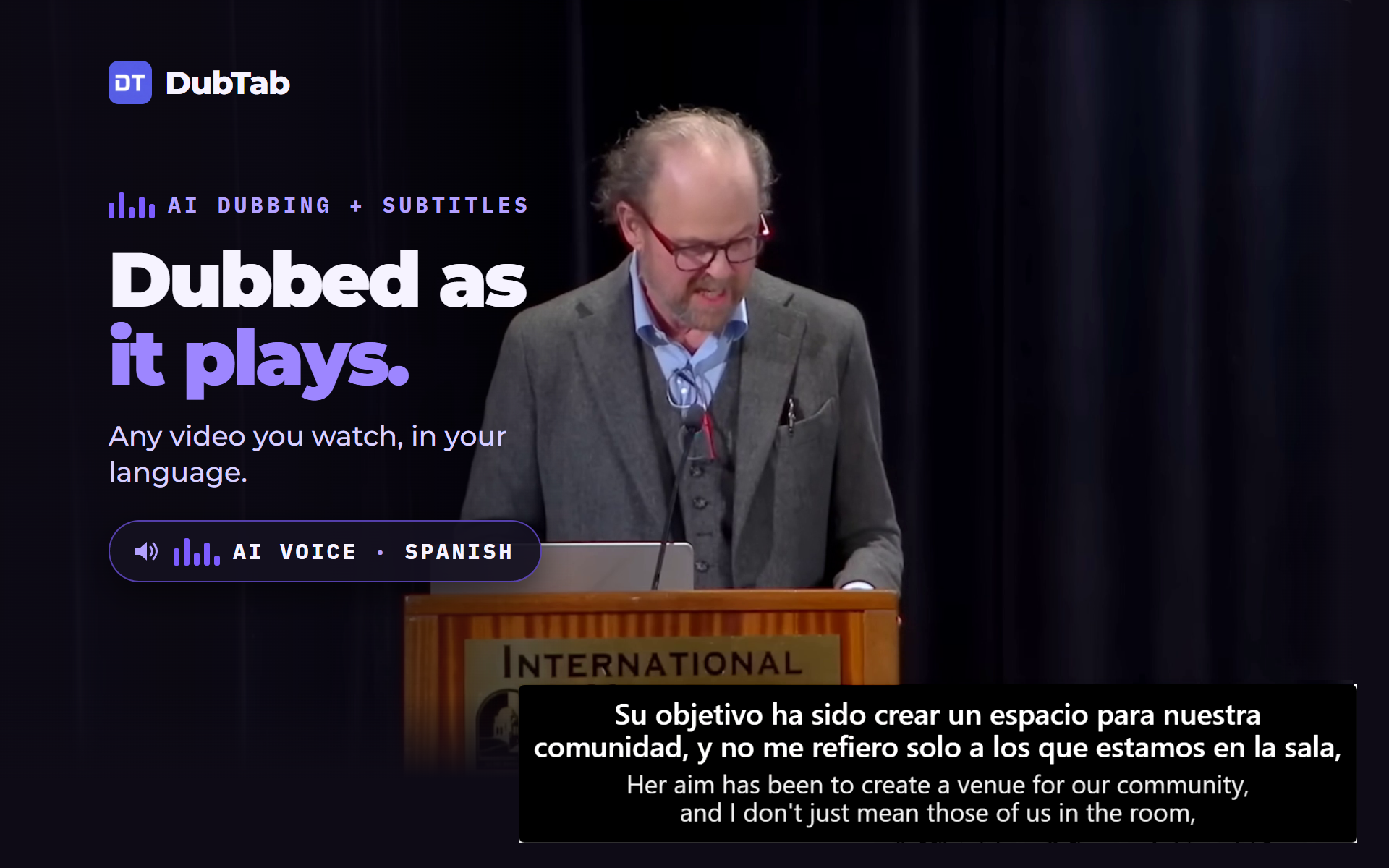
- Watch foreign-language videos the moment you find them: DubTab translates and dubs the tab that's already playing, with no video upload and no file processing.
- Follow live streams and uncaptioned videos as they happen: real-time speech transcription turns any spoken audio into live subtitles and AI voice dubbing on YouTube Live, Twitch and TikTok LIVE.
- Finish Udemy and Coursera courses in your own language: lectures are translated sentence by sentence and read aloud by a natural AI voice while you keep studying.
- Check the translation and pick up vocabulary at the same time: bilingual subtitles show the original line next to the translated subtitle, or switch to translation-only captions for clean viewing.
- Shape the audio to how you listen best: choose from multiple AI voices in major languages such as English, Spanish, Chinese, Japanese, Korean, French and German, set separate volumes for the original audio and the dubbed voice, and duck the speaker under the translation.
- Keep the dub in step with fast speakers: the AI voiceover speeds up automatically when it falls behind, so long talks and streams stay in sync.
- Understand international Zoom and Teams calls: the Windows and Mac desktop app delivers live call translation with subtitles or dubbing outside the browser, and Google Meet is covered in Chrome and Edge.
- Translate video files stored on your computer: the desktop app dubs and subtitles content played in desktop video players, not just streaming sites.
- Turn every session into searchable notes: saved transcripts come with AI summaries and Ask AI, so you get answers about a lecture or meeting without rewatching it.
- Keep your conversations private: original audio is never saved, and storing dubbed audio stays off unless you enable it, with replay and delete controls in your private History.
- Pay once for every place you watch: a single subscription covers the Chrome and Edge extension and the desktop app on shared hours, starting with a 15-minute free trial and plans from $19 a month for 9 hours.
Pros & Cons
From the listing; not yet checked by our editors.
Pros
- Real-time translation
- Maintains context and tone
- Browser extension availability
- Desktop application availability
- Low-latency
- Useful for calls, livestreams, courses
- Compatible with YouTube, Twitch, Coursera
- Netflix, Udemy compatibility
- Original volume ducking control
- Dual subtitles
- Privacy conscious
- Live subtitles
- Cross-platform support
- Variety of subscription plans
- Optional bilingual captions
- Processes audio in real-time
- No saved recordings
- Handles local and streamed audio
- Versatile application compatibility
- Fast translation
- Bilingual subtitles mode
- Supports many streaming services
- Supports MacOS and Windows
- Can work on Chrome
- Can work on Edge
- App and Extension option
- Shared hours on subscription
- 60+ languages support in plans
- Email support & Discord community
- Suited for varying levels of usage
- Instant translation for live streams
- Simultaneous translation and transcription
- Supports VLC, Spotify, Steam
- Historic translated voice accessibility
- No manual uploads required
- Transparent usage count
- Compatible with video players
- Optimized for language learning
- Zoom, Google Meet compatibility
- Flexible subscription plans
- Team subscription option
- Supports offline courses
- Multiple voices in one subscription
Cons
- The dubbed voice trails the speaker and can speed up to catch up
- Needs an internet connection
- Desktop app needs Windows 11 or macOS 14.2+
- Browser extension works in Chrome, Edge and Brave only
- Made for watching: doesn't export dubbed video files
Alternatives to DubTab
Tools that share the most tags with DubTab.
- Checksub
Get captioned videos ready to publish in minutes. Auto-Subtitles generates and syncs subtitles to any video, and turns scripts into timed captions without manual timing.
Free trial · from $18/month
$18/month
Not yet checked
- Dub AI
Reach viewers in new markets without reshooting a single frame: AI video translation and dubbing converts your content into more than 25 languages.
Freemium · from $5/month
$5/month
Not yet checked
- LipDub AI
Fix a line, update an offer, or replace an entire script without reshooting, because EasyDub rewrites video dialogue from a few words to a full script and re-syncs the speaker's lips to the new audio.
Paid · from $149/month
$149/month
Not yet checked
- Speechify AI Dubbing
Cut localization budgets and timelines by replacing human translators and voice actors with automated video dubbing that transcribes, translates, and generates new voice tracks.
Freemium · from $19/month
$19/month
Not yet checked
- Dubecos
Reach viewers in up to 35 languages from a single video: AI video dubbing converts your content into the languages your audience speaks.
Not listed
Not listed
Not yet checked
- DubMog
Follow every sentence without waiting for the speaker to finish: real-time speech-to-speech translation recognizes speech as it is spoken and plays the voiced translation a few seconds behind.
Freemium · from $9.99/month
$9.99/month
Not yet checked
Reviews
Rate this tool
Loading reviews...
Frequently asked questions
What is DubTab?
Ethan Hu 🛠️ 2 tools wrote:DubTab dubs and subtitles videos in real time while you watch them. Start it on the tab or app that is playing, and it transcribes the speaker, translates each line and reads it aloud in your language with an AI voice. There is nothing to upload and no file to wait for.
Does the video need to have subtitles?
Ethan Hu 🛠️ 2 tools wrote:No. DubTab listens to the audio itself, so it works on videos without captions and on live streams.
Which websites and apps does it work on?
Ethan Hu 🛠️ 2 tools wrote:The browser extension works on any website that plays sound in Chrome or Edge, including YouTube, Twitch, TikTok LIVE, Udemy, Coursera and Google Meet. The desktop app for Windows and Mac also covers sound outside the browser, such as Zoom and Teams calls, desktop video players and video files saved on your computer.
Do I need the extension or the desktop app?
Ethan Hu 🛠️ 2 tools wrote:Most people only need the extension, which runs in Chrome or Edge on Windows, Mac and Linux. Add the desktop app if you watch or listen outside the browser. It needs Windows 11 or macOS 14.2 or later. One subscription covers both, and they share the same hours.
What languages are supported?
Ethan Hu 🛠️ 2 tools wrote:Subtitles and translation cover more than 60 languages. AI voices are available for major languages such as English, Spanish, Chinese, Japanese, Korean, French and German, with several voices to choose from. You can show the translation only, or the original and the translation together.
How far behind the speaker is the dubbed voice?
Ethan Hu 🛠️ 2 tools wrote:A little. DubTab has to hear a sentence before it can translate it, so the dubbed voice follows the speaker instead of speaking at the same moment. When it falls behind, it speeds up to catch up.
Is DubTab free?
Ethan Hu 🛠️ 2 tools wrote:There is a one-time free trial of 15 minutes. Paid plans start at $19 a month for 9 hours, or less per month on a yearly plan. Subtitles and dubbing share the same hours, and you can cancel anytime.
Does DubTab record or store my audio?
Ethan Hu 🛠️ 2 tools wrote:DubTab streams the audio to its servers to transcribe and translate it as it plays, and it does not save the original audio. Saving dubbed audio is off by default. If you turn it on, only the AI voice DubTab generates is kept in your private History, where you can replay or delete it.