

FaceApp
113
Overview
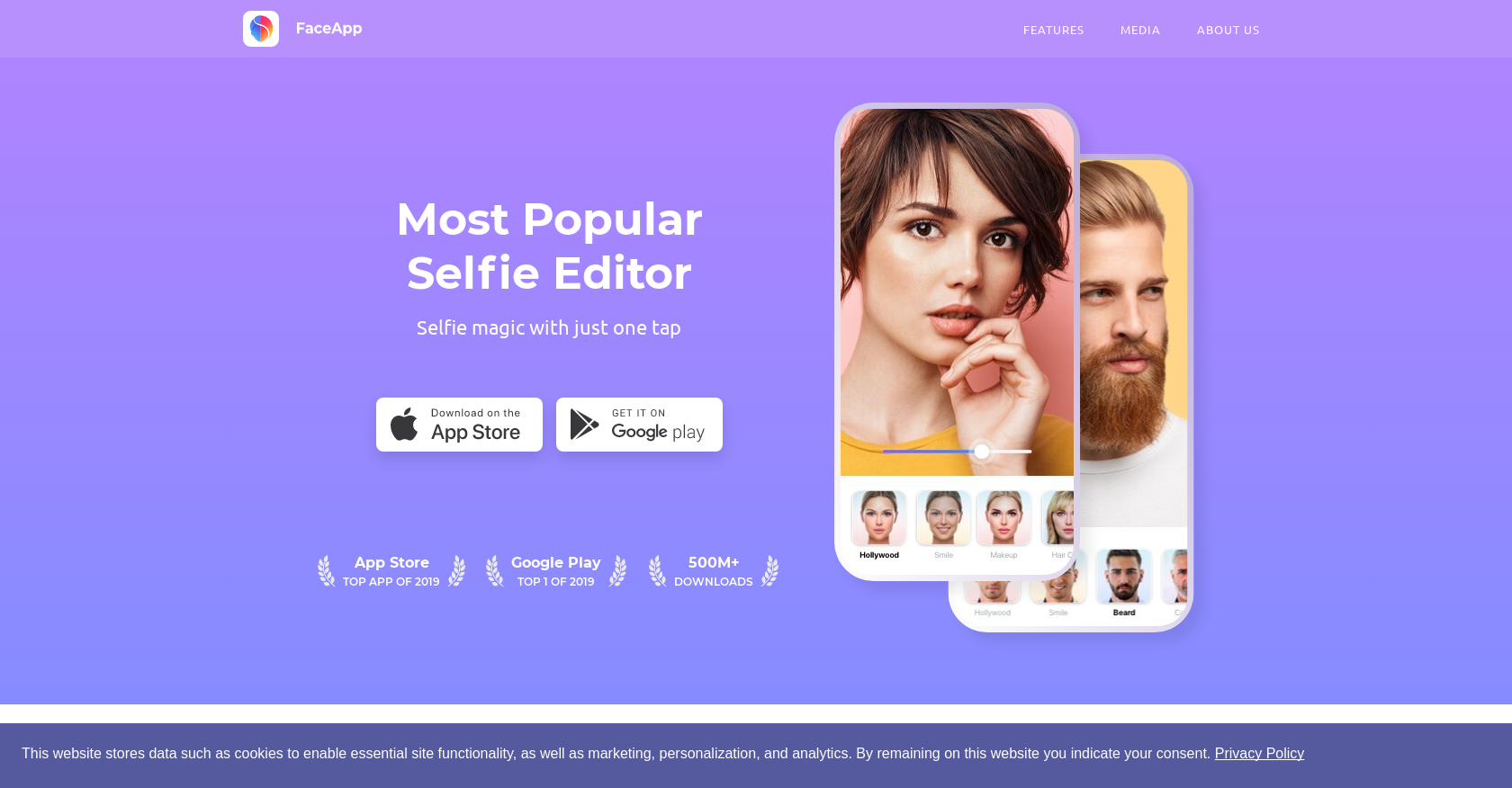
- Instantly enhance your selfies and boost attractiveness with the one-tap Impression feature for a realistic makeover
- Smooth out spots and wrinkles for clearer, more youthful-looking portraits using integrated AI skin editing
- Experiment with different facial hair styles using the Beard feature to visualize a new look
- Transform your appearance to see a realistic older version of yourself with the viral Old age filter
- Access over 60 unique filters and effects for instant, creative photo edits directly from your mobile device
Pros & Cons
Pros
- 60+ filters
- Transform portraits
- Selfie magic feature
- Attractiveness boost
- Realistic makeovers
- Smoothes wrinkles and spots
- Facial hair experimentation
- Ages portraits
- Rapid editing
- Novelty filters
- Popularity globally
- 500M+ downloads
- #1 free iPhone app
- Top Google Play app
- Available on App Store
- Available on Google Play
- Photoshop alternative
- Magazine cover style edits
- Support page available
- Privacy policy provided
- Terms of use provided
- Contact information accessible
- Instagram support
- Twitter support
- Facebook support
- Featured in Forbes
- Featured in Vogue
- Featured in Cosmopolitan
- Featured in GQ
- Featured in The NY Times
- Featured in TechCrunch
- Featured in BBC
- Featured in Buzzfeed
- Featured in Vanity Fair
- Featured in CNN
- Featured in The Guardian
- Featured in Business Insider
Cons
- Limited editing scopes
- Lack of advanced features
- Filter over-supply can overwhelm
- No batch processing
- No built-in tutorial
- Limited offline usage
- No PSD support
- Limited support channels
- No multi-language support
- Free version limitations
Reviews
Rate this tool
Loading reviews...
❓ Frequently Asked Questions
FaceApp is an AI-based application designed for image editing and transforming portraits. It offers more than 60 filters that allow users to easily edit photos and is one of the most globally popular photo editing apps with over 500 million downloads.
FaceApp provides a range of features including selfie magic with one tap, enhancing attractiveness, providing realistic makeovers, smoothing out any irregularities, experimenting with facial hair, and offering an older version transformation. It also has advanced AI technology for editing, along with novelty filters.
FaceApp primarily targets portrait photos with its artistic blend of AI and usability, but it doesn't explicitly state it cannot be used on other types of photos.
FaceApp utilizes an advanced AI algorithm to analyze and transform portrait photos. It can detect different aspects and elements of a face including spots, wrinkles, and facial hair to apply different filters and edits.
FaceApp can be downloaded from both the Apple App Store and the Google Play Store. Links are provided on the FaceApp website.
The 'selfie magic with one tap' feature in FaceApp allows users to enhance and transform their selfies instantly with a single tap, thus providing a speedy and VR-like editing experience.
Yes, FaceApp can enhance your attractiveness in photos. It has a feature called 'Impression' that lets you boost your attractiveness and get a realistic makeover for your best selfie.
Yes, FaceApp offers a 'Beard' feature that allows users to experiment with their facial hair design.
Yes, FaceApp has an 'Old' feature that uses AI technology to show how you might look as you age, creating a viral internet trend of users sharing their aged self-portraits.
FaceApp doesn't provide a specific list of available countries, but given its #1 ranking as a free iPhone app in 154 countries and its top standing in Google Play for 99 out of 101 countries in 2019, it's likely that the app is available in your country.
FaceApp has been featured by a number of notable publications and media outlets such as Forbes, Vogue, Cosmopolitan, GQ, The New York Times, TechCrunch, BBC, Buzzfeed, Vanity Fair, CNN, The Guardian, and Business Insider.
FaceApp has over 500 million downloads and active users worldwide, according to information on their website.
The novelty filters in FaceApp are unique features that contributed to raising the profile of the app. While the specific filters are not listed, they are presumably designed to add unique, novel aspects to the edited images.
Users can contact FaceApp's support through the 'Contact Us' option provided on their website. They also have a dedicated 'Support' option in their page's main menu.
FaceApp's privacy policy and terms of use can be found on their website under the 'Legal' section. The links labelled 'Privacy Policy' and 'Terms' direct users to the respective documents.
FaceApp uses its integrated AI technology to smooth out spots and wrinkles in user photos, resulting in clearer and more youthful-looking images.
The AI transformation in FaceApp is specialized in altering appearances realistically, such as showing how you'll look when you are older. This feature went viral on the internet and contributed significantly to the app's popularity.
FaceApp became a popular trend in 2019 due to its unique and realistic AI transformation features, such as the 'Old' filter that shows users what they may look like when they're older. The app's novelty and functionality grabbed attention and led to widespread usage.
FaceApp does not provide specific tutorials or guides on their website. However, given the simplicity and intuitiveness of the app's user interface, users typically don't require explicit guides to use the app.
Yes, FaceApp can be used on both iPhones and Android phones. You can download it from the App Store or Google Play.
Yes, FaceApp can enhance your attractiveness in photos. It has a feature called 'Impression' that lets you boost your attractiveness and get a realistic makeover for your best selfie.
Yes, FaceApp offers a 'Beard' feature that allows users to experiment with their facial hair design.
Yes, FaceApp has an 'Old' feature that uses AI technology to show how you might look as you age, creating a viral internet trend of users sharing their aged self-portraits.
FaceApp doesn't provide a specific list of available countries, but given its #1 ranking as a free iPhone app in 154 countries and its top standing in Google Play for 99 out of 101 countries in 2019, it's likely that the app is available in your country.
FaceApp has been featured by a number of notable publications and media outlets such as Forbes, Vogue, Cosmopolitan, GQ, The New York Times, TechCrunch, BBC, Buzzfeed, Vanity Fair, CNN, The Guardian, and Business Insider.
FaceApp has over 500 million downloads and active users worldwide, according to information on their website.
The novelty filters in FaceApp are unique features that contributed to raising the profile of the app. While the specific filters are not listed, they are presumably designed to add unique, novel aspects to the edited images.
Users can contact FaceApp's support through the 'Contact Us' option provided on their website. They also have a dedicated 'Support' option in their page's main menu.
FaceApp's privacy policy and terms of use can be found on their website under the 'Legal' section. The links labelled 'Privacy Policy' and 'Terms' direct users to the respective documents.
FaceApp uses its integrated AI technology to smooth out spots and wrinkles in user photos, resulting in clearer and more youthful-looking images.
The AI transformation in FaceApp is specialized in altering appearances realistically, such as showing how you'll look when you are older. This feature went viral on the internet and contributed significantly to the app's popularity.
FaceApp became a popular trend in 2019 due to its unique and realistic AI transformation features, such as the 'Old' filter that shows users what they may look like when they're older. The app's novelty and functionality grabbed attention and led to widespread usage.
FaceApp does not provide specific tutorials or guides on their website. However, given the simplicity and intuitiveness of the app's user interface, users typically don't require explicit guides to use the app.
Yes, FaceApp can be used on both iPhones and Android phones. You can download it from the App Store or Google Play.
Pricing
Pricing model
Freemium
Paid options from
$10
Billing frequency
One-time
Related Videos
How To Edit INSTAGRAM Pictures On Your Phone | Detailed Faceapp Tutorial #faceapp #howtoedit
Damilare Oshodi•125.0K views•Jul 15, 2022
How FaceApp Hollywood Filter Changes Your Face
QOVES Studio•81.7K views•Jun 23, 2023
How To Use Faceapp To Edit Your Dating App Pics
ChadGPT (AI for Dating)•684 views•Jul 1, 2025
[FaceApp] NEW 'Revamp' Filter
FaceApp•4.8K views•Jun 14, 2024
#faceapp
FaceAppy•11.4K views•Mar 31, 2022
FaceApp Blond Filter is now FREE
FaceApp•2.7K views•Apr 7, 2023