

Flo
Spend less time debugging: Flo scans your entire codebase from the command line and flags programming errors almost instantly, so you skip manual bug hunting.
Listing not yet reviewed by our editors · How we check
Overview
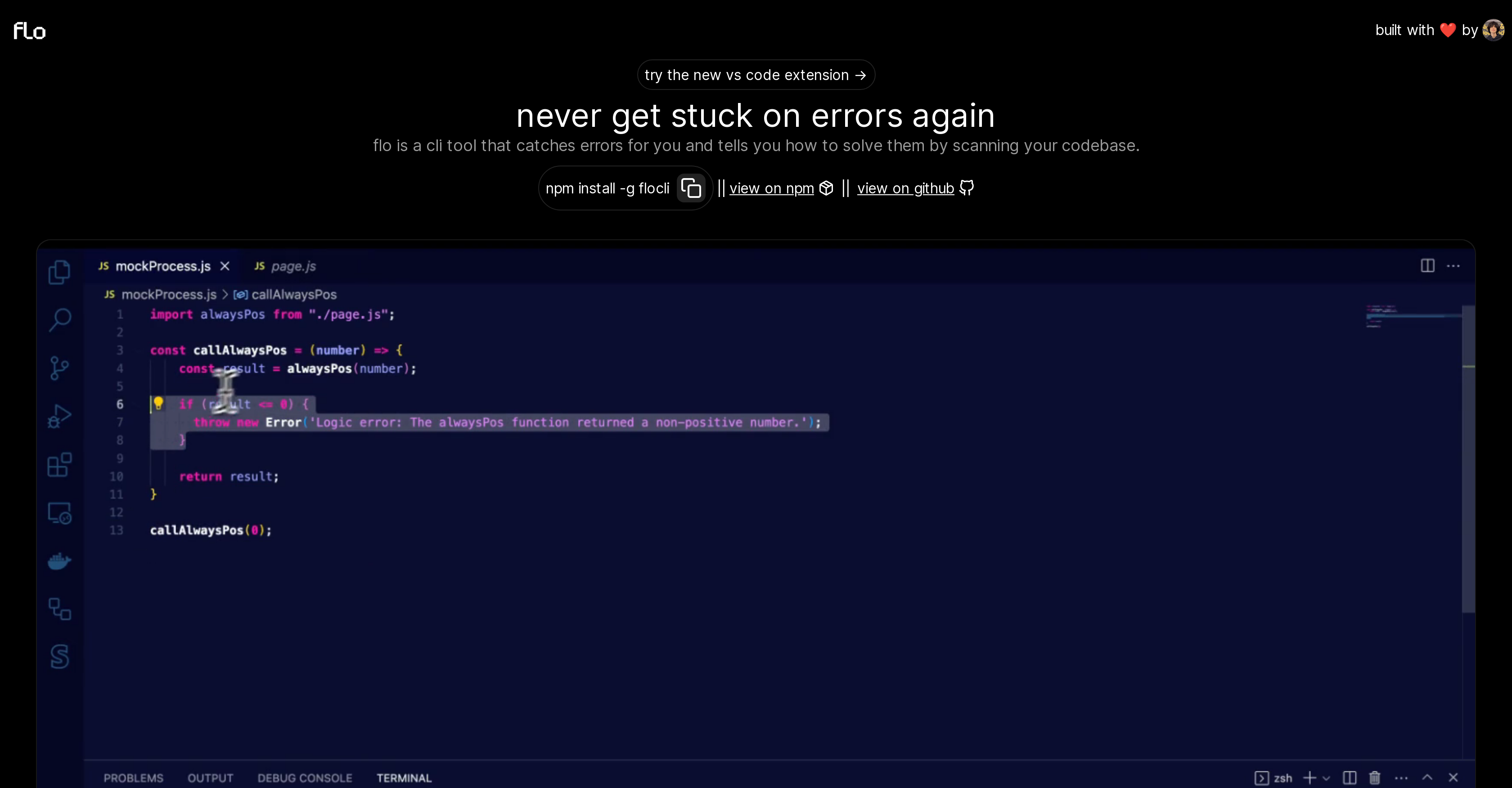
- Spend less time debugging: Flo scans your entire codebase from the command line and flags programming errors almost instantly, so you skip manual bug hunting.
- Fix errors faster: every detected issue comes with specific insights and recommended solutions, so you resolve bugs without researching them yourself.
- Ship more reliable software with fewer bugs: Flo's fix recommendations raise code quality before your code reaches production.
- Start checking code in seconds: install globally with 'npm install -g flocli' and run error detection inside your existing development workflow.
- Catch errors without leaving your editor: the dedicated VS Code extension brings Flo's code error checking and fix guidance into the editor you already use.
- Write code faster: built-in code assistant and autocomplete features speed up writing new code alongside error detection.
- Learn programming by understanding your mistakes: beginners see why each error happened and how to fix it, which builds coding skills with every scan.
- Keep full visibility into your tooling: Flo is open source on GitHub, so you can review the code, contribute improvements, and shape how the tool evolves.
Pros & Cons
From the listing; not yet checked by our editors.
Pros
- CLI tool
- Scans entire codebase
- Detects coding errors
- Provides error solutions
- Automates error detection
- Easily accessible
- Installed via npm
- Offers code suggestions
- Saves developer time
- Open-source tool
- Community enhancements
- User-centric approach
- Enhances code reliability
- Increases developer productivity
- VS Code extension
- Available on Github
- Empowers efficient coding
- Minimizes troubleshooting time
- Conveniently integrated tool
- Increases code quality
- Code available for viewing
- Encourages community contribution
- Intuitively designed tool
- Flagging of coding errors
Cons
- Limited to command-line interface
- Dependent on npm for installation
- Specific to VS Code extension
- Open-source may lack consistency
- May miss rare coding errors
- Reliance on community contributions
- Potential bias in error-solving suggestions
- No demonstrated support for IDEs
- No multi-language support mentioned
- Lacks in-depth functionality description
Alternatives to Flo
Tools that share the most tags with Flo.
- Explain by Whybug
Understand complex error messages instantly with AI analysis trained on StackExchange data
Free
Not listed
Not yet checked
- Multiplayer.app
Eliminate guesswork in bug reports by capturing the entire application stack—frontend screens, backend traces, logs, and API calls—all correlated in a single replay.
Free trial · from $20/month
$20/month
Not yet checked
- Anycode AI
Fix 6x more code vulnerabilities within the same timeframe through automated detection and rapid remediation
Not listed
Not listed
Not yet checked
- Raygun
Fix software errors in minutes instead of hours with AI-powered error resolution that analyzes patterns and recommends specific solutions
Free trial · from $40/year
$40/year
Not yet checked
- Grit.io
Complete code migrations 10x faster than manual efforts with automated pull request generation for technical debt cleanup
Freemium · from $39/month
$39/month
Not yet checked
- DevLensPro
Fix UI bugs instantly by clicking problematic elements, with real-time WebSocket delivery to Claude Code for immediate AI analysis and correction
Freemium · from $11.95/month
$11.95/month
Not yet checked
Related Articles

EzRemove AI Tool Review: Free Background Removal for eCommerce and Product Photography
WorldTools AI · May 26, 2026
Reviews
Rate this tool
Loading reviews...
Frequently asked questions
What is flo?
flo is a command-line interface (CLI) tool designed to prevent errors during the coding process. It scans your codebase, identifies errors, and provides guidance and solutions for their resolution. It can be installed via npm and extends its functionality further by offering suggestions to improve the code quality.
How does flo work to prevent coding errors?
flo works by scanning your codebase and identifying coding errors. Once an error is identified, flo provides insights and recommendations on how best to resolve them. Thus, it helps in minimizing time spent on troubleshooting and error resolution.
How does flo enhance a user's coding experience?
flo enhances a user's coding experience by automating the process of error detection and resolution. It eliminates the need to manually find and fix coding errors, saving valuable time and effort. Furthermore, it provides guidance on how best to solve detected errors to improve the overall code quality.
What steps are needed to install flo?
To install flo, you need to use the npm package manager. The command for installation is 'npm install -g flocli'.
What makes flo a significant tool for developers?
flo is significant for developers because it automates the process of error detection and resolution, saving them valuable time and effort. Additionally, it offers insights on how best to solve the detected errors, thereby improving code quality and developer productivity.
Does the open-source nature of flo allow for public contribution?
Yes, the open-source nature of flo allows for public contribution. The code can be viewed and improved upon on github, encouraging community involvement and further enhancing the evolution of the tool.
How does flo allow developers to build more reliable and efficient software?
flo allows developers to build more reliable and efficient software by identifying and helping resolve coding errors, thereby reducing bugs in the final product. Furthermore, the recommendations it provides to solve detected errors result in improved code quality and efficient software.
In what ways does flo streamline the coding process?
flo streamlines the coding process by automatically scanning the codebase, identifying errors and providing their resolutions. This eliminates the necessity for developers to spend time on manual error detection and lets them focus on actual coding.