Overview
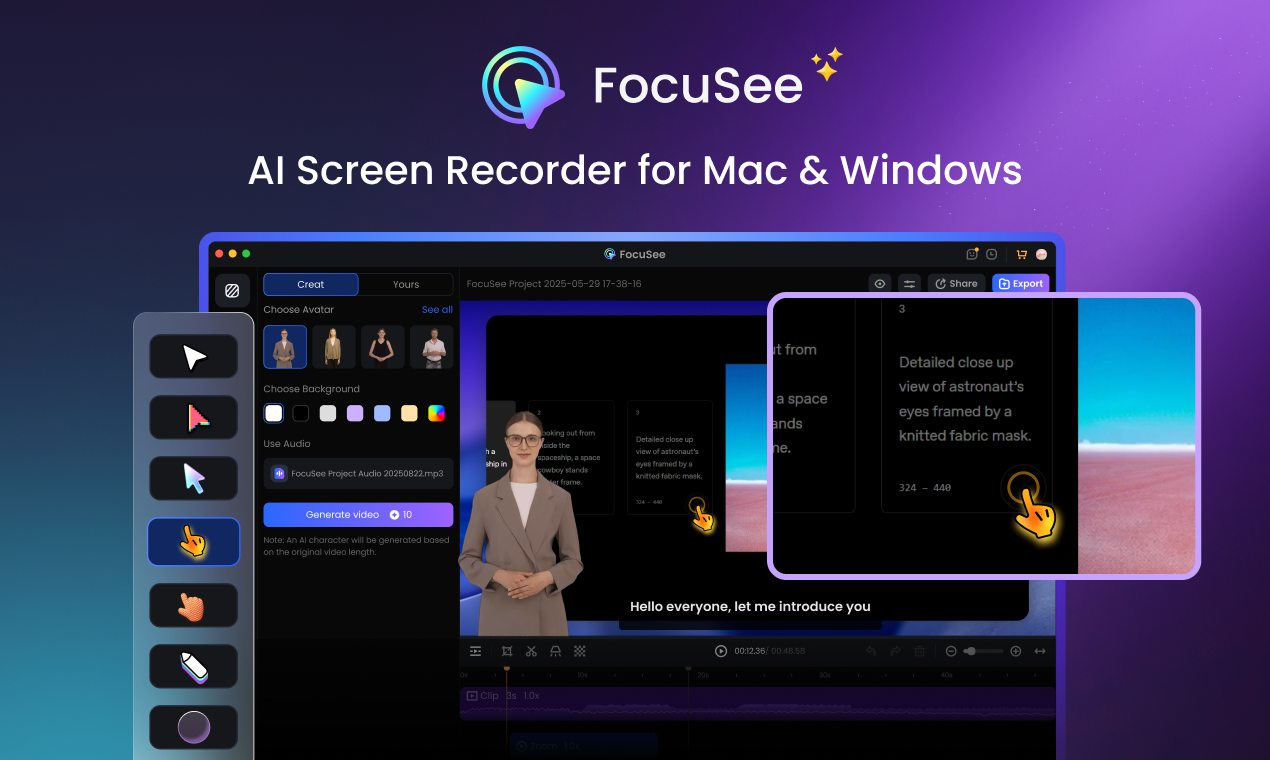
- Produce polished video content instantly without manual editing through automated post-production that handles zoom effects and cursor tracking
- Create engaging product demos and tutorial videos that dynamically zoom into areas of interest using automatic cursor movement tracking
- Generate professional marketing videos and presentations quickly with automated background insertion and visual enhancement features
- Maintain brand consistency across videos using customizable presets that save your preferred zoom, cursor, and background settings with one-click application
- Export content optimized for any platform with preset aspect ratios for YouTube, Twitter, and TikTok, plus 4K video and high-quality GIF options
- Protect your content and enhance brand identity by adding custom watermarks to all your videos automatically
- Ensure video accessibility and engagement through auto-generated captions that you can quickly edit for accuracy
- Record comprehensive videos combining screen activity, selfie camera, and voiceover simultaneously for personalized promotional content
Pros & Cons
Pros
- Automated screen recording
- Generates polished video content
- No manual editing required
- Caters to various use-cases
- Creates product demo videos
- Creates tutorial videos
- Creates marketing and promotional videos
- Reaction video creation
- Pitch video creation
- Automatically enhances video process
- Automated zoom-in effects
- Tracks cursor movement
- Provides pleasing video background
- User input for screen recording
- Automated post-production
- Time saving
- Produces professional-looking videos
- Applies dynamic zoom effects
- Creates variety of video types
- Versatile video production
- Automated editing
- Recognizes mouse movements
- Creates stylish video backgrounds
- Simultaneous recording
- Suitable for both Windows and Mac
- Automatically generates captions
- Pre-designed selfie and screen layouts
- Customizable video layouts
- Motion blur in videos
- Customized presets
- Watermark addition
- Video trimming and speed control
- Diverse frames and filters
- Multiple export and sharing options
- Preset aspect ratios for different platforms
- Exports content as videos or GIFs
- Capable of 4K video output
- Cost effective solution
Cons
- No manual editing control
- Overly automated
- Fixed zoom effects
- No adjustable video speed options
- Lacks advanced editing features
- Limited customizability in video presentation
- No multi-screen support
- Lacks audio editing
- No subtitle or caption feature
Reviews
Rate this tool
Loading reviews...
❓ Frequently Asked Questions
FocuSee is an automated screen recording tool that specializes in producing polished video content. It provides a solution for various user scenarios such as product demos, tutorials, marketing and promotional videos, reaction videos, pitch videos, and video presentations. The core attribute of FocuSee is its ability to automate the video creation process including zoom-in effects, cursor movement tracking, and a pleasing background provision.
Yes, FocuSee automates the process of video editing, thereby eliminating the requirement for manual editing. This automation involves tracking cursor movement, applying dynamic zoom effects, incorporating engaging backgrounds, and other post-production processes.
FocuSee is an ideal tool for content creators, marketers, educators, or anyone in need of creating high-quality, professional-looking videos from screen recordings. Its automated features make it a practical solution for those looking to save time on video production and editing.
FocuSee incorporates automatic cursor tracking technology which enables it to follow mouse movement during the screen recording process. This feature enhances video quality by dynamically zooming in on areas of interest as per the cursor movement.
Absolutely, FocuSee is designed to help users create professional-looking videos with ease. It includes automatic post-production features that enhance the visual appeal of the recorded screen activity. This includes following mouse movement, applying dynamic zoom effects, and adding a suitable background.
With FocuSee, users can create a wide range of video types to cater to different platforms. These video types include, but are not limited to, tutorial videos, product demos, promotional videos, pitch videos, reaction videos and video presentations.
FocuSee's auto-polish feature functions by automatically enhancing the screen recordings. It follows the cursor movement, applies dynamic zoom effects, and even inserts a pleasing background for the video. This process significantly cuts down the time and effort required for manual video editing.
Yes, FocuSee is designed to save users' time during the video creation process. Its automated features eliminate the need for tedious manual editing, thus allowing users to produce high-quality videos swiftly.
Yes, FocuSee is equipped with features that enable users to create impactful promotional videos. It allows for automatic recording of screen, selfie, and voiceover for personalized and engaging visuals. Additionally, it facilitates resizing the video for various social media platforms with a click, and exporting it in high-definition as either a video or a GIF.
FocuSee allows users to add a background to their videos as part of the automatic post-production process. This feature contributes to creating visually engaging and professional-looking videos.
No, FocuSee eliminates the need for manual editing. It incorporates automated post-production capabilities including tracking cursor movement, applying dynamic zoom effects, and providing a pleasing background for the video.
Yes, one of the key features of FocuSee is its ability to automate zoom-in effects. This feature ensures that the video focuses on areas of interest, aligning with the cursor movement, resulting in a more engaging viewer experience.
Yes, users can utilize FocuSee to create professional-quality video presentations. The tool follows cursor movement, applies dynamic zoom effects, and comes equipped with features for content creation, making it easy to generate video presentations.
FocuSee serves as a valuable tool for content creation by simplifying the video production process. Users can create a range of video types like tutorials, product demos, marketing and promotional videos, among others. It automates the entire process from screen recording to the post-production of a visually engaging video.
Yes, recording screen activity using FocuSee is a straightforward process. Users primarily need to carry out the screen recording, and FocuSee handles the rest including post-production processes.
Yes, FocuSee can automatically generate captions for videos. Users have the ability to edit these auto-generated captions as needed to ensure their accuracy.
Yes, FocuSee allows users to add a watermark to their videos. This feature helps enhance brand identity and protect copyright infringement.
FocuSee provides users the ability to create customized presets for video settings. Users can save their preferred settings such as zoom, cursor, and background. These can be applied with a single click to maintain a consistent style across different videos.
FocuSee offers multiple export and sharing options. Users can choose from preset aspect ratios for different platforms such as YouTube, Twitter, TikTok, and others. They can export their content as videos up to 4K quality or as high-quality GIFs as per their specific needs and audience preferences.
Yes, FocuSee is compatible with both Windows (versions 10 and above) and macOS (versions 10.13 and above).
Pricing
Pricing model
Free Trial
Paid options from
$19.99/unit
Billing frequency
Pay-as-you-go
Related Videos
FocuSee vs Screen Studio – Full Feature & Benefits Comparison
iMobie Support•29 views•Nov 5, 2025