

FontVibe
Turn a few words into a finished design: lettering, lighting and background come together in one image for YouTube thumbnails, posters, invitations, shop signs, T-shirt prints and logos.
Listing not yet reviewed by our editors · How we check
Overview
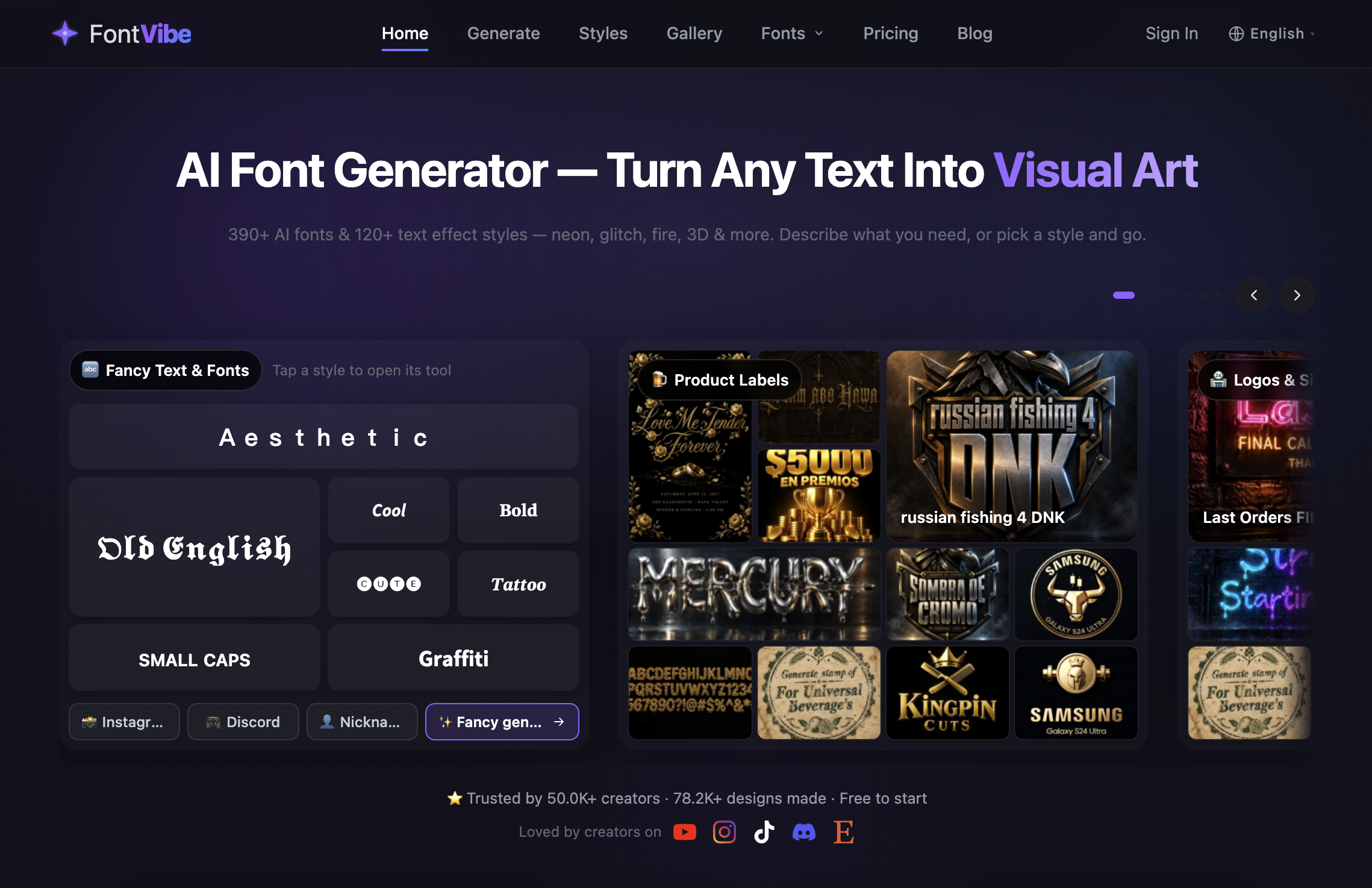
- Turn a few words into a finished design: lettering, lighting and background come together in one image for YouTube thumbnails, posters, invitations, shop signs, T-shirt prints and logos.
- Get from idea to layout without a blank canvas: describe the job in one sentence and choose from a few AI-generated design concepts.
- Get exact control over the look of your lettering: pick from 390+ AI fonts and 120+ visual text styles, including neon, glitch, fire, 3D, vintage and cyberpunk.
- Keep every design on-brand with up to 4 reference images that guide the AI text art generator toward your colors and aesthetic.
- Place your styled text anywhere by exporting transparent PNG files ready for video edits, merch mockups and social media graphics.
- Recolor one element without starting over: split a finished image into layers and change only the part you want.
- Produce personalized wedding invitations, name tags or team graphics in one run with batch generation from a list of names.
- Publish in the right shape every time with 8 aspect ratios covering thumbnails, stories, banners and print layouts.
- Meet tight content deadlines with ready-to-use PNG or JPG images rendered in about 20 to 40 seconds.
- Sell what you make without licensing worries: commercial use is included on every plan, including the free tier.
- Start designing at no cost with 20 credits without an account and 200 credits a month with a free account, or buy 400 non-expiring credits for a one-time $3.99.
- Find a direction faster by browsing the community gallery of text effects and logo designs created by other users.
Pros & Cons
From the listing; not yet checked by our editors.
Pros
- 390+ AI fonts and 120+ visual styles
- Generates stylish visual art
- PNG/JPG downloadable output
- No design skills needed
- Free basic functionality
- Gallery feature for inspiration
- Versatile uses
- Neon, glitch, fire styles
- 3D, vintage, retro styles
- Cyberpunk, techno styles
- Optional upgraded packages
- Community created designs
- Quick generation time
- High resolution output
- Easy to integrate designs
- Wide array of styles
- Instant font effects
- Simple, Transparent Pricing
- Endless creative possibilities
- High-res PNG for presentations
- Free commercial use
- Generates text artwork at print resolution
- Designed for gaming & streaming
- Visuals match content tone
- Good for music visuals
- No Photoshop skills needed
- Generates realistic lighting and reflections
- Generates background atmosphere
- Creates professional text effects
- Generates original artwork
- Custom prompt for more control
- 5 categories of styles
- New styles added regularly
- HD and 4K quality options
- Various aspect ratios
- Generates images for YouTube thumbnails
- Supports batch-generation of title artwork
Cons
- Limited free usage
- Expensive premium plans
- No SVG export
- No font file output
- No advanced editing tools
- Requires sign-in for more uses
- Limited resolution for free users
- Dependent on internet connection
- Limited functionality
- No option for exporting in vector format
Alternatives to FontVibe
Tools that share the most tags with FontVibe.
- Refont
Instantly generate unique typography for any project by simply inputting your text, eliminating the need for design skills or expensive software
Free
Not listed
Not yet checked
- What font is
Instantly identify any font from images you encounter with 90% accuracy using advanced AI recognition technology
Freemium · from $49.99/year
$49.99/year
Not yet checked
- MyFonts AI Search
Instantly discover fonts that match your creative vision with AI that understands descriptive language and visual concepts, powered by advanced search algorithms.
Free
Not listed
Not yet checked
- YoFont
Forecast outcomes before you commit budget or strategy: predictive analytics models historical data patterns to estimate future results for finance, marketing, and eCommerce planning.
Free trial · from $9/month
$9/month
Not yet checked
- Fontjoy
Instantly generate harmonious font combinations that share a common theme with pleasing contrast using deep learning algorithms
Free
Not listed
Not yet checked
- WebNovel AI
Transform initial concepts into fully structured web novels with guided story planning from theme definition to chapter completion
Freemium · from $50/month
$50/month
Not yet checked
Reviews
Rate this tool
Loading reviews...
Frequently asked questions
What is FontVibe?
FontVibe is a free, AI-based font generator designed to transform ordinary text into stylish visual art. It offers a plethora of styles including neon, glitch, fire, 3D, vintage, retro, cyberpunk, techno, and many more, which can be instantly applied to text input by users. The generated designs can be downloaded as PNG/JPG files and used across varied media platforms.
What styles does FontVibe offer?
FontVibe offers over 108 styles including neon, glitch, fire, 3D, vintage, bubble, retro, and many more aesthetic styles. It also offers a range of themed font styles suitable for occasions such as birthdays, Christmas, weddings, and others.
Does FontVibe require any design skills?
No, FontVibe does not require any specific design skills. It is designed to be extremely user-friendly, with straightforward functionality; users simply enter the text and select the desired style.
How does FontVibe work?
FontVibe works in three simple steps: users type in their text, select a visual style from a wide array of options, and the AI renders the styled text image in about 20-30 seconds. The generated image can be downloaded directly as a PNG or JPG file.
What kind of text effects can I make with FontVibe?
FontVibe allows users to generate a diverse range of text effects. With an array of styles such as neon glow, 3D bold, glitch, ice crystal, bubble, gothic, pixel art, and vintage among others, users can create visually impactful text art perfect for any event or media.
Is FontVibe free to use?
Yes, FontVibe provides basic functionality for free. Users can sign in for free and get 20 generations per month or use the platform without signing in for 2 free generations.
Are there upgraded packages available on FontVibe?
Yes, FontVibe offers multiple upgraded packages. The Starter package costs $3.99 with 40 one-time credits and additional benefits. The Growth Plan is available for $9.99 per month with 200 generations, and the Expert Plan costs $24.99 per month with 550 generations and unlimited saved creations.
What should I expect from FontVibe's output?
FontVibe generates high-quality, styled text art images. The generated images are ready-to-use visual assets that can be directly incorporated into various projects. Styles range from neon, 3D, fire, vintage and much more, allowing for a multitude of different visual effects.