

What font is
Instantly identify any font from images you encounter with 90% accuracy using advanced AI recognition technology
Listing not yet reviewed by our editors · How we check
Overview
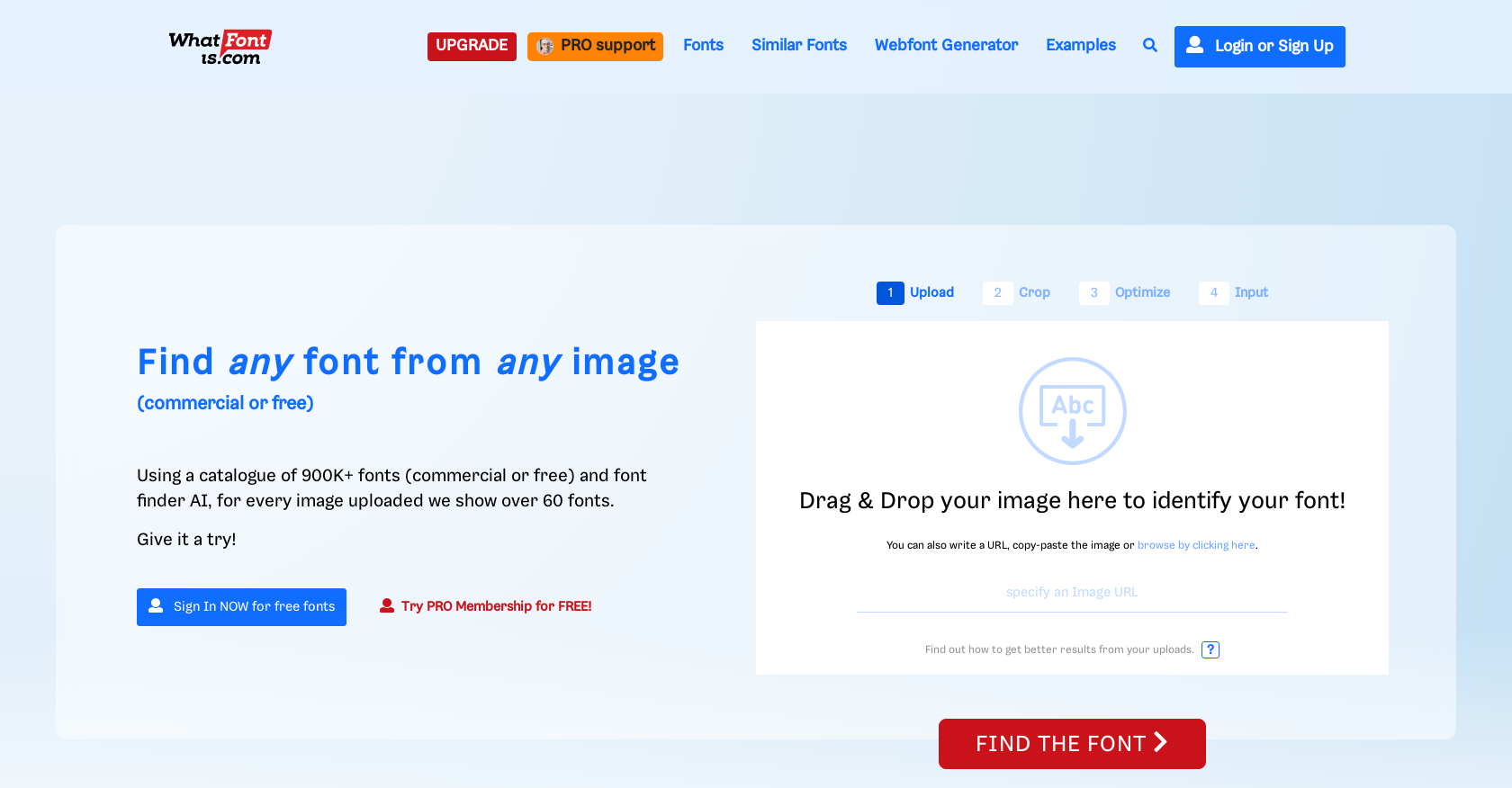
- Instantly identify any font from images you encounter with 90% accuracy using advanced AI recognition technology
- Access over 900,000 commercial and free fonts from any publisher or foundry in a single searchable database
- Find budget-friendly options quickly by filtering fonts by price to match your project's financial constraints
- Improve identification accuracy for difficult images using built-in editing tools to crop, split letters, and adjust brightness
- Discover over 60 similar font alternatives when the exact match isn't available, expanding your design possibilities
- Generate web-ready fonts immediately for your projects using the integrated web font generator
- Eliminate guesswork in font identification regardless of image source, working with client-supplied materials or online discoveries
Pros & Cons
From the listing; not yet checked by our editors.
Pros
- Over 900,000 indexed fonts
- Identifies fonts from images
- Displays over 60 similar fonts
- Includes commercial and free fonts
- User-friendly interface
- Integrated image editor
- Brightness adjustment function
- Web-font generator feature
- Search-by-price function
- Recognises 90% of fonts
- Crop function for image uploads
- Works with fonts from any publisher
- Suitable for designers and marketers
- Optimized image input
- Displays downloadable or purchasable fonts
- Split letters feature
- Advanced image editor for cursive fonts
- Largest font database
- Filtering fonts by price and foundry
Cons
- No offline feature
- Dependent on image quality
- Requires image cropping
- Misidentifications in 10% cases
- No bulk upload option
- No mobile application
- Limited to image sources
- No real-time recognition
Alternatives to What font is
Tools that share the most tags with What font is.
- MyFonts AI Search
Instantly discover fonts that match your creative vision with AI that understands descriptive language and visual concepts, powered by advanced search algorithms.
Free
Not listed
Not yet checked
- Refont
Instantly generate unique typography for any project by simply inputting your text, eliminating the need for design skills or expensive software
Free
Not listed
Not yet checked
- YoFont
Forecast outcomes before you commit budget or strategy: predictive analytics models historical data patterns to estimate future results for finance, marketing, and eCommerce planning.
Free trial · from $9/month
$9/month
Not yet checked
- FontVibe
Turn a few words into a finished design: lettering, lighting and background come together in one image for YouTube thumbnails, posters, invitations, shop signs, T-shirt prints and logos.
Freemium · from $3.99/unit
$3.99/unit
Not yet checked
- Fontjoy
Instantly generate harmonious font combinations that share a common theme with pleasing contrast using deep learning algorithms
Free
Not listed
Not yet checked
- WebNovel AI
Transform initial concepts into fully structured web novels with guided story planning from theme definition to chapter completion
Freemium · from $50/month
$50/month
Not yet checked
Related Videos
How to find a font on www.whatfontis.com
WhatFontIs · Sep 19, 2013

WhatFontIs.com tips for better font identification
WhatFontIs · Nov 6, 2020
Using WhatFontIs to find a font
Learn Plasmacam · Jan 23, 2019
WhatFontis.com: A Design Game Changer
Patrick Wagner · Jun 3, 2023

WhatFontis - Discover and Find your Text Fonts in no Time! [REVIEW]
Skills Factory · Jul 1, 2020
Reviews
Rate this tool
Loading reviews...
Frequently asked questions
What is Font Finder by What Font Is?
Font Finder by What Font Is is an AI-powered tool that helps users to identify fonts from any image. It boasts a catalogue of over 900,000 indexed fonts, which may be either commercial or free. Users upload a desired image, choose the necessary font, and the tool displays over 60 similar fonts, either for download or purchase.
How does Font Finder identify fonts?
Font Finder uses advanced AI for font recognition. Users upload an image with the font they wish to identify, and the AI examines the image and compares the font with its library of 900,000+ fonts. In 90% of cases, the system recognizes the font.
What features does the Font Finder tool include?
The Font Finder tool includes several features that assist in efficient font identification. It offers a user-friendly interface, compatibility with uploaded images, a collection of over 900,000 downloadable or purchasable fonts, and a web font generator. Moreover, it includes an image editor with functions such as splitting letters and adjusting brightness, and a search by price feature.
How many fonts are indexed by Font Finder?
Font Finder has a substantial repository of more than 900,000 indexed fonts. This impressive catalogue includes both free and commercial fonts.
What types of images can I upload to Font Finder?
You can upload any image to Font Finder. The critical point is that the text on the image should be clear and unobstructed. Low-quality images, distorted text, and other such issues may decrease the tool’s ability to accurately identify the font.
What is the success rate of the Font Finder?
Font Finder is capable of identifying the font from an uploaded image in 90% of cases. In other words, the success rate is extremely high, reinforcing the tool’s credibility amongst users.
What causes Font Finder to not recognize fonts?
In the remaining 10% of cases where Font Finder fails to recognize a font, the main cause is usually due to issues with the uploaded image. Low-quality images, low resolution, or distorted text often affect the tool's performance and might result in unsuccessful font recognition.
What is the 'search by price' feature on Font Finder?
The 'search by price' feature on Font Finder allows users to filter fonts based on their cost. This helps users to find free, affordable, or premium fonts based on their respective budgets.