

FragCut
Overview
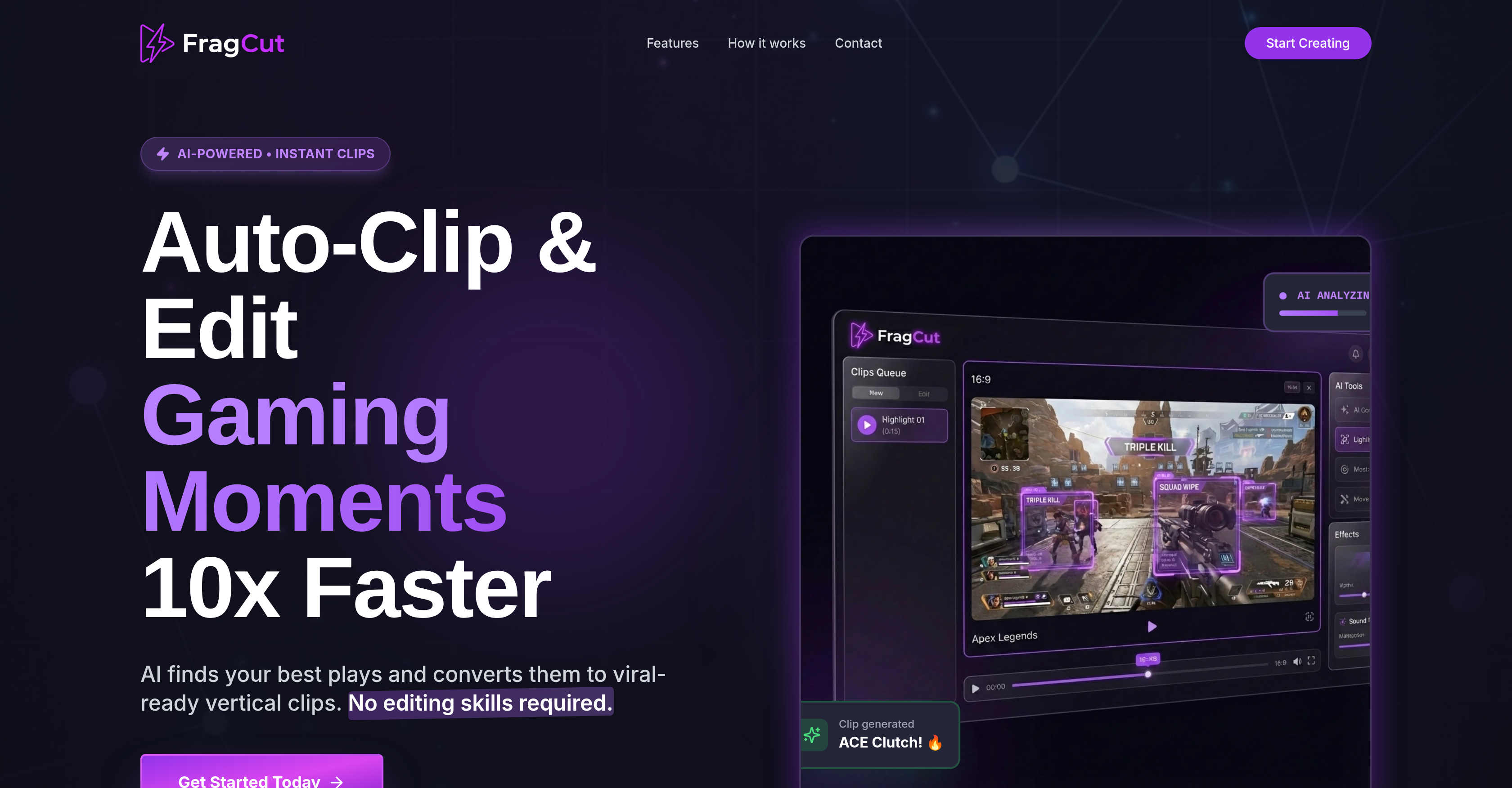
- Transform hours of gameplay into ready-to-post viral clips in minutes, using AI that automatically scans your video to detect kills, funny moments, and impressive plays.
- Maximize your content from a single recording by generating multiple engaging short clips, multiplying your output without extra recording or manual editing work.
- Get clips perfectly formatted for TikTok, Reels, and YouTube Shorts with automatic vertical optimization that converts landscape footage to the preferred 9:16 ratio.
- Increase engagement on every post with auto-generated titles and relevant hashtag captions added to each clip, crafted to boost visibility and viewer interaction.
- Access professional-quality editing from any device with an internet connection, using cloud-based processing that requires no software downloads or installations.
- Download and share your highlights immediately in high-definition quality, ensuring your best moments look sharp and are ready for distribution across all platforms.
Pros & Cons
Pros
- Auto-detects gaming highlights
- Condenses gaming videos
- Automatically adds captions
- Adds titles and hashtags
- Downloads in high-definition
- cloud-based processing
- No specific software installations
- Accessible from any device
- Creates multiple clips
- Optimized for social media
- Automatically edits videos
- Vertical video format conversion
- No manual gaming moment selection
- No video editing skills required
- Maximizes content output
- Trusted by creators
- 10x faster editing
- 15 min turnaround
- Vertical optimization
- Auto captioning
- Quick download feature
- Generates 5-6 clips
- Supports MP4,Mov formats
- Up to 5GB upload
- Automatic clip generation
- Content security ensured
- Flexible subscription plans
- Subscription cancellable anytime
Cons
- Only for gaming videos
- Auto-caption limits
- Limited format optimization
- Possible missed highlights
- Dependent on internet access
- Quality dependent on source
- Cloud storage security
- No custom editing options
- Supports certain video formats
- No offline usage
Reviews
Rate this tool
Loading reviews...
❓ Frequently Asked Questions
FragCut is an AI-powered tool primarily used to auto-detect highlight moments from gaming videos and condense these into short, engaging clips. This tool is perfect for sharing gaming content on platforms like Twitch, TikTok, Reels, and YouTube Shorts. It uses advanced AI to scan through gaming videos, select notable instances like impressive gameplay moments, and convert these moments into vertically-optimized videos. FragCut aims to boost content output and engagement by automatically adding captions, including titles and hashtags, to the generated clips.
FragCut's advanced AI technology analyzes your gaming videos and instantly identifies the most exciting moments, kills, and funny interactions. It scans the entire video content, picks out these significant segments, and uses them to produce short, engaging clips.
FragCut is optimized for platforms such as Twitch, TikTok, Reels, and YouTube Shorts. These platforms prefer vertical video content, which is the format FragCut transforms the gameplay highlights into.
FragCut employs AI to automatically convert landscape footage into 9:16 vertical videos. Vertical Optimization, a unique feature of FragCut, helps transform the usual landscape layout of gaming videos into a vertically inclined orientation that is favored by several social platforms.
Yes, in addition to detecting and transforming highlight moments, FragCut also adds captions to gaming clips. It auto-generates title and hashtag captions to enhance the appeal of the clips and to boost potential engagement.
Yes, users have the opportunity to download the clips generated by FragCut in high-definition quality directly from the platform.
Yes, FragCut leverages cloud-based processing, eliminating the need for any specific software installations. This means you can use FragCut from any device that has internet access.
Indeed, FragCut does have the capacity to generate several enticing clips from a single video. This function thereby enhances content output with minimal user input.
No, FragCut is cloud-based, hence does not require any software installations to use. The tool runs entirely in the cloud allowing clip creation from any device with an internet connection.
FragCut aids in content creation by leveraging AI to automatically identify gaming highlights and convert those into short, vertical clips. It also adds automatically generated captions, including titles and hashtags, to the clips, making them ready to post and increase engagement. This process not only simplifies content creation for creators but also significantly boosts their output.
Vertical optimization is a key feature of FragCut that transforms original landscape videos into the preferred 9:16 vertical video ratios on social platforms like TikTok, Reels, and YouTube Shorts.
FragCut has the ability to convert standard landscape-oriented gaming videos into vertical videos optimized for social media platforms. The conversion is carried out automatically by the AI and results in a format that is far more suitable for viral distribution on social media.
Yes, FragCut supports high-definition video clips. Once the AI tool completes its processing, users can download the resulting clips in high-definition quality directly from the platform represented.
FragCut leverages machine learning by using its advanced AI to scan through gaming video content, detect highlight moments, and automatically transform these moments into short, vertical clips that are optimized for social media platforms. This process eliminates the need for manual editing or moment selection and accelerates the overall content creation process.
Yes, with its cloud-based processing, FragCut grants access across multiple platforms. As long as users have internet access, they can create, edit, and download clips from any device, anywhere.
By condensing the best moments from gaming videos into short, engaging, vertical clips, FragCut facilitates video distribution on social media platforms. It also adds automatically-generated captions and titles, which promotes visitor engagement, and provides easy downloading of clips in HD quality, effectively enabling simplified distribution.
FragCut contributes to content automation by using AI to automatically detect highlight moments in gaming videos, convert them into vertical format, and add captions such as titles and hashtags. FragCut also enables the creation of multiple clips from a single video, thus escalating content output with minimal user input.
FragCut uses its AI capabilities to automatically add captions to each generated clip. These captions, including titles and hashtags, are auto-generated to increase video appeal and engagement factor, thus simplifying the captioning process without requiring any manual intervention.
Yes, the clips generated by FragCut can be directly downloaded in high-definition and are ready to be shared on TikTok, Reels, and YouTube Shorts. They are automatically transformed to suit the preferred vertical video format of these platforms.
FragCut significantly boosts a creator's content output by automatically identifying gaming highlights and converting them into short, ready-to-post clips. The ability to generate multiple clips from a single video without any manual input allows creators to maximize their content output with minimal effort.
Pricing
Pricing model
Free Trial
Paid options from
$24.99/month
Billing frequency
Monthly