

FreeMusic AI
4
📝 Overview
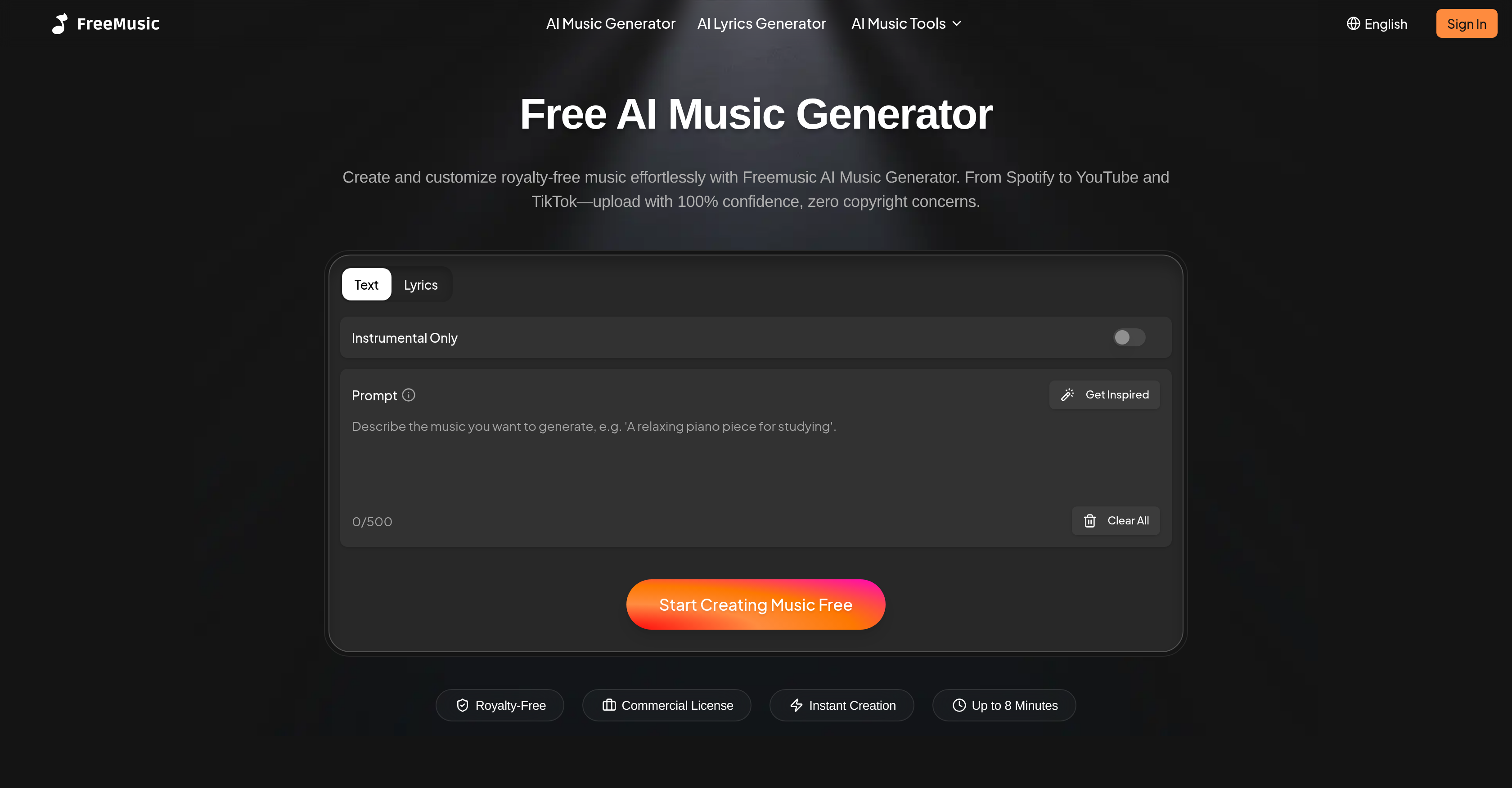
- Generate complete, royalty-free songs in seconds by simply describing your desired mood, genre, or style with the AI Music Generator
- Isolate vocals from any track for karaoke or remixes and separate instruments into individual stems for sampling using AI Vocal Remover and Stem Splitter
- Write professional lyrics with theme-tailored hooks, verses, and ballads through the AI Lyric Generator
- Achieve industry-standard audio quality with balanced loudness, clarity, and depth via the AI Music Mastering tool
- Establish a unique sound identity for your brand or content with custom jingles and background tracks that are instantly downloadable
⚖️ Pros & Cons
Pros
- Generates full songs
- Mood, genre, style based
- Multiple language support
- Instant high-quality audio download
- Ideal for video production
- Useful for podcasting
- Facilitates game development
- Assists brand identity formation
- Instrument isolation
- Music arrangement aid
- User-friendly interface
- Quick music creation
- Music for app development
- Simplified sound design
- Separates vocals and instrumentals
- Generates lyrics for songs
- Suitable for content creators
- Assistance for commercial audio needs
- Creates songs based on user-defined moods
- Beneficial for karaoke and remixes
- Balances loudness, clarity, depth of tracks
- Perfect for branding jingles
- Lyrics adapt to chosen style and mood
- High accuracy vocal separation
- Ideal for DJs and producers
- Ability to break track in multiple stems
- Gives songs professional finish
- Extract up to 4 stems of music
- Provides reference-based mastering
- Meets professional loudness, clarity standards
- Generates music for meditation apps
- Creatively aids education technology projects
- Helps in cinematic orchestral creation
- Assists in the marketing strategy of brands
- Boosts creators' social media reach
- Simulates professional mixing for podcasts
- Enhances music album creation workflow
Cons
- Limited free usage
- Mastering quality variable
- Limited individual track control
- Genre choices may be restrictive
- Language support may lack accuracy
- Potential latency in generating music
- No offline capabilities
- Lyrics may lack complexity
- Requires account for access
- High-quality file availability dependent on plan
❓ Frequently Asked Questions
FreeMusic AI is a comprehensive suite of AI-powered music tools designed for various audio projects. This is tailored for creators, businesses, and professionals seeking to generate original, royalty-free music.
The AI Music Generator feature in FreeMusic AI works by allowing users to create full songs online promptly, guided by a mood, genre, or style prompt. This feature simplifies and accelerates the process of music creation.
Yes, FreeMusic AI can generate music based on a specific mood or genre. The AI Music Generator feature allows users to prompt the creation of songs by defining a mood, genre, or style.
Yes, the music created with FreeMusic AI is royalty-free, making it safer for users to use for various purposes without worrying about copyright concerns.
Yes, with FreeMusic AI, you can separate vocals from instrumentals. The AI Vocal Remover feature provides this capability, enabling users to isolate vocals effectively.
The AI Stem Splitter feature in FreeMusic AI helps to break down tracks into multiple individual elements. These elements can include vocals, drums, bass, and other instruments, providing users more flexibility and control over their musical projects.
Yes, FreeMusic AI includes an AI Lyric Generator. It helps users craft catchy hooks, rap verses, or emotional ballads that are tailored to specific themes, assisting in the lyric creation process.
FreeMusic AI can assist with content creation by generating original, royalty-free music that can be used in various formats. It can generate background music for videos, create unique jingles for branding, and even assist in creating lyrics for songs. It also provides tools for the professional finishing of tracks, track separation, and sound design, among others.
The AI Mastering tool in FreeMusic AI is useful for the professional finishing of tracks. This tool works to achieve the optimal loudness, clarity, and depth standards, improving the overall quality of the audio track.
Yes, FreeMusic AI allows for the instant download of high-quality audio files. This provides users with immediate access to their finished audio projects, making the overall process more efficient.
Yes, FreeMusic AI provides multi-language support. It caters to a wide range of users globally by enabling multiple language options.
Yes, FreeMusic AI can be used for professional audio production. With its various features like AI Mastering, AI Vocal Remover, and AI Stem Splitter, it provides the necessary tools for high-quality, professional-level audio production.
FreeMusic AI simplifies the audio creation process through its suite of AI-powered features, which can generate full songs online based on mood, genre, or style. It features tools to separate vocals from instrumentals, break down tracks into multiple elements, generate lyrics, and professionally master the tracks.
Yes, FreeMusic AI can be used to generate music for branding purposes. Its ability to create unique and original jingles can help businesses build a distinctive sound identity.
Yes, FreeMusic AI can be used for song creation and music production. Its AI Music Generator, AI Lyric Generator, and AI Mastering tool provide a comprehensive suite for creating and refining songs.
Yes, FreeMusic AI can generate background music for videos. This feature allows users to create unique tracks, enhancing the overall experience and engagement of their video content.
Yes, FreeMusic AI assists in generating jingles. This functionality can help businesses to create memorable and catchy music elements for their branding.
FreeMusic AI serves specific audio creation needs of creating original, royalty-free music, generating full songs based on a mood, genre, or style, separating vocals from instrumentals, breaking down tracks into multiple individual components, creating lyrics, and mastering tracks for optimal loudness, clarity, and depth.
Yes, with FreeMusic AI, you can separate tracks into individual elements like vocals, drums, bass, and more. This is done through its AI Vocal Remover and AI Stem Splitter features.
Yes, FreeMusic AI offers multiple features for sound design in audio projects. Users can create full songs, separate vocals and instruments, break down tracks into various elements, generate lyrics, and professionally master the tracks. These tools all play a role in sound design by providing flexibility and control over the elements of a musical project.
FreeMusic AI generates original music by using artificial intelligence to process user-defined moods, genres, or styles. Upon receiving these inputs, it then composes full songs that match the specified criteria.
The key features of FreeMusic AI's music generator include the AI Music Generator for creating full songs, the AI Lyric Generator for lyrics creation, AI Vocal Remover for separating vocals from instrumentals, AI Stem Splitter to isolate different track elements, and AI Mastering to achieve optimal loudness, clarity, and depth of tracks.
Yes, FreeMusic AI can create music across different styles and moods. By using user-defined prompts for mood, genre, or style, it can generate appropriately tuned music taking these variables into account.
The AI Vocal Remover feature of FreeMusic AI allows users to isolate the vocals from a track's instrumentals. It uses advanced stem separation technology for this purpose.
To separate vocals from instrumentals using FreeMusic AI, you use the AI Vocal Remover tool. It applies artificial intelligence to discern and isolate the vocal elements from the instrumental ones in a track.
Yes, FreeMusic AI can assist in crafting song lyrics. Its AI Lyric Generator is designed to help users create catchy hooks, rap verses, or emotional ballads tailored to specific themes.
FreeMusic AI allows you to generate music across a wide spectrum of genres and styles. Its AI Music Generator uses user prompts to generate music that can range from lo-fi and chillhop to hip-hop, trap, jazz, electronic, indie pop, and more.
The AI Stem Splitter in FreeMusic AI lets users break down any track into its component stems—vocals, drums, bass, and other instruments. This gives users full control to remix, rearrange or sample the isolated elements as they please.
FreeMusic AI's AI Mastering tool enhances the audio quality of tracks by balancing their loudness, clarity, and depth. It ensures that the tracks adhere to industry standards of audio quality, making them suitable for commercial and professional uses.
Yes, FreeMusic AI supports multiple languages including English, Japanese, Korean, German, Spanish, French, Portuguese, Simplified Chinese, Traditional Chinese, and Vietnamese.
Game and app developers can benefit from FreeMusic AI by using the AI Music Generator and AI Stem Splitter tools to design immersive soundscapes. They can generate adaptive game soundtracks, ambient loops, or custom sound effects that perfectly fit their projects.
FreeMusic AI's different features serve various purposes in music creation. The AI Lyrics Generator aids in writing lyrics suited to a theme, the AI Stem Splitter isolates different track elements (like vocals, drums, bass, etc.) for flexible editing, and the AI Vocal Remover separates vocals from instrumentals, which is useful for karaoke, remixes, or sampling.
Content creators can leverage the functionalities of FreeMusic AI by generating unique background tracks for their videos, producing intros and outros for podcasts, creating adaptive music for live streams, and establishing a sound identity for their brand. It also helps in quick and effortless music generation, and offers easy-to-use refinement tools.
FreeMusic AI plays a crucial role in music arrangement and sound design by allowing creators to generate songs based on user-defined moods, genres, or styles. Additionally the AI Stem Splitter tool helps to isolate different track elements, facilitating intricate arrangements and granular sound design.
To create royalty-free music with FreeMusic AI, you input your desired mood, genre, or style into the AI Music Generator tool. It then generates complete, original royalty-free tracks based on those inputs.
You can generate music using FreeMusic AI in just seconds. Just input your idea, and the AI will generate your track instantly, ensuring zero waiting time.
The interface of FreeMusic AI is highly user-friendly. It's designed to cater to both beginners and professionals, with clear and straightforward features and options.
The quality of the audio files that FreeMusic AI generates is high. The AI Mastering tool ensures that tracks meet professional loudness, clarity, and depth standards, making them suitable for commercial and professional use.
FreeMusic AI can play a crucial role in branding and brand identity creation. The AI Music Generator can create distinctive soundtracks, jingles, or presentation music that align with a brand's unique identity.
FreeMusic AI significantly improves creativity and speed in music production through its suite of AI-powered tools. By generating full songs based on user-defined moods, genres, or styles, offering lyrics assistance, separating vocals from instrumentals, and providing professional mastering, it streamlines the creative process.
Yes, FreeMusic AI includes an AI Lyric Generator. It helps users craft catchy hooks, rap verses, or emotional ballads that are tailored to specific themes, assisting in the lyric creation process.
FreeMusic AI can assist with content creation by generating original, royalty-free music that can be used in various formats. It can generate background music for videos, create unique jingles for branding, and even assist in creating lyrics for songs. It also provides tools for the professional finishing of tracks, track separation, and sound design, among others.
The AI Mastering tool in FreeMusic AI is useful for the professional finishing of tracks. This tool works to achieve the optimal loudness, clarity, and depth standards, improving the overall quality of the audio track.
Yes, FreeMusic AI allows for the instant download of high-quality audio files. This provides users with immediate access to their finished audio projects, making the overall process more efficient.
Yes, FreeMusic AI provides multi-language support. It caters to a wide range of users globally by enabling multiple language options.
Yes, FreeMusic AI can be used for professional audio production. With its various features like AI Mastering, AI Vocal Remover, and AI Stem Splitter, it provides the necessary tools for high-quality, professional-level audio production.
FreeMusic AI simplifies the audio creation process through its suite of AI-powered features, which can generate full songs online based on mood, genre, or style. It features tools to separate vocals from instrumentals, break down tracks into multiple elements, generate lyrics, and professionally master the tracks.
Yes, FreeMusic AI can be used to generate music for branding purposes. Its ability to create unique and original jingles can help businesses build a distinctive sound identity.
Yes, FreeMusic AI can be used for song creation and music production. Its AI Music Generator, AI Lyric Generator, and AI Mastering tool provide a comprehensive suite for creating and refining songs.
Yes, FreeMusic AI can generate background music for videos. This feature allows users to create unique tracks, enhancing the overall experience and engagement of their video content.
Yes, FreeMusic AI assists in generating jingles. This functionality can help businesses to create memorable and catchy music elements for their branding.
FreeMusic AI serves specific audio creation needs of creating original, royalty-free music, generating full songs based on a mood, genre, or style, separating vocals from instrumentals, breaking down tracks into multiple individual components, creating lyrics, and mastering tracks for optimal loudness, clarity, and depth.
Yes, with FreeMusic AI, you can separate tracks into individual elements like vocals, drums, bass, and more. This is done through its AI Vocal Remover and AI Stem Splitter features.
Yes, FreeMusic AI offers multiple features for sound design in audio projects. Users can create full songs, separate vocals and instruments, break down tracks into various elements, generate lyrics, and professionally master the tracks. These tools all play a role in sound design by providing flexibility and control over the elements of a musical project.
FreeMusic AI generates original music by using artificial intelligence to process user-defined moods, genres, or styles. Upon receiving these inputs, it then composes full songs that match the specified criteria.
The key features of FreeMusic AI's music generator include the AI Music Generator for creating full songs, the AI Lyric Generator for lyrics creation, AI Vocal Remover for separating vocals from instrumentals, AI Stem Splitter to isolate different track elements, and AI Mastering to achieve optimal loudness, clarity, and depth of tracks.
Yes, FreeMusic AI can create music across different styles and moods. By using user-defined prompts for mood, genre, or style, it can generate appropriately tuned music taking these variables into account.
The AI Vocal Remover feature of FreeMusic AI allows users to isolate the vocals from a track's instrumentals. It uses advanced stem separation technology for this purpose.
To separate vocals from instrumentals using FreeMusic AI, you use the AI Vocal Remover tool. It applies artificial intelligence to discern and isolate the vocal elements from the instrumental ones in a track.
Yes, FreeMusic AI can assist in crafting song lyrics. Its AI Lyric Generator is designed to help users create catchy hooks, rap verses, or emotional ballads tailored to specific themes.
FreeMusic AI allows you to generate music across a wide spectrum of genres and styles. Its AI Music Generator uses user prompts to generate music that can range from lo-fi and chillhop to hip-hop, trap, jazz, electronic, indie pop, and more.
The AI Stem Splitter in FreeMusic AI lets users break down any track into its component stems—vocals, drums, bass, and other instruments. This gives users full control to remix, rearrange or sample the isolated elements as they please.
FreeMusic AI's AI Mastering tool enhances the audio quality of tracks by balancing their loudness, clarity, and depth. It ensures that the tracks adhere to industry standards of audio quality, making them suitable for commercial and professional uses.
Yes, FreeMusic AI supports multiple languages including English, Japanese, Korean, German, Spanish, French, Portuguese, Simplified Chinese, Traditional Chinese, and Vietnamese.
Game and app developers can benefit from FreeMusic AI by using the AI Music Generator and AI Stem Splitter tools to design immersive soundscapes. They can generate adaptive game soundtracks, ambient loops, or custom sound effects that perfectly fit their projects.
FreeMusic AI's different features serve various purposes in music creation. The AI Lyrics Generator aids in writing lyrics suited to a theme, the AI Stem Splitter isolates different track elements (like vocals, drums, bass, etc.) for flexible editing, and the AI Vocal Remover separates vocals from instrumentals, which is useful for karaoke, remixes, or sampling.
Content creators can leverage the functionalities of FreeMusic AI by generating unique background tracks for their videos, producing intros and outros for podcasts, creating adaptive music for live streams, and establishing a sound identity for their brand. It also helps in quick and effortless music generation, and offers easy-to-use refinement tools.
FreeMusic AI plays a crucial role in music arrangement and sound design by allowing creators to generate songs based on user-defined moods, genres, or styles. Additionally the AI Stem Splitter tool helps to isolate different track elements, facilitating intricate arrangements and granular sound design.
To create royalty-free music with FreeMusic AI, you input your desired mood, genre, or style into the AI Music Generator tool. It then generates complete, original royalty-free tracks based on those inputs.
You can generate music using FreeMusic AI in just seconds. Just input your idea, and the AI will generate your track instantly, ensuring zero waiting time.
The interface of FreeMusic AI is highly user-friendly. It's designed to cater to both beginners and professionals, with clear and straightforward features and options.
The quality of the audio files that FreeMusic AI generates is high. The AI Mastering tool ensures that tracks meet professional loudness, clarity, and depth standards, making them suitable for commercial and professional use.
FreeMusic AI can play a crucial role in branding and brand identity creation. The AI Music Generator can create distinctive soundtracks, jingles, or presentation music that align with a brand's unique identity.
FreeMusic AI significantly improves creativity and speed in music production through its suite of AI-powered tools. By generating full songs based on user-defined moods, genres, or styles, offering lyrics assistance, separating vocals from instrumentals, and providing professional mastering, it streamlines the creative process.
💰 Pricing
Pricing model
Freemium
Paid options from
$10.49/month
Billing frequency
Monthly