

GenColor AI
Turn family photos, pets, and portraits into personalized coloring pages where people still look like themselves. Photo-to-coloring-page conversion uses facial feature recognition to keep proportions and expressions in clean line art.
Listing not yet reviewed by our editors · How we check
Overview
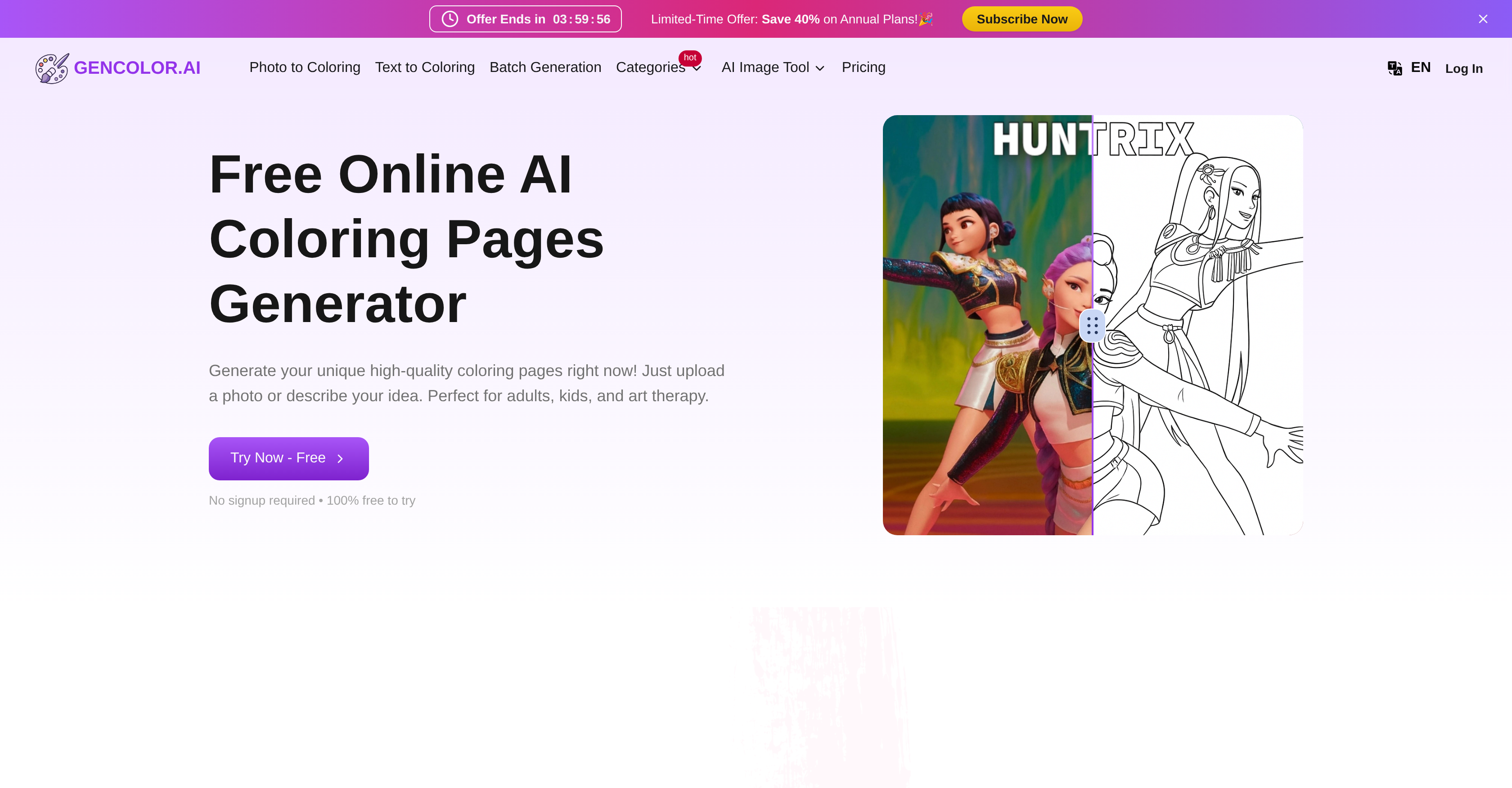
- Turn family photos, pets, and portraits into personalized coloring pages where people still look like themselves. Photo-to-coloring-page conversion uses facial feature recognition to keep proportions and expressions in clean line art.
- Create original coloring sheets for stories, lesson plans, and imagined scenes that have no reference photo. The text-to-coloring-page generator draws a new illustration from a short, specific prompt.
- Give colorers an uncluttered canvas focused on the main subject. Background removal uses semantic segmentation to separate the subject from its surroundings, or you keep the full scene for more detail.
- Match every page to the person coloring it, from young kids to adults to art therapy sessions. A style selector offers child-friendly, adult art-therapy, and other skill-level line styles.
- Print at home or in the classroom with no editing or resizing. Finished pages download as high-resolution PDF or print-ready PNG files.
- Make your first printable coloring page in seconds, with no signup and no credit card. A login-free trial starts generation immediately.
- Create coloring pages wherever ideas or photos happen, on your phone, tablet, or computer. Upload a JPEG or PNG and download the result straight to the device in your hand.
- Go from single sheets to complete custom coloring books. Subscription tools add batch generation for multiple photos or prompts and coloring book assembly.
- Skip tracing, sketching, and illustration software entirely. Automated line art extraction produces clean, vector-style outlines without any drawing skills.
- Print and share pages for personal use without restrictions. Commercial licensing for sellers and businesses is confirmed directly through GenColor AI support.
Pros & Cons
From the listing; not yet checked by our editors.
Pros
- Facial feature preservation
- Expression retention algorithm
- Semantic segmentation background removal
- Oneclick background isolation
- Multiple visual styles available
- Childfriendly art style
- Adult arttherapy style
- Highresolution PDF export
- Printready PNG output
- Batch coloring page generation
- Coloring book assembly tool
- No login required trial
- No creditcard needed
- Mobileresponsive web app
- Tablet and phone support
- Supports JPEG and PNG
- Handles up to 5MB files
- Fast generation seconds
- Auto lineart cleanup
- Face keypoint detection
- Custom scene via text
- Concise prompt handling
- Unlimited personal use
- Email customer support
- Online help center
- Subscription unlocks advanced functions
- Highdetail line extraction
- Clear, clean lines
- Adjustable skilllevel output
- Export directly to device
- No software installation
- Cloudbased processing
- Secure download links
- Supports highresolution PNG
- Instant printable pages
- Precise foreground extraction
- Supports storytelling illustrations
- Classroom material creation
- Arttherapy resource generation
- No usage time limit
- Free trial unrestricted features
- Simple threestep workflow
- Highresolution line precision
- Semantic segmentation accuracy
- Phototoline conversion
- Texttoillustration capability
- Multidevice accessibility
- Supports clear highres input
- Generates printable line art
- Enables custom coloring books
Cons
- No offline processing option
- 5MB upload ceiling
- Output restricted to PDF/PNG
- Batch generation feature undocumented
- Background removal fails on complexity
- Facial detection only for humans
- Advanced styles behind paywall
- No API for automation
- High-res input required for quality
- Long prompts produce inconsistent results
Alternatives to GenColor AI
Tools that share the most tags with GenColor AI.
- ColorHippo
Transform any idea into unique coloring pages instantly using simple text descriptions with AI-powered generation
Freemium · from $9
$9
Not yet checked
- Best Coloring Pages
Create custom coloring pages instantly from any text description without artistic skills through Text to Coloring Page Generation
Free trial · from $9.99/month
$9.99/month
Not yet checked
- Color-anything
Instantly create coloring pages for any idea you imagine using AI interpretation of your specific requests
Free
Not listed
Not yet checked
- Coloring-Pages.app
Transform any photo into crisp line art ready for coloring using AI that extracts perfect outlines from cartoons, photos, and paintings
Free trial · from $9.90/month
$9.90/month
Not yet checked
- Palette
Bring old family photos to life with authentic colors using automatic AI colorization that works in seconds
Freemium · from $1.99/unit
$1.99/unit
Not yet checked
- Colorize
Bring family history to life by colorizing hundreds of black and white photos in minutes with bulk processing
Paid · from $12
$12
Not yet checked
Reviews
Rate this tool
Loading reviews...
Frequently asked questions
How does GenColor AI turn my photo into a coloring page?
GenColor AI analyzes the uploaded image with a line‑art extraction model, applies facial key‑point detection to preserve proportions and expressions, optionally uses semantic segmentation to remove the background, and then renders clean vector‑style lines that are output as a printable coloring page.
What photo quality do I need for the best results?
For optimal results upload a clear, high‑resolution JPEG or PNG with a distinct subject; the site recommends images up to 5 MB and advises that higher pixel counts improve line fidelity.
Can I keep the background or should I use the background removal feature?
You can keep the original background, but the optional background‑removal feature uses deep‑learning semantic segmentation to isolate the foreground for a simpler coloring base; choose based on whether you want a clean canvas or a detailed scene.
How accurate is the face detection and expression retention?
GenColor AI employs advanced face key‑point detection and facial feature recognition algorithms that retain facial proportions and expressions with high consistency to the source image.
What text prompt style works best for the text‑to‑image generator?
The best prompts are concise, specific descriptions that highlight key elements of the desired scene; while there is no strict length limit, clarity improves generation quality.
Are there limits on how long my text description can be?
There is no enforced word‑count limit, but overly long descriptions may dilute focus; a brief, clear prompt yields the most accurate result.
Which visual styles are available and how do I choose one?
Multiple visual styles are offered, including child‑friendly, adult art‑therapy, and other skill‑level‑appropriate line styles; users select a style from the style dropdown before generation.
Can I generate pages for kids versus adult art‑therapy styles?
Yes—styles tailored for children and separate styles designed for adult art‑therapy are both available, allowing you to match the output to the intended audience.