

Overview
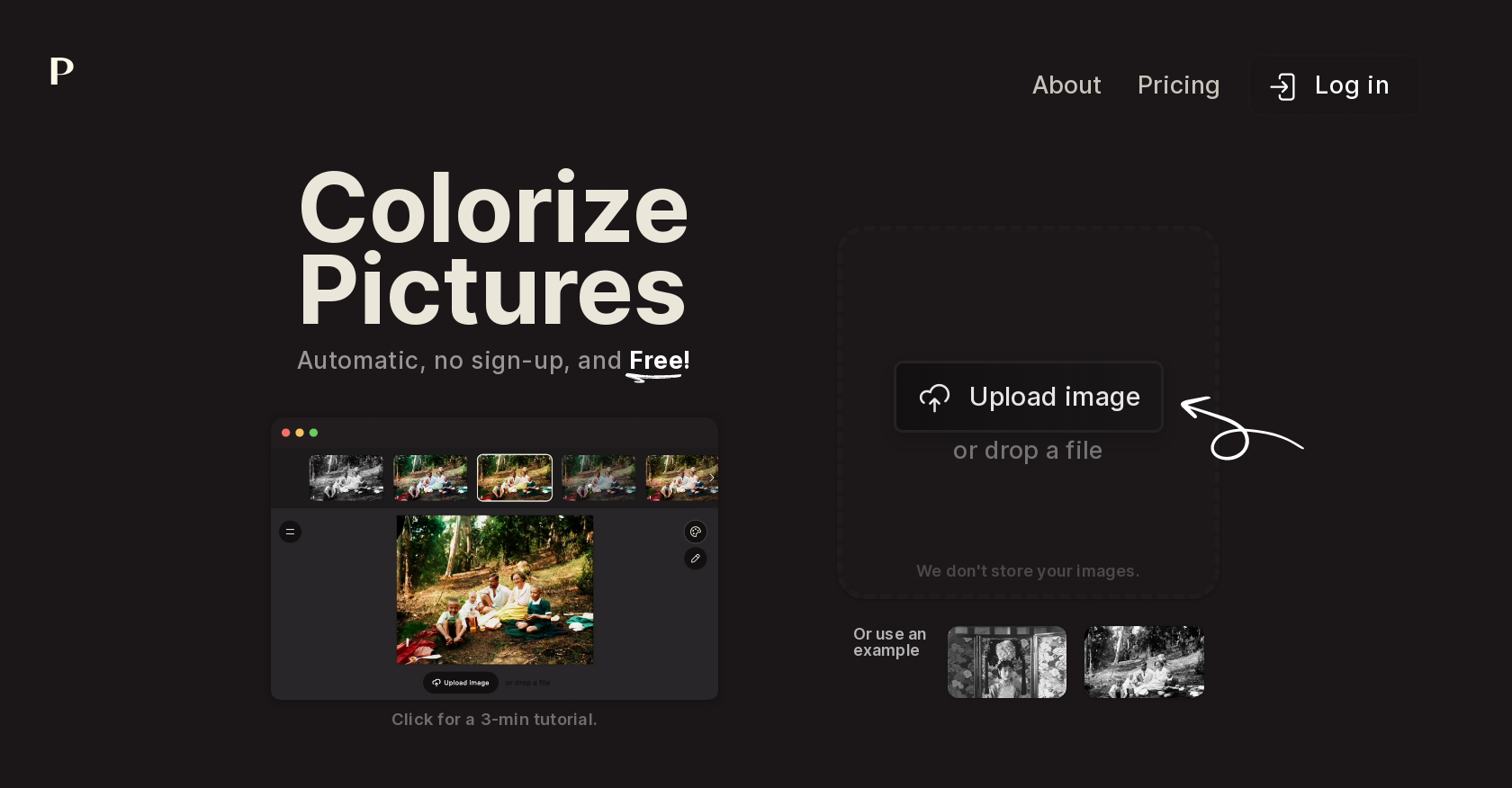
- Bring old family photos to life with authentic colors using automatic AI colorization that works in seconds
- Colorize any image without creating accounts or paying fees through completely free, instant access
- Keep your personal photos private and secure with automatic processing that never stores your images
- Learn professional colorization techniques quickly with the built-in 3-minute tutorial for perfect results every time
- Join over one million creators in a global community sharing techniques and inspiration across social platforms
- Restore modern images with fresh color palettes using the same AI technology trusted by companies like Netflix
Pros & Cons
Pros
- Colorizes black and white photos
- Colorizes modern images
- No sign up required
- Automatic process
- Does not store personal data
- Free to use
- Short, concise tutorial
- Large, supportive community
- Affiliate program availability
- Job opportunities offer
- Connects with Twitter
- Connects with GitHub
- Connects with YouTube
- Privacy and TOS compliant
- Used by major companies
- Does not store images
Cons
- No image editing options
- Lacks API integration
- No mobile application
- Missing bulk processing feature
- No option for user registration
- Absence of premium features
- Limited to image colorization
- Doesn't offer customization tools
- No offline mode
- Limited social media integrations
Reviews
Rate this tool
Loading reviews...
❓ Frequently Asked Questions
Palette is an AI colorizer that enables users to colorize anything from old black and white photos to modern images. It extends the advantage of quick and easy colorization, requiring no sign up and is as simple to use as Instagram. It also caters a supportive community and provides up-to-date information.
Using Palette to colorize images is relatively straightforward. Users just need to upload their preferred image or drop a file onto the platform. The entire process is automatic. Palette also provides a 3-minute tutorial to guide new users.
Yes, Palette is free to use. No sign-up or subscription fees are required for its services.
The process to colorize photos using Palette involves uploading the image or dropping a file onto the platform. After that, Palette's AI technology takes over, automatically colorizing the image.
Yes, Palette offers a 3-minute tutorial for users. This tutorial is intended to instruct new users on how to best utilize the platform to colorize their photos.
Palette protects the users' personal data by not storing their images. The platform is designed to value privacy and adheres to all privacy and terms of service guidelines.
The Palette community is a global collection of original creators and more than one million people that use Palette. This community is involved in creating, sharing, and engaging in discussions around the platform.
While the specific details of the Palette's affiliate program are not directly provided, participation often involves promoting the platform in return for some kind of compensation. The involvement could range from creating content about Palette, referring new users, or even integrating Palette's technology into another platform.
Palette connects with Twitter, GitHub, and YouTube for broader community interaction and information sharing. Such platforms enable Palette to provide users with the most recent updates and also allow users to stay connected with the community.
Yes, Palette is compliant with all privacy and terms of service regulations. It prioritizes user privacy and ensures that no personal data is stored on its platform.
Yes, you can certainly colorize old photos using Palette AI. The AI technology of Palette is capable of transforming old black and white photos into vibrant color images.
No, you don't need to sign-up or log in to use Palette. The platform offers free access and doesn't require any registration.
To upload images or files in Palette for colorization, you simply need to reach the platform and either upload the image directly or drop the file onto the interface.
No, the Palette platform does not store any images uploaded by the users. It emphasizes user privacy and opts for a no-storage policy.
While exact testimonials are not provided, users can check testimonials about Palette via the link mentioned on the website. The testimonials typically include praise and constructive feedback from users.
To engage with the Palette community, users can interact on various social media platforms such as Twitter and YouTube linked with Palette. Additionally, users can directly contact Palette for any queries or feedback.
Netflix is among the big names that use Palette, implying the platform's credibility and wide adoption.
No, Palette is not used only for coloring black and white photos. It can be used to colorize any type of image, whether it's an old black and white photo or a modern colored image requiring a fresh look.
There is no disclosed limitation to the use of Palette. It is designed as a free-to-use platform for all image colorization needs without requiring any kind of sign-up. It's unclear whether there are any premium features involving pricing.
For job opportunities with Palette, interested individuals can check the 'Jobs' section on the Palette platform. The link for the same is provided on the website.
Pricing
Pricing model
Freemium
Paid options from
$1.99/unit
Billing frequency
Pay-as-you-go
Related Videos
Restoring a Photo with Photoshop AI & Palette.fm
Aaron Doucette•637 views•Jul 4, 2023


