GPT Hotline
Access advanced AI chat without leaving WhatsApp through seamless phone number integration
Overview
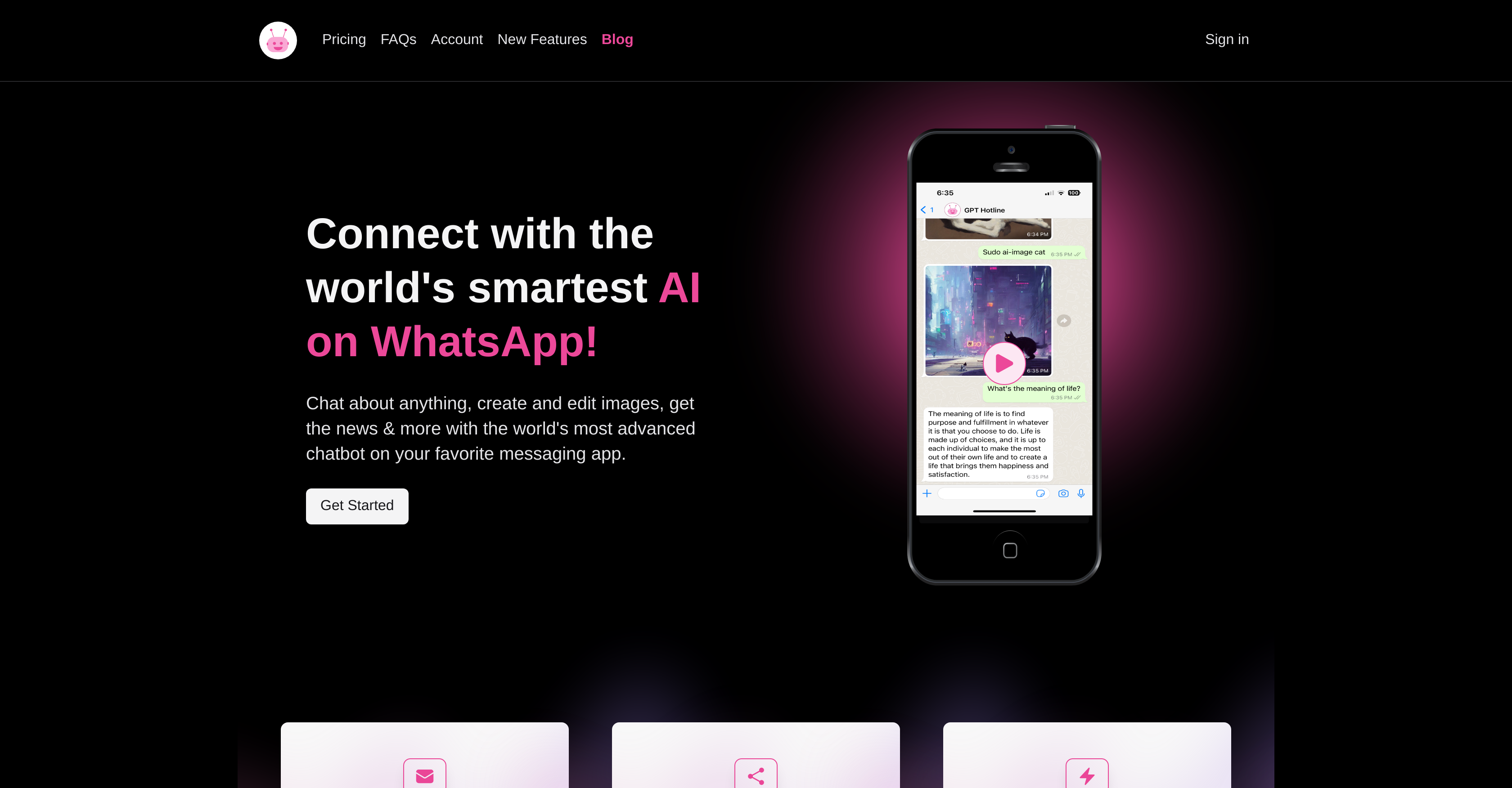
- Access advanced AI chat without leaving WhatsApp through seamless phone number integration
- Edit images directly through conversational instructions and receive modified versions back
- Set reliable reminders that notify you at specified times through WhatsApp messages
- Process English voice messages instantly with speech-to-text transcription and AI responses
- Maintain continuous conversations with full chat history and easy search through past interactions
- Create and modify videos using simple text commands alongside image editing capabilities
- Stay informed with real-time news updates fetched automatically through power commands
Pros & Cons
Pros
- Retains chat history
- Special commands availability
- Media editing functionality
- Interactive image editing
- Video editing capabilities
- Speech-to-text functionality
- Voice messaging-supported
- Reminder setting feature
- Non-app based interaction
- Requires only Phone number registration
- Discount code for Pro Plan
- Refund on cancellation
- Enables content sharing
- Maintains previous conversations
- Introduction of power commands
- Supports image modification
- English-language voice message support
- No additional downloads
- Integrated with advanced ChatGPT
- Uses known messaging platform
- Carries forward past conversations
- Queries past chats
- Supports special command creation
- Allows image/video creations
- Ease of sign up
- Accessible on any phone
- Enhances user convenience
- Translates voice to text
- Sends timely reminders
- User-friendly use
- Enables faster query resolutions
- Avoids need for new apps
- Enables easy news updates
- Supports effective task management
- Personal connection via voice messages
- Offers advanced chatbot features
- Offers seamless chat transitions
Cons
- English-only voice messages
- Requires Pro Plan subscription
- No app, only WhatsApp integration
- Dependent on user's phone number
- Limited to text and voice
- No offline functionality
- No multi-language support
- Limited reminder functionality
- Requires regular updates
- Cannot initiate conversations
Reviews
Rate this tool
Loading reviews...
Frequently asked questions
GPT Hotline is an AI-powered messaging assistant that integrates with WhatsApp, affording users the ability to interact with an advanced AI chatbot. The chatbot offers functionalities such as maintaining past conversations, modifying images or videos per user instructions, and providing latest news updates. It can also set reminders and supports Speech To Text functionality, allowing English voice messages communication.
GPT Hotline integrates with WhatsApp by registering the user's phone number. Users are then able to send messages to the AI chatbot via WhatsApp to interact with it. They can use text or, in the case of English language, voice messages, which the AI processes and responds to.
With GPT Hotline, user can use special commands to reset conversations, fetch AI or real world images, search for videos, keep abreast with news updates, and even edit images based on specific instructions.
To sign up for GPT Hotline, a user needs to subscribe to the GPT Pro Plan, which allows them to register their phone number. This registration is what integrates the AI chatbot with the users' WhatsApp, paving the way for interaction.
GPT Hotline's Speech To Text functionality allows English voice messages to be sent to the AI. GPT Hotline transcribes these messages into text, processes them, and returns the appropriate response.
Yes, with GPT Hotline, users can send English voice messages to the AI. The Speech To Text functionality will transcribes these messages, after which GPT Hotline will provide the relevant responses.
Interactive image editing in GPT Hotline works through a set of user instructions. Users can send an image along with instructions on how to modify it. GPT Hotline processes these instructions and delivers back the altered version of the image.
Yes, GPT Hotline can set reminders based on the instructions it receives from the user. It will then send a message to the user when the stipulated time arrives.
Pricing
Pricing model
Paid
Paid options from
$9.99/month
Billing frequency
Monthly