

GradeWrite
Overview
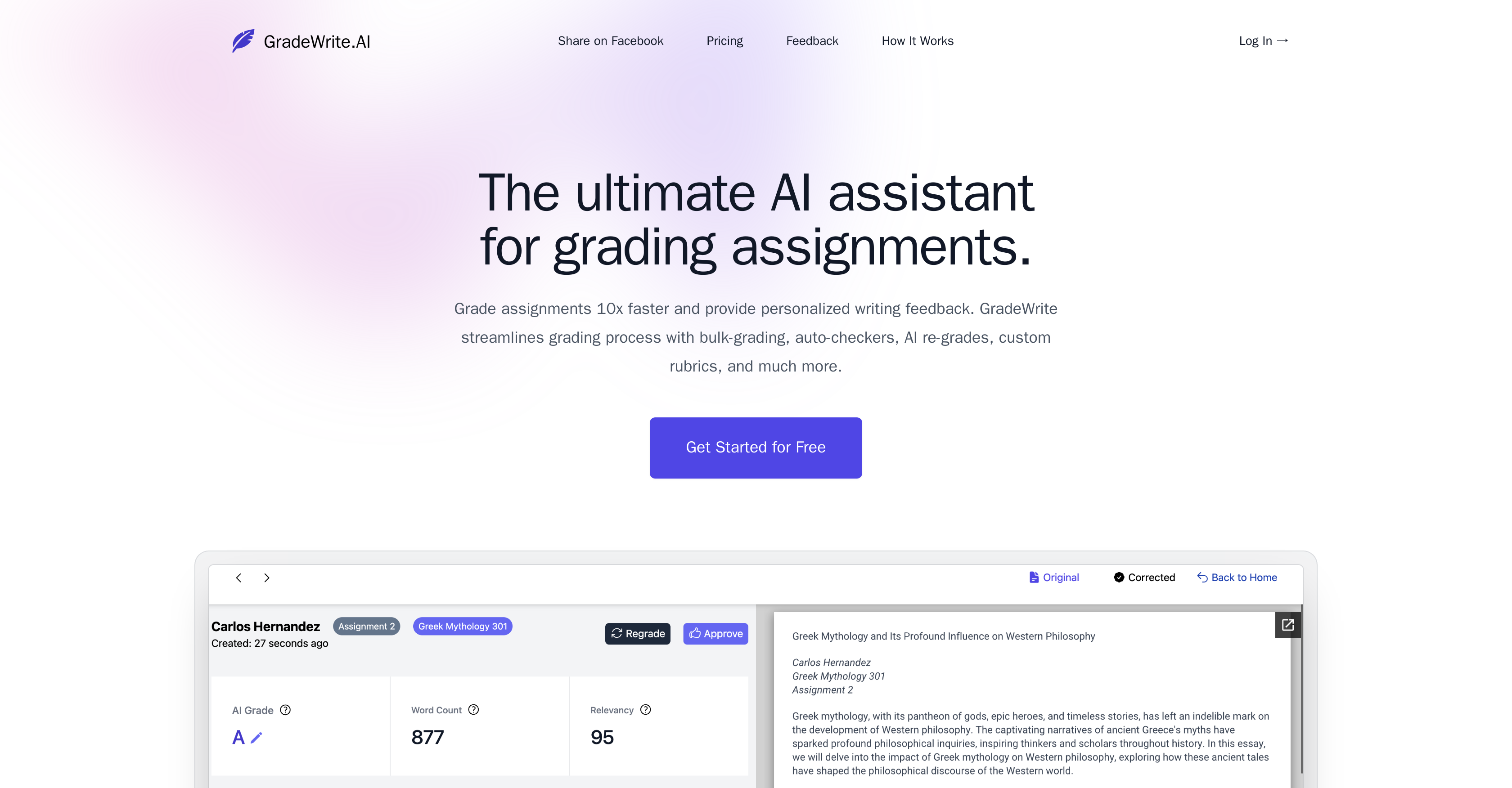
- Grade entire classes at once instead of one-by-one with bulk upload processing that handles multiple submissions simultaneously
- Catch plagiarism and AI-generated content automatically with detection systems that flag non-original work before you review
- Maintain your grading standards while speeding up assessment by applying custom rubrics that teach the AI your specific criteria
- Deliver personalized, constructive feedback on student writing through AI-generated comments that mimic human teaching style
- Verify assignments quickly without reading every word using auto-summary features that highlight key submission points
- Ensure grammatical accuracy across all submissions with automated spelling and grammar checks that maintain quality standards
- Compare student work with AI feedback effortlessly through side-by-side viewing that makes reviewing and editing suggestions seamless
- Flag basic compliance issues instantly with auto-checkers that verify word count and rubric requirements before deep evaluation
Pros & Cons
Pros
- Bulk assignment uploads
- Quick processing of submissions
- Auto-checkers for potential issues
- Word count compliance
- Rubric compliance detection
- Plagiarism detection feature
- Interactive grading experience
- Manual edit capability
- Personalized feedback
- Customizable rubrics
- Artificial content detection
- Generates assignment summary
- Assignment comparison feature
- Automated grammar and spelling checks
- Consistent and personalized assessment
- Quick overview feature for teachers
- Uploads support large files
- Facility for multiple files upload
- Human-like feedback generation
- Detailed feedback for each submission
- Flagging system for submissions
- Helps streamline the feedback process
- Echoes educators' unique teaching style
- Allows for manual refinement of feedback
- Provides clear, constructive guidance
- Grade assignments 10x faster
- Time saving tool for educators
- Auto-summaries of assignments
- Rubric adherence auto-checks
- Relevancy checks
- Supports large word limit
- Developed in collaboration with universities
- Sophisticated grading co-pilot feature
- Submission relevancy checks
- Comprehensive assignment analysis
- Refresh feedback option
- Seamless review process
- Improves students' writing skills
- Hosts original content and feedback side by side
- Auto-detection for word count
Cons
- No multilingual support
- Unspecified accuracy
- No mobile application
- Limited to 5000 words
- No offline functionality
- Dependent on internet connectivity
- No multi-platform support
- Potential issues with data privacy
- No pricing transparency
- Beta version for grammar checks
Reviews
Rate this tool
Loading reviews...
❓ Frequently Asked Questions
GradeWrite is an artificial intelligence tool designed specifically to aid educators in the process of grading assignments and essays. It is designed to provide a quick and efficient way for educators to process bulk assignments.
GradeWrite assists in grading assignments by analyzing uploaded student work, generating automated feedback, and allowing for an initial review of AI suggestions. Educators can iterate, enhance, and approve these suggestions, making the grading process quicker and less manual.
The main features of GradeWrite include bulk upload for assignments, auto-checkers for potential issues like word count and plagiarism, provision for an interactive grading experience where educators can make manual edits to AI suggestions, personalized feedback generation, the ability to create custom rubrics, and a side-by-side viewing of the original submission and AI-generated feedback for seamless grading.
Yes, GradeWrite does offer plagiarism detection capability. It can flag potential issues such as rubric compliance and word count, and it can detect plagiarism, thereby saving educators valuable time.
Yes, GradeWrite can flag word count and rubric compliance issues. Its auto-checkers are designed to flag these and other potential issues instantly, aiding educators in the grading process.
GradeWrite's AI provides feedback by analyzing the submitted assignments and generating automated, constructive feedback that resembles human-like interaction. It's designed to guide students on their writing, offering improvements and corrections.
Yes, educators can customize and apply their rubrics in GradeWrite. This feature helps in ensuring a tailored and accurate assessment process that aligns with individual teaching styles and standards.
In GradeWrite, educators can view the original submission and AI-generated feedback side by side through its interface. This feature makes the grading process more seamless and efficient.
Yes, GradeWrite provides a succinct summary of the assignment for quick verification. This is part of GradeWrite's features to enhance the grading efficiency.
GradeWrite detects artificially generated content as part of its comprehensive assignment analysis. The exact method is not detailed on their website, but it suggests a high level of sophistication in its artificial intelligence capabilities.
Yes, educators can approve AI-generated suggestions in GradeWrite. The grading tool allows for initial review, and subsequent enhancement and approval of AI-generated feedback and suggestions.
Yes, GradeWrite does have a plagiarism detection capability. It features auto-checkers that can flag plagiarism quickly and efficiently.
GradeWrite's auto-summary feature provides a quick review of each assignment. While the exact workings are not detailed, it likely uses AI to quickly analyze and summarize the main points of the student submissions.
Yes, GradeWrite does offer an automated grammar and spelling check feature. This feature is designed to ensure the quality of student submissions and save educators valuable time.
Yes, educators can create custom rubrics in GradeWrite. These custom rubrics teach the AI grading process about specific criteria, leading to assessments that are both consistent and personalized to the educator's needs.
The AI in GradeWrite drives the grading process by analyzing uploaded student assignments, generating automated feedback on each one, and providing an initial review of AI-generated suggestions. It also offers personalized and constructive feedback on students' writing.
GradeWrite ensures consistency in the grading process through custom rubrics. Educators can create custom rubrics to guide the AI grading process according to specific criteria, translating into a consistent and personalized assessment process.
Educators can upload student assignments for assessment in GradeWrite. While the exact types of content are not detailed on their website, it is clear that a wide range can be accommodated, given the AI capabilities of the tool.
Yes, GradeWrite does offer personalized feedback. The AI in GradeWrite is designed to provide personalized and constructive feedback on students' writing, similar to human-like interaction.
GradeWrite enhances grading efficiency in multiple ways. Its ability to handle bulk uploads, automatic issue flagging, interactive grading experience, custom rubrics, AI-generated feedback and the side-by-side viewing of the original and feedback all work together to streamline the grading process, saving educators valuable time.
Pricing
Pricing model
Freemium
Paid options from
$24.99/month
Billing frequency
Monthly
Refund policy
No Refunds