Himala AI Meeting Assistant
Overview
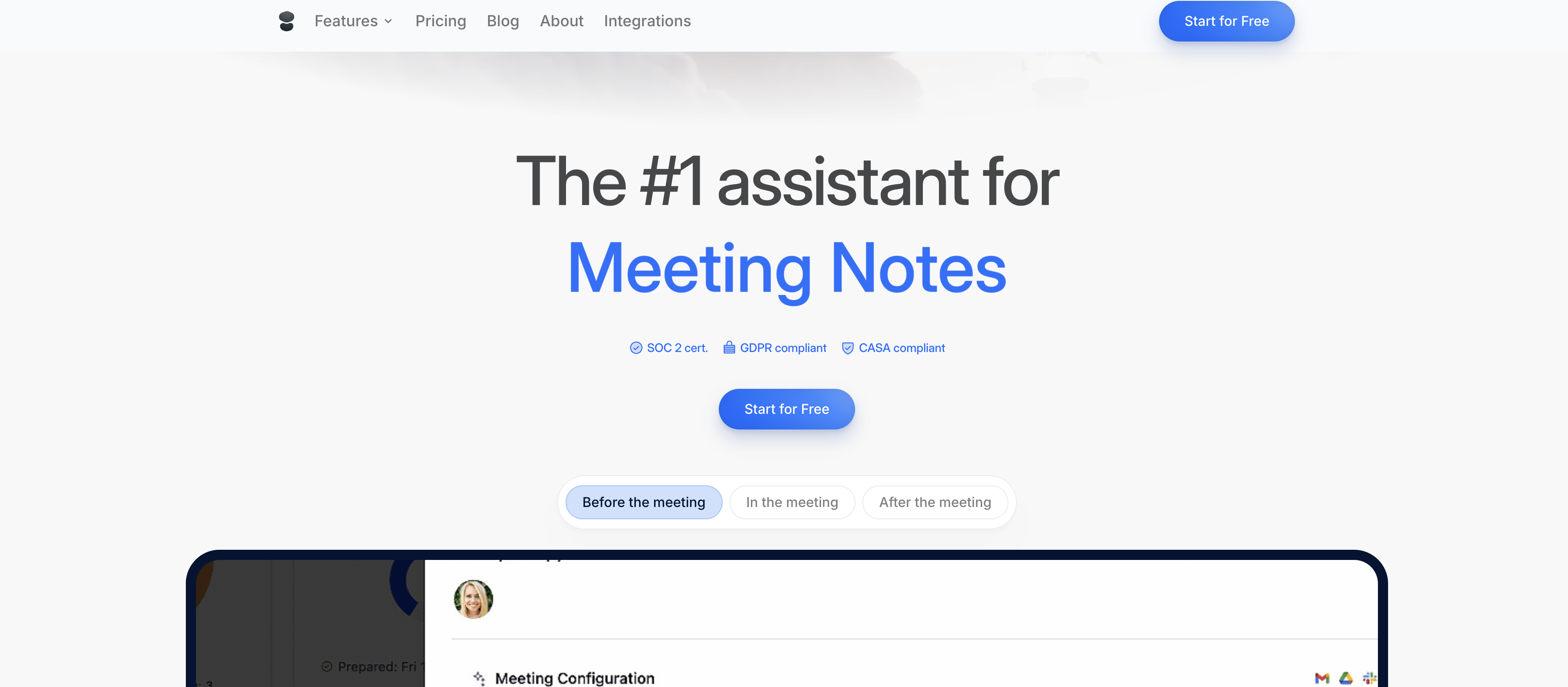
- Never miss a meeting detail with automatic recording and transcription, even when you can't attend, using bot-free or bot-attended modes.
- Turn discussions into immediate action with AI-generated summaries that clearly highlight decisions and next steps.
- Cut post-meeting work in half by sending follow-ups instantly with auto-drafted emails based on your meeting notes.
- Walk into every meeting fully prepared with briefings that pull context from past meetings and integrated apps like Slack and Notion.
- Protect sensitive discussions with enterprise-grade security, including data encryption, GDPR compliance, and SOC 2 certification.
Pros & Cons
Pros
- Schedule, prepare, record, summarize
- Generates clear notes, summaries
- Auto-groups action items
- Two recording modes available
- Email drafting from meeting notes
- Connects past and future meetings
- Integration with Slack, Google Docs
- Information extraction from integrated apps
- Data encryption
- Compliance with GDPR, SOC 2
- Appointment scheduling automation
- Bot-not-required recording option
- Auto-drafting of meeting emails
- Meeting preparation streamlining
- Data Protection and Security
- Detailed meeting workflow solution
- Notes reordering in meeting prep
- Hiding unnecessary data in prep
- User-specific note adding
- Strong emphasis on data protection
- Conversations monitored for security issues
- High degree of meeting preparation
- Handles entire meeting lifecycle
- Conversation happening across apps
- Decentralized data unified for decisions
- Email draft in inbox help
- Customized booking link
- Clear objectives highlight in prep
- Linked documents in meeting prep
- Ai generated meeting agenda
- Attendee insights
Cons
- No free option available
- Limited recording modes
- Requires extensive app integrations
- Complex for simple tasks
- Email drafting may be inaccurate
- Potential compliance conflicts
- Limited meeting structuring options
- No offline capability
- Dependent on past meeting data
- Limited app integrations
Reviews
Rate this tool
Loading reviews...
❓ Frequently Asked Questions
Himala assists in scheduling a meeting by providing a customized booking link that can be shared for meeting invitations. Once a meeting time is agreed upon, Himala synchronizes with connected calendars, thereby ensuring meeting details are updated in real time for every participant.
Himala's meeting recording capability has multiple features. It offers two modes of recording: bot-free and bot-attended. In bot-free mode, Himala records and transcribes meetings you attend without requiring a bot. Bot-attended mode allows Himala to attend meetings you can’t join and ensures nothing is missed. In both scenarios, Himala captures the conversation and delivers clear notes and summaries with action items.
Himala assures data protection through encryption for all data and conversations. Furthermore, it complies with General Data Protection Regulation (GDPR) standards and is SOC 2 certified. It also ensures the protection of data through continuous monitoring for potential security issues.
Himala assists with meeting preparation by auto-creating meeting agendas based on context pulled from previous meetings and discussions in integrated apps. It showcases insights about attendees and relevant documents to create thorough and informative briefings. Users retain the ability to further refine these preparations to suit their personal preferences.
In bot-attended mode, the user can invite Himala to a meeting they are not able to join. Himala will record and transcribe the whole meeting and send a detailed summary with action items, ensuring that nothing important is missed, even in the user's absence.
Yes, Himala can indeed be used in bot-free mode. Recording and transcription of meetings you attend are done without the need to invite a bot.
Himala ensures GDPR compliance by treating user data according to the requirements of the regulation. This includes not copying, modifying, or claiming ownership of user data. Himala's privacy practices are built into every step of its process, ensuring GDPR compliance.
As a part of its data protection measures, Himala encrypts all user data and conversations. While the exact method of encryption is not specified on the website, this level of security protects sensitive data from unauthorized access.
Meeting recording in Himala involves two modes: bot-free and bot-attended. The bot-free mode allows users to record and transcribe meetings they attend without inviting a bot. The bot-attended mode invites Himala to attend and record meetings that the user cannot join. In both cases, Himala captures the complete conversation.
Himala generates meeting notes and summaries by recording and transcribing the discussions in the meetings. This transcribed data is then organized into clear notes, ensuring key points, outcomes, and action items from the meeting are neatly summarized and easily accessible.
Yes, Himala can auto-draft emails based on meeting notes. Ready-to-send email drafts containing key points from the meetings are created, simplifying the post-meeting communication process.
Himala connects past meeting contents with future ones by tagging and linking past discussions, notes, and action items relevant to the context of the upcoming meeting. This enables users to effectively connect and correlate data, providing context and aiding better preparation.
Himala can integrate with a range of apps including, but not limited to, Slack, Google Docs, and Notion. These integrations allow it to draw on context from a wider range of data sources.
After integrating with other apps, Himala interacts with the data within these apps to pull contextually relevant information. It uses this information to prepare for meetings, enabling discussions to build on past interactions for more meaningful, focused conversations.
During or after a meeting, Himala transcribes the conversation and uses AI to identify important action items. These are summarised into clear notes, ensuring nothing critical is missed from the meeting.
Himala records the entire conversation during a meeting, whether it's in bot-free mode or bot-attended mode. This includes discussions, decisions, responses, and any other spoken input during the meeting time.
Bot-free mode in Himala is designed for instances when you are present at the meeting. Himala will record and transcribe the meeting without the need for a bot. The bot-attended mode is for instances when you can’t join the meeting; Himala will join on your behalf and ensures nothing is missed, recording and producing a detailed summary of the meeting.
Himala's automatic email drafting based on meeting notes works by taking the notes, summaries, and action items from a meeting and structuring them into an easily readable format. This draft can then be quickly reviewed and sent, reducing post-meeting workload.
As part of its commitment to data security, Himala continuously monitors data and conversations for potential security issues. This comprehensive assessment helps identify and rectify potential vulnerabilities or breaches, thereby maximizing data safety.
Himala uses AI to weave a connection between past meeting contents with future ones by drawing on the context of past discussions, decisions, and action items. This provides users the necessary background information and continuity for better preparation and efficiency in future meetings.
Himala AI Meeting Assistant is a versatile tool designed to optimize the full meeting process. It assists users from scheduling to summarizing meetings, providing key services such as meeting transcription and automatic email drafting. As part of its comprehensive meeting workflow solution, it supports the automatic scheduling of appointments, preparation for meetings, and writing replies. Offering two recording modes - bot-attended and bot-free mode, Himala ensures that all important conversations are recorded and transcribed, even in instances when the users can't attend the meeting. For future meetings, Himala links past meetings content, providing context and streamlining the meeting preparation process. It integrates with other apps such as Slack, Google Docs, Notion, and more, to derive contextually relevant information. Data security is a crucial aspect of Himala, ensuring all data and conversations are encrypted, treated in compliance with GDPR and SOC 2, and monitored to prevent any security concerns.
Himala AI Meeting Assistant offers a wide range of features such as scheduling, meeting preparation, recording, transcription, and note summarization. It employs two modes for recording - bot-free and bot-attended mode. It not only transcribes but also drafts clear notes, summaries, and action items from meetings. Himala's intelligent design allows it to auto-draft emails based on meeting notes and it can also connect past and future meeting contents for better preparatory context. For seamless workflow, it integrates with various external apps like Slack, Google Docs, and Notion. One unique element of Himala's design is its ability to protect sensitive data, ensuring encryption, GDPR and SOC 2 compliance, and continual security monitoring.
Himala AI Meeting Assistant helps in meeting scheduling by offering an automatic appointment scheduling feature. This tool allows users to share a scheduling link, enabling others to easily schedule meetings in a streamlined and convenient manner.
Himala aids in meeting preparation by providing access to past meeting contents for context. It also interacts with other connected apps like Slack, Google Docs, and Notion to gather necessary data to brief you for your next meeting. Furthermore, Himala structures your meeting preparation, allowing you to reorder sections, hide unrequired data, and add your own notes.
Yes, Himala is equipped to record and transcribe meetings. It offers two unique modes, bot-free and bot-attended, to cater to different user needs. Whether you are attending the meeting or not, Himala can capture the conversation and deliver comprehensive notes and summaries with action items.
In Himala's bot-attended recording mode, the bot can be invited to meetings you can't join. This ensures that noting is missed and that all crucial conversation becomes part of the meeting's clear notes, summaries, and action items.
Himala AI Meeting Assistant does generate a summary of your meeting. After recording and transcribing the meeting, it provides clear notes and summaries, ensuring that all crucial information and action items are captured and presented comprehensively.
Himala has the unique ability to draft emails based on meeting notes. It prepares a clean email draft containing key points from the conducted meetings, simplifying the post-meeting follow-up process and ensuring that all important details are communicated effectively.
Himala connects past and future meeting contents by harnessing the power of AI. It uses the context from past meetings to prepare you for future ones, making users better prepared over time. It effectively creates a chain of context, thus adding richer detail and relevance to all future meetings.
Himala can be integrated with a variety of external apps for a seamless experience. These include Slack, Google Docs, and Notion among others. These integrations enable a more comprehensive, integrated, and contextually relevant working environment.
Himala interacts with data in external apps by pulling out contextually relevant information. This information is then used to brief users for their next meeting, ensuring that all necessary data is available and allowing a higher degree of preparation.
Himala applies rigorous measures for data protection. It ensures that all user data and conversations are encrypted. These measures are supplemented by constant monitoring for security intrusions, thus providing a secure environment for its users.
Yes, Himala is compliant with General Data Protection Regulation (GDPR) and Service Organization Control 2 (SOC 2). It brings a strong emphasis on data protection, ensuring that user data and conversations are treated according to these compliance standards.
Yes, Himala does have features that enhance collaboration and productivity. It connects to various apps like Slack, Google Docs, Notion, and more, pulling out necessary data to make meetings more productive. It also offers a comprehensive meeting workflow solution that supports various stages of meetings, enhancing overall productivity and promoting collaboration.
Yes, Himala can be used for task management. The tool not only helps in organizing and summarizing meeting notes but also identifies action items that essentially help in task management. This ensures that no critical information is missed and all important tasks get highlighted.
Himala assists in writing replies by auto-drafting emails based on meeting notes. Your meeting notes are placed into a clean email draft, ready to be reviewed and sent. This automatic reply drafting feature saves time and ensures the most important points from the discussion haven’t been missed.
No, Himala does not always require an invitation to a bot for recording meetings. It provides two modes for recording - bot-free and bot-attended. In the bot-attended mode, you can invite the bot to the meetings you can't join. However, in the bot-free mode, Himala can record and transcribe the meetings you attend, without the need for a bot invitation.
Himala aids in meeting preparation structuring by offering the ability to reorder sections, hide unnecessary data, and add personalized notes. It also integrates with other apps such as Slack, Google Docs, and Notion, and pulls in only the data that matters for briefing before a meeting. This allows for a much more targeted and efficient preparation process.
Yes, Himala can pull required data from apps like Slack, Google Docs, and Notion. Conversations and relevant data from these platforms are used by Himala to brief the user for their next meeting, allowing for a higher degree of preparation and reduction in instances of entering meetings unprepared.
Himala takes several steps to provide a secure environment for its users. It ensures that all user data and conversations are encrypted, ensuring a high level of data protection. Himala further treats all data in compliance with GDPR and SOC 2 standards, adding an additional layer of security. Moreover, it constantly monitors for security intrusions which strengthens the overall secure environment.
Pricing
Pricing model
No Pricing