
ImagineGo
Overview
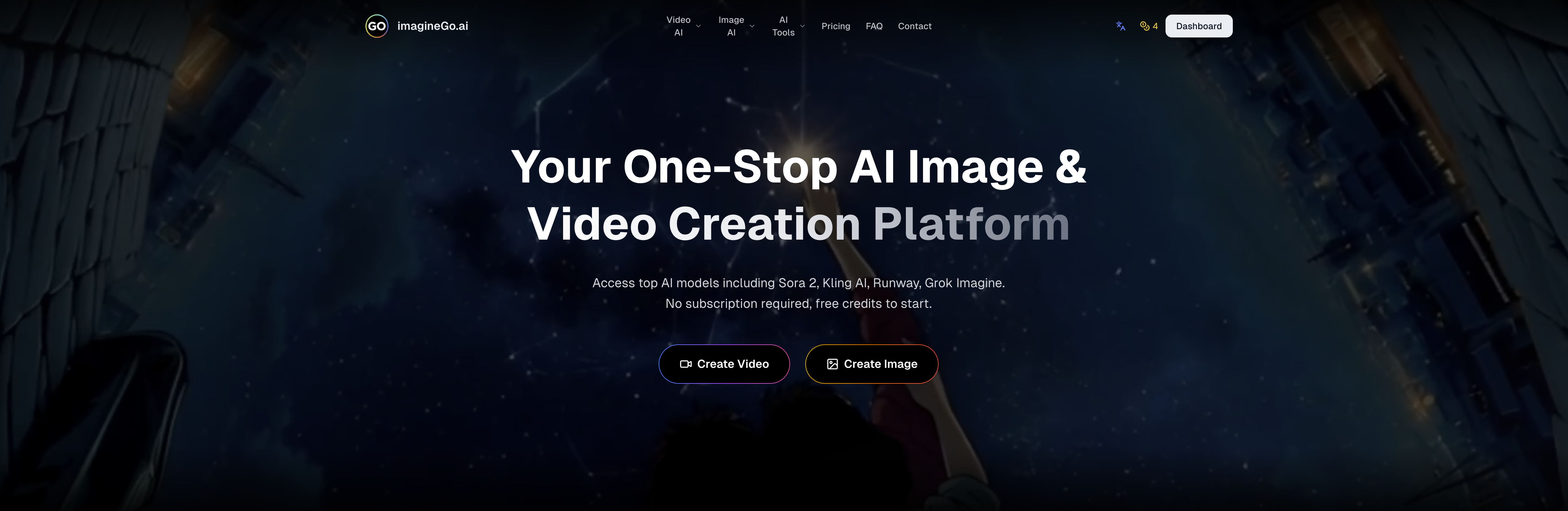
- Create professional videos for any commercial project instantly, with full commercial usage rights granted for all generated content.
- Produce videos tailored for social posts or ads in seconds, by defining custom aspect ratios and durations from 5 to 15 seconds.
- Access top AI models like Sora 2 Pro and Kling 2.6 in one place, using a unified credit system instead of separate subscriptions.
- Generate clean, brand-ready videos without watermarks, using the platform's watermark removal feature for professional presentations.
- Compare outputs to find the perfect balance of speed and quality, by testing different models optimized for fidelity or fast generation.
- Receive automatic credit refunds if generation fails, ensuring you only pay for successful, high-resolution videos up to 1080p.
Pros & Cons
Pros
- Aspect ratio control
- Duration flexibility
- Watermarking control
- Dynamic video content generation
- Motion graphics generation
- Model variety based on speed
- Model variety based on fidelity
- Professional-grade output
- Full commercial usage rights
- Usage of credits across models
- No separate subscriptions required
- Fast video generation
- Resolution up to 1080p
- Model comparison feature
- Sora 2 model
- Kling 2.6 model
- Wan 2.5 model
- Grok Imagine video model
- Credit-based system
- Ideal for storytelling
- Ideal for research
- Ideal for design work
- All-in-One Text to Video Platform
- Access to Sora 2 Pro
- Flexible duration: 5-15 seconds
- Optimized infrastructure for speed
- Automatic credits refund for failures
- Transforms text prompts into images
- Transforms text prompts into short videos
- Generates realistic motion or stylized visuals
- Sora 2 tuned for everyday content creation
- Sora 2 Pro for higher fidelity, longer duration
- Flexible credits, pay only for use
- Supports simultaneous generations
- Offers high resolution upscaling
- Lifetime validity of purchased credits
- Anytime use credits, never expire
- Private Mode Visibility
- 24/7 Email Support
- No Watermarks on Outputs
- Access to premium models
- Offers optional audio for video generation
- Advanced video generation with lip-sync
Cons
- No 4K video output
- Limited video duration
- No native audio support
- Slow generation for sensitive content
- No explicit data privacy option
- No real-time preview functionality
- Output dependency on model
- No in-tool video editing
- Platform-specific models
- Unclear refund policy
Reviews
Rate this tool
Loading reviews...
❓ Frequently Asked Questions
ImagineGo generates videos from text inputs by hosting various leading AI video generation models. Users can define parameters like the aspect ratio and duration, and even remove watermarking from the generated video. The models in the platform accept text prompts and generate dynamic video content and motion graphics accordingly. The users can choose between different models based on speed, fidelity, and professional-grade output.
ImagineGo's text to video feature operates by converting user-input text prompts into dynamic video content. The models hosted on the platform interpret the text inputs and create videos that can be used for storytelling, research, or design work. Users have the liberty to choose between different models based on their preferred optimization for speed, fidelity, and professional-grade output.
ImagineGo hosts an array of top AI video generation models for video generation. The models available include Sora 2, Sora 2 Pro, Grok Imagine Video, Wan 2.5, Kling 2.6, and many other top-tier models. This allows users a wide range in choice and flexibility when generating their own AI videos.
Yes, ImagineGo provides a feature where users can define parameters such as the aspect ratio and duration of the generated video. This gives users the flexibility to create videos that specifically suit their creative and commercial needs.
Yes, ImagineGo supports a feature that, when enabled, removes watermarks from generated videos. This ensures that the final output does not have any obtrusive branding, making the videos suitable for a variety of commercial applications.
Yes, users of ImagineGo can compare the performances of different AI models. The platform allows users to choose between different models based on factors like speed, fidelity, and professional-grade output. This means that users can pick a model that best meets their specific requirements.
ImagineGo operates on a credit-based system. These credits can be used across all models, which eliminates the need for separate subscriptions. The number of credits needed depends on which models are used. Payment for generated videos is made using these credits; thus, users only pay for what they generate.
Yes, ImagineGo provides full commercial usage rights for all generated videos. This means users can use the generated videos for any commercial purposes without any rights-related issues.
The resolution of videos generated on ImagineGo can be as high as up to 1080p, depending on the model used. Some models support full HD videos, making the platform apt for generating high-quality professional-grade videos.
No, there is no need to subscribe for individual models on ImagineGo. The platform operates on a unified credit-based system. Users can utilize their credits across all models, thereby eliminating the need for separate subscriptions.
Text prompts play a pivotal role in video generation on ImagineGo. These prompts guide the AI models to generate video content that lines up with the user's vision. The AI interprets the text inputs and generates dynamic video content and motion graphics accordingly.
Videos generated from ImagineGo can be utilized for a wide range of applications. These include storytelling, research, design work, social content, ads, and creative projects. All generated videos come with full commercial rights, making them fit for any commercial use-case.
ImagineGo's fast video generation feature operates by hosting models that have been optimized for speed. This optimization in the models' infrastructure allows users to generate videos within minutes. The speed of video generation, however, can vary based on the specific model chosen by the user.
Sora 2 and Sora 2 Pro offer unique functionalities on ImagineGo. While Sora 2 is geared towards speed and everyday content creation, the Pro version is more about higher fidelity, longer duration, and professional-grade output. The Pro version manages more challenging scenes with improved stability, resolution, and synchronized native audio.
All models in ImagineGo generate high-quality output, but the specific resolution of each model isn't explicitly mentioned. However, it is indicated that some models on the platform support up to 1080p resolution.
The Grok Imagine Video model on ImagineGo is a unique tool that turns text prompts into images or short videos. It can generate realistic motion or stylized visuals for storytelling, research, or design purposes.
With a single subscription on ImagineGo, users gain access to all the available AI models. There are no separate subscriptions required for individual models, as the platform operates on a credit system that works across all models.
There isn't explicit information about restrictions on the type of text prompts for generating videos on ImagineGo. However, it's mentioned that prompts involving policy-sensitive content or NSFW material may result in slower generation times or generation failures and that if generation fails, credits will be automatically refunded.
Yes, ImagineGo offers flexibility in terms of video duration. Depending on the model used, users can create videos from 5 to 15 seconds making it perfect for a variety of content forms, from social posts to advertisements.
ImagineGo does not specify the criteria for recommending a specific model. However, it offers a comparison of different AI services, including available models, payment methods, and costs, which users can utilize to identify which model or service will work best for their specific needs.
Pricing
Pricing model
Free Trial
Paid options from
$5
Billing frequency
One-time
Related Videos
Best AI Image Generator APP | ImagineGO | App Store | Play Store
ImagineGo•204 views•Apr 22, 2023