

ImgUpscaler.Online
Overview
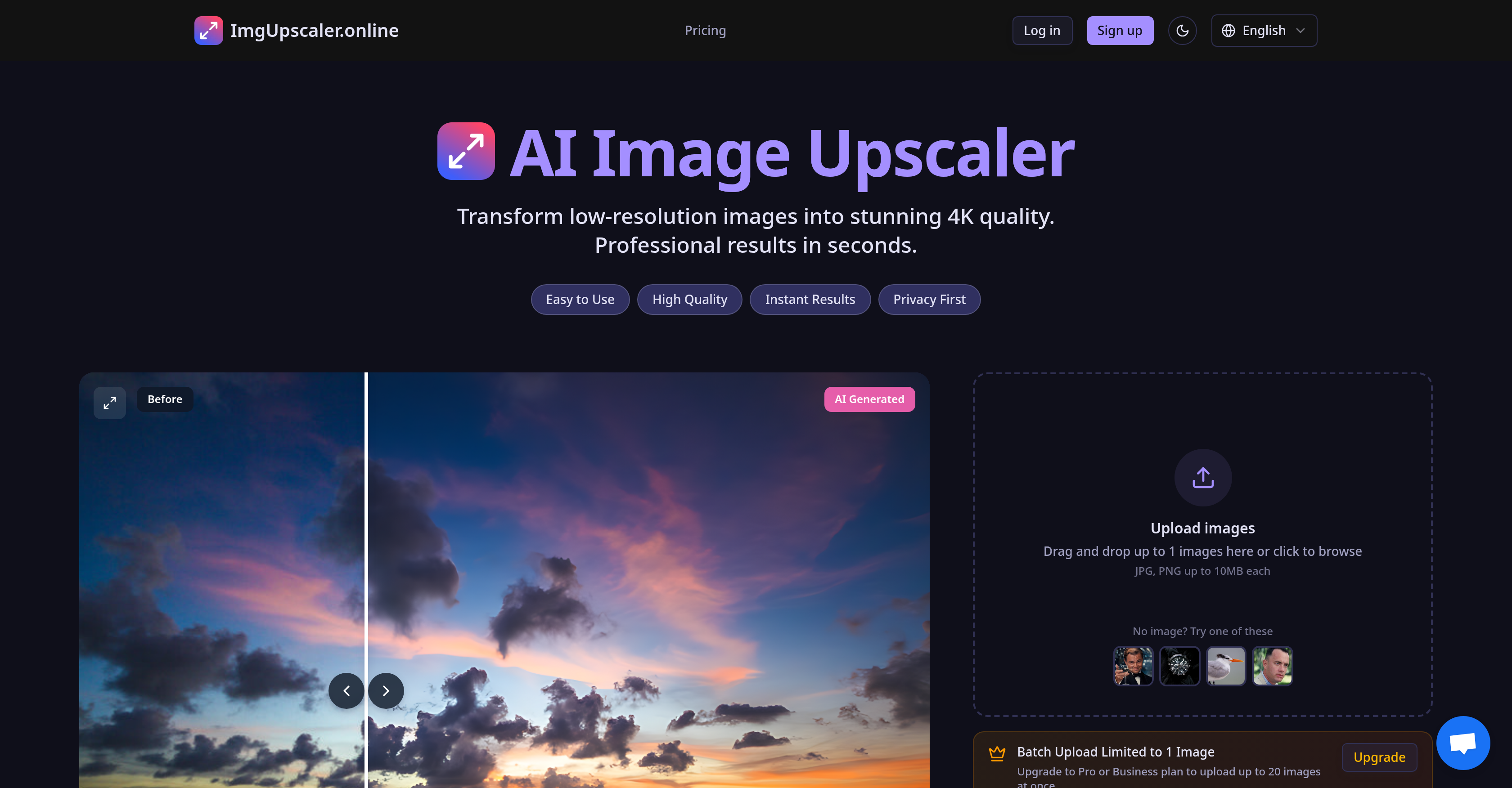
- Rescue and restore precious old photos by bringing blurry or ragged images back to life with AI that intelligently identifies and reconstructs lost details
- Showcase every product detail with crystal-clear 4K upscaling that boosts e-commerce conversion rates by improving image clarity for online shoppers
- Prepare professional portfolios and print-ready images quickly by batch processing up to 20 photos at once for wedding, portrait, and real estate photography
- Protect sensitive client images with automatic 24-hour deletion from servers, ensuring your photos aren't stored indefinitely after enhancement
- Optimize social media content instantly using the HD Fast Mode specifically tuned for quick facial restoration and attention-grabbing previews
- Create large-format prints without pixelation by upscaling images to professional standards suitable for posters, magazines, and billboards
Pros & Cons
Pros
- Upscales to 4K quality
- Deep learning technology
- Restores image details
- Revitalizes blurry photos
- Offers three modes
- HD Fast Mode
- 4K Pro Mode
- Ultra Mode
- High quality results
- Supports batch processing
- Different plans available
- Ensures privacy
- Auto-delete feature
- Secure handling of images
- User-friendly interface
- Drag and drop feature
- Useful for personal photos
- Tool for professional photographers
- Optimizes e-commerce product images
- Improves social media content
- Enhances real estate images
- Suits large format printing
- Mobile-friendly interface
- Offers facial detail restoration
- Quick processing in HD mode
- Batch processing for Pro and Business plans
- Privacy First Policy
- 24-Hour Auto-Delete feature
- Variety of use-cases
- One-click fix feature
- Optimized for social media sharing
- 10-Second Processing
- Suits professional photography
- Useful for e-commerce & product photos
- Enhances social media content
- Ideal for real estate & architecture
- Supports print & publishing
- Enhances personal memories
- Supports JPG, PNG formats
- Maximum 10MB upload limit
- Scaling up business capabilities
- Lightning-fast processing
- Enterprise-grade security
- All image enhancing needs met
- Ideal for large-format printing
- Revitalises old family photos
- Ideal for print standards
- Fast processing for social sharing
- Upscales images 2x larger
Cons
- Limited to 1 image for basic plan
- Requires frequent purchase of credits
- Different modes consume different credits
- No free trial mentioned
- Potential delay in 10-second processing
- Supports only JPG, PNG formats
- Unclear commercial use policies
- 3 different modes may confuse
- No information about failed deductions
- No refund policies clearly stated
Reviews
Rate this tool
Loading reviews...
❓ Frequently Asked Questions
ImgUpscaler.Online is an advanced AI-driven service primarily designed to upscale, restore, and fix blurry, ragged, and low-resolution images. The service can upscale images up to 4K quality and bring blurry pictures back to life by restoring intricate details.
ImgUpscaler.Online leverages advanced deep learning technology to enhance image quality. The technology aids the tool in accurately identifying and restoring image details, effectively transforming blurry images into clear and high-resolution pictures.
ImgUpscaler.Online comes with three modes: HD Fast Mode that provides quick outcomes and is optimized for restoring facial details, 4K Pro Mode for getting high-quality results, and Ultra Mode intended for delivering the highest quality results.
The HD Fast Mode in ImgUpscaler.Online is best suited for restoring faces in images. It's optimized for face restoration, ideal for bringing back to life facial details in old photos and for quick previews.
Yes, ImgUpscaler.Online supports batch processing which allows you to upload and process multiple images simultaneously.
ImgUpscaler.Online serves diverse use-cases. It caters to individual needs to enhance personal photos, professional photographers for enhancing their photos, for optimizing e-commerce product images, enhancing social media content, enhancing real estate images, and to process large format print-ready images.
ImgUpscaler.Online places a strong emphasis on privacy. It implements secure handling of images and employs an auto-delete feature that ensures all images are automatically deleted from the servers after a fixed period.
The auto-delete feature in ImgUpscaler.Online automatically removes the images from the servers after a predetermined amount of time, thereby enhancing the privacy and security of user data.
To upload images to ImgUpscaler.Online, users can either drag and drop their images directly onto the platform or browse for their images from their device.
Absolutely, ImgUpscaler.Online can enhance old or low-resolution photos. By leveraging advanced AI and deep learning algorithms, it can restore and repair blurry and ragged images, restoring critical details and scaling them up to 4K resolution.
ImgUpscaler.Online enhances e-commerce product images by upscaling them to 4K quality, thereby improving clarity and showcasing every minute detail of the product which can help boost conversion rates.
ImgUpscaler.Online helps with social media content enhancement by providing high-resolution, 4K quality images that grab attention in feeds, helping to grow your personal or brand profile.
Yes, ImgUpscaler.Online can be used for enhancing images for professional photography. It's an ideal tool for professional shooters, portrait studios, wedding photographers, etc, who require high-quality, print-ready images fast.
ImgUpscaler.Online can upscale images to a maximum resolution of 4K quality, restoring and revealing intricate details in the process.
ImgUpscaler.Online primarily supports JPG and PNG file formats, and can accommodate files up to 10MB each in size.
Batch processing in ImgUpscaler.Online works by allowing users to upload and process multiple images all at once. Users with Pro or Business plans can upload up to 20 images at a time.
ImgUpscaler.Online rejuvenates real estate and architecture images by upscaling them to 4K quality. This makes the photos perfect for listings, brochures, and virtual tours which can impress potential buyers.
Yes, ImgUpscaler.Online does offer different plans for processing images. Users can upgrade to Pro or Business plans to take advantage of greater capabilities such as batch uploading up to 20 images at once.
ImgUpscaler.Online prioritizes user-friendly interaction. The platform involves a simple procedure of dragging and dropping or browsing for images that one wants to enhance, making it accessible and easy to use.
To enhance images using ImgUpscaler.Online, you need to upload the desired images either by dragging and dropping them on the platform or browsing for them from your device. Once the images are uploaded, you can select the desired mode of enhancement - HD Fast, 4K Pro, or Ultra, and start the processing. The AI-powered service will then enhance your images as per your selected mode.
ImgUpscaler.Online is an artificial intelligence driven service that focuses on enhancing image quality by upscaling low-resolution, blurry or ragged images to a higher resolution, even up to 4K quality. It uses deep learning technology to restore image details effectively. The service ranges from personal use cases to professional applications.
ImgUpscaler.Online utilizes advanced AI and deep learning technologies to transform low-resolution images into 4K quality. The tool intelligently identifies and restores image details, thus bringing blurry and ragged images back to life. It achieves this by applying one of three modes; HD Fast Mode, 4K Pro Mode, and Ultra Mode based on the level of detail required.
ImgUpscaler.Online offers three modes - HD Fast Mode, 4K Pro Mode and Ultra Mode. HD Fast Mode provides quick results and is optimized for face restoration and quick previews. 4K Pro Mode and Ultra Mode are designed for more detailed image enhancement, with the latter offering the highest quality results.
HD Fast Mode on ImgUpscaler.Online is an AI-powered processing mode focused on delivering quick results and restoring facial details in images. It is ideal for upscaling images 2x larger, and is particularly effective for enhancing social media content and creating quick previews.
4K Pro Mode and Ultra Mode in ImgUpscaler.Online are designed to offer high-resolution image upscaling. The 4K Pro Mode delivers professional-grade image enhancement, while Ultra Mode provides the highest quality results, perfect for high-demand tasks and creating intricate details in images.
Yes, you can process multiple images at once with ImgUpscaler.Online. This feature, however, is limited to Pro or Business plan subscribers, allowing you to upload and process up to 20 images at once.
ImgUpscaler.Online offers two paid plans - Pro Plan and Business Plan. Both of these plans allow batch processing of images; however, the specific offerings and varying benefits of each plan are not defined in the available information.
ImgUpscaler.Online highly emphasizes user data protection and privacy. Their Privacy First policy ensures that your data is handled with utmost care. Moreover, the platform has a 24-Hour Auto-Delete feature that automatically erases all processed images after a 24-hour period, further enhancing image security and privacy.
Using ImgUpscaler.Online to enhance images is straightforward. You simply need to drag and drop or browse for the images you wish to enhance on their website. Choose the processing mode (HD Fast Mode, 4K Pro Mode, or Ultra Mode) and start processing. Your enhanced image will be ready in seconds.
By using ImgUpscaler.Online, images can be enhanced up to stunning 4K quality. The level of quality achieved largely depends on the mode selected. HD Fast Mode provides quick enhancement and focuses on face restoration, while 4K Pro Mode and Ultra Mode offer professional-grade image enhancement with intricate image details.
Ideal applications for ImgUpscaler.Online include both personal and professional use cases. It can be utilized for enhancing personal photographs, professional photography, e-commerce product images, social media content, real estate photos, and for creating large format print-ready images.
Yes, ImgUpscaler.Online is accessible on a mobile device. It features a mobile-friendly interface, ensuring that you can enhance your images on the go conveniently.
The Privacy First Policy of ImgUpscaler.Online ensures the secure handling of users' images. The platform emphasizes privacy and has committed itself to handle user data with stringent security measures to maintain the privacy of its users.
The 24-Hour Auto-Delete feature on ImgUpscaler.Online automatically erases all processed images after a 24-hour period. This feature is an integral part of their privacy assurance, as it ensures that no copies of your enhanced images are stored on their servers longer than necessary.
ImgUpscaler.Online enhances e-commerce product photos by upscaling them to crystal-clear quality. This improves the visibility of product details, enabling businesses to showcase their products more effectively, thus building customer trust and boosting conversion rates.
Yes, ImgUpscaler.Online does provide solutions for social media content optimization. The HD Fast Mode is particularly useful for enhancing social media content as it is optimized for quick previews and effective restoration of facial details in old photos.
Yes, ImgUpscaler.Online can be effectively employed for real estate photography. It enhances property photos to high-resolution images which are perfect for listings, brochures and virtual tours; greatly assisting in making a great first impression on potential buyers.
Yes, ImgUpscaler.Online does support large format print-ready images. It helps to upscale images to print standards, making it perfect for creating photo books, posters, magazines, billboards etc. without any pixelation.
Exact statistics on the success rate of ImgUpscaler.Online in restoring blurry photos are not specified in the given information, but it mentions bringing blurry photos back to life by intelligently identifying and restoring image details using deep learning algorithms.
ImgUpscaler.Online supports professional photographers by providing a tool to batch enhance their portfolio with gallery-quality results. It is perfect for wedding photographers, portrait studios, and those who require print-ready images quickly.
Pricing
Pricing model
Freemium
Paid options from
$8.90/month
Billing frequency
Monthly
Refund policy
No Refunds
Related Videos
AI Image Upscaler Lifetime Deal - The Best Online Image Upscaler in 2025
The SaaS Deals•2.8K views•Nov 14, 2024










