

Inkr.app
Get instant, accurate transcripts from any meeting or media file with our 99% accurate, faster-than-real-time transcription engine
Listing not yet reviewed by our editors · How we check
Overview
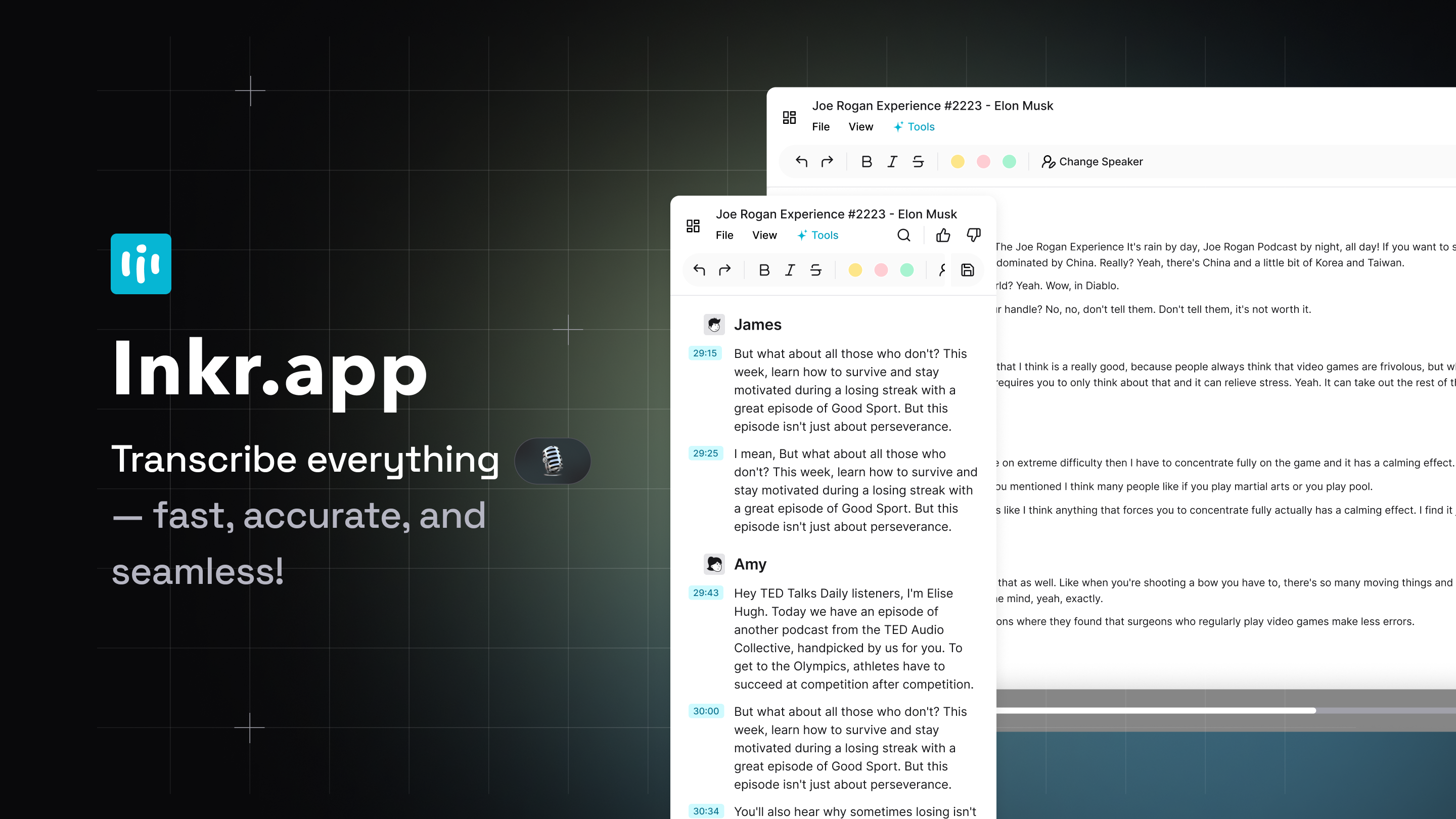
- Get instant, accurate transcripts from any meeting or media file with our 99% accurate, faster-than-real-time transcription engine
- Transform raw transcripts into polished, structured notes automatically using the Inkr Note AI notetaker
- Find key information in seconds without manual scrolling by chatting with your transcript using the Ask Inkr smart AI chat
- Correct transcription errors automatically for perfect accuracy with Inkr Polish, which uses context and topic information
- Capture speech in real-time for live meetings, classes, or accessibility needs with the live transcription feature
- Access and manage all your past transcriptions easily through the organized History section on your dashboard
- Transcribe content from multiple sources without downloading files by pasting links from YouTube, Google Drive, and social media
Pros & Cons
From the listing; not yet checked by our editors.
Pros
- Quick and clean transcription
- Supports various media formats
- Bulk upload capability
- Exports in popular formats
- Supports over 100 languages
- Speaker identification feature
- Inkr.app Note for drafting
- Word-level precision in editing
- Instant answers with Ask Inkr.app
- 8 times faster transcription
- Used by diverse professionals
- Accommodates audio and video
- Ready-to-use note templates
- Precise word modification
- Transcription in noisy environments
- User-friendly plans and pricing
- Unlimited daily transcriptions in plans
- Watermark-free downloads in plans
- Transcription sharing feature
- Supports large file upload
- Real-time and file-based transcription
- No sign-up needed for trial
- Storage function for recalling notes
- Allows paste links for transcription
- Live transcription capability
- Accuracy despite multiple speakers and noise
Cons
- Expensive plans
- Limited daily transcriptions
- Watermarked downloads on free version
- Limited edit history on free version
- Credit-based usage for features
- Max upload size per file
- No real-time transcription
- No native application mentioned
- Transcriptions not entirely automated
- Lack of integrated translation service
Alternatives to Inkr.app
Tools that share the most tags with Inkr.app.
- Soundwise.ai
Get instant transcriptions without signing up or paying, enabled by a completely free and unlimited-use web tool
Freemium · from $10/month
$10/month
Not yet checked
- AssemblyAI
Achieve up to 23% more accurate call transcription with AI models trained on 12.5M hours of multilingual audio data
Freemium
Not listed
Not yet checked
- Apptek
Convert audio to precise text transcripts across dozens of languages and dialects using neural network speech recognition
Not listed
Not listed
Not yet checked
- Zeemo
Create accurate video captions instantly with AI-powered generation that achieves over 98% accuracy
Free trial
Not listed
Not yet checked
- Voicetype AI
Write emails and documents entirely hands-free using advanced voice dictation that captures your natural speaking style
Free trial · from $13.59/month
$13.59/month
Not yet checked
- Speechy
Instantly create organized to-do lists and action items by speaking instead of typing, eliminating manual note-taking during meetings and brainstorming sessions
Freemium · from $9/month
$9/month
Not yet checked
Related Videos
📒 Inkr Note — Meet Your New Sidekick
Inkr app · Apr 29, 2025
Reviews
Rate this tool
Loading reviews...
Frequently asked questions
Is Inkr free?
Minfa Wang 🛠️ 1 tool wrote:We do have a Free Forever plan for you to experience most of the features. You can also upgrade to any paid plans for faster response and more generous transcriptions.
How fast and accurate is Inkr?
Minfa Wang 🛠️ 1 tool wrote:Our transcription is faster than 99% of tools on the market, and with clear audio, it delivers up to 99% accuracy, making it one of the most efficient and reliable solutions available.
What file formats does Inkr support?
Minfa Wang 🛠️ 1 tool wrote:Inkr supports MP3, MP4, WAV, and many other popular formats. You can also transcribe by pasting media links from YouTube, Google Drive, Facebook, X, and more.
Can I edit my transcripts?
Minfa Wang 🛠️ 1 tool wrote:Absolutely! You can turn on the 'Edit Mode' for quick corrections and formatting.
Is my data secure and private?
Minfa Wang 🛠️ 1 tool wrote:Yes! All your data is fully secure and private by default. Only the files you choose to share will be publicly accessible—everything else remains completely private.
How can I cancel my subscription?
Minfa Wang 🛠️ 1 tool wrote:Click your avatar and navigate to 'Account & Settings'. From there, log in to your Stripe account to manage or cancel your subscription anytime.
How large of a file can I upload?
Minfa Wang 🛠️ 1 tool wrote:Free users can upload videos for up to 2 hours, whereas paid users can upload files up to 5GB or 10 hours in length.
How can I find my previously uploaded audio?
Minfa Wang 🛠️ 1 tool wrote:Easily access your past uploads in the 'History' section on your 'Dashboard'.