

Overview
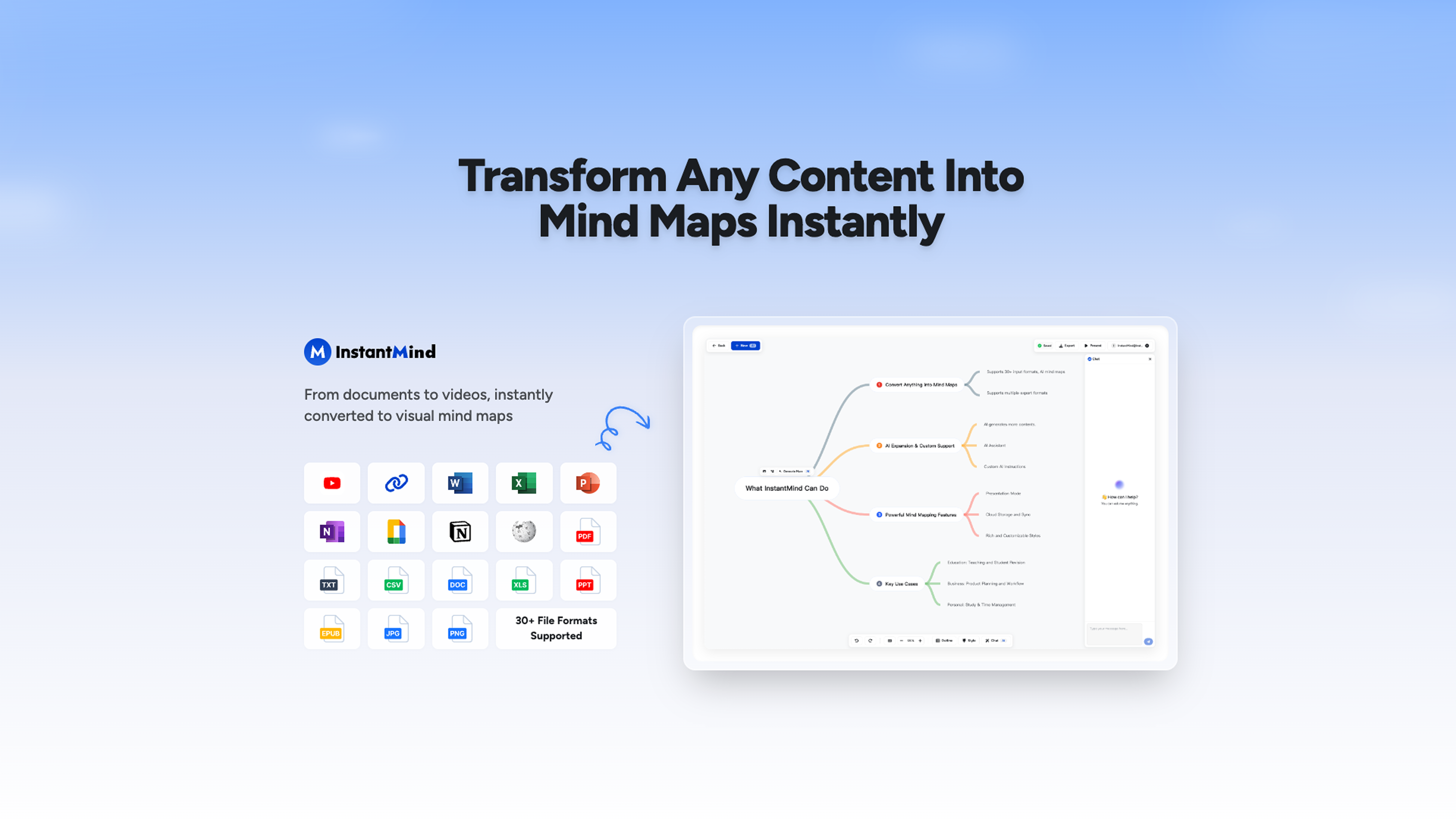
- Turn dense documents and videos into clear visual maps instantly with AI that reads PDFs, Word files, Excel sheets, and YouTube videos
- Uncover hidden insights and connections by chatting directly with your content using contextual Q&A that understands your specific materials
- Break through creative blocks by expanding any mind map node with AI-generated explanations, examples, and related concepts on demand
- Create presentations ready for sharing in one click by transforming your mind maps into polished visual decks automatically
- Maintain perfect workflow continuity across devices with auto-sync that keeps all changes updated on desktop, tablet, and mobile
- Customize visual organization to match your thinking style with flexible themes, colors, and switching between mind map and outline views
Pros & Cons
Pros
- Various content to mind maps
- Seamless brainstorming capabilities
- Automatic mind map transformation
- Interactive content responses
- Goal-focused mind maps
- Variety of colors, themes
- Flexible viewing options
- Mind map to presentation
- Multiple export options
- Fully responsive design
- Device auto-sync
- Secure data encryption
- Cloud storage
- Content analysis
- Multiple document support
- Practical idea generation
- User-friendly interface
- Varied mind map layouts
- Automatic content summary
- Integrates YouTube videos
- Shapes image content
- Prioritized user privacy
- Interactive Q&A segment
- Unique workflow results
- Mind map personalization
- Multi-structured viewing
- Supports various structures
- Demo videos assistance
- Supports 30+ file formats
- Contextual insights
- Outlines view option
- Automatic cloud saves
- Anytime secure access
- Automatic expansion of nodes
- Boosted productivity
- Outline view for organization
- Richer mind maps
- Detailed explanations automatically
- Never run out of ideas
- Multiple mind map layouts
Cons
- Limited free plan
- Complex for beginners
- Requires internet connection
- Limited export formats
- Inaccurate content analysis
- No offline version
- Limited theme options
- Insufficient privacy details
- Limited layout options
Reviews
Rate this tool
Loading reviews...
❓ Frequently Asked Questions
InstantMind can convert various types of content into mind maps such as text, document files (including PDFs, Word, Excel, PowerPoint, eBook, and Markdown), images, websites, and YouTube videos.
The AI Chat system of InstantMind works by providing AI-based responses related to the given content. Users can ask specific questions about their documents or mind maps, and the system offers intelligent Q&A and analysis based on the actual content.
Yes. InstantMind allows customization of AI instructions based on users' specific goals. This function enables the AI to generate unique, goal-focused mind maps that are tailor-made for the users' workflow and preferences.
In InstantMind, users have numerous customization options for creating mind maps. They can choose from different themes, colors, and layouts to make their mind maps visually appealing. Users can also customize the AI instructions to create mind maps that reflect their specific goals and preferences.
Yes. InstantMind has the capability to transform mind maps into presentations. This feature makes it easy for users to visually display and share their ideas with others.
InstantMind supports multiple formats for exporting mind maps. Users can export their mind maps as InstantMind files, PNG, PDF, SVG, or markdown files.
Yes. InstantMind features an auto-sync functionality that synchronizes all changes made across different devices. This makes sure that no work is lost and users can seamlessly continue their work on any device.
InstantMind prioritizes user data and privacy protection by encrypting it and storing it in secure cloud storage. Thus, ensuring it's not only accessible but also safe at any time.
Yes. InstantMind is a cross-platform tool. Owing to its fully responsive design, it is accessible and seamlessly usable on multiple devices, ensuring user convenience and flexibility.
InstantMind facilitates easy brainstorming by transforming any input content into comprehensive mind maps instantaneously. This allows for effortless content analysis and idea generation, making the brainstorming process more efficient and organized.
Yes. InstantMind features flexible viewing options that allow users to conveniently switch between visual mind map view and structured outline view. This feature lets users organize their thoughts in a way that suits their unique thought process.
Yes. InstantMind can convert YouTube videos into mind maps. Users just need to input the link of the YouTube video, and the AI will streamline the content into a detailed mind map.
InstantMind provides flexible options for content organization in mind maps by allowing users to customize the AI instructions according to their specific needs. Moreover, users can also shift between mind map and outline views for better organization and understanding of their ideas.
Yes. InstantMind provides interactive AI-based responses that are related to the given content. This intelligent Q&A and analysis system equips users with deeper insights into their content and facilitates better idea generation.
InstantMind achieves data visualization in mind maps by leveraging AI to present the input content in a visually organized manner. The platform not only generates the mind maps, but it also allows customization, giving the user control over visual appeal and organization.
Yes, InstantMind can turn Excel files into mind maps. In fact, InstantMind supports a range of formats including PDFs, Word, PowerPoint, eBook, and Markdown along with Excel, converting them into comprehensive mind maps.
InstantMind provides flexible viewing options for a better understanding of content. Users can switch between visual mind map view and structured outline view according to the needs of their thought process.
Yes, InstantMind lets users create visually appealing mind maps. There are numerous themes, colors, and layouts users can choose from to design their mind maps according to personal preferences.
Yes, InstantMind is built with a fully responsive design. This makes it accessible and perfectly usable on any device including desktop, tablet, or mobile. The layout and functionalities seamlessly adapt to the size of the screen on any device.
Yes, InstantMind supports document reading for mind map generation. It can transform various file formats including PDFs, Word, Excel, PowerPoint, eBook, and Markdown into comprehensive mind maps instantaneously.
Pricing
Pricing model
Free Trial
Paid options from
$8/month
Billing frequency
Monthly
Refund policy
Only annual plans may be refunded on a prorated basis within 14 days.


