KidBooks.pics - Kids Book Image Generator
Overview
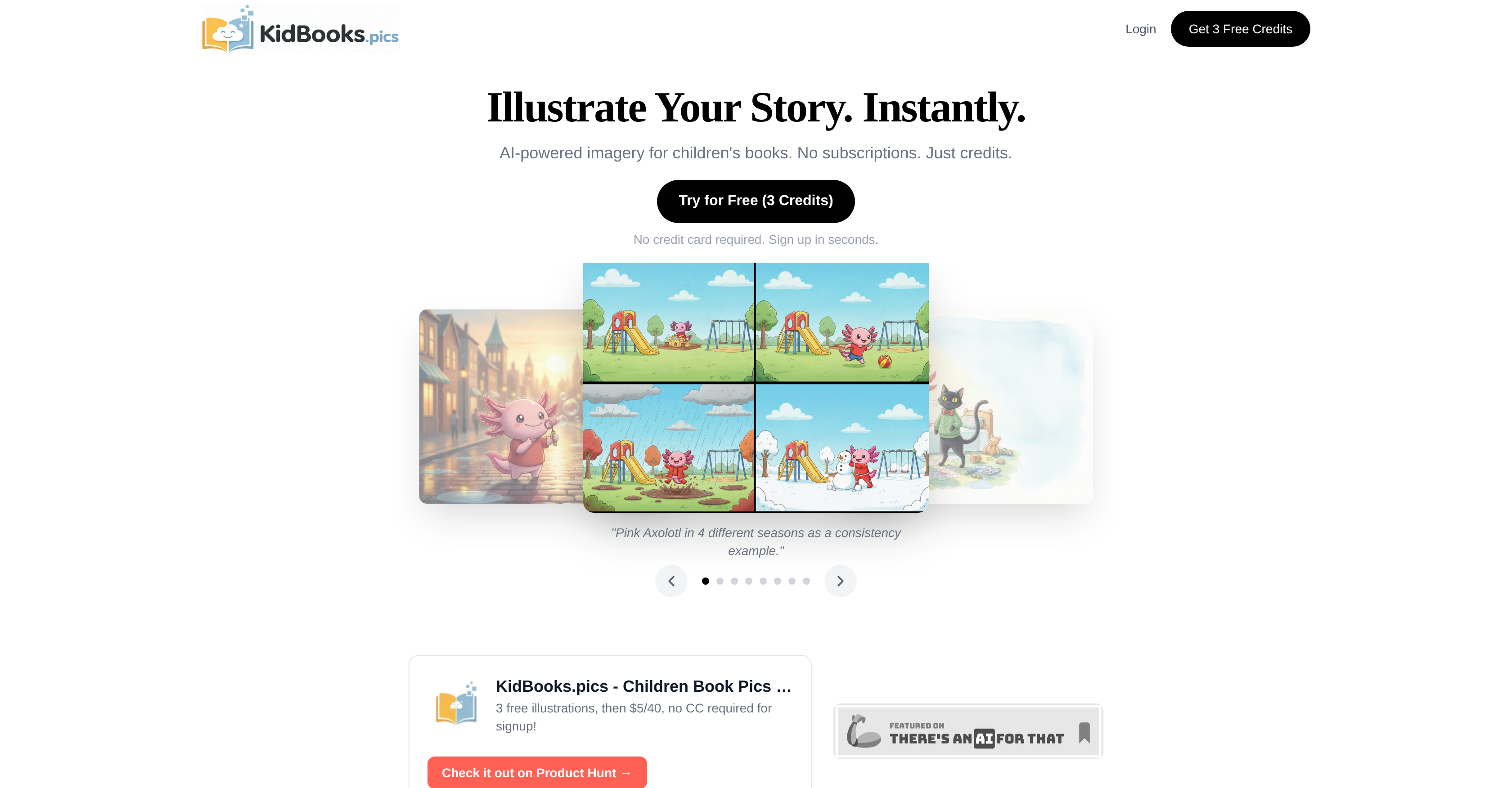
- Generate a full set of visually consistent illustrations for your children's book using saved characters and scenes from your personal Character and Scene Library.
- Download print-ready images instantly in the exact format you need—Square, Portrait, Landscape, or Widescreen—without any design software.
- Create professional illustrations without learning prompt engineering by selecting from built-in presets for scenes, characters, art styles, and moods.
- Control your budget with a flexible pay-as-you-go credit system where purchased credits never expire and you only pay for the images you generate.
- Maintain a cohesive visual style across an entire book series by reusing your saved character designs and scene references for future projects.
Pros & Cons
Pros
- Built-in presets
- Single-click illustration generation
- Characters and scenes library
- Instantly usable illustrations
- Credit-based system
- Standard or HD images
- Variety of format options
- No subscription required
- Non-expiring credits
- Pay-as-you-use model
- Visual consistency across books
- Scene selection
- Character selection
- Variety of art styles
- One-click generation ethos
- Saves character designs
- Reuses backgrounds
- Instant download
- Quality options for illustrations
- Different aspect ratios
- Customizable time of day
- Designed for children's books
- Suitable for novice illustrators
- Scene examples provided
- Character examples provided
- Art style examples provided
- Free trial available
- Dashboard for project management
Cons
- Uses a credit system
- No subscription option
- Requires constant credit purchases
- No room for intricate customization
- Limited art style options
- Dearth of character options
- Limited scene options
- Standard quality is low-resolution
- Premium quality costs more
- No built-in image editing
Reviews
Rate this tool
Loading reviews...
❓ Frequently Asked Questions
KidBooks.pics is a specialized, AI-powered image generator designed specifically for children's books. It accelerates and simplifies the process of illustration creation by offering built-in presets for scenes, characters, art styles, and moods.
KidBooks.pics works through built-in presets where users can select their preferred scenes, characters, art styles and moods. After selection, the user just needs to click a single button and the tool generates an illustration that matches the selected presets.
Yes, KidBooks.pics allows users to manage and save different characters and scenes. It thus enables the creation of consistent illustrations throughout a children's book.
KidBooks.pics offers a wide range of presets. For scenes, examples include Cozy Bedroom, Magical Treehouse, Sunny Playground, Sandy Beach, Coral Reef, and Wildflower Field. For characters, there are presets like Pink Axolotl, Black Cat, Friendly Dragon, White Bunny, Wise Owl, Little Boy, and Little Girl. There are also presets for different art styles including Soft Watercolor, Colored Pencil, Digital Cartoon, and Flat Vector.
KidBooks.pics operates on a pay-as-you-go model using a credit system. Each credit is used to generate an illustration. The users only pay for credits which they use with no subscription required. For example, an image with standard definition which is ~1200px wide costs 1 credit and high definition image which is ~2400px wide costs 3 credits.
Yes, KidBooks.pics enables users to generate images in a variety of formats accommodating different aspect ratios. Some available formats include Square, 8.5" Portrait, 6x9" Landscape, 8.5x11" Widescreen and 16:9.
Yes, KidBooks.pics offers high definition images. You can obtain these images by using three credits as opposed to just one credit for standard definition.
No, KidBooks.pics operates on a pay-as-you-go model and does not require a subscription.
Yes, KidBooks.pics offers flexibility in aspect ratio. Users have the choice of square, 8.5" Portrait, 6x9" Landscape, 8.5x11" Widescreen and 16:9 options.
Yes, with KidBooks.pics, it is possible for a user to reuse a scene. Users can save scene references in a Scene Library for consistent use across multiple illustrations.
Yes, KidBooks.pics offers options to choose from a variety of moods as a part of its presets. This feature aids in creating images that resonate with the emotional temperament of a particular scene or character.
The one-click generation in KidBooks.pics works by gathering user input on preferred presets, such as scene, character, art style and mood. Once these presets are selected, a user can generate an illustration that matches these choices by simply clicking a button.
In KidBooks.pics, each generated image costs a certain amount of credits. For example, 1 credit is needed for a standard definition (~1200px wide) image, and 3 credits are required for a high definition (~2400px wide) image.
In KidBooks.pics, the generation of high definition imagery, which is ~2400px wide, requires three credits.
In KidBooks.pics, extra credits can be purchased at a rate of $5 for a pack of 40 credits.
In KidBooks.pics, the purchased credits never expire. This ensures that users do not lose their credits even if they don't use the service for a long period.
KidBooks.pics can generate a broad range of book illustrations for children's books. This includes different character types, various scene settings, multiple art styles, and a range of moods.
Yes, KidBooks.pics can generate a consistent set of illustrations for a book. It accomplishes this by enabling users to save and manage characters and scene references, ensuring visual consistency across the book.
Yes, you can see a preview of KidBooks.pics in action on its website, which provides a practical display of how the service works including how to manage projects, build a character library, and save scene references for consistent illustrations.
To use KidBooks.pics, first select your preferred presets such as scene, character, art style, and mood. Once you finalize your choice, just click 'generate' and let KidBooks.pics create your illustration. Post-generation, you can instantly download your image and use it in your children's book.
Yes, in KidBooks.pics, you can choose your preferred art style. Options include Soft Watercolor, Colored Pencil, Digital Cartoon, and Flat Vector.
KidBooks.pics offers a variety of built-in presets including scene presets like Cozy Bedroom, Magical Treehouse, Wildflower Field etc, character presets such as Pink Axolotl, Black Cat or Little Girl and art styles including Soft Watercolor, Colored Pencil, and Digital Cartoon. There's also mood presets that facilitate the customization of the overall feel of the illustration.
KidBooks.pics generates images based on the user's selection of presets for scene, character, art style, and mood. Once the user clicks 'generate' post their selection, KidBooks.pics crafts the ideal prompt and creates the illustration.
In KidBooks.pics, you can manage and save your characters and scenes through the 'Character Library' and 'Scene Library' respectively. Those features allow you to maintain a consistent visual style across your various projects.
Yes, the images generated from KidBooks.pics can be reused. They can be instantly downloaded post-generation and used accordingly in your children’s books.
KidBooks.pics operates on a credit system – each credit is used to generate an illustration. Standard definition images cost 1 credit, while high definition images require 3 credits.
No, the credits in KidBooks.pics never expire. You can use them anytime after purchase.
No, there is no subscription requirement for KidBooks.pics. It follows a pay-as-you-go model where you buy credits according to your need.
With KidBooks.pics, you get to generate images in a variety of aspect ratios. The available formats are Square, Portrait (6x9), Landscape (8.5x11), and Widescreen (16:9).
The one-click generation feature in KidBooks.pics functions by taking the user's preferred presets and crafting the perfect prompt to generate the image instantly.
Yes, the quality of generated illustrations can indeed be customized in KidBooks.pics. Users have the option to choose between standard definition or high-definition images, based on their preference and the credits they wish to spend.
KidBooks.pics is an ideal tool for children's book illustrations as it simplifies the process of image creation with its built-in presets for different scenes, characters, styles, and moods. Its feature of saving characters and scene references ensures consistent visuals throughout the book.
Yes, in KidBooks.pics, users can save character designs for future use through the 'Character Library' feature. This promotes visual consistency across different projects.
KidBooks.pics ensures visual consistency across different books by allowing users to save and reuse character and scene references through its 'Character Library' and 'Scene Library'.
KidBooks.pics provides various scene options such as Cozy Bedroom, Magical Treehouse, Sunny Playground, Sandy Beach, Coral Reef, and Wildflower Field.
A variety of characters are available in KidBooks.pics. Users can choose from options like Pink Axolotl, Black Cat, Friendly Dragon, White Bunny, Wise Owl, Little Boy, and Little Girl.
Images from KidBooks.pics can be downloaded in a selection of formats. The possibilities include Square, Portrait (6x9), Landscape (8.5x11), and Widescreen (16:9).
'No prompt engineering required' in KidBooks.pics implies that users don't have to worry about constructing complex prompts for image generation. All they need to do is to pick their desired presets and let the AI take care of the rest.
Pricing
Pricing model
Free Trial
Paid options from
$5
Billing frequency
One-time