
Legasite
Overview
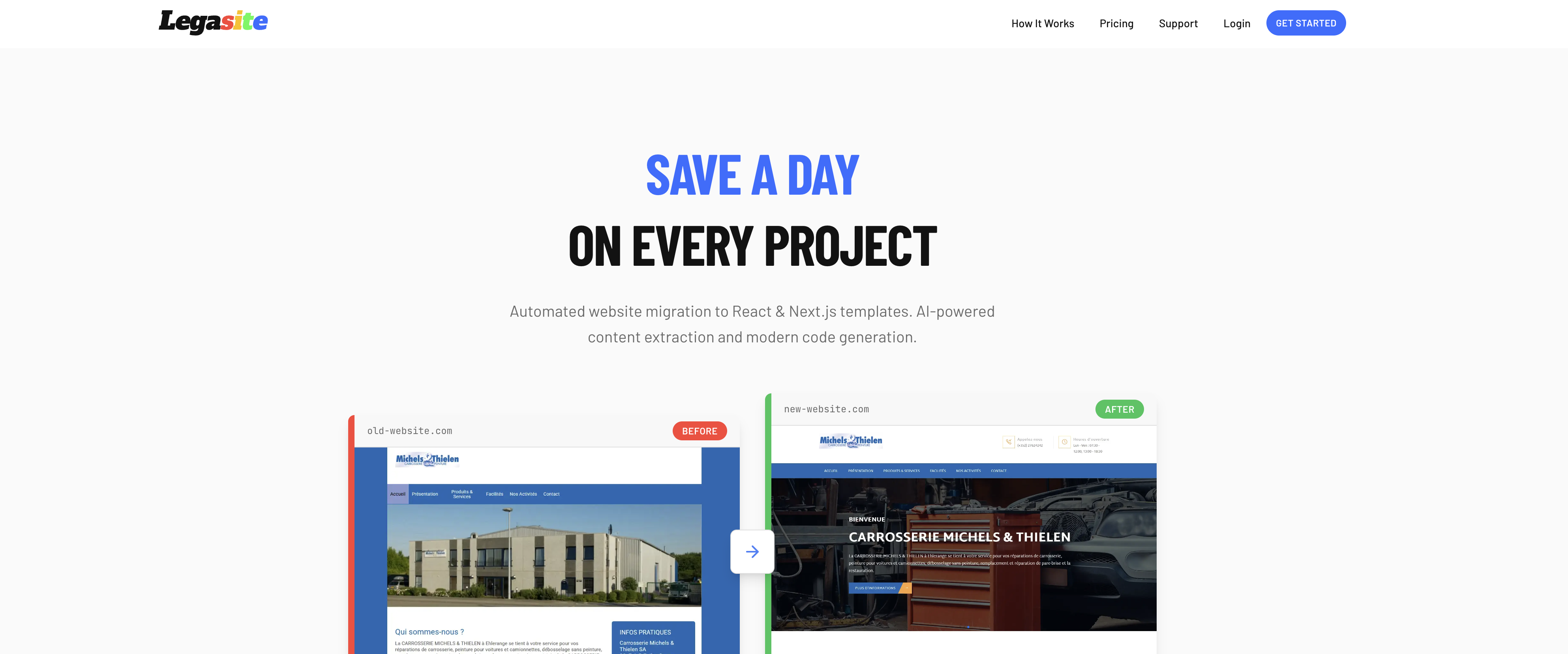
- Transform outdated websites into modern, production-ready React or Next.js applications in under 20 minutes using AI-powered content and image extraction.
- Own the generated code outright for any client or personal project, with full flexibility and no licensing restrictions.
- Select specific pages to migrate and choose from professional HTML, React, or Next.js templates for a tailored, scalable architecture.
- Handle complete website revamps without coding skills—just provide a URL and let the AI handle extraction, mapping, and code generation.
- Scale your development work efficiently with bundled pricing options designed for multiple client or personal migration projects.
Pros & Cons
Pros
- Automated website migration
- Utilizes modern templates
- Express content extraction
- Impressive speed of operation
- User-defined template choice
- HTML templates
- React templates
- Next.js templates
- Supports indexing of websites
- Selective page migration
- Content mapping
- Automatically generates code
- Quick download of code
- Flexible pricing plans
- Ability to bundle projects
- Handles personal projects
- Handles client projects
- Compatible with varying tech stacks
- Automates image migration
- Ownership of generated code
- Ideal for comprehensive revamps
- Ensures scalability
Cons
- Limited template choices
- Lacks plugin support
- Might miss complex content
- Doesn't support all tech stacks
- Not real-time
- No CMS integration
- No free trial
Reviews
Rate this tool
Loading reviews...
❓ Frequently Asked Questions
Legasite is an AI-powered developer tool designed for migrating legacy websites to modern React and Next.js templates.
Legasite operates by automating the extraction of content from an existing website, mapping it to a new, chosen template, and generating production-ready code. This process begins with the user choosing a preferred template and specifying the URL of the old website. Then Legasite's AI takes over to perform the content migration and code generation. In the final step, users can download the newly generated code.
Legasite offers diverse template options in three different formats: HTML, React, and Next.js.
The AI of Legasite performs content migration by automatically extracting the content from the existing website specified by the user and mapping it onto the chosen fresh template.
Once the AI of Legasite has completed the content migration and the code generation, users can download their newly generated code directly from Legasite. The code is readily available after 10-20 minutes for download.
Legasite offers several pricing plans to accommodate different client needs. For single one-off transformations, the price is €89. They also offer a value bundle where you get five transformations for the price of four, which is €356 - a saving of €89.
Legasite does not only migrate content, but also handles image migration. This ensures a comprehensive website generation process encompassing both text and visual aspects of a site.
Yes, Legasite is well-suited for various purposes, including both personal and client projects. This makes it a highly versatile tool for many kinds of web development tasks.
Legasite provides an extensive FAQ section that covers many important aspects including the information and insights about the website generation process, available tech stacks, generation time, credit system, and ownership of the generated code, among other details.
Yes, Legasite supports both React and Next.js templates for website migration, providing users with modern and professional site architectures.
Legasite takes about 10-20 minutes to generate a website, which significantly reduces the time and effort traditionally required for the same process.
There are three main steps involved in Legasite's website generation process: 1) Choosing the preferred template from options in HTML, React, or Next.js. 2) Providing the URL of the existing website for content extraction. 3) Downloading the newly generated production-ready code after 10-20 minutes.
Yes, Legasite allows users to choose their preferred template for their website. Options are provided in HTML, React, or Next.js.
Legasite handles automated content extraction using its AI technology. Once the URL of the old site is provided, the AI extracts content from the site, which is subsequently mapped onto the new chosen template.
Yes, Legasite accommodates both single projects and project bundles. This flexibility allows it to cater to both smaller individual transformations and larger bundled projects.
Legasite's AI handles automated content and image extraction, content mapping on the new template, and production-grade code generation.
Legasite contributes to project management by automating the process of website migration. This includes content and image extraction, mapping to a new template, and generating code, thus saving considerable time on these tasks.
The code generated by Legasite can be downloaded in a ready-to-use format, but the specific format is not mentioned on their website.
Yes, the code generated by Legasite is production-ready. It automates this process within a short timeframe making the code ready for immediate use following download.
The specific tech stacks available with Legasite are not directly mentioned on their website, but it supports templates in HTML, React, and Next.js, which implies support for JavaScript and related technologies including HTML and CSS.
Yes, you can use Legasite to migrate content from a specific URL. All you need to do is provide the URL of your old website during the process.
Legasite automates the migration of legacy websites by first indexing the old website and allowing the user to choose which pages they want to migrate. The AI then handles the content and image migration, and maps the old structure and images to the template of choice. Legasite then generates the new website code which is ready for download.
Legasite offers templates in HTML, React, and Next.js. You can choose the template that suits your needs from these options.
Legasite typically generates your new website code ready for download in 10 to 20 minutes.
Youdo not need to know any specific programming languages to use Legasite. The AI tool takes care of the technical aspects for you.
Legasite allows users to choose which pages they want to migrate during the process. It does not explicitly mention a limit to the number of pages you can migrate.
Yes, Legasite does offer plans for multiple projects. There is a pricing option that is recommended for people who have more than one project, which includes a bundle offer of 4 + 1 free.
The website does not explicitly state the format in which you would receive your new code from Legasite. However, generally codes are given in downloadable formats such as .zip files which you can extract and work with.
Users retain complete ownership of the code generated by Legasite. You can use the generated code for any purposes, such as client projects or personal projects, according to your needs.
Legasite works with HTML, React, and Next.js tech stacks, ensuring flexibility and scalability for various projects.
Legasite handles image migration effectively as part of its service. The content and image migration is part of the automated process that the AI takes care of during the website revamping process.
Yes, you can use Legasite to convert your website to either a React or Next.js template. Those are among the choices of templates offered by Legasite.
Yes, Legasite allows users to choose the pages they want to migrate during the transformation process.
No, you don’t need any special skills to use Legasite. The program is designed to handle the technical aspects, allowing users to simply select their template and provide the old site’s URL.
Legasite operates with multiple pricing options. There's a single project price, a bundled offer for multiple projects, and credits. Single projects cost €89, while a bundle of 4 + 1 free projects cost €356.
Legasite is designed to be user-friendly. Users only need their old website URL, and the AI-assisted tool handles the rest, from content extraction to code generation.
Yes, there are different pricing options available depending on your needs. There’s a single project rate as well as a package for multiple projects that offer a discount. You pay per project, with single projects priced at €89 and a bundle of four projects plus one free costing €356.
Legasite does not mention the offer of a free trial or demo before the full purchase on its website. It does, however, provide a break down of its process and pricing options.
Pricing
Pricing model
Paid
Paid options from
$105
Billing frequency
One-time
Refund policy
Users can request refunds within 14 days of purchase for unused credits only; once a generation has started, refunds are not available.