

Lido Document Processingv1.2
Overview
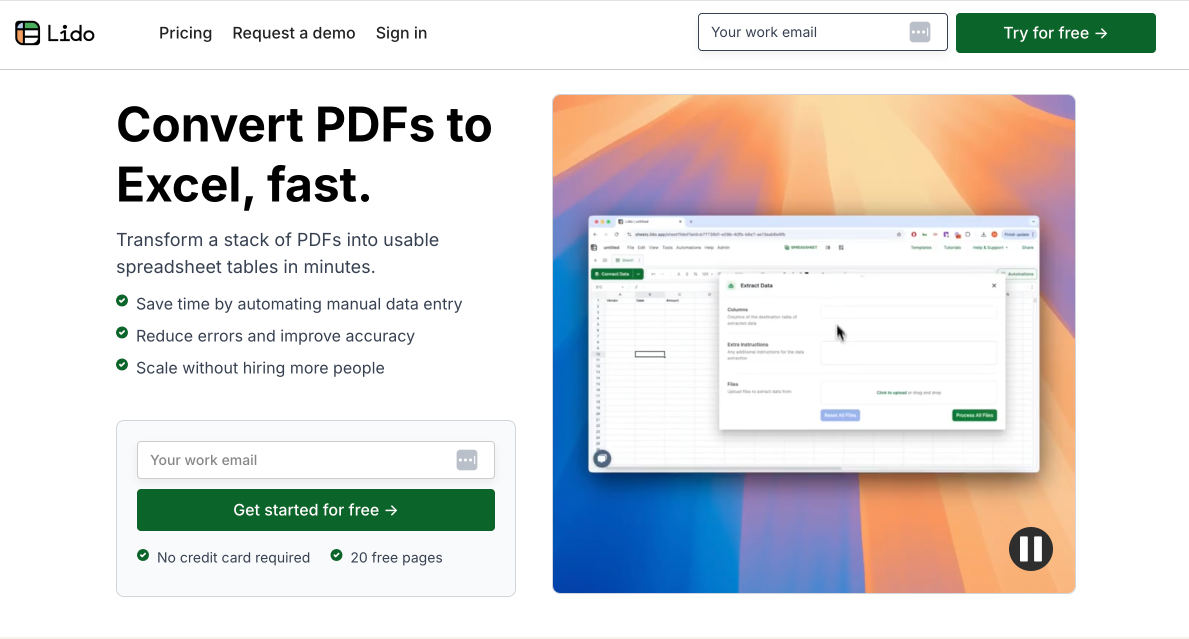
- Eliminate manual data entry from PDFs using AI that extracts information from any layout or format into clean spreadsheet data
- Automate entire document workflows by connecting directly to your Google Drive, Gmail, OneDrive or Outlook for continuous processing
- Extract exactly what you need using simple English instructions or by visually selecting data regions, requiring zero technical expertise
- Transform raw PDF data into business-ready formats using custom formulas that clean numbers, categorize expenses, and reformat automatically
- Process bulk documents at scale with integrations designed for purchasing, supply chain, and financial teams to reduce operational errors
Pros & Cons
Pros
- Transforms PDF to structured data
- Direct integration with Google Drive
- Direct integration with Gmail
- Decreases manual entry errors
- No technical skills required
- Automates data extraction process
- Data output to spreadsheets
- Works with varying PDF layouts
- Trusted by purchasing, supply chain teams
- Formulas for data extraction and parsing
- Customisable data extraction
- Optimized for POS, CRM, ERP, EHR systems
- Workflow includes Google Drive, Gmail connection
- Automates repetitive tasks
- Decreased operational inefficiencies
- Direct connections to Google Drive or Gmail inbox
- Used by various businesses
Cons
- Limited to Google systems
- Only extracts to spreadsheets
- Involves complex formulas
- Reliant on Internet connectivity
- No offline functionality
- Seemingly limited support
- Integration details unclear
- May struggle with complex PDFs
- Limited system compatibility (POS, CRM etc.)
- Not designed for individual users
Reviews
Rate this tool
Loading reviews...
❓ Frequently Asked Questions
Mary
🛠️ 1 tool
wrote:Lido turns PDFs into spreadsheet data with AI.
Mary
🛠️ 1 tool
wrote:We use a combination of OCR and AI to extract data from all PDF formats and layouts.
Mary
🛠️ 1 tool
wrote:The data is outputted directly into the connected Lido spreadsheet. You can export or copy this data directly to Google Sheets, Excel, or CSV.
Mary
🛠️ 1 tool
wrote:Yes, Lido offers the functionality to directly connect to your Google Drive, Gmail Inbox, OneDrive, or Outlook.
Mary
🛠️ 1 tool
wrote:No, all you need to do is type in English to prompt the AI. Or, just visually draw a box around the sections that you want to extract and it does it automatically.
Yes, Lido can integrate with your POS system. The structured spreadsheet data extracted by Lido from PDFs is designed to be compatible and ready for integration into various systems, including POS systems. The process ensures seamless data integration for more efficient operations.
Mary
🛠️ 1 tool
wrote:Lido reduces errors in data entry through its automated data extraction process, which reduces manual input errors.
Lido is trusted by purchasing and supply chain teams due to its efficient error-reduction in data entry and the seamless automation it brings to PDF data extraction. It provides a more efficient workflow, enabling these teams to focus on their core tasks without worrying about data entry and extraction.
Mary
🛠️ 1 tool
wrote:You upload a PDF, add your extraction instructions, then the data is extracted automatically into a spreadsheet.
Yes, Lido PDF Data Extraction does support direct connection to your Gmail inbox. In its workflow, it allows automatic copying of PDF attachments from your Gmail inbox to Google Drive, and thereafter it extracts the necessary data.
Yes, Lido can extract specific data from your PDFs. It uses AI to extract specific information and parse it into a structured spreadsheet, set for integration into various systems.
Yes, a demo is indeed available for Lido. Users can schedule a 30-minute demo with a product specialist who will guide them through their exact workflow and discuss how Lido can best serve their specific needs.
Yes, Lido can automate all your PDF data extraction tasks. It is designed to extract specific data from varying PDF formats and convert them into structured data using AI. This automated process considerably lessens the need for manual input.
Lido's custom formulas play a critical role in data parsing. Using Lido's =GPT() formula in your spreadsheet, you describe what data you want to be extracted from your PDF document, and the formula results in the desired output in your specified format.
Lido directly connects to your Google Drive through a one-click operation. It sets up a connection to any Google Drive folder containing your PDFs for easier and faster data extraction processes.
Yes, you can use Lido without any particular technical skills. The tool is designed to simplify the data extraction process, making it accessible to users with varying degrees of technical competence.
Yes, Lido works with every PDF layout and format. Due to its artificial intelligence capabilities, Lido is versatile and can extract data from all types of PDF layouts and formats.
Yes, Lido can turn your PDF documents into structured business data. Its data extraction tool uses AI to convert PDF data into an organized and logical format that is ready for integration into a variety of business systems.
Yes, you can use Lido's =GPT() formula to parse the extracted PDF data into a specific format. You just need to describe what data you want to extract, and the formula will return the output in your desired format.
Pricing
Pricing model
Freemium
Paid options from
$19/month
Billing frequency
Monthly


