
LiveToka
Conduct natural, uninterrupted multilingual meetings with sub-second translation latency that eliminates conversational delays
Listing not yet reviewed by our editors · How we check
Overview
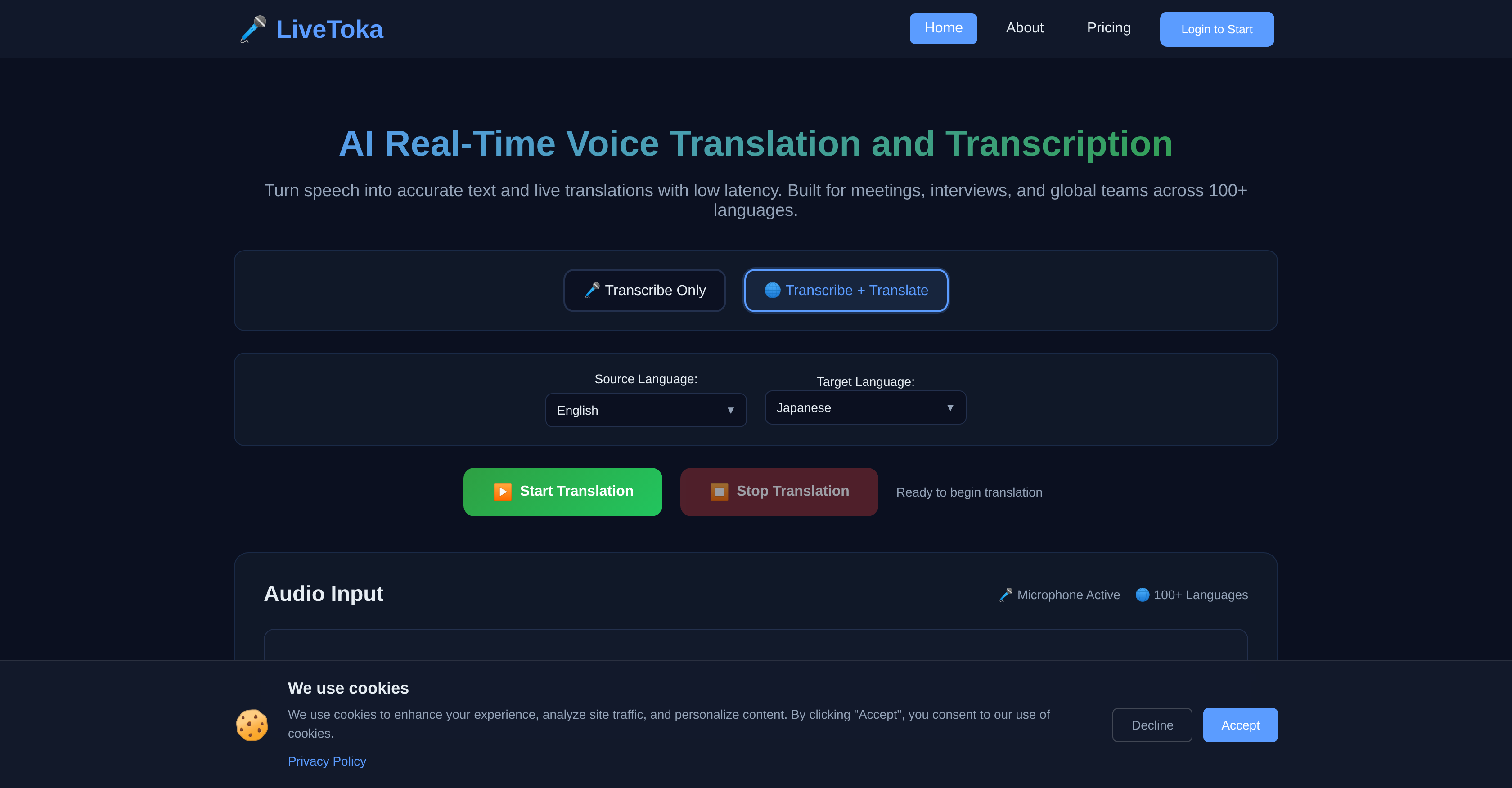
- Conduct natural, uninterrupted multilingual meetings with sub-second translation latency that eliminates conversational delays
- Automatically document decisions and action items with AI-powered summaries generated from transcribed conversations, ensuring team alignment
- Protect sensitive discussions with privacy-first processing that deletes all voice and text data immediately after use
- Connect global teams on their preferred platforms through seamless integration with Zoom, Teams, Meet, Webex, YouTube Live, and LINE
- Switch instantly between live transcription and translation modes during any conversation to match your real-time communication needs
- Access accurate translations for specialized terminology using advanced speech recognition technology that handles diverse accents and dialects
Pros & Cons
From the listing; not yet checked by our editors.
Pros
- Real-time voice transcription
- Real-time translation
- Supports 100+ languages
- Choice of input/output language
- Privacy in voice/text processing
- Instantaneous streaming results
- Advanced speech recognition tech
- Reduced conversation interruptions
- Seamless integration (Zoom, Meet, Webex)
- Switch between translation and transcription
- Sub-second response time
- Low latency
- Data privacy (user data deletion)
- Supports for meetings/interviews
- Global team support
- Automatic action item generation
- Summarizes key conversation points
- Transcription to translation flexibility
- Bilingual export
- CSV/JSON transcript export
- Understanding of context & nuances
- Captions for livestreams/demos
- Works with YouTube Live, LINE
- Ultra-low latency
- Specialized models for technical content
- Exportable transcripts
- Accessible learning materials
- Post-session study materials
- Natural conversation flow
- No setup, instant activation
- Latency low for natural conversation
- Supports technical content
- Private voice recordings
- Real-time services
- Comprehensive multilingual support
- Instant language switching
- Bilingual transcripts
- Supports all major languages
- Context-aware translations
- Conversation history saved
- Enhances online education
- Lecture transcription & translation
- Action item extraction
- Searchable conversation history
- Original and translated text export
- Synchronized collaboration
- Seamless workflow integration
Cons
- Supports limited platforms
- No offline functionality
- Lacks API for integration
- Lacks integration with social media
- Partition between translation and transcription modes
- Auto-deletes user data
- Limited export options
- No dedicated mobile application
- No browser compatibility information
- Specialized models limited to technical content
Alternatives to LiveToka
Tools that share the most tags with LiveToka.
- Soundwise.ai
Get instant transcriptions without signing up or paying, enabled by a completely free and unlimited-use web tool
Freemium · from $10/month
$10/month
Not yet checked
- AssemblyAI
Achieve up to 23% more accurate call transcription with AI models trained on 12.5M hours of multilingual audio data
Freemium
Not listed
Not yet checked
- Apptek
Convert audio to precise text transcripts across dozens of languages and dialects using neural network speech recognition
Not listed
Not listed
Not yet checked
- Zeemo
Create accurate video captions instantly with AI-powered generation that achieves over 98% accuracy
Free trial
Not listed
Not yet checked
- Voicetype AI
Write emails and documents entirely hands-free using advanced voice dictation that captures your natural speaking style
Free trial · from $13.59/month
$13.59/month
Not yet checked
- Speechy
Instantly create organized to-do lists and action items by speaking instead of typing, eliminating manual note-taking during meetings and brainstorming sessions
Freemium · from $9/month
$9/month
Not yet checked
Reviews
Rate this tool
Loading reviews...
Frequently asked questions
What languages does LiveToka support for transcription and translation?
LiveToka supports transcription and translation in over 100 languages.
How does LiveToka ensure data privacy during voice and text processing?
LiveToka ensures data privacy by deleting user data after processing. It does not use voice recordings, translation content, or personal conversations to train AI models.
Does LiveToka offer real-time voice transcription and translation simultaneously?
Yes, LiveToka allows users to switch between transcription and translation modes during a live conversation.
How long does it take for LiveToka to translate spoken language?
LiveToka's real-time processing delivers translations with sub-second response time, reducing interruptions or delays in conversation.
Which video conferencing platforms can LiveToka integrate with?
LiveToka can seamlessly integrate with video conferencing platforms like Zoom, Teams, Meet, Webex, YouTube Live, and LINE.
Can I switch between translation and transcription modes on LiveToka during a live conversation?
Yes, users can switch between translation and transcription modes during a live conversation on LiveToka.
How does LiveToka generate AI-powered meeting summaries?
LiveToka enables AI-powered meeting summaries by automatically generating action items, decisions, and key points from the transcribed conversation.
How does LiveToka enhance its translation accuracy with advanced speech recognition technology?
LiveToka uses advanced speech recognition technology to transmute spoken language into accurate text which enhances its translation accuracy.