

Local.ai
Run local AI experiments on the hardware you already own: CPU inferencing adapts to your available threads, so no dedicated GPU is required.
Listing not yet reviewed by our editors · How we check
Overview
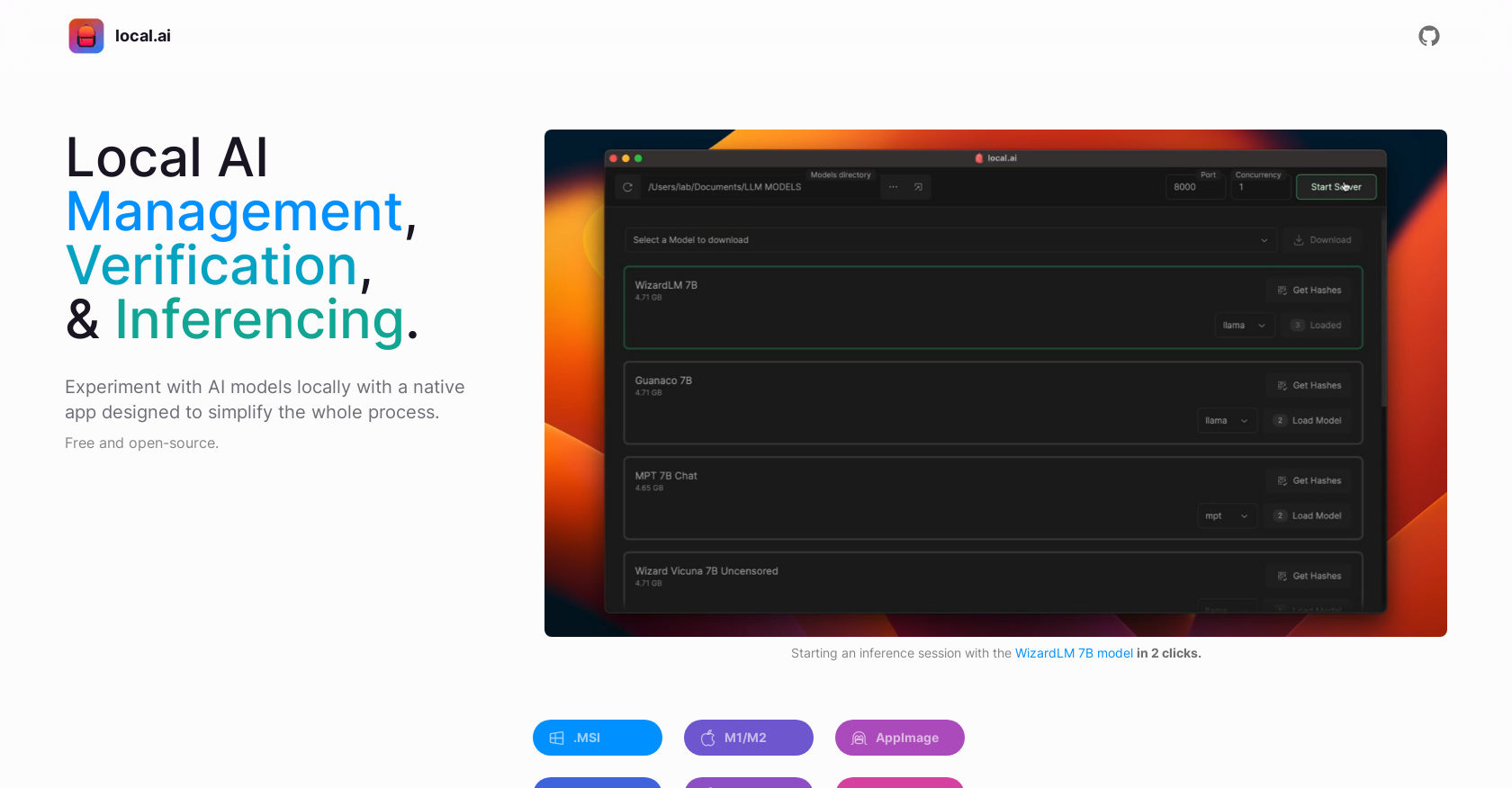
- Run local AI experiments on the hardware you already own: CPU inferencing adapts to your available threads, so no dedicated GPU is required.
- Go from download to first prompt with zero technical setup: a native app under 10MB with a memory-efficient Rust backend installs on Mac M2, Windows, and Linux.
- Fit capable models into limited RAM and match speed to your machine: GGML quantization supports q4, 5.1, 8, and f16.
- Find the right model instantly in a growing library: centralized AI model management sorts by usage and works with any directory structure.
- Stop losing hours to failed multi-gigabyte downloads: resumable, concurrent model downloading picks up where it left off and fetches several models at once.
- Confirm every model file is authentic and safe to use: BLAKE3 and SHA256 digest verification, a known-good model API, a fast BLAKE3 quick check, and license and usage chips show exactly what you are running.
- Connect local LLMs to your own apps and scripts: a local streaming inferencing server starts in two clicks once a model is loaded.
- Tune prompts and keep a record of every result: a quick inference UI with adjustable inference parameters, remote vocabulary support, and direct writing to .mdx files.
- Pay nothing and inspect every line of code: Local.ai is completely free and open-source on GitHub.
Pros & Cons
From the listing; not yet checked by our editors.
Pros
- Free and open-source
- Compact size (<10MB)
- CPU inferencing
- Adapts to available threads
- GGML quantization supported
- Model management available
- Resumable, concurrent model downloading
- Usage-based model sorting
- Directory structure agnostic
- Robust digest verification (BLAKE3, SHA256)
- Known-good model API
- License and Usage chips
- Quick BLAKE3 check
- Inferencing server feature
- Quick inference UI
- Supports writing to .mdx
- Option for inference parameters
- Remote vocabulary feature
- Rust backend for memory-efficiency
- Works on Mac, Windows, Linux
- Ensures integrity of downloaded models
- Native app, zero technical setup
Cons
- No GPU inferencing
- Lacks custom sorting
- No model recommendation
- Limited inference parameters
- No audio support
- No image support
- Limited to GGML quantization
- No nested directory
- No Server Manager
- Only supports BLAKE3 and SHA256
Alternatives to Local.ai
Tools that share the most tags with Local.ai.
- Vertex AI
Launch production-ready AI models faster using pre-built models for classification, regression, and recommendation tasks
Free trial
Not listed
Not yet checked
- Dataloop AI
Accelerate AI model deployment with automated pipelines that run models directly in production
Not listed
Not listed
Not yet checked
- Color.ag
Receive the most accurate answer for any question type through intelligent routing to domain-specific AI models
Freemium · from $15/month
$15/month
Not yet checked
- LLMWise
Instantly compare outputs from GPT-5.2, Claude, Gemini, and other top models side-by-side with a single API call, identifying the best performer for your specific task.
Free trial · from $10/unit
$10/unit
Not yet checked
- Ollama
Run powerful AI models like LLAMA 2 directly on your Mac without relying on cloud services or complex setup, using Ollama's streamlined local installation.
Freemium · from $20/month
$20/month
Not yet checked
- Z.ai
Accelerate app development with intelligent conversation that adapts to your technical requirements
Free
Not listed
Not yet checked
Reviews
Rate this tool
Loading reviews...
Frequently asked questions
What are the main features of Localai?
Localai offers several key features: CPU inferencing which adapts to available threads, GGML quantization with options for q4, 5.1, 8, and f16, model management with resumable and concurrent downloading and usage-based sorting, digest verification using BLAKE3 and SHA256 algorithms with a known-good model API, license and usage chips, and a quick check using BLAKE3, and an inferencing server feature for AI inferencing with quick inference UI, write support to .mdx files, and options for inference parameters and remote vocabulary.
What platforms is Localai compatible with?
Localai is compatible with Mac M2, Windows, and Linux platforms.
How can I install the Localai on my system?
You can install Localai on your system by downloading the MSI for Windows, the .dmg file for Mac (both M1/M2 and Intel architectures), and either the AppImage or .deb file for Linux from the Localai Github page.
What is the size of the Localai on my Windows/Mac/Linux device?
The size of Localai on your Windows, Mac or Linux device is less than 10MB.
What is the function of the inferencing server feature?
The inferencing server feature of Localai allows users to start a local streaming server for AI inferencing, making it easier to perform AI experiments and gather the results.
How do I start a local streaming server for AI inferencing using Localai?
You can start a local streaming server for AI inferencing using Localai by loading a model and then starting the server, a process which requires only two clicks.
Can I perform AI experiments with Localai without owning a GPU?
Yes, Localai allows users to perform AI experiments locally without the need for a GPU.
Does the Localai tool support GGML quantization?
Yes, Localai supports GGML quantization with options for q4, 5.1, 8, and f16.