

Lucidspark
Run brainstorming sessions with distributed teams as if everyone shared one room, through a real-time collaborative virtual whiteboard that lets people across locations add and connect ideas simultaneously.
Listing not yet reviewed by our editors · How we check
Overview
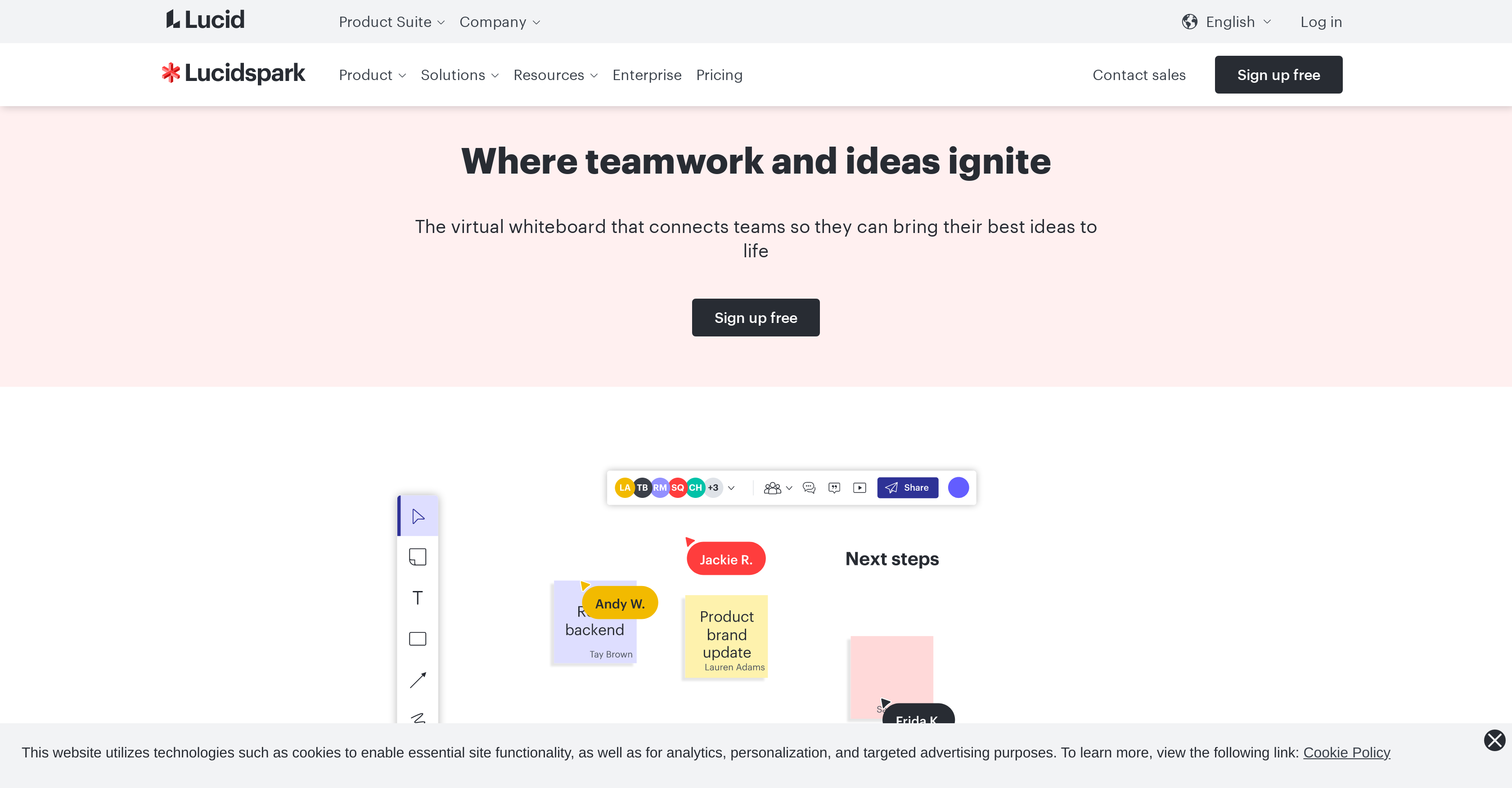
- Run brainstorming sessions with distributed teams as if everyone shared one room, through a real-time collaborative virtual whiteboard that lets people across locations add and connect ideas simultaneously.
- Keep every idea in view no matter how big the session grows, with an unlimited canvas that removes space limits during ideation and mind mapping.
- Turn whiteboard sessions straight into roadmaps and next steps, using visual project planning and progress tracking that link raw concepts to action items.
- Skip the blank-page setup for strategy work, with ready-to-use templates for product roadmaps, customer journey maps, decision trees, 2x2 matrices, and community-built layouts.
- Wrap up workshops with clear takeaways instead of scattered sticky notes, as Collaborative AI surfaces key insights and summarizes working sessions.
- Onboard non-technical teammates, students, and stakeholders without training overhead, thanks to a simple, intuitive visual workspace backed by the Learning Campus and support resources.
- Scale online whiteboarding from a single team to the whole enterprise with sensitive data protected, through enterprise-ready security and scalability.
- Share boards with full context so stakeholders understand decisions without a walkthrough, and connect work to the platforms your team already uses through external integrations.
- Run collaborative learning and lesson planning in the classroom, with dedicated solutions for educators built on the same visual collaboration workspace.
Pros & Cons
From the listing; not yet checked by our editors.
Pros
- Real-time collaboration
- Simple and intuitive design
- Tools for ideation
- Bridge between ideas and actions
- Visual project planning and tracking
- Versatile work preferences
- Unlimited canvas
- Work sharing
- User-friendly environment
- Dynamic space for planning
- Project visualization
- Tools for streamline insights
- Efficient team collaboration
- Multi-lingual support
- Integration with other tools
- Various pricing plans
- Helpful resources
- Enterprise ready
- Secure data handling
- Dynamic action planning
- Template assistance
- Customer experience solutions
- Real-time brainstorming
- Idea collection
- Actionable insights generation
- Community support
Cons
- Limited integration options
- Potential privacy issues
- Limited language support
- No explicit offline mode
- No native mobile apps
- Limited accessibility options
- No custom branding
- Limited widget controls
- Restricted annotation tools
Alternatives to Lucidspark
Tools that share the most tags with Lucidspark.
- Coda AI
Replace scattered tools with one connected workspace that automatically syncs data across your entire operation using connected data
Freemium · from $10/month
$10/month
Not yet checked
- EVY - your AI co-creator
Transform spoken ideas into polished text instantly without typing, using the push-to-talk EVY-Key from within any application
Freemium · from $19/month
$19/month
Not yet checked
- Wild Moose
Identify incident root causes in seconds instead of hours by processing observability data through conversational AI trained specifically on your environment
Paid · from $800/month
$800/month
Not yet checked
- Team Journal
Never lose meeting context again with automatic transcription that converts discussions into searchable text
Freemium · from $11.20/month
$11.20/month
Not yet checked
- illumi
Eliminate switching between AI tools with unified access to ChatGPT, Claude, and custom models in one visual workspace
Free
Not listed
Not yet checked
- Imaranda
Save valuable time by minimizing back-and-forth discussions with a structured platform for modeling questions and answers
Not listed
Not listed
Not yet checked
Reviews
Rate this tool
Loading reviews...
Frequently asked questions
What is the main use of Lucidspark?
Lucidspark's main use is as a virtual whiteboard that allows teams to collaborate in real time. It provides a platform for teams to visualize ideas and processes, promoting effective brainstorming sessions and strategic roadmapping.
How does Lucidspark support real-time collaboration?
Lucidspark supports real-time collaboration by offering a versatile, visual workspace designed to be user-friendly. Teams can share work and provide context without constraints which enhances effective communication. This dynamic space lets teams plan and visualize future projects and ideate freely. It is designed to have no constraints meaning teams from various locations can collaborate simultaneously on ideas and project planning.
Can I use Lucidspark for brainstorming and roadmapping?
Yes, Lucidspark is a highly effective tool for brainstorming and roadmapping. It enables teams to visualize and organize their ideas on an unlimited canvas, making the brainstorming process more interactive and efficient. It also has features that support strategic roadmapping, helping teams to outline their plans visually and track project progress.
How user-friendly is Lucidspark?
Lucidspark is designed to be very user-friendly. It offers a simple and intuitive visual workspace aimed at providing a place that's easy to navigate for its users. The easy-to-understand interface, coupled with an array of tools to create, share and manage content, makes it a practical application for teams of all skill levels.
Can I share my work with my team using Lucidspark?
Yes, Lucidspark allows the sharing of work among team members. Its platform serves to fosters team collaboration by letting users share their ideas and work in real time. It provides a context without constraints, providing a dynamic space for teams to collaborate, plan, share, and visualize their projects.
Does Lucidspark have an unlimited canvas?
Yes, Lucidspark does have an unlimited canvas. This feature gives users the freedom to ideate without spatial constraints. They can make connections and streamline insights all within this expansive virtual workspace.
How can Lucidspark help with project planning and tracking?
Lucidspark is beneficial for project planning and tracking. It allows teams to visually map out their projects, create plans and track their progress. Lucidspark facilitates the conversion of conceptual ideas into subsequent action steps, thus helping in effective project management.
What other work preferences does Lucidspark integrate with?
Lucidspark is designed to integrate with a variety of work preferences. It offers solutions for different workflows including ideation, collaboration, organization, and customer experience. Whether your work preference involves data mapping, brainstorming, collaborative planning or anything in between, Lucidspark has the tools to accommodate these needs.