Overview
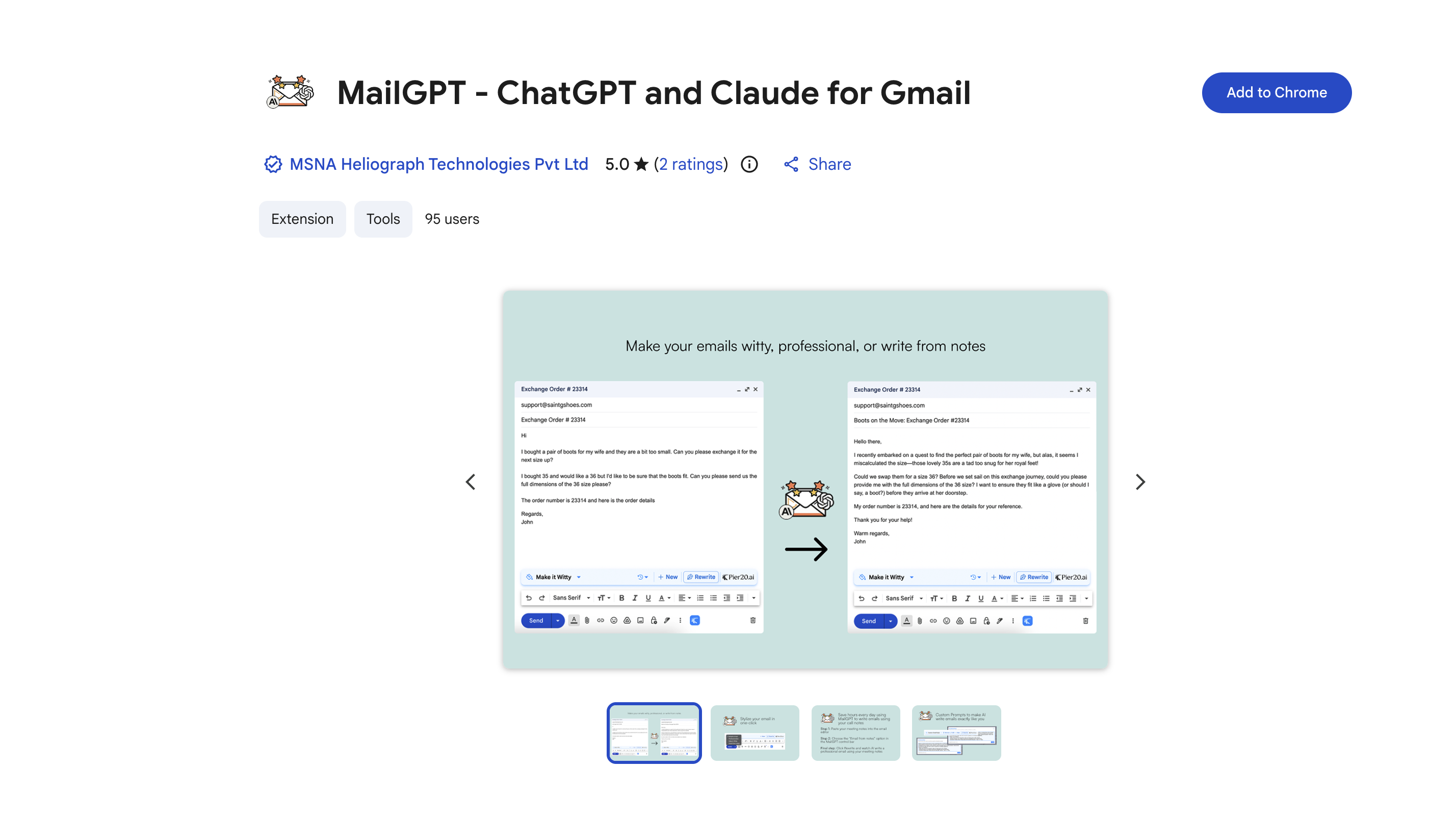
- Instantly transform rough notes and outlines into polished, professional emails directly within Gmail using combined ChatGPT and Claude AI models
- Convert meeting notes into clear, action-oriented emails that drive results and ensure follow-ups
- Enhance email readability and response rates by simplifying complex writing into clear, engaging language
- Add personalized wit and charm to your messages with AI-informed custom writing styles, avoiding robotic tones
- Protect your privacy with a tool that collects no user data and is designed in compliance with EU privacy laws
- Get started immediately with a simple setup—just install and create one account, with no need for separate OpenAI or Anthropic logins
Pros & Cons
Pros
- Chrome extension
- Professional-grade correspondence
- Transforms rough outlines to emails
- Turns meeting notes to emails
- Adds personality to messages
- Simplifies complex writing
- Enhances response rates
- Custom writing styles
- Simple setup process
- No separate ChatGPT account needed
- No separate Claude account needed
- No separate Anthropic account needed
- Doesn't collect user data
- Compliance with EU laws
- Good publisher record
- Ability to add wit
- 1-click meeting notes conversion
- Free to use
- Includes Q&A section
- Extension size is 480KiB
- High rating on Chrome store
- Supports English language
- Made by Pier20.ai
- Doesn't sell data to third parties
- Supports text simplification
- Enhances email communication
- Increases productivity
- Doesn't use data for creditworthiness
- Doesn't use data for lending purposes
- Promotes user privacy
- Developer committed to EU compliance
Cons
- Only available on Chrome
- Requires Pier20 account
- Exclusive to Gmail
- Doesn't integrate other email platforms
- Dependent on developer updates
- No multi-language support mentioned
- No evident offline capabilities
- Unavailable on mobile devices
Reviews
Rate this tool
Loading reviews...
❓ Frequently Asked Questions
MailGPT functions in Gmail by offering professional-grade AI-based writing assistance. It helps in crafting efficient and professional emails from rough outlines, transforming meeting notes into action-oriented emails and enhancing the readability of complex writing.
MailGPT boosts your emails by simulating human-like text patterns to transform rough outlines into polished and clear professional-grade correspondence. Additionally, it adds personality to your messages, optimizes your writing for better readability, and employs AI-informed styles to enhance responses.
The MailGPT Chrome extension offers features such as transforming rough drafts into professional emails, converting meeting notes into clear, action-oriented emails, adding personality to messages, simplifying complex writings, creating custom writing styles informed by personalized AI instructions, and improving response rates.
Yes, MailGPT allows the creation of custom writing styles informed by personalized AI instructions.
MailGPT uses the ChatGPT by OpenAI and Claude AI by Anthropic models. These advanced AI language models understand context, process information, and emulate human-like text production.
MailGPT simplifies complex writing by unpacking the dense information into simpler terms to improve readability and enhance response rates.
MailGPT is incorporated into Gmail via a Chrome extension. Through a simple setup process of installing the extension and creating a Pier20 account, MailGPT is directly integrated into the Gmail interface for seamless user experience.
Yes, MailGPT can turn meeting notes into clear, action-oriented emails.
No, the setup process for MailGPT is noted as simple. Users are only required to install the Chrome extension and create an Pier20 account.
No, it is not necessary to create separate accounts with OpenAI, Claude, Anthropic, or ChatGPT to use MailGPT.
No, MailGPT does not collect or utilize any user data.
MailGPT adheres to EU privacy laws by not collecting or using user data and ensuring all user data is managed in compliance with core EU laws and regulations.
MailGPT was developed by the team at Pier20.ai. It has no official affiliations with OpenAI or Anthropic but leverages the technology of ChatGPT by OpenAI and Claude by Anthropic for its functionality.
MailGPT aids with professional-grade correspondence by leveraging AI to transform rough outlines of your thought process into clear and concise emails with human-like professional tone.
Yes, the AI in MailGPT, deriving from the advanced capabilities of ChatGPT and Claude AI, understands context to process information and generate human-like text.
MailGPT improves response rates by simplifying complex writing to enhance readability and employing AI-informed custom styles tailored to each user, thereby increasing the likelihood of engagement.
Yes, using MailGPT does require creating a Pier20 account.
The requirements for installing the MailGPT extension involve having access to the Google Chrome web browser to install the extension, and creating a Pier20 account.
MailGPT can add personality to your messages by adding a unique twist of wit and charm, making the tone of your emails more engaging and less robotic.
Yes, by transforming rough outlines into polished emails, enhancing the readability of complex writing, and turning meeting notes into action-oriented emails, MailGPT serves as a tool for enhancing your email writing skills and productivity.
Pricing
Pricing model
Free
Paid options from
Free