Overview
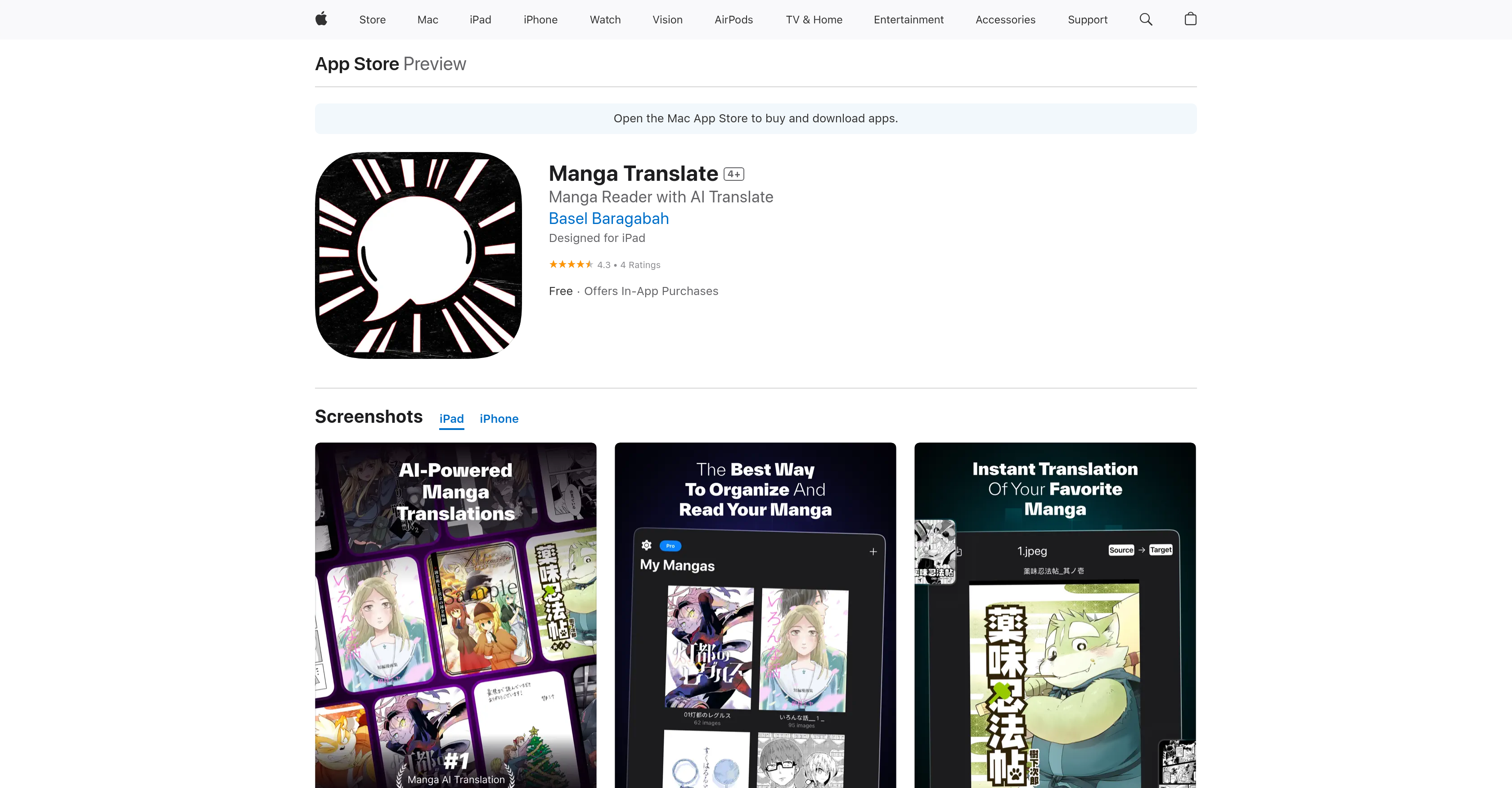
- Read manga in your preferred language instantly with AI-powered translation that works on your existing comic files
- Translate manga offline anywhere after downloading language packs for travel or limited connectivity
- Import your entire manga collection seamlessly using standard formats like .cbz, .cbr, .zip, and .rar
- Choose between maximum translation accuracy with cloud processing or convenient offline translation with local mode
- Access unlimited manga translations across 20+ supported languages with premium subscription
- Enjoy manga reading without borders by selecting any source and target language combination from Arabic to Vietnamese
Pros & Cons
Pros
- Offline and online reading
- Supports multiple file formats
- Cloud and Local modes
- Wide language support
- Original and target language selection
- Premium subscription benefits
- Smooth reading interface
- Does not host manga
- Monthly or yearly subscriptions
- iPad optimized
- Fixes for crashes
- Offline translation with language packs
- Unlimited translations for subscribers
- Import own manga files
- Added manga in updates
Cons
- Doesn't host manga content
- Import required for manga files
- Subscription for premium features
- Internet connection for Cloud Mode
- Offline mode needs language packs
- Translation might get truncated
- Supports only .rar, .zip, .cbz, .cbr file formats
- No built-in manga marketplace
- Limited to 20+ languages
Reviews
Rate this tool
Loading reviews...
❓ Frequently Asked Questions
Manga Translate is an AI-powered manga reader and translator app. It lets users import, read, and translate their favorite manga in multiple languages, providing a seamless reading and translation experience on each manga page.
Manga Translate works by allowing users to import manga files in certain formats (.rar, .zip, .cbz, .cbr), select a source and target language, and then translate each page using advanced AI technology. The translations are completed in real-time and can be done offline or online.
Yes, Manga Translate can be used offline with its Local Mode feature. After downloading the necessary language packs, users can translate manga without needing an internet connection.
Manga Translate supports a wide range of languages including Arabic, Chinese (Simplified & Traditional), Dutch, English, French, German, Hindi, Italian, Japanese, Korean, Portuguese (Brazilian & European), Russian, Spanish, Thai, Turkish, and Vietnamese.
No, Manga Translate does not provide or host manga content. Users have to import their own manga files to use with the app.
Manga Translate supports .rar, .zip, .cbz, and .cbr file formats.
Cloud Mode in Manga Translate generates more accurate translations using advanced AI technology but requires an internet connection. In contrast, Local Mode can work offline after the necessary language packs are downloaded, providing translations even without an internet connection.
In Manga Translate, you can switch between translation modes in the app settings. Cloud mode is the default option.
In Manga Translate, users can select their source language (the original language of the manga) and target language (the language they want the translations in) from a range of supported languages, including Arabic, Chinese, Dutch, English, French, German, Hindi, Italian, Japanese, Korean, Portuguese, Russian, Spanish, Thai, Turkish, and Vietnamese.
The AI-Powered Manga Translations feature in Manga Translate allows users to instantly translate manga pages with advanced AI detection. Depending on the user's preference, this can be done in either Cloud or Local mode.
Yes, Manga Translate provides unlimited translations to those who have a premium subscription.
A premium subscription to Manga Translate offers a range of benefits, such as access to AI-Powered Manga Translations, the ability to translate an unlimited number of manga pages, and access to 20+ languages.
Manga Translate offers monthly or yearly subscriptions that can be purchased within the app. Payment is charged to your iTunes account, and subscriptions automatically renew unless canceled at least 24 hours before the end of the current period.
Yes, without a subscription, Manga Translate can still be used as a free manga reader.
Yes, Manga Translate is designed for iPad use.
To import your manga files into Manga Translate, you can use the '+' button within the app or directly share from another app.
In Manga Translate, the 'plus' button is used to import manga files. The 'share' option allows users to share the app directly from another application.
When using the Cloud Mode option in Manga Translate, users will need an internet connection for AI-powered translations. However, if they'd downloaded the necessary language packs for Local Mode, they can translate manga offline without an internet connection.
The AI technology used in Manga Translate produces highly accurate translations. However, the level of accuracy will be greater when using the Cloud Mode as it utilizes more advanced AI features.
Yes, Manga Translate supports offline reading, meaning that translations completed can be saved and accessed anytime, anywhere, without an internet connection.
Pricing
Pricing model
Freemium
Paid options from
$4.99
Billing frequency
One-time