

Meeting Ink by DeepWave
Capture every word of the discussion as it happens: real-time voice-to-text transcription reaches up to 98% accuracy in English meetings with clear audio and moderate speech speed.
Listing not yet reviewed by our editors · How we check
Overview
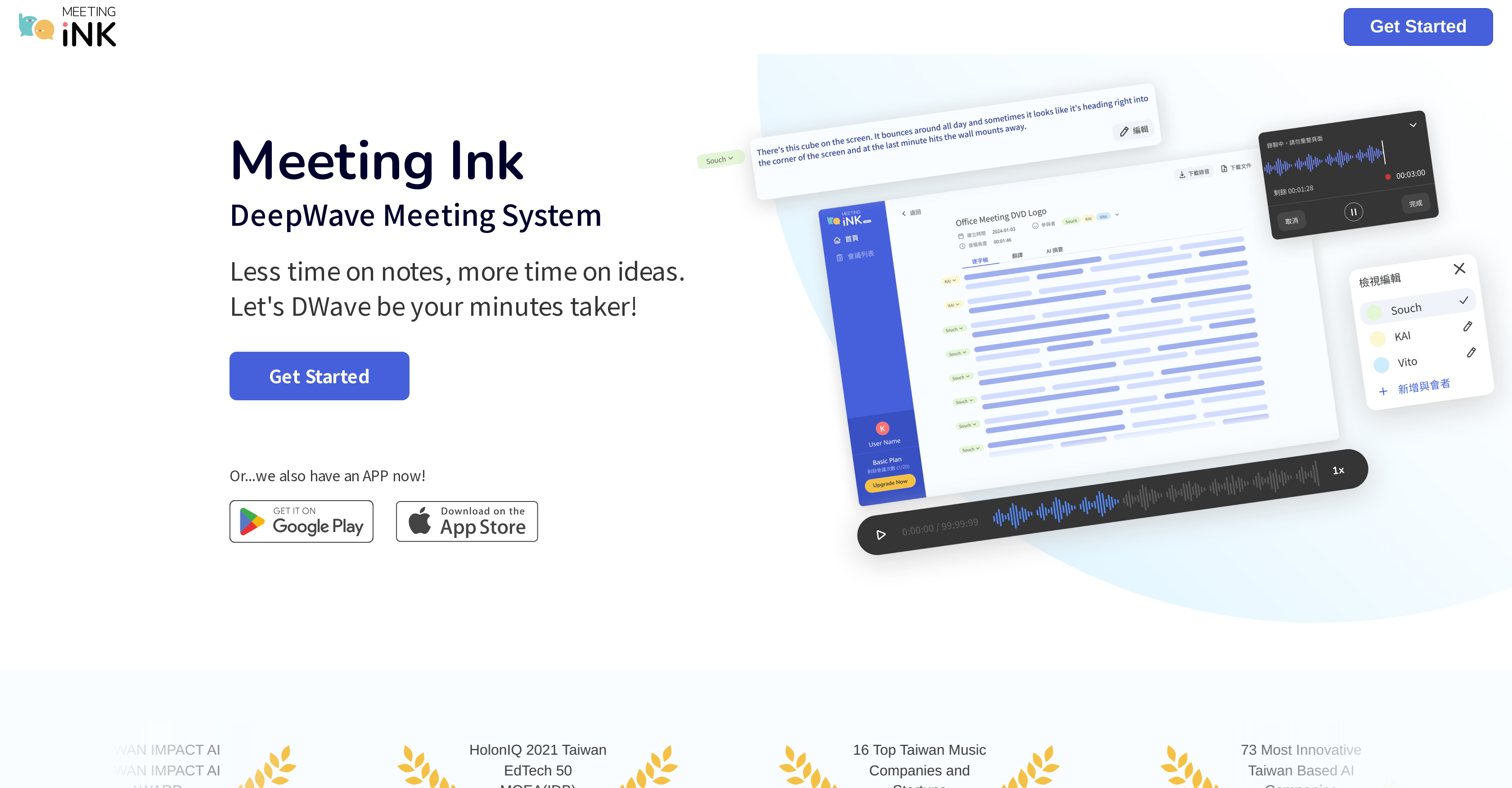
- Capture every word of the discussion as it happens: real-time voice-to-text transcription reaches up to 98% accuracy in English meetings with clear audio and moderate speech speed.
- Leave each meeting with decisions and next steps already written: GPT-powered automatic meeting summaries pull out the conclusions and follow-up tasks from the transcript.
- Know exactly who said what and track each person's contributions: proprietary speaker identification converts voices into unique speaker representations, then groups and labels each participant in the audio file.
- Get usable recordings from loud offices, cafés, and crowded conference rooms: AI noise reduction adjusts to the environment automatically for clear playback.
- Run cross-border meetings and interviews without a language barrier: transcription and translation cover more than 20 languages and regional dialects.
- Share polished minutes that match your format and terminology: every transcript, summary, and action item is fully editable before you send it.
- Match your plan to your recording volume, from solo interviewers to enterprise teams: tiers scale from 3 to 800 monthly recording hours, and a free trial lets you test AI summarization first.
Pros & Cons
From the listing; not yet checked by our editors.
Pros
- Real-time transcription
- Accurate voice-text conversion
- Editable auto-generated content
- Unique speaker representations
- Tracks individual contributions
- Intelligent noise reduction
- Multi-language support
- Translates regional dialects
- Uses GPT for summaries
- Suitable for diverse users
- Smooth sound playback
- Identifies key points
- Auto-generates summaries and tasks
- Aids overall meeting management
- 98% transcription accuracy
- Produces comprehensive meeting records
- Speaker labels for clarity
- Supports collaboration models
- Clear audio in noise
- Different subscription plans
- Customized business solutions
- Supports 20+ languages
- Speakers' voice grouping
- Relevant automatic summaries
- Identifies different speakers
Cons
- Proprietary technology limitations
- Possible transcription errors
- Requires clear reception
- Moderate speech speed requirement
- Environment noise interference
- Limited collaboration models
- Limited meeting durations
- Requires subscription for features
- May misinterpret regional dialects
- Inaccurate speaker identification
Alternatives to Meeting Ink by DeepWave
Tools that share the most tags with Meeting Ink by DeepWave.
- ShadowDo
Eliminate manual note-taking with automatic transcripts and timestamped summaries generated from your conversations
Freemium · from $8/month
$8/month
Not yet checked
- Otter.ai
Never take meeting notes again with OtterPilot that auto-joins Zoom, Teams and Google Meet to capture everything automatically
Freemium · from $8.33/month
$8.33/month
Not yet checked
- MeetPulp
Eliminate manual note-taking with automated meeting transcriptions that capture every word accurately
Freemium · from $10.99/month
$10.99/month
Not yet checked
- Bubbles Notetaker
Never miss a meeting detail with automatic transcription and AI-generated summaries that highlight key decisions and action items
Freemium · from $12/month
$12/month
Not yet checked
- Avoma
Focus completely on conversations while AI generates detailed notes with speaker identification and topic detection
Freemium · from $19/month
$19/month
Not yet checked
- Agenda Hero
Transform any text description into perfectly formatted calendar events without manual entry using natural language processing
Free
Not listed
Not yet checked
Reviews
Rate this tool
Loading reviews...
Frequently asked questions
What is Meeting Ink by DeepWave?
Meeting Ink by DeepWave is an AI-based tool designed to streamline the meeting process. It uses proprietary AI technology to transcribe voice to text in real-time during meetings and tasks like generating summaries, conclusions, and follow-up tasks. It also features voice into unique speaker representations, intelligent noise reduction, multi-language support, and translation of regional dialects.
How does Meeting Ink streamline the meeting process?
Meeting Ink streamlines the meeting process through its real-time voice to text transcription capability, the generation of summaries, conclusions, and follow-up tasks automatically. It uses unique speaker representations functionality which helps in identifying and grouping different voices in audio files, and an intelligent noise reduction feature that ensures clear sound playback. All these features together make the process more efficient and well organized.
Can Meeting Ink auto-generate summaries and tasks?
Yes, Meeting Ink can auto-generate summaries and follow-up tasks. It identifies and extracts core content from the transcription, which helps facilitate this.
What is the accuracy and efficiency of Meeting Ink's real-time transcribing?
Meeting Ink boasts impressive accuracy and efficiency in real-time transcribing. With clear reception and moderate speech speed in English meetings, it can reach up to a 98% accuracy rate.
Can the auto-generated content in Meeting Ink be edited?
Yes, the auto-generated content in Meeting Ink can be edited. This is useful for tailoring the content to suit one's specific needs.
What is Meeting Ink's unique speaker representation capability?
Meeting Ink has an exclusive technology which converts voice into unique speaker representations, which is particularly useful for identifying and grouping different voices in audio files. This leads to a clearer labeling of different speakers, making tracking individual contributions within meetings more accessible.
Does Meeting Ink have noise reduction capabilities?
Yes, Meeting Ink does have noise reduction capabilities. It implements leading market proprietary AI noise reduction technology. It automatically adjusts noise in any set environment, ensuring clear sound playback.
Can Meeting Ink support multiple languages and regional dialects?
Yes, Meeting Ink does support multiple languages and regional dialects. This feature, coupled with real-time voice to text transcription extends its reach globally.