

MeshRefinery
Overview
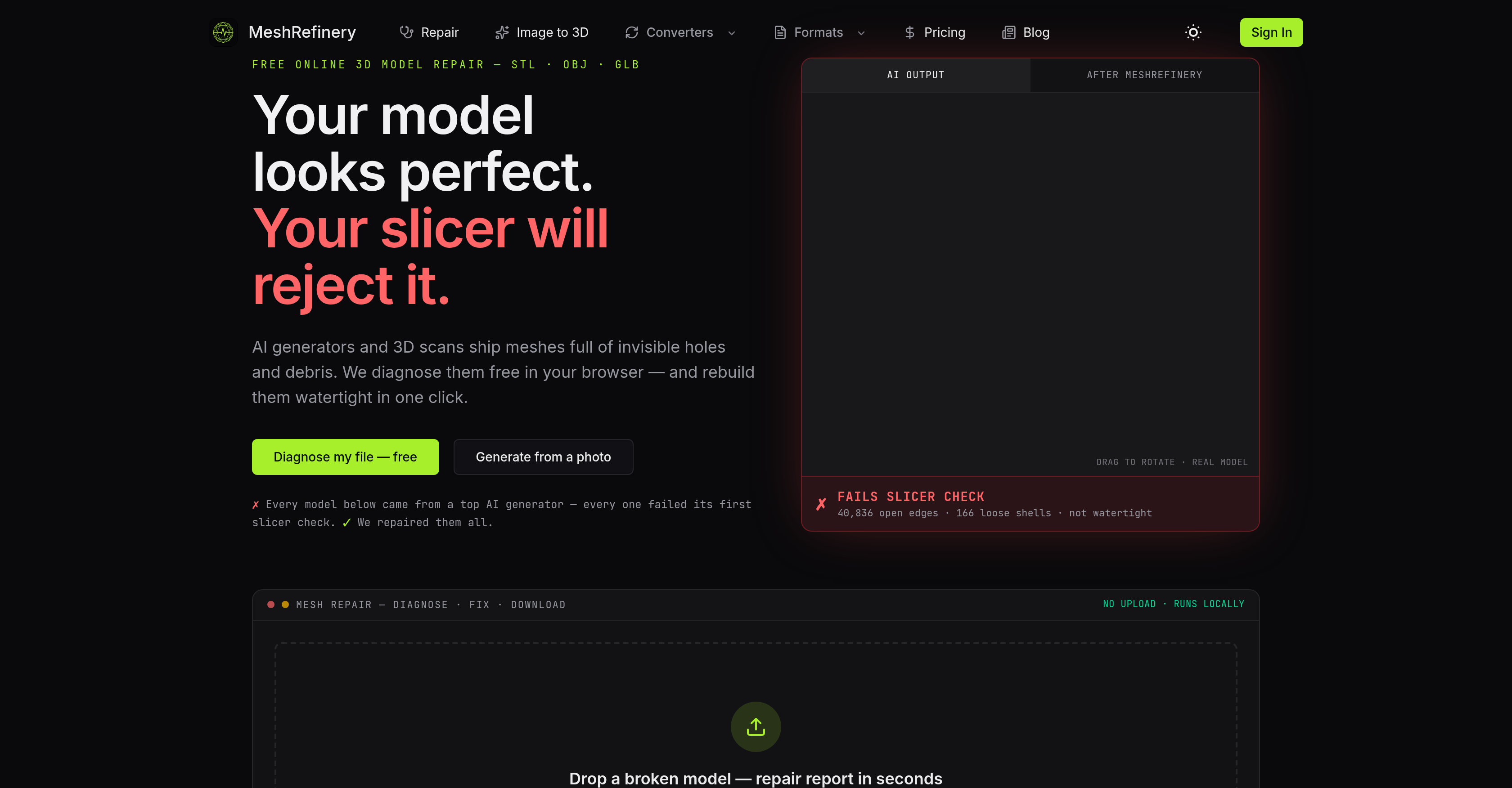
- Pass every slicer check on the first try by eliminating open edges, holes, non-manifold geometry, and floating debris from any 3D model — all powered by local WebAssembly processing that keeps your files private.
- Convert STL, OBJ, and GLB/glTF files seamlessly without losing data, so your models work in any 3D printing, game asset, or AR/VR pipeline.
- Get a free, instant diagnostic report that pinpoints every invisible defect before you commit to a repair, giving you full control over the fix.
- Rebuild fully watertight surfaces with deep repair credits while preserving original colors and surface details, ensuring visual fidelity for professional outputs.
- Generate a textured GLB model from a single photo using AI image-to-3D technology, turning 2D images into usable 3D assets for prototyping or visualization.
- Run all repair and conversion operations locally with zero server uploads, eliminating privacy risks and file retention concerns entirely.
- Repair models from any source — scans, generators, or downloads — and make them slicer-compatible with a single click, streamlining your 3D printing workflow.
Pros & Cons
Pros
- Repairs broken 3D models
- Supports STL, OBJ, GLB formats
- Web-based 3D model diagnosis
- Ensures user privacy
- No uploads needed
- Local processing via WebAssembly
- Repairs models from 3D scans
- Single-click flaw identification
- Rebuilds meshes to watertight
- Photo to 3D model transformation
- Restores surface details
- Restores colors
- Assists in format conversion
- Provides diagnosis report
- No charge before repair
- Compatible with any 3D source
- Don't need account
- Immediate diagnosis
- Live 3D preview
- Opens in less than a second
- 3 types of plans
- Free and paid options
- Commercial use of models
- Priority email support provided
Cons
- Requires decent web connectivity
- No offline version
- No API integration
- Strictly format supportive (STL, OBJ, GLB)
- Limited advanced repair options
- Doesn't retain original color in free repairs
- Cannot efficiently handle complex 3D models
- No mobile app available
- Limited customer support options
- Paid model for deep repairing
Reviews
Rate this tool
Loading reviews...
❓ Frequently Asked Questions
MeshRefinery is an online tool designed to assist users in repairing broken 3D models with formats such as STL, OBJ, and GLB. It's capable of making 3D models acceptable for slicing software and also allows photo transformation into 3D models.
MeshRefinery repairs broken 3D models by diagnosing issues such as invisible holes and debris within the browser. The tool identifies these flaws and rebuilds the meshes at a click, making them watertight. The repair process involves rebuilding the model's geometry to make it watertight, along with more in-depth repairs to restore surface details and colors.
MeshRefinery supports multiple 3D model formats, including STL, OBJ, and GLB. It is also capable of format conversion between these formats.
To ensure privacy, MeshRefinery performs all the processing and repairs locally via WebAssembly within the user's browser. There's no need for file uploads, and the user's model never touches a server.
Yes, MeshRefinery's compatibility extends to 3D models sourced from any generator or scan, demonstrating its versatility and effectiveness within the 3D modelling sphere.
MeshRefinery can identify a range of issues in a 3D model. This includes invisible holes, non-manifold edges, open edges, floating fragments, loose shells, debris, and other defects that might affect the model's integrity and its slicer compatibility.
To repair a 3D model using MeshRefinery, users simply drop their file into the tool. Format is instantly parsed in the browser without any uploads. A diagnostic report identifies any defects or issues before proceeding. After reviewing, users can chose to repair or convert the file with a single click then download the resulting repaired file directly to their device.
Yes, aside from repairing 3D models, MeshRefinery also provides the functionality to transform photos into 3D models.
The 'making watertight' process in MeshRefinery involves removing defects such as open edges, holes, and floating debris from a 3D model, rebuilding the geometry to ensure there are no leaks or gaps. This operation produces a watertight file, which is especially important for the acceptance of the model by slicing software.
Yes, MeshRefinery supports format conversion between STL, OBJ, and GLB. This extends the tool's versatility, making it more useful for users who work with different 3D modelling formats.
Yes, MeshRefinery offers a diagnosis report function. Before any repair costs are incurred, users can view this report to understand the issues with their model. This ensures clarity, convenience, and a degree of control over the repair process.
MeshRefinery's effectiveness in the 3D modelling sphere springs from its ability to diagnose and repair a wide range of issues found commonly in 3D models. It repairs models from any source, removes unseen holes and debris, rebuilds watertight meshes, and performs surface restoration. Its ability to transform photos into 3D models, along with compatibility with multiple formats, enhances its utility.
Yes, MeshRefinery performs detailed surface restoration on 3D models as part of the repair process. It can restore surface details and colors, enhancing the repaired model's visual fidelity.
Local processing in MeshRefinery means that all operations are done on the user's device using WebAssembly. This operation handles parsing, diagnosis, and repair, with no server round-trip or file retention.
Yes, models repaired by MeshRefinery are adjusted and optimized for use with any slicing software. The tool repairs defects and creates watertight 3D models, making them compatible and ready for slicing.
WebAssembly plays a central role in the functioning of MeshRefinery. It allows the execution of complex operations such as 3D model parsing and repairing directly in the user's browser, offering privacy, efficiency, and convenience by negating the need for uploading or downloading files during the process.
MeshRefinery can recognize and fix multiple defects in a 3D model, including open edges, loose shells, invisible holes and debris, non-manifold geometry, and floating fragments. It rebuilds the geometry to rectify these problems, creating watertight 3D models compatible with slicer software.
The 'one-click solution' feature of MeshRefinery allows users to repair their 3D models with a single click. After diagnosing the model, the tool detects and corrects the defects, making the model watertight and ready for slicing or other applications.
To create a 3D model from a photo using MeshRefinery, users need to choose the 'Generate from a photo' option. The specific steps aren't detailed on their website, but the function is part of the tool's services.
MeshRefinery provides a free diagnosis report with no hidden charges. However, there are charges associated with deep repair or AI generation. Costs are clearly outlined before any repair work is undertaken, transparently letting users see and understand the issues with their model beforehand.
Pricing
Pricing model
Free Trial
Paid options from
$7.92/month
Billing frequency
Monthly
Refund policy
7-Day Prorated Refund