

Overview
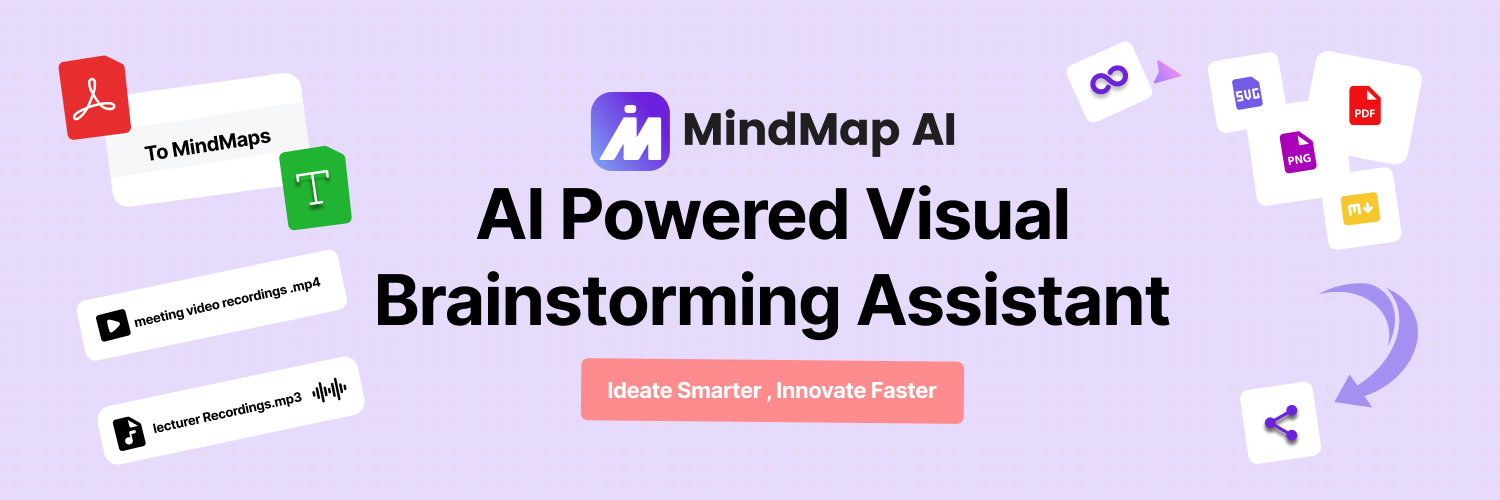
- Convert any content format into structured visual maps instantly using AI that processes text, PDFs, images, audio, and video files
- Maintain complete brainstorming context with AI Copilot Chat that preserves conversation history for each mind map
- Refine and customize every AI-generated map by adding, removing, or modifying nodes to blend AI efficiency with human insight
- Collaborate seamlessly with teams using shareable links and real-time co-editing features for collective brainstorming
- Export finished mind maps in multiple formats including PNG, SVG, PDF, and Markdown for any presentation or documentation need
- Organize complex thoughts from lengthy audio/video files into clear hierarchical structures using advanced transcription AI
Pros & Cons
Pros
- Consistent history tracking
- Seamless mind map editing
- Multi-format input support
- Co-creation for collaboration
- Easy sharing feature
- Tex-to-Mindmap support
- PDF-to-Mindmap support
- Image-to-Mindmap support
- Audio-to-Mindmap support
- Video-to-Mindmap support
- Collaborative ideation support
- Ideation tracking
- Versatile user base
- Used by researchers
- Used by professionals
- Used by students
- Flexible pricing plans
- File size limitation flexibility
- Large PDF file support
- Multiple export formats
- File shareability
- Community-shared content in gallery
- Earn extra with referrals and webinars
- Platform availability ChatGPT
- Offers advanced features in full app
- Regular software updates
- Data security with encryption
- Persistent Copilot Chat history
- Supports complex brainstorming sessions
Cons
- Size limit on uploads
- No interactive experience in GPT
- Paid priority customer support
- Monthly billing higher
- Limited free trial features
- Inefficient export to GPT
Reviews
Rate this tool
Loading reviews...
❓ Frequently Asked Questions
AI Copilot Chat in MindMap AI is an interactive brainstorming assistant. It helps users generate ideas, expand concepts, and refine their mind maps. It maintains a conversation history for each mind map, allowing users to track their ideation process.
MindMap AI keeps track of brainstorming sessions through its AI Copilot Chat feature. This function maintains a history for each mind map, allowing users to review and return to their brainstorming process at any time.
Yes, MindMap AI allows users to seamlessly edit and refine AI-generated mind maps. Users can add, remove, or modify nodes, change the structure, and incorporate their own insights, thus creating a perfect blend of AI and human ideas.
MindMap AI can accept a wide range of input formats. It supports text (.txt, .md), PDF files (.pdf), image files (.png, .jpg, .jpeg, .webp), audio files (.aac, .flac, .mp3, .m4a, .mpeg, .opus, .wav), and video files (.webm, .flv, .mov, .mpg, .mp4, .wmv, .3gp).
The co-creation feature in MindMap AI is designed to facilitate collaborative brainstorming and ideation. It allows multiple users to contribute to and edit the AI-generated mind maps, leading to a more comprehensive and diverse collection of ideas.
Yes, you can share your MindMap AI projects with others. The tool offers various export formats, including PNG, SVG, PDF, and Markdown files for sharing. Additionally, users can generate shareable links to collaborate online effortlessly with others.
MindMap AI is beneficial to a wide range of users including students, professionals, and researchers. It is a versatile tool used for brainstorming, idea generation, knowledge management, education, business planning, content curation, and more.
Yes, MindMap AI has the capability to create mind maps from audio and video files. It can transform these formats into structured, visual ideas which can then be further refined and expanded.
MindMap AI is being utilised by over 50,000 thinkers. This includes students and researchers at institutions such as UC Berkeley, Georgetown University, University of California, Stanford University, Harvard University, and others. Professionals at companies like Dell, Deloitte, PwC, Workday, Odoo, Onfido, WebMD, Agoda, and more are also using MindMap AI.
The Copilot Chat in MindMap AI acts as a virtual brainstorming partner, offering suggestions, asking probing questions, and helping users explore ideas more deeply. It adapts to the users' thinking style and maintains context throughout the brainstorming session.
Yes, there is a limit on file size for uploads in MindMap AI, and it depends on the user's subscription plan. Under the Basic plan, the limits are: Text - 5 MB, Image - 10 MB, PDF - 30 MB, Audio - 50 MB, Video - 70 MB. Pro plan limits are: Text - 5 MB, Image - 10 MB, PDF - 50 MB, Audio - 100 MB, Video - 150 MB.
MindMap AI offers various export options. Users can export their mind maps in image file formats (PNG, SVG), as high-quality document files (PDF), and as text-based markdown files. Moreover, they can create shareable links for online collaborations.
Absolutely! MindMap AI allows users to seamlessly edit and refine AI-generated mind maps. They can add, remove, or modify nodes, change the structure, and incorporate their own insights to create a final product that meets their unique needs.
MindMap AI ensures data security by employing industry-standard encryption for all data transfers and storage. This guarantees the secure handling and storage of users' ideas, files, and chat histories.
Yes, MindMap AI is available as a web application and also as a custom GPT on ChatGPT for quick mind mapping sessions within the ChatGPT interface.
Yes, MindMap AI's AI Copilot is capable of guiding users through complex brainstorming sessions. It helps organize intricate thoughts from various inputs into clear, hierarchical mind maps, which can then be further refined by the user to perfectly suit their needs.
MindMap AI constantly updates and improves its software, releasing regular updates based on user feedback and advancements in AI technology. This ensures the tool is up-to-date and continually improving to meet users' mind mapping and brainstorming needs.
At the current time, MindMap AI is running a promotional offer where users can get 50% off all annual plans.
MindMap AI GPT is a specialized version of MindMap AI available on ChatGPT, offering basic mind mapping functionalities within the ChatGPT interface. But it doesn't provide features like theme customization, multiple export options, shareable links, and real-time visualization and editing capabilities. Whereas, the full version of MindMap AI offers these features along with advanced capabilities like multi-format input (text, PDF, image, audio, video), AI Copilot Chat with persistent history, customizable themes, and more.
MindMap AI users can reach out for support via the Zulip Forum for community support. Additionally, users on the Basic and Pro plans have access to basic and priority email support respectively.
Pricing
Pricing model
Freemium
Paid options from
$3.75/month
Billing frequency
Monthly
Related Videos
How to Use the Free AI Image to Mind Map Generator (Step-by-Step)
MindMap AI•69 views•Jun 2, 2025


