

MixTranslate
Overview
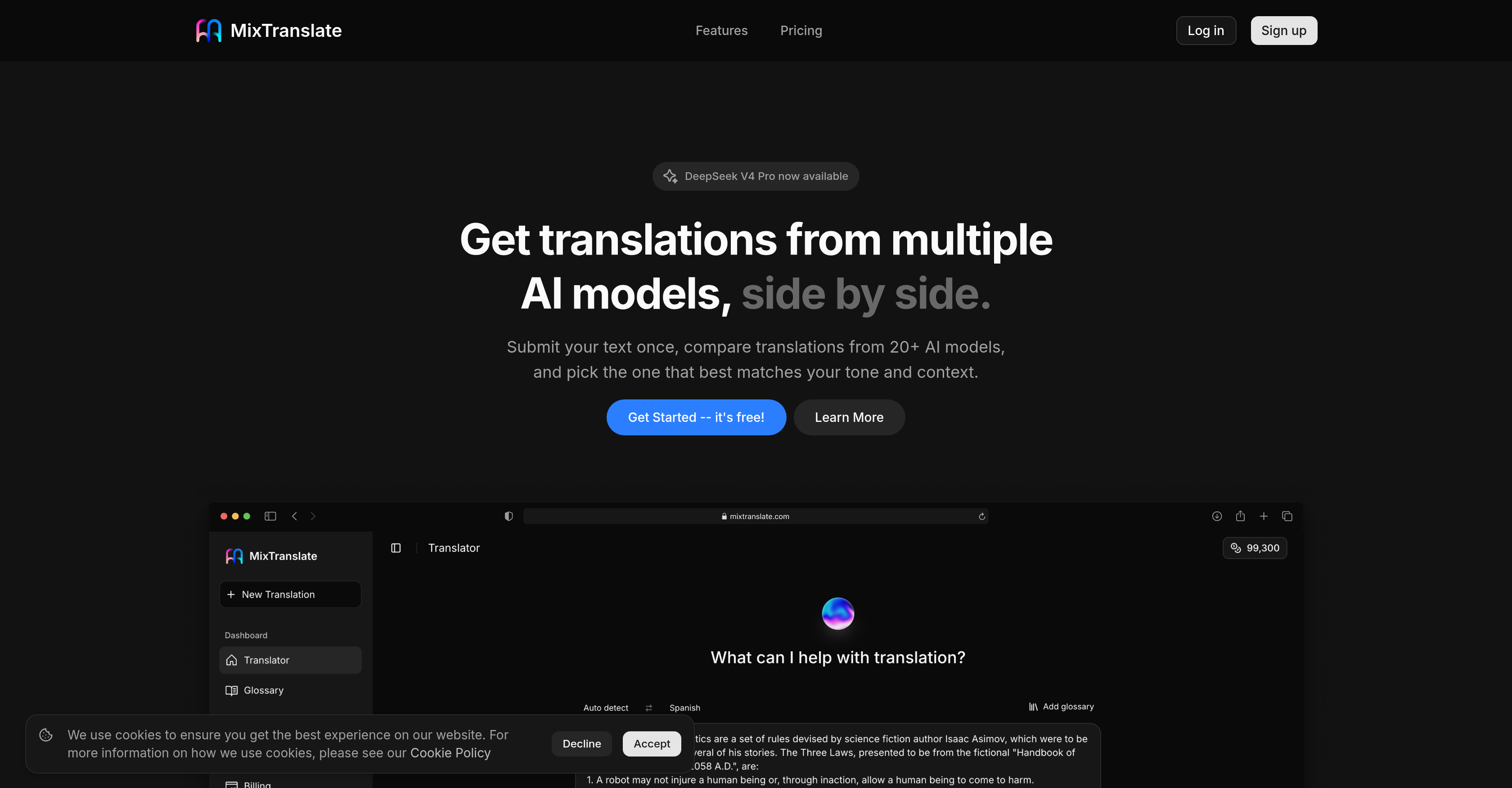
- Pick the most accurate translation for any context by comparing outputs from ChatGPT, Claude, Gemini, and DeepSeek side-by-side, each with a clear quality score.
- Maintain consistent brand terminology across every project by setting preferred product names, technical terms, and professional jargon once in the customization glossary.
- Match the right tone for any audience instantly with adjustable tone settings that adapt translations for formal reports, casual chats, or marketing copy.
- Eliminate manual typing by extracting text directly from images, then translating that content in one click.
- Reduce post-editing work with Agent Mode that automatically merges the highest-scoring translations into a single polished result.
- Protect sensitive business data with a zero-storage policy that never saves translations on servers or uses them for AI model training.
- Work exclusively with AI providers you trust, choosing from supported models to align with your compliance and preference requirements.
- Translate entire documents—from single sentences to comprehensive files—and receive practical, ready-to-use outputs without reformatting.
Pros & Cons
Pros
- Translates 150+ languages
- Outputs ready-to-use translations
- Customizes professional jargon
- Customizes product names
- Adapts technical terms
- Adjusts key phrases consistency
- Offers tone adjustment
- Prioritizes user privacy
- No storage of translations
- Supports image text extraction
- Provides translation quality scores
- Features Agent Mode
- Supports ChatGPT, Claude, Gemini, DeepSeek models
- Allows translation customizations
- Ensures adaptability
- Ensures versatility
- Multi-model translation comparison
- Globally relevant
- Ensures terminology consistency
- Customizable tone and style
- Large provider integration
- Less manual work via Agent Mode
- Supports text-to-image extraction
- Offers free trial credits
- Capable of bulk translations
- Offers translation model choices
Cons
- No offline functionality
- Limited customizability
- No live translation feature
- Reliance on quality scores
- Limited glossary functionality
- No voice translation feature
- Limited integration capability
- Potentially overwhelming model choices
Reviews
Rate this tool
Loading reviews...
❓ Frequently Asked Questions
MixTranslate is an Artificial Intelligence-based translation tool that incorporates several leading AI models to facilitate translation of text into over 150 languages.
To use MixTranslate, you input or paste your text, then choose the source and target languages. You then select your preferred AI model or translation engine from a provided list. The system then completes the translation and provides you with the output and a quality score for you to review and choose the best translation.
MixTranslate uses several AI models, including but not limited to ChatGPT, Claude, Gemini, and DeepSeek. These models have been incorporated into the tool to ensure a wide range of translation styles and adaptability.
Yes, MixTranslate has the ability to translate texts into over 150 languages, saving time while ensuring efficient global communication.
MixTranslate stands out amongst other translation tools due to its unique feature of allowing users to compare translations from different AI models. This feature ensures that users can pick a translation that meets their specific needs in terms of tone and context. The model also provides clear quality scores that allow users to choose the best translations quickly. Other distinctive features include the capability to restore professional jargon, product names, technical terms, and key phrases for consistency across translations.
Yes, MixTranslate allows users to compare translations generated by different AI models to facilitate the selection of the best translation according to user's needs in terms of tone and context.
Yes, MixTranslate can be customized. It incorporates provisions for setting your preferred terms such as professional jargon, product names, technical terms, and key phrases across every translation– ensuring consistency.
MixTranslate places a high priority on user privacy. The AI tool ensures that the translations it generates aren't stored on the servers, so user data isn't used for model training.
No, translations are not stored on MixTranslate servers, reinforcing the platform's commitment to user privacy.
Yes, MixTranslate possesses the ability to extract texts from images, hence avoiding the hassle of manual typing.
MixTranslate provides clear quality scores for each translation. These scores are based on accuracy, fluency, and context relevance of the translated text. The quality score feature allows users to pick the best translation according to their requirements quickly.
'Agent Mode' in MixTranslate is a unique feature that automatically merges top translations, therefore reducing necessary manual edits.
Absolutely, MixTranslate is designed to suit individual preferences. It allows users to work with any AI providers they trust, promising both versatility and adaptability.
The role of AI models such as ChatGPT, Claude, Gemini, DeepSeek in MixTranslate is to enable it to provide a variety of translation styles for different tones and context. They work together to offer users multiple translation results and allow users to pick the best one.
Yes, MixTranslate provides users with options to adjust the tone of the translations for different use cases. This functionality allows every translation to sound right for the intended audience.
Yes, MixTranslate supports the translation of comprehensive documents. Apart from singular sentences, MixTranslate can also handle large documents, providing practical and ready-to-use results.
No, it isn't necessary to manually type for translation in MixTranslate. The platform has a feature that allows users to extract text from images, thus eliminating the need for manual typing.
Yes, MixTranslate allows users to work with AI providers of their choice. This ensures a versatile and adaptable translation tool that caters to individual user preferences.
To ensure consistency in translations, MixTranslate allows users to set their preferred terms once, and then apply them across every translation. This function helps in keeping product names, technical terms, and key phrases consistent.
MixTranslate prioritizes user privacy by not storing translations on their servers. Additionally, user input is not used for model training, ensuring that personal information remains private.
Pricing
Pricing model
Freemium
Paid options from
$14.99/month
Billing frequency
Monthly