

Overview
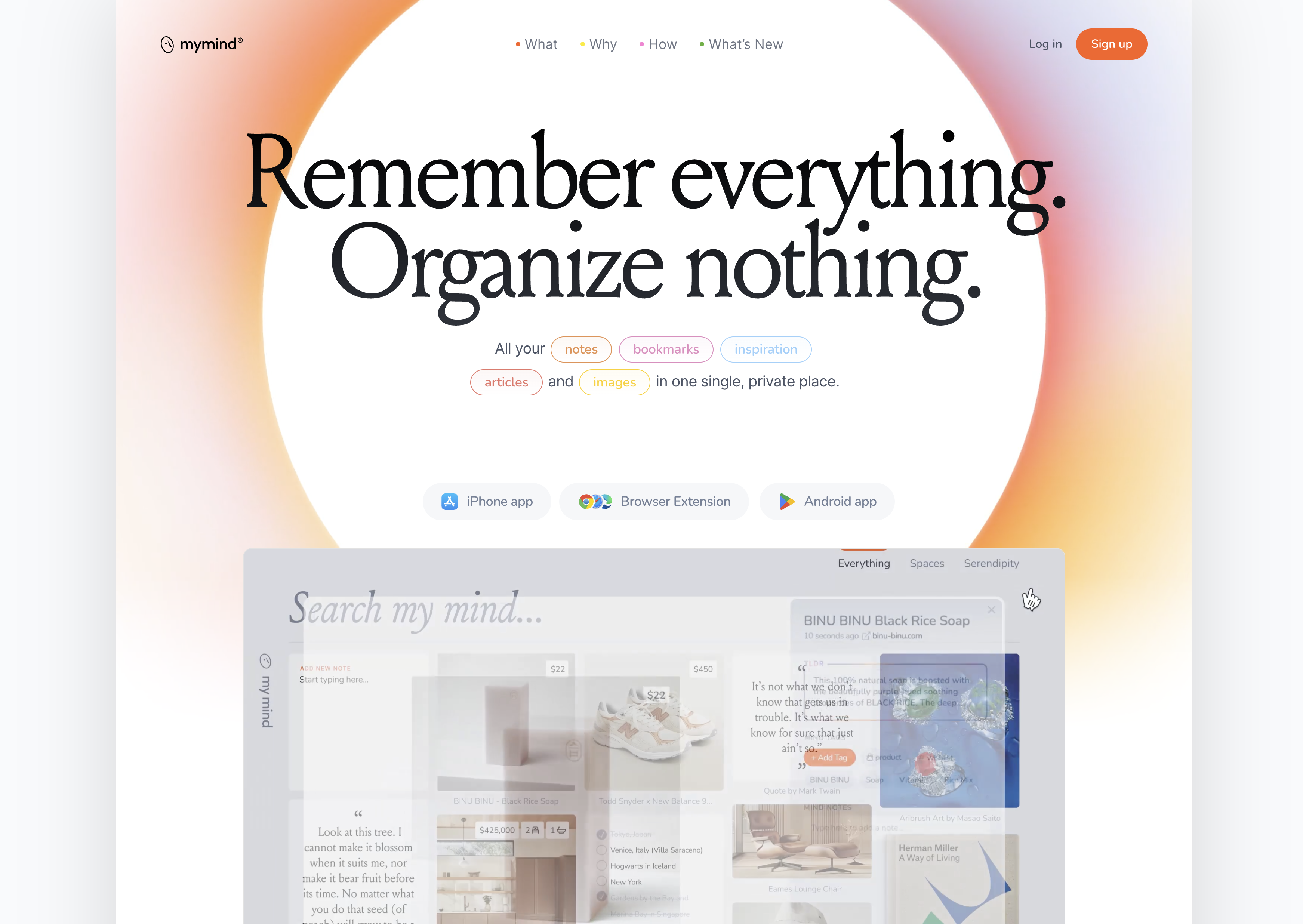
- Find anything you've saved instantly by searching keywords, colors, moods, or objects with AI-powered search that reads text within images and handwritten notes
- Stop wasting time organizing your content with automatic AI tagging and categorization that works immediately as you save new items
- Save any type of content with a single click using browser extensions and mobile apps that capture links, images, notes, and PDFs seamlessly
- Maintain complete privacy for your ideas and inspiration with no social features, tracking, or external access to your personal data
- Rediscover forgotten content through visual bookmarking where every item displays with relevant information and visual cues for quick recognition
- Access your entire knowledge base across devices with synchronized mobile apps, desktop apps, and browser extensions that work together
- Summarize lengthy articles automatically with AI analysis that identifies themes and extracts key information from web pages and documents
Pros & Cons
Pros
- Private and secure
- Free from social features
- No time wasted on categorizing
- Automatically tags and categorizes
- Stores a variety of content
- Intuitive design
- Visual bookmarking approach
- Promises no tracking
- No ads
- Saves data from various sources
- Privacy-first approach
- Simple, beautiful design
- Compatible with several platforms
- iOS app available
- Android app available
- Browser extension available
- MacOS app available
- Supports saving of highlights
- Enabled for instant moodboards
- Allows project organization
- Promotes less time with tools
- User-focused approach
- Supports user freedom on data
- Categorizes for you with AI
- Includes Reading Mode
- Frictionless saving & retrieval
- Create Smart Spaces for collections
- AI content summaries
- Visual mood search
- Clean, distraction-free Notes editor
Cons
- No collaboration features
- No social features
- Lacks multi-user support
- No vanity metrics
- No folder system
- No integrations with external tools
Reviews
Rate this tool
Loading reviews...
❓ Frequently Asked Questions
mymind is an AI-powered private platform designed to help individuals save, store, and easily access their personal data and information. It functions as an enhanced memory tool, enabling users to store and search for anything like notes, images, quotes, and highlights. It operates like a natural mind, with one stream of consciousness.
The main features of mymind include AI-powered tagging & categorization for frictionless saving and easy retrieval of saved data. The visual bookmarking system supports diverse types of media such as images, links, notes, videos, highlights, quotes, and PDFs. mymind provides an intuitive search function that users can leverage by typing a word, tag, color, theme or object associated with the content they are searching for. Smart Spaces allow instant collections, and Serendipity encourages playful rediscovery.
On mymind, you can store a wide array of content including notes, images, links, products, recipes, videos, screenshots, highlights & quotes, PDFs, and articles. mymind automatically recognizes the content and categorizes it visually. It serves as a robust platform that allows you to keep track of things you want to remember for later access.
mymind's AI feature works by automatically analyzing and tagging the content that users save on the platform, including images, articles and websites. The AI search function can summarize articles, read text within images and even understand the mood of an image to help retrieve content and create connections within the platform.
All data saved to mymind is encrypted via SSL/TLS when transmitted from their servers to the user’s browser. The database backups are also encrypted. Most data are not encrypted while they live on mymind’s database (so it can be ready to send to users when they need it), but the tool goes great lengths to secure user data at rest.
BIt’s free to sign up with mymind, and users can remain on the free plan indefinitely with limited storage. Should users choose to upgrade, they have the option of monthly or annual plans.
mymind ensures privacy by not including any social features, collaboration, vanity metrics, social pressure, or tracking. This means that your data remains solely your property without any interference or influence from external parties.
In mymind, users can search for their saved material by typing in a keyword, time, category, object, color, tag or mood associated with what they are looking for in the search bar. This functionality is designed to mimic the natural mind and stream of consciousness, making it simple and efficient to find specific information.
Yes, mymind allows users to save both images and videos. In addition to these, users can also save links, notes, quotes, PDFs, and more.
Yes, mymind has the ability to analyze and tag web pages. The AI feature enables the automatic analysis of images, articles, and websites, tagging each item to make it easily searchable in the future. mymind will even identify the theme or message of a page, and summarize its contents for you.
Visual bookmarking in mymind refers to the platform's ability to save items in a visually-oriented manner. No link looks the same in mymind: images, links, recipes, notes, videos, highlights, quotes, PDFs, articles, books, products & more are visualized and categorized to be as useful and beautiful as possible. This feature is aimed at providing a simple and intuitive way to keep track of and retrieve varied types of content.
No, you do not need to organize your notes in mymind. The platform's AI technology can immediately organize and find your notes based on any keyword contained within it. mymind can even read handwritten notes and screenshots.
Yes, you can upload PDFs to mymind. The platform supports a variety of content types for storage, including images, links, notes, videos, quotes, PDFs, and articles.
mymind distinguishes itself from other bookmarking and notetaking apps through its highly visual system, AI-enhanced tagging and search mechanisms, its commitment to user privacy and strong emphasis on providing a personal creative space for users. It takes the concept of bookmarking beyond mere storage, equating it to an extension of the mind.
No, other users cannot see your saved items on mymind. The platform emphasizes user privacy and asserts that it's always private, so no one else will see what's on your mind.
Yes, you can use mymind as a mobile or desktop app. The platform provides apps for iOS and Android, as well as browser extensions and a MacOS app. The apps allow you to save anything online with a single click or tap.
Yes, you can save links from the web directly to mymind. This is part of mymind's visual bookmarking feature which supports the saving of images, links, and a variety of other content types from the web, your computer, or your phone. Just click to save a website, or right click to save an image or highlight.
Yes, mymind does offer a browser extension. This complements their mobile and desktop apps and allows a seamless process to add and access content directly from your browser.
Users are automatically placed on the free plan when they sign up to mymind, and can stay on the free plan indefinitely with limited storage.
To start using mymind, sign up at mymind.com for free. Users are then encouraged to install the browser extension and mobile app to save items seamlessly. On desktop, users can also drag & drop their files into the platform.
Pricing
Pricing model
Freemium
Paid options from
$6.99/month
Billing frequency
Monthly
Related Videos
mymind mobile - the companion to your mind
mymind•32.2K views•Oct 4, 2023


