
NovaGen3D
Get a first-draft 3D model without sculpting from scratch: text to 3D generation turns a 1–1,000 character prompt into a GLB file with no reference image required.
Listing not yet reviewed by our editors · How we check
Overview
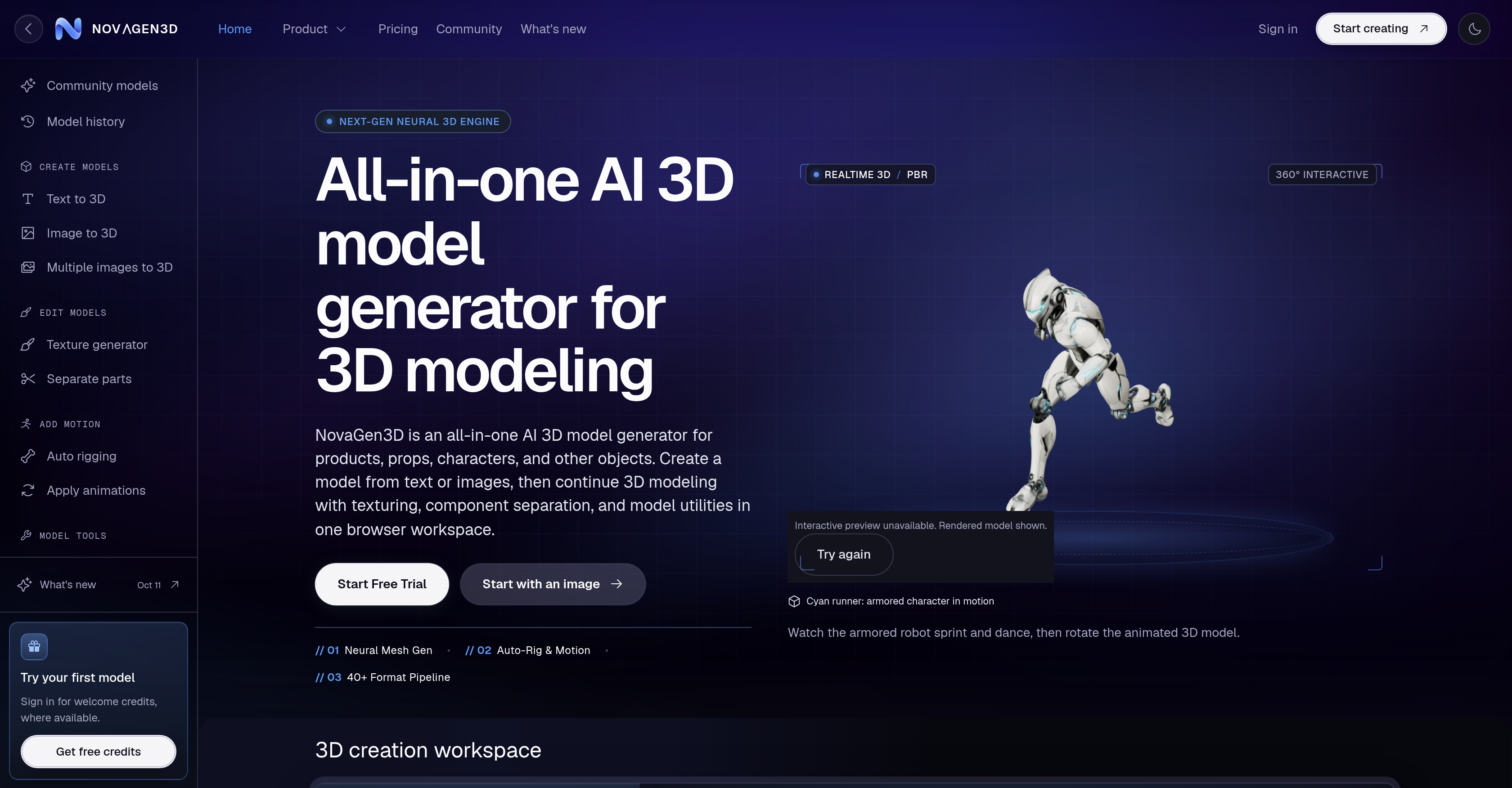
- Get a first-draft 3D model without sculpting from scratch: text to 3D generation turns a 1–1,000 character prompt into a GLB file with no reference image required.
- Turn product photos and concept art into usable 3D assets: image to 3D accepts a single PNG, JPG, JPEG, or WebP and infers the surfaces hidden from the camera, while Multi-view 3D uses 2–5 reference images for closer accuracy.
- Match every 3D asset to its job: switch between Auto, which picks a suitable model for you, Hunyuan 3D for a textured GLB or geometry-only output, Tripo for separate geometry and texture quality settings, and Rodin in Fast or Standard mode.
- Try new looks on a model without regenerating it: the AI texture generator applies a PNG, JPG, or JPEG appearance reference directly to an existing GLB.
- Fix one part of a complex model without disturbing the rest: compartment separation splits a GLB of up to 100 MB into individual mesh components for part-by-part editing.
- Bring humanoid characters into motion without rigging work: AI 3D animation applies up to 10 motions from 38 presets, each delivered as a separate GLB for your scenes.
- Refine shape and detail as you go: real-time editing applies adjustments directly to the generated model, speeding up product design iterations and prototyping.
- Move assets straight into game development, product visualization, and web projects: every output is a compact GLB (binary glTF) built for real-time and online use.
- Keep the full 3D modeling workflow on any device without installs or a powerful GPU: generation, texturing, and editing all run in a cloud-based workspace.
Pros & Cons
From the listing; not yet checked by our editors.
Pros
- Creates 3D models from text
- Creates 3D models from images
- All-in-one, cloud-based solution
- Real-time editing capabilities
- Includes GLB Format
- Supports compartment separation
- Offers texture generator
- In-browser work space
- Useful for game development
- Useful for product design
- Includes 3D animation feature
- Auto, Hunyuan 3D, Tripo, Rodin models
- Offers multiple stage creation
- Supports animations with presets
- Texture generator for model visuals
- Supports individual compartment editing
- Option to refine GLB further
- Cloud processing used
- Specific tools for 3D modeling
- Automotive modeling support
- Free trial offering
- Supports single image to 3D
- Supports multiple images to 3D
- Text to 3D functionality
- Model history feature
- Supports viewing and converting format
- Model preview feature
- Supports 40+ format pipeline
- Real-time 3D / PBR 360 Interactive
- Accepts PNG, JPG, JPEG, WebP formats
- Supports mesh components separation
- Auto rigging for humanoid models
- Presets for humanoid motions
- Can generate first GLB in browser
- Single account for several models
- Existing GLB enters texture generator
- Supports applying animations to static models
- Accepts 2 to 8 labelled views for multiple-image tasks
- Offers geometry and texture choices separately
- Fast or Standard modes in Rodin
- Rodin supports 2 to 5 reference images
- Outputs GLB Up to 100MB
- Auto matches suitable model for task
- Optional Texture and PBR materials in Hitem3D
- Accepts labeled views for front, back, left, right in Hitem3D
- Exact one image accepted in Trellis
- Multi-view to 3D supported for development
- Selectable groups after component separation
- Editable skeleton for Auto rigging
- Preset clips for Apply animations
Cons
- Browser based interface only
- Limited animation presets
- No offline version
- Reliant on cloud-processing
- Absence of print layout
- Limited 3D model formats
- Real-time editing lags
- Single user account restrictions
- Possible GLB size limit
- Individual editing on components only
Alternatives to NovaGen3D
Tools that share the most tags with NovaGen3D.
- Mimetic Labs
Create printable 3D models from simple text descriptions without CAD expertise or technical knowledge
Free trial · from $9.99
$9.99
Not yet checked
- TRELLIS 2
Create production-ready 3D assets from images instantly with fully rendering-free and optimization-free conversion, using simple pre- and post-processing methods.
Not listed
Not listed
Not yet checked
- Fast3D
Create production-ready 3D assets in minutes instead of hours using simple text descriptions or reference images
Freemium · from $7/month
$7/month
Not yet checked
- Hunyuan 3D
Create production-ready 3D models from a simple text prompt in seconds, eliminating days of manual modeling work with its specialized text-to-3D conversion.
Not listed
Not listed
Not yet checked
- Image3D.io
Generate production-ready 3D assets in seconds from any single image or text description, powered by AI that creates detailed meshes with Standard, Pro, or Ultra quality tiers.
Free trial · from $5.99/month
$5.99/month
Not yet checked
- Image3D AI
Get production-ready 3D models from logos, sketches, or product photos in about 60 seconds—powered by AI that constructs geometry from contours and shadows
Free trial · from $6.90/month
$6.90/month
Not yet checked
Reviews
Rate this tool
Loading reviews...
Frequently asked questions
What is NovaGen3D?
NovaGen3D is an advanced Artificial Intelligence (AI) tool designed for the generation of 3D models. It accomplishes this by interpreting either text or image inputs. Users can create various objects including products, props, characters and more within a single cloud-based browser workspace. A range of AI models, such as Auto, Hunyuan 3D, Tripo, and Rodin, are available for users to choose from, satisfying different aspects and requirements of 3D modeling.
What are the main features of NovaGen3D?
NovaGen3D boasts numerous features designed for creating and refining 3D models. Some of the main functions include text to 3D, image to 3D, AI driven 3D animation, real-time editing, texture generation and compartment separation of models for individual editing. The platform also supports the creation of General Binary (GLB) format files, which can be further modified and used in other applications. Additional utilities include animation presets for creating motion in humanoid models.
How can I create a 3D model using NovaGen3D?
Creating a 3D model with NovaGen3D involves either providing a text description or an image input. The AI will then use these inputs as references to generate a 3D model. The created model is in the General Binary (GLB) format and can be further refined based on user preferences. Users can also add textures to models, edit components individually, and animate humanoid models using the provided presets.
Does NovaGen3D provide real time editing of models?
Yes, NovaGen3D provides real-time editing functionality. This allows users to make adjustments directly to their 3D models as and when needed. This feature enhances the flexibility and user-friendliness of the tool, allowing for easy optimization of the design process.
What is the difference between Auto, Hunyuan 3D, Tripo, and Rodin models on NovaGen3D?
Auto, Hunyuan 3D, Tripo, and Rodin are models provided within NovaGen3D. Each has unique features to cater to different aspects and requirements of 3D modeling. Auto is the value choice among these models where it matches a suitable model for the task based on description or reference images. Hunyuan 3D accepts a text description or reference images and can return a textured GLB or geometry only. Tripo allows for independent geometry and texture quality choice, while Rodin, available with Fast or Standard modes, accepts text, one image, or 2 to 5 reference images in Multi-view 3D.
Can I use NovaGen3D for game development?
Yes, NovaGen3D can be effectively used for game development. The tool provides functionalities that support the creation of characters, props, and other assets that could be utilized in a game. However, there needs to be additional checks for topology, materials, scale, and character deformation in the target engine as NovaGen3D does not certify a GLB as game-ready.
How does the text to 3D feature of NovaGen3D work?
The 'text to 3D' feature of NovaGen3D works by generating a 3D model from a written description provided by the user. The system accepts a prompt of 1 to 1,000 characters and it does not require any reference image. The output of this process is a General Binary (GLB) format file, which can be further refined and modeled as per user requirements.
Can I use NovaGen3D for automotive modeling?
Yes, NovaGen3D can be utilized for automotive modeling. The platform provides multiple AI models and a host of features that support detailed and precise automotive modeling. This includes text to 3D and image to 3D functions which can interpret text descriptions or reference images of vehicles to generate corresponding 3D models. However, for use in detailed simulations or animations, models might require additional refinement after generation.