Image3D.io
Overview
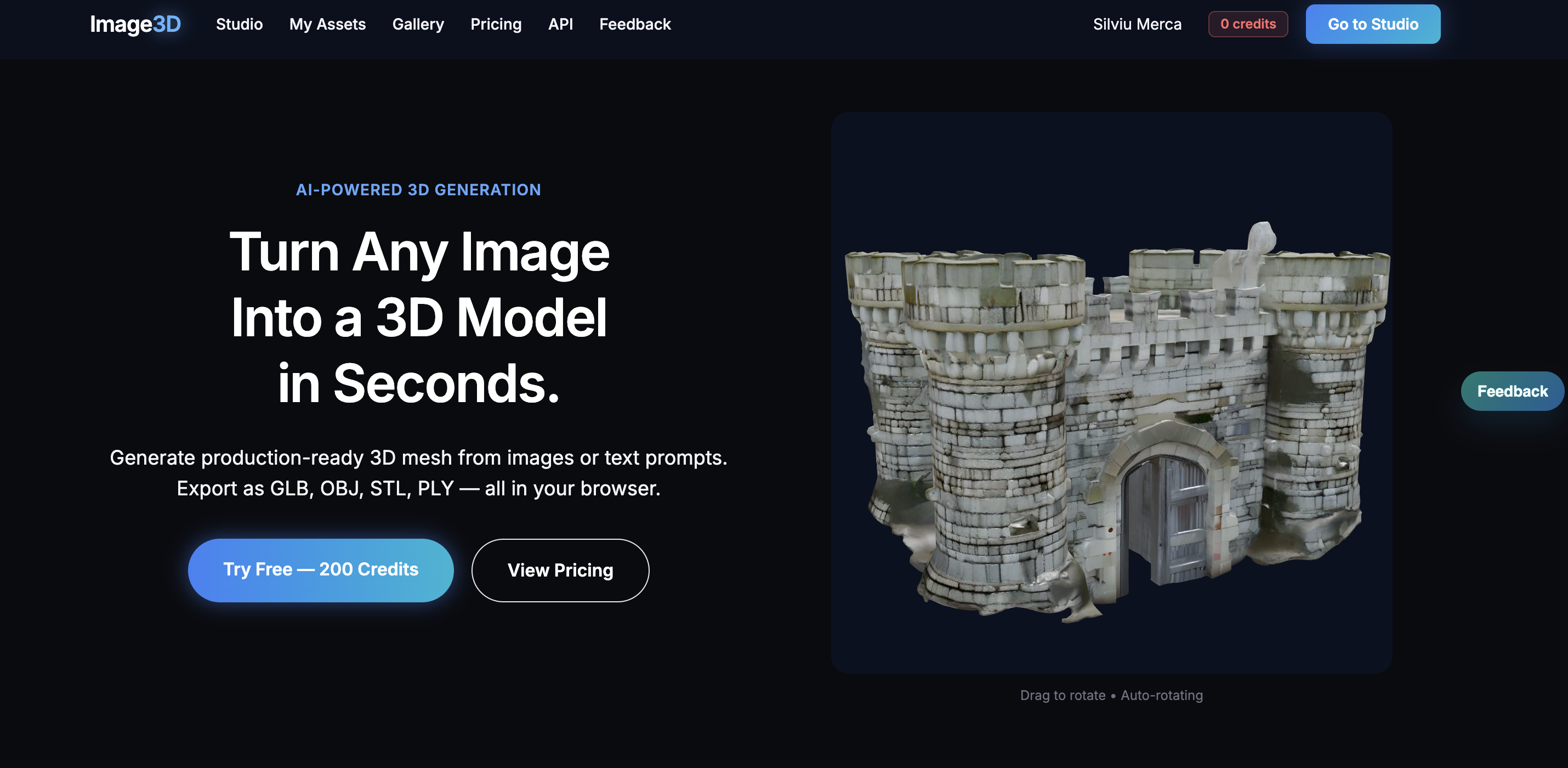
- Generate production-ready 3D assets in seconds from any single image or text description, powered by AI that creates detailed meshes with Standard, Pro, or Ultra quality tiers.
- Preview and adjust mesh depth directly in your browser without installing any local software, enabling immediate iteration and visualization.
- Export models in GLB, OBJ, STL, and PLY formats for seamless integration into game engines, CAD software, 3D printers, and AR applications.
- Apply realistic Physically Based Rendering (PBR) textures—including diffuse, normal, and roughness maps—so models look authentic under any lighting condition.
- Use generated assets commercially with Pro and Enterprise plans that include full commercial licensing for all 3D models.
Pros & Cons
Pros
- Generates 3D from single image
- Generates 3D from text prompts
- Multiple quality options
- Adjustable mesh depth
- In-browser model preview
- Exports OBJ, GLB, STL, PLY
- Adaptable to CAD workflows
- Adaptable to print workflows
- Adaptable to game engine workflows
- Adaptable to visualization workflows
- Applies PBR textures
- Suitable for game development
- Suitable for AR development
- Commercial licensing for assets
- No local software needed
- Supports Google OAuth login
- Supports email magic link login
- Models compatible with 3D printing
- Supports commercial modeling
- Caters individual and professionals
- Creates high-fidelity 3D assets
- Turns any image into 3D
- Transforms elements into 3D model
- Generates corresponding 3D mesh
- Enables preview and export
- Operates entirely within browser
- Supports visual workflows
- Enhances model details under any lighting
- Commercial licensing for Pro and Enterprise
- Fast image to 3D conversion
- Fast text to 3D conversion
- Different subscription plans
- Adjust depth of the results
- Enables immediate generation and preview
- Export for games, printing, AR
- Realistic detailing of generated 3D models
Cons
- Browser-based only
- Difficulty adjusting mesh depth
- No local software integration
- Depends on internet connection
- Subscription plans required
- Additional costs for credits
- Limited text to 3D
- No real-time modification support
- No multi-user collaboration feature
- Requires email or Google OAuth
Reviews
Rate this tool
Loading reviews...
❓ Frequently Asked Questions
Image3D is an AI-powered, browser-based tool that creates three-dimensional assets from single images or text prompts. It facilitates 3D production by generating detailed 3D meshes in Standard, Pro, or Ultra quality tiers.
Image3D operates by either taking a user-uploaded image or interpreting a text prompt. The AI then proceeds to generate a detailed 3D mesh with Physically Based Rendering (PBR) textures applied to suit the quality choice of the user: Standard, Pro, or Ultra. Users can preview and adjust the depth of the mesh before exporting it in various formats.
Image3D allows users to export their 3D models in a variety of formats, including OBJ, GLB, STL, and PLY. This wide compatibility of formats makes the tool adaptable to CAD, print, game engine, and visualization workflows.
Yes, Image3D can generate three-dimensional models based on text prompts in addition to process visuals from uploaded images.
Image3D offers three quality options for 3D mesh generation - Standard, Pro, and Ultra. These tiers are in place to cater to different user requirements and commercial needs.
Image3D applies Physically Based Rendering (PBR) textures to the models it generates. PBR textures encompass diffuse, normal, and roughness maps, which enhance model realism under a range of lighting conditions.
Yes, users can preview their 3D models within Image3D's browser-based platform, eliminating the need for any additional software tools for rendering or visualization.
Applications that require 3D asset production, such as game development, augmented reality (AR), CAD, printing, and visual workflow, can benefit from using Image3D due to its model compatibility and broad range of export formats.
Commercial usability of the models created with Image3D is according to the terms of the active user plan. Commercial licensing for all generated assets is included in the Pro and Enterprise plans of the tool.
Image3D supports the workflows of CAD, print, game engine, and visualization by enabling users to export their generated 3D models in widespread formats such as OBJ, GLB, STL, and PLY. These formats are commonly used across these domains, making model integration more straightforward.
No, there are no local software requirements for Image3D. The tool is fully browser-based and does not necessitate the download of any additional software.
Image3D supports two authentication methods, Google OAuth and email magic link, for user login.
Yes, Image3D offers different pricing plans including 'Starter', 'Creator', 'Power', and a custom 'Enterprise' plan. Each with varying features and capabilities, such as different number of credits per month, quality tiers, commercial license, model storage, and priority queue.
Yes, single images can be transformed into 3D models using Image3D. The tool uses AI to analyze the image and generate a detailed three-dimensional mesh.
The 'better' mode between Image to 3D and Text to 3D in Image3D is subjective to the user and their needs. Both modes offer unique functionalities; the Image to 3D mode creates a 3D model from a user-provided image, while the Text to 3D mode generates a 3D model based on a text description.
The number of 3D models a user can generate with Image3D will depend on the chosen pricing plan. Each plan features different numbers of monthly credits, which in turn determines the number of 3D model generations.
The mesh's depth can be adjusted by users within Image3D's browser-based platform before the final model export.
Yes, Image3D does provide commercial licenses for all assets generated under the Pro and Enterprise plans.
Image3D applies Physically Based Rendering (PBR) textures to its models. These PBR textures involve diffuse, normal, and roughness maps.
Yes, users can export their 3D models in PLY format using Image3D, besides other formats like OBJ, GLB, and STL.
Image3D employs sophisticated AI algorithms to transform a simple image or a text prompt into a 3D mesh. Upon uploading an image or typing a text prompt, the AI processes the input and generates a corresponding 3D mesh in a matter of seconds. Users can adjust the depth of the mesh and choose from Standard, Pro, or Ultra quality.
Image3D is equipped with several key features including 3D modeling, Image to 3D conversion, PBR textures application, support of various export formats, and commercial licensing options. Compared to traditional 3D production tools, Image3D operates entirely within the browser and does not require any additional local software. Moreover, the AI enables Image3D to deliver much faster and more efficient 3D production process.
PBR or Physically Based Rendering textures are included in Image3D's 3D modeling process which includes diffuse, normal, and roughness maps. These textures enhance the realism of your 3D model making it appear true-to-life under any lighting condition.
The different quality options in Image3D - Standard, Pro, and Ultra - correspond to the level of detail and fidelity of the generated 3D mesh. The higher the quality option, the more detailed and accurate is the resulting 3D model.
Image3D allows you to export your models in a variety of widely used formats such as OBJ, GLB, STL, and PLY. This allows for maximum compatibility with different platforms and applications.
Image3D seamlessly adapts to common CAD, print, game engine, and visualization workflows by providing support to export the 3D models in multiple file formats. This ensures the 3D models generated with Image3D can be utilized optimally across an array of applications.
Image3D is ideally suited for a wide range of applications such as game development, AR, 3D printing, CAD compatibility, and digital creation. It's advanced AI algorithms enable quick, efficient, and realistic 3D modeling from images or text prompts.
Commercial usage of models created with Image3D is in accordance with the terms of the active subscription plan. Pro and Enterprise plans come with commercial licensing for all generated assets.
For Pro and Enterprise plans in Image3D, commercial licensing is automatically included. This means that all 3D models generated under these plans are licensed for commercial use.
No, one of the advantages of Image3D is that it works entirely within a browser, hence there is no requirement for installing any local software on your system.
Image3D supports both Google OAuth and email magic link for log in, providing flexible options to accommodate different user preferences.
Image3D offers several subscription plans to meet various needs. The Starter plan is designed for hobbyists and individuals, while the Creator plan caters to professionals. They also offer a Power plan for heavy users and studios. For more specific needs, users can opt for the Enterprise plan that includes custom volume and API access.
Physically Based Rendering (PBR) textures in Image3D enhances the realistic look of a 3D model by including diffuse, normal, and roughness maps. These create an impression of realistic surface responses to various lighting conditions, thus making your 3D model appear authentic under any light setting.
Image3D's advanced technology and an array of export formats support it in catering to various applications. The realistic 3D models created can be used in game development for character design or environment modeling. For 3D printing, Image3D's ability to export in STL format is crucial. Enhanced with PBR textures, the 3D models can give an immersive experience in AR.
Image3D allows you to transform an element into a detailed 3D model. This is accomplished by uploading an image of the element or providing a text description. The AI then processes this input and generates a corresponding 3D mesh. The depth of the mesh can be adjusted and chosen between Standard, Pro, and Ultra quality.
Image3D supports several commonly used file formats such as GLB, OBJ, STL, and PLY for exporting. These options make it compatible with various platforms, whether for CAD application, 3D printing, game engine visualization, and more.
In Image3D, once the AI processes the uploaded image or text prompt and generates the 3D model, it can be previewed directly within the browser. When the result looks right, the 3D model can be exported in the format that suits the user's project requirement - OBJ, GLB, STL, or PLY.
Yes, Image3D is designed not only for individual users but also for professional creators and large studio operations. There are specific subscription plans like Pro and Enterprise which include commercial licensing for all generated assets, making it a fit choice for professional and large-scale use.
Image3D, with its PBR textures, is capable of creating 3D models that look realistic under any lighting conditions, be it soft indoor lighting or harsh outdoor illumination. The PBR textures include diffuse, normal, and roughness maps that handle the interaction of light with the 3D model's surface, yielding a lifelike appearance under all types of lighting environments.
Pricing
Pricing model
Free Trial
Paid options from
$5.99/month
Billing frequency
Monthly
Refund policy
No Refunds