

OrbitMeet
Leave every meeting with a clear, actionable record instead of scattered notes, using instant post-meeting documents generated in under 10 seconds.
Listing not yet reviewed by our editors · How we check
Overview
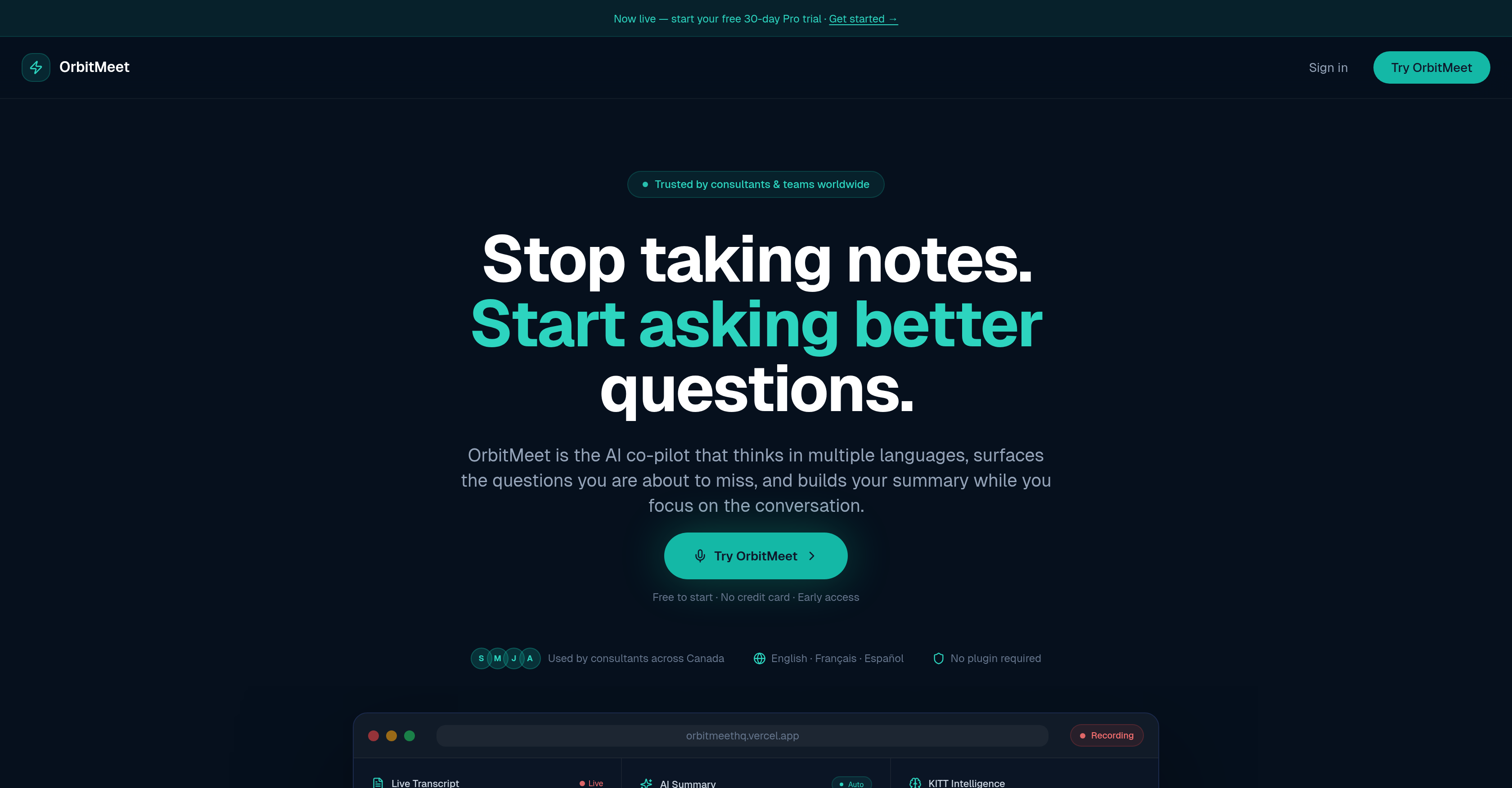
- Leave every meeting with a clear, actionable record instead of scattered notes, using instant post-meeting documents generated in under 10 seconds.
- Ensure no task falls through the cracks by having action items automatically detected and assigned to the person who committed to them during the conversation.
- Participate more effectively without missing key points, guided by intelligent coaching that surfaces relevant questions you might have overlooked.
- Follow discussions seamlessly in multilingual or fast-paced meetings, supported by real-time transcription in English, French, Spanish, and Portuguese.
- Start using it immediately on any call without complex setup, as it runs directly in your browser with no downloads, plugins, or meeting bots required.
Pros & Cons
From the listing; not yet checked by our editors.
Pros
- No download required
- No plugin necessary
- No need for bots
- Real-time transcription
- Cross-platform compatibility
- Identifies questions every 75 seconds
- Automation of action items
- Instant follow-up documents
- Rapid document generation
- Supports multiple languages
- Automatic language detection
- Supports hearing-impaired individuals
- Improves engagement
- Facilitates accountability
- Creates memos, action trackers
- Generates emails post-meeting
- Detects commitments
- Offers free plan
- Pro plan for unlimited meetings
- Affordable Pro plan
- Real-time speech to text
- Minimizes miscommunication
- Promotes information retention
- Enhances meeting productivity
- Browser-based tool
- Useful for multilingual teams
- Personalized meeting assistant
- Facilitates record-keeping
- Improves business communication
- Integrable with Zoom, Microsoft Teams
- Supports Google Meet
- Operable in in-person meetings
- Automated note-taking
- Captures insights from conversations
- Intelligently suggests questions
- Extracts key points
- Produces meeting narratives
- Creates meeting tasks
- Provides meeting overviews
- Can serve a team
- Ideal for remote users
- Saves time post-meeting
- Good for non-native speakers
- Supports English, Spanish, Portuguese
- Supports French
Cons
- Limited language support
- No offline functionality
- Requires continuous connectivity
- Dependent on third-party platforms
- Limited free plan
- Limited document types
- Non-intuitive for non-tech users
- Potential privacy issues
- Accuracy relies on clear speech
- No native app version
Alternatives to OrbitMeet
Tools that share the most tags with OrbitMeet.
- ShadowDo
Eliminate manual note-taking with automatic transcripts and timestamped summaries generated from your conversations
Freemium · from $8/month
$8/month
Not yet checked
- Otter.ai
Never take meeting notes again with OtterPilot that auto-joins Zoom, Teams and Google Meet to capture everything automatically
Freemium · from $8.33/month
$8.33/month
Not yet checked
- MeetPulp
Eliminate manual note-taking with automated meeting transcriptions that capture every word accurately
Freemium · from $10.99/month
$10.99/month
Not yet checked
- Bubbles Notetaker
Never miss a meeting detail with automatic transcription and AI-generated summaries that highlight key decisions and action items
Freemium · from $12/month
$12/month
Not yet checked
- Limitless - Personalized & Secure Memory AI
Never miss meeting details again with instant transcription and AI-powered summaries that highlight key decisions and action items
Freemium · from $19/month
$19/month
Not yet checked
- Sembly AI
Never take meeting notes again with automatic transcription that identifies speakers and removes filler words for clean, readable records
Freemium · from $10/month
$10/month
Not yet checked
Related Videos
Orbit Meet Agentic AI - Meeting Summarizer
Ayush Kumar · Dec 15, 2025
Reviews
Rate this tool
Loading reviews...
Frequently asked questions
What is OrbitMeet?
OrbitMeet is an AI-powered tool designed to facilitate efficient and seamless meetings. It performs various functions such as real-time transcription, intelligent question coaching, and post-meeting document creation, aiming to improve the productivity and interactivity of your meetings. Not only does OrbitMeet ensure bot-free operation, but it also provides flexibility by working across different platforms.
What are the main features of OrbitMeet?
The main features of OrbitMeet include real-time transcription, intelligent question coaching, and the creation of post-meeting documents. Real-time transcription is the primary function that captures all spoken words during a meeting, converting them into written text to facilitate discussion tracking and note-taking. The intelligent question coaching feature assists in asking productive questions during meetings. And the post-meeting documents are generated instantly after the meeting, enabling attendees to save time on manual drafting.
How does the real-time transcription function of OrbitMeet work?
OrbitMeet's real-time transcription function works by capturing all spoken words during a meeting. These words are then converted into written text, providing an accurate record of the discussions in real-time. This tool proves useful for tracking discussions and facilitates the note-taking process during meetings.
Can OrbitMeet assist in asking productive questions during meetings?
Yes, OrbitMeet has an intelligent question coaching feature. While the exact mechanics are not detailed, this function is designed to assist or provide recommendations for asking productive questions during meetings, thereby facilitating more fruitful and interactive exchanges of ideas.
Does OrbitMeet provide post-meeting documents?
Yes, OrbitMeet generates post-meeting documents automatically. By utilizing details from the real-time transcription, OrbitMeet generates a summary or report immediately after the meeting concludes. This feature helps in eliminating the need for manual drafts post-meeting.
Is OrbitMeet compatible with various platforms?
Yes, OrbitMeet displays platform flexibility, meaning it can operate across different platforms. This versatility allows users to access the tool regardless of their preferred systems, thus broadening its accessibility and utility.
What does 'bot-free' operation mean in OrbitMeet?
'Bot-free' operation in the context of OrbitMeet means the tool operates without the potential hindrances and complexity of bot interactions. This attribute might be particularly appealing to users seeking an uncomplicated and straightforward tool for their meetings.
Can OrbitMeet improve the productivity of my meetings?
Yes, OrbitMeet is specifically designed to improve the productivity of your meetings. By offering features like real-time transcription for better note-taking, intelligent question coaching for interactive discussions, and instant post-meeting document creation, OrbitMeet makes for a highly efficient tool.