

PanoCraft
Go from an idea to a full 360 scene without a camera rig or photo shoot: type a text prompt and get a high-resolution equirectangular panorama ready for professional use.
Listing not yet reviewed by our editors · How we check
Overview
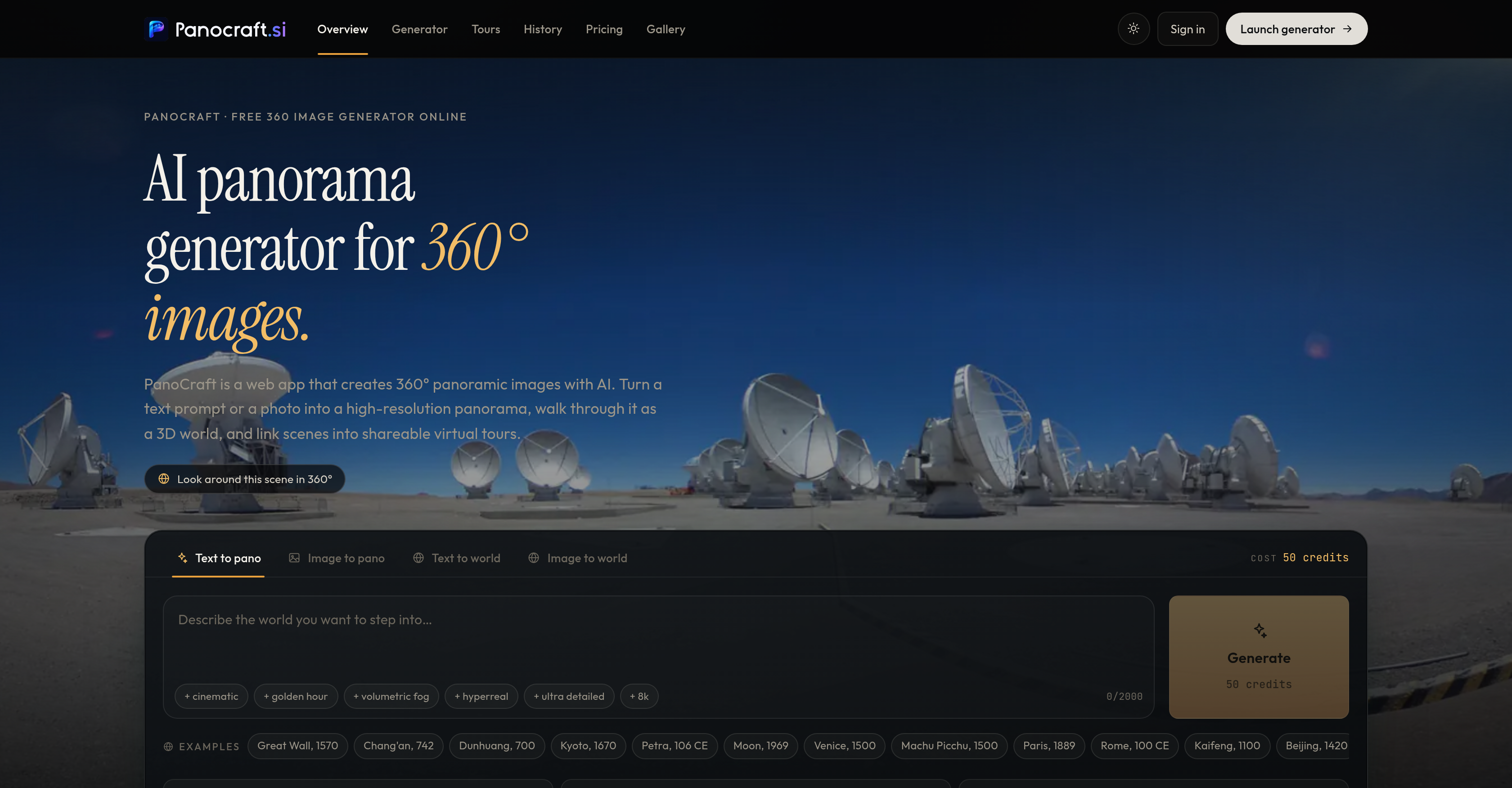
- Go from an idea to a full 360 scene without a camera rig or photo shoot: type a text prompt and get a high-resolution equirectangular panorama ready for professional use.
- Extend a single reference photo into a complete 360-degree environment that keeps its original lighting and color: light and palette matching reproduces the ambiance of your reference across the whole scene.
- Give players and VR users spaces they can actually walk through: any panorama converts into a Gaussian-splat 3D world with a downloadable collider mesh for game and VR integration.
- Ship immersive game skyboxes and VR backgrounds without manual stitching or painting: generated equirectangular images drop straight into game engines and virtual reality projects.
- Showcase homes before they are built or upgrade existing listing photos: generate VR-ready 360 views of interior and exterior spaces for real-estate tours and virtual staging.
- Check sightlines and daylight from any point inside an architectural concept before committing to a design: generate 360 panoramas of proposed spaces for architectural visualization.
- Publish one connected, shareable virtual tour: link generated panoramas, walkable 3D worlds, and your own 360° photos with scene links and info hotspots.
- Iterate on a scene without starting over: modify existing panoramas or combine elements from different scenes into an original 360 image.
- Review every result in an immersive 360 view right away, then take it anywhere: explore panoramas directly in the browser and download them for use in other projects and platforms.
- Test more environment concepts during creative research and prototyping: generate varied panoramas and 3D worlds from minimal input to brainstorm and compare directions fast.
- Match spending to your output volume: Starter ($19/month), Pro ($49/month), and Max ($99/month) plans provide credits for creating panoramas and 3D worlds.
Pros & Cons
From the listing; not yet checked by our editors.
Pros
- Generates 360 panoramic photos
- Converts text prompts to images
- High-resolution panoramic images
- Creates 3D virtual worlds
- Light and palette matching feature
- Option to modify existing scenes
- Create unique panorama by piecing elements
- Explorer option in the browser
- Downloadable panoramas
- Link panoramas into virtual tour
- Usable in VR and game skyboxes
- Usable in real-estate and architectural visualization
- Customizable panoramas
- Comes with pricing plans
- Creates based on reference images
- Directly navigable 3D worlds
- Creates equirectangular images
- Useful in digital visualization
- Virtual navigation feature
- Included scene building option
- Available online
- Turns photos into comprehensive 360 world
- Generates shareable virtual tours
- Allows adding scene links and info hotspots
- Combines panoramas with 3D worlds
- Generates walkable 3D worlds
- Exports to Unity, Unreal, Blender
- Useful for immersive storytelling
- Generates from multiple references
- Offers commercial licensing
- Offers varying output formats
- Turns any photo into full surround
- Generates correct pole convergence panos
- Generates from single image and text
- Generates collider mesh choice
- Allows walk, export, or tour options
- Can replace sky in real estate visuals
- Prototype option for music visuals
- Free to start with 50 credits
- Can feed multiple photos for whole sphere
- Outputs are production-ready
- Outputs 20481024 quality images
- Can step from panorama into 3D world
- Credits and creations are saved securely
- Creates content from screened prompts
- Responsible and respectful content generation
- Priority on user privacy
- Non-conventional and violating accounts suspension
Cons
- Limited to equirectangular format
- Only browser-based
- No offline use
- No mobile application
- Requires internet connection
- Mandatory account creation
- Opaque pricing plans
- Credits-based system
- No multi-language support
- Limited customization options
Alternatives to PanoCraft
Tools that share the most tags with PanoCraft.
- PanoPulse
Generate complete virtual tours from simple text descriptions using natural language processing
Free trial · from $9.90/month
$9.90/month
Not yet checked
- Panorama AI
Create a fully immersive 360 panorama from just a text description, bypassing the need for any camera equipment through text-to-panorama generation
Free trial · from $9.90/month
$9.90/month
Not yet checked
- EzRemove
Browser tool that removes the background from a photo and returns a transparent PNG.
Freemium
Not listed
Nov 24, 2026
- Playground AI
Transform text descriptions into photorealistic images and unique artwork instantly using AI-powered text prompts
Freemium · from $12/month
$12/month
Not yet checked
- daisy | LinkedInPro
Create professional headshots from everyday photos without expensive studio sessions using AI-powered photo transformation
Freemium · from $2.50
$2.50
Not yet checked
- Etsy Media Kit Generator - Image-To-Video.app
Launch professional product listings in minutes instead of days by generating a complete media kit from a single photo in 10-15 minutes
Free trial · from $8.25/month
$8.25/month
Not yet checked
Reviews
Rate this tool
Loading reviews...
Frequently asked questions
What is PanoCraft?
PanoCraft is an online tool powered by artificial intelligence to generate 360 panoramic photos from textual descriptions or reference images. It lets users generate scenes from scratch, modify existing ones, or combine different elements to create unique panoramic images. This tool offers features like light and palette matching, enabling users to create realistic and immersive panoramic scenes.
How does PanoCraft generate panoramic images?
PanoCraft generates panoramic images by accepting textual descriptions or reference images as inputs. It uses AI to interpret these inputs and transform them into equirectangular high-resolution panoramic images and 3D worlds. Additionally, it also offers light and palette matching features that help replicate the lighting and color scheme of the given reference, creating a more holistic and realistic panorama.
How does PanoCraft use AI?
PanoCraft uses AI to interpret textual descriptions or reference photos and turn them into high-resolution, 360-degree panoramic images. The AI component is key to creating engaging panoramas by extrapolating scenes from scratch, modifying existing scenes, or constructing unique imagery from different elements. PanoCraft's AI also aids in matching lighting conditions and color palettes for a more immersive, authentic panorama.
Can I use PanoCraft for game development?
Yes, PanoCraft is an excellent tool for game development. It can create 360-degree panoramic images and 3D worlds from text prompts or reference images. These panoramas can be used as game skyboxes to provide immersive and visually compelling backgrounds in game environments.
Can I use PanoCraft for VR?
Absolutely. PanoCraft allows the creation of 360-degree panoramic images and immersive 3D worlds that are optimal for Virtual Reality (VR) applications. The panoramas created can be used in VR for engaging experiences, such as virtual tours or simulated environments.
What is the benefit of the light and palette matching feature in PanoCraft?
PanoCraft offers a unique light and palette matching feature that enhances the realism of the generated panoramas. The functionality matches the light and color palette of the provided references to create a cohesive and visually seamless panoramic scene. This leads to highly realistic images that mimic the ambiance and atmosphere of the original scene or reference.
How does PanoCraft generate 3D worlds?
PanoCraft uses advanced AI to transform panoramic images into explorable 3D worlds. By interpreting textual descriptions or reference images, it generates 3D worlds which come equipped with a downloadable collider mesh. Any panorama can be turned into a Gaussian-splat 3D world, making them walkable and interactive.
How can I modify a scene in PanoCraft?
To modify a scene in PanoCraft, utilize their AI technology to customize existing panoramic images based on your needs. Although the exact steps aren't specified, it typically involves changing or fine-tuning elements in the panorama as per user requirements.