

PDFgen
Get a finished, professional PDF from a single sentence: describe the document in plain English and the AI document generator writes and formats it, with no manual template design or editing.
Listing not yet reviewed by our editors · How we check
Overview
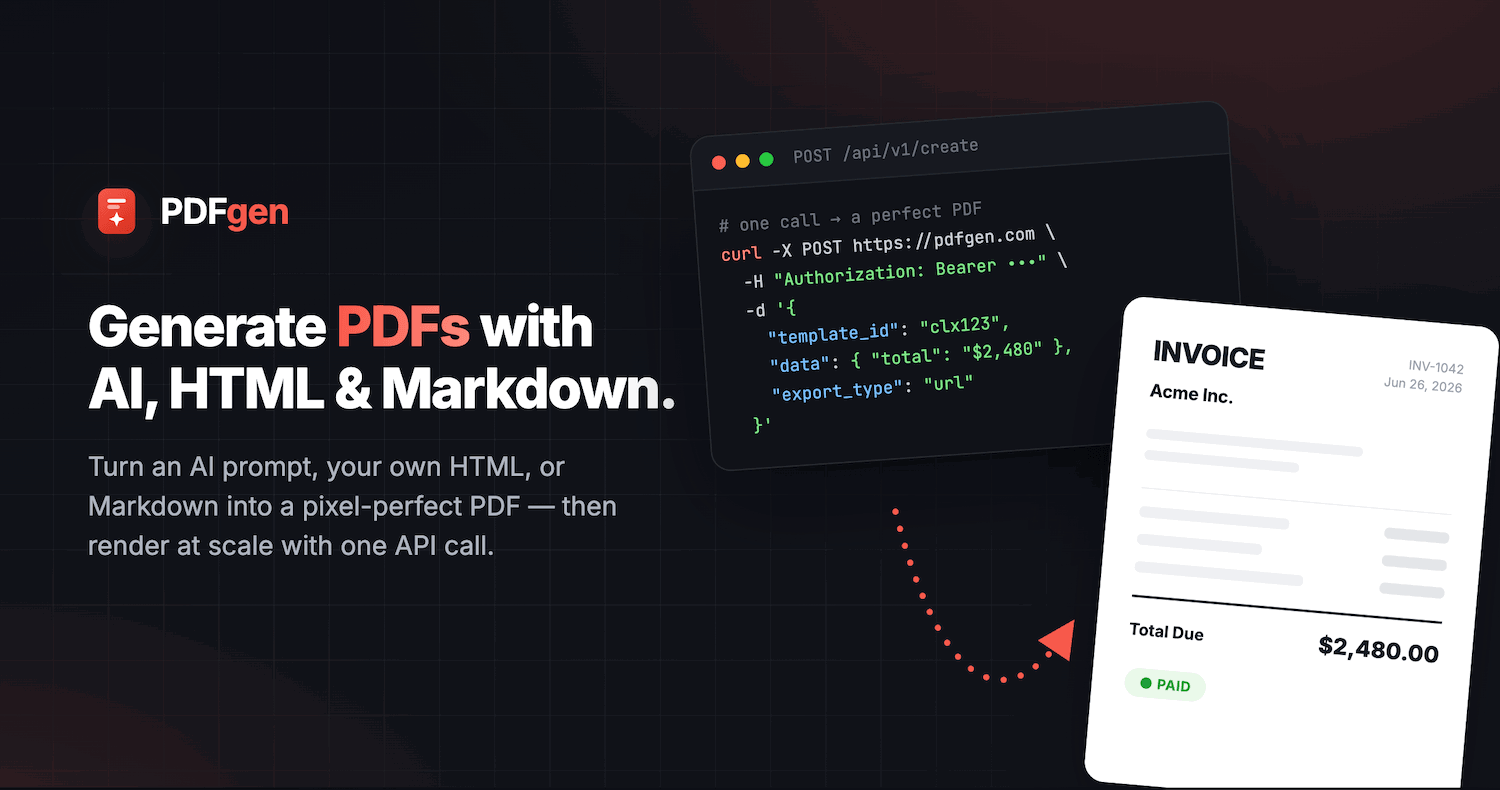
- Get a finished, professional PDF from a single sentence: describe the document in plain English and the AI document generator writes and formats it, with no manual template design or editing.
- Keep every invoice, receipt, and report consistent: build reusable PDF templates once and generate new documents from them on demand.
- Convert content you already have into polished PDFs: HTML to PDF and Markdown to PDF conversion keep your existing layouts and formatting.
- Personalize thousands of documents without touching each one: Handlebars data-merge fills customer names, line items, dates, and totals into every PDF automatically.
- Remove manual document work from your operations: a REST API exposes every generation method, so invoices, lease agreements, freelance contracts, and event tickets are created automatically inside your existing systems.
- Let AI agents and assistant workflows produce documents for you: MCP support connects PDF generation directly to agent-driven tools.
- Protect contracts and financial records before they are sent: password-protected PDFs keep sensitive documents restricted to the intended recipients.
- Keep generated files where your business already stores data: custom storage sends every PDF to your chosen destination.
- Give your whole team one place to manage document production: team workspaces share templates and generation workflows across departments.
- Start automating PDF creation at no cost: a free tier lets you test text-to-PDF generation and API automation before scaling up.
Pros & Cons
From the listing; not yet checked by our editors.
Pros
- Generates PDF from text prompts
- Automates PDF generation
- Offers REST API
- Time-savings in document creation
- Enhanced productivity
- Can create variety of documents
- Adapts to user's needs
- Becomes more effective over time
- Reduces need for manual editing
- Can create specialized documents
- Increased automation in document management
- Designed for precision in editing
- Flexible for developers
- Can evolve and adapt
- Intuitive design
- Can generate invoices
- Can generate lease agreements
- Can generate event tickets
- Can generate freelance contracts
- Streamlines PDF template generation
- Able to mass create documents
Cons
- Limited to PDF format
- Limited document type range
- May require developer skills
Alternatives to PDFgen
Tools that share the most tags with PDFgen.
- UPDF
Instantly edit any PDF text, images, or layout directly within the document using the comprehensive PDF editor.
Free trial · from $35.99/year
$35.99/year
Not yet checked
- PDFtoMD Converter
Get clean, structured Markdown from any PDF—including scanned pages—using AI OCR that accurately extracts and formats text, headings, lists, and paragraphs into precise Markdown syntax
Freemium · from $15.90/month
$15.90/month
Not yet checked
- PDF Generator by PDF.net
Create any professional document—from invoices to resumes—in seconds by simply describing what you need, with no templates required.
Freemium · from $24.95/month
$24.95/month
Not yet checked
- LightPDF AI Agent
Turn scanned PDFs into fully searchable, editable text using built-in OCR that extracts content from images and scans so you stop retyping documents by hand
Free trial · from $49.99/year
$49.99/year
Not yet checked
- PromptLoop
Transform messy text into structured data instantly using a simple spreadsheet formula that works like SUM or VLOOKUP
Freemium · from $49/month
$49/month
Not yet checked
- SheetyAI
Create complex spreadsheet formulas instantly by describing your problem in plain English, eliminating the need to memorize syntax
Free
Not listed
Not yet checked
Reviews
Rate this tool
Loading reviews...
Frequently asked questions
What is PDFgen?
PDFgen is an AI-powered tool developed by PDF.ai. This tool is specially designed to streamline and simplify the generation of PDF templates. User-provided text prompts are utilized by this tool to facilitate the creation of PDF files, thereby eliminating the need for manual template design or editing.
How does PDFgen use AI to create PDFs?
PDFgen leverages artificial intelligence to transform simple, user-provided text prompts into PDF files. By intelligently analyzing these text prompts, it automates the process of generating a wide range of documents, negating the need for manual design or editing of templates.
What types of documents can PDFgen help to create?
PDFgen can be used to generate a broad range of documents. It is capable of creating invoices, lease agreements, event tickets, and freelance contracts among others.
Can I automate my PDF creation process with PDFgen?
Yes, PDFgen offers an automation feature for PDF creation tasks. It includes a REST API which allows developers to automate their PDF generation processes, hence eliminating manual intervention and ensuring efficiency.
What is the REST API feature in PDFgen?
The REST API in PDFgen is a unique feature that enables developers to interface with the tool and automate their PDF generation. This means that bulk document creation or editing tasks can easily be automated, leading to enhanced productivity.
How can PDFgen enhance productivity?
PDFgen can enhance productivity primarily through automation. Its REST API allows for the PDF generation process to be automated, thereby leading to significant time savings. This tool is particularly beneficial in tasks requiring mass creation or editing of documents.
Who is the creator of PDFgen?
The creator of PDFgen is PDF.ai, a company that specializes in developing AI-powered software solutions.
How does PDFgen adapt to user's needs?
PDFgen adapts to user's needs by utilizing AI to comprehend user-provided text prompts and transform them into PDF files. As an AI-based tool, it's designed to continuously learn and improve based on user interactions, thus becoming more effective and intuitive over time.