
Overview
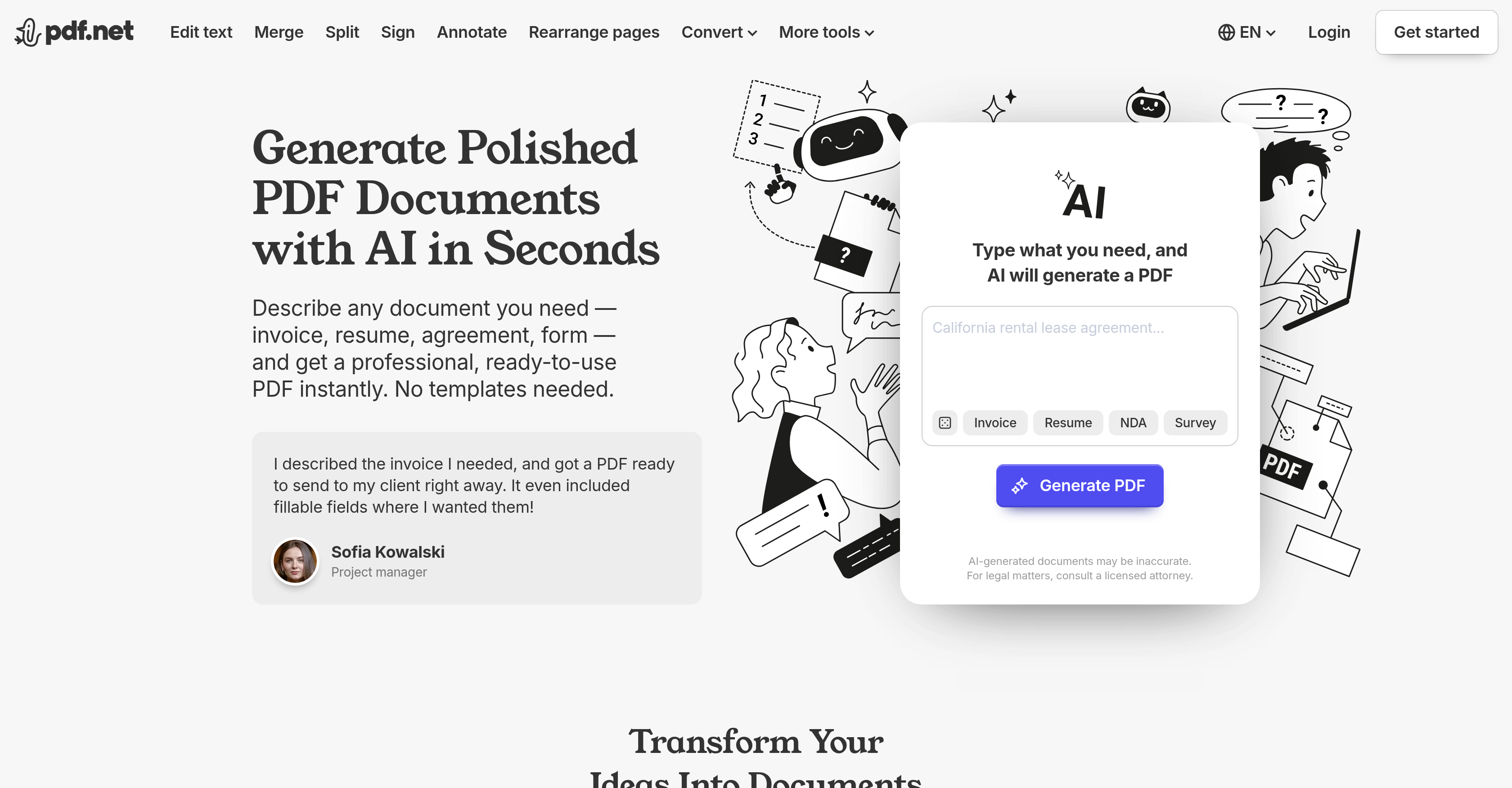
- Create any professional document—from invoices to resumes—in seconds by simply describing what you need, with no templates required.
- Keep your sensitive data safe with high-level encryption and a strict no long-term storage policy for complete privacy.
- Edit text, add images, and adjust page numbers directly within your generated PDFs, giving you full control over the final output.
- Merge multiple PDFs into one file or split a single document into separate files, streamlining your document management workflow.
- Digitally sign documents and add annotations like highlights and drawings in multiple colors, turning your PDFs into fully interactive files.
- Convert files from formats like DOC/DOCX, PNG, and JPG into polished PDFs, and reverse the process when needed.
- Rearrange pages in any order to match your exact requirements, without needing desktop software.
- Generate study notes, literature reviews, and academic materials on any topic—perfect for students, educators, and researchers.
- Produce business-critical documents like reports, proposals, meeting notes, and executive summaries to streamline operations.
- Create unique creative projects such as planners, ebooks, and interactive activity books directly from a text description.
Pros & Cons
Pros
- Creates professional documents
- Generates PDF without templates
- Offers document merging, splitting
- Allows document signing, annotating
- Facilitates page rearrangement
- Capable of file conversion
- High-level data encryption
- Doesn't store user data
- Generates study notes
- Variety of user suitability
- Admits potential inaccuracies
- Comprehensive PDF editor
- Streamlines document creation
- Reduces effort in designing
- Text editing capability
- Useful for diverse needs
- No long-term data storage
- Split PDF into multiple files
- Convert text files to PDF
- Can create scrapbooks, planners
- Assists in creating e-books
- PDF compression feature
- Allows adding images to PDFs
- Option to add page numbers
- Password protect PDF feature
- Rotation and reorganization of pages
- PDF to CSV conversion
- PDF file size reduction
- Enables Bates numbering
- Convert PDF to editable DOC/DOCX
- Maintains original file resolution
- Intuitive, user-friendly interface
- Cross-platform compatibility
- Combine multiple PDFs
- Maintain formatting across devices
- Supports various document types
- Creates documents from user description
- Robust editing and customization
- Encourages creativity
- Adjustable difficulty for tests
- Annotation and markup tools
- Suitable for legal documents
- Direct PDF generation
Cons
- No offline usage
- Subscription required for downloads
- Potential inaccuracies in generated documents
- No suitability for legal matters
- Dependency on user prompt clarity
- No features for audio conversion
- No support for other languages
- No mobile application
- Limited customization options
Reviews
Rate this tool
Loading reviews...
❓ Frequently Asked Questions
AI PDF Generator creates documents by leveraging artificial intelligence; users simply describe the type of document needed and the tool instantly generates a ready-to-use PDF configured to the users' specifications.
Yes, the AI PDF Generator can create a resume. Simply specify 'resume' and the tool will instantly generate a professional, ready-to-use PDF document.
AI PDF Generator ensures user data protection and does not store user data long-term.
AI PDF Generator ensures data protection through high-level encryption. This ensures that the files remain secure and are not stored for an extended duration.
Yes, the AI PDF Generator is suitable for academic use. Students, educators, and academics can benefit from the tool's ability to generate study notes and other specific academic materials.
Yes, the AI PDF Generator can generate study notes. Users can ask the tool to generate study notes on a specific topic and receive a download-ready PDF.
Yes, the AI PDF Generator has the functionalities of merging and splitting documents. Users can rearrange and reorder files as per their requirements.
No, the AI PDF Generator eliminates the need for templates. The AI streamlines the document creation process and configures custom PDFs based on user specifications.
The AI PDF Generator can create a variety of document types, including invoices, resumes, agreements, surveys, forms, study notes, and any other specific materials described by the user.
Indeed, the AI PDF Generator offers functionality for signing documents. Users can digitally sign their documents using this tool.
Yes, the AI PDF Generator has the capacity to convert files. It allows users to convert various file formats into PDF and vice versa.
Yes, the AI PDF Generator offers the feature of rearranging pages in documents, allowing customization as per users' needs.
Yes, AI PDF Generator facilitates the creation of professional PDF documents. By specifying the document requirement, users can obtain a polished, ready-to-use PDF document in mere seconds.
The AI PDF Generator streamlines the document creation process by eliminating the need for templates and instantly generating a ready-to-use PDF configured to the users' specifications.
Yes, the AI PDF Generator includes annotating functionalities. Users can annotate documents as per their requirement.
Yes, the AI PDF Generator is very suitable for businesses. It aids in streamlining business operations by creating reports, proposals, meeting notes, and executive summaries.
Yes, the AI PDF Generator provides customization features. Users can edit text, add images, adjust page numbers, protect documents with passwords and much more.
Various types of users can benefit from the AI PDF Generator, including students, educators, researchers, academics, businesses, and creative individuals.
No, the AI PDF Generator doesn't store user data long-term. The tool ensures data protection with high-level encryption.
The AI PDF Generator disclaims its services' potential inaccuracies and advises users to consult a licensed attorney for legal matters.
AI PDF Generator can create a variety of professional documents such as invoices, resumes, agreements, surveys, and study notes as well as other specific materials like reports, proposals, meeting notes, and executive summaries.
AI PDF Generator works by utilizing AI technology to generate professional-grade PDFs based on the description or title provided by the user. It eliminates the need for templates and creates ready-to-use PDF documents.
AI PDF Generator offers functionalities including the generation of PDFs, document editing, text annotation, page rearranging, data conversion, data splitting, and data merging. It also provides functionalities to sign and annotate PDFs. All these operations can be performed instantly and without the need for downloaded applications.
Yes, AI PDF Generator can generate study materials. Users can ask the tool to create study notes on a specific topic and AI PDF Generator will provide a download-ready PDF.
AI PDF Generator takes data protection very seriously. It ensures user data safety by maintaining a high level of encryption. This ensures the documents and user prompts are secure from unauthorized access.
No, AI PDF Generator does not store user data long-term in order to ensure privacy and maintain the confidentiality of users' documents.
Students, educators, researchers, businesses, and creative individuals can benefit the most from using AI PDF Generator. It simplifies the document creation process for various professional and academic needs.
While AI PDF Generator is highly effective in creating a wide range of documents, it may occasionally produce inaccuracies due to the limitations inherent in AI technology. Users are advised to review the generated documents for potentially significant errors and to not rely on the generated documents for legal matters without professional consultation.
No, AI PDF Generator does not provide legal consultation services. It advises users to consult a licensed attorney for legal matters.
The comprehensive PDF editor by PDF.net offers a robust set of features that allow users to customize their documents, merge them, sign them, change the text, add images, and much more. It supports various formats including DOC/DOCX, PNG, JPG, and CSV among others.
Yes, AI PDF Generator provides a data conversion functionality enabling users to convert a variety of file formats into PDFs. Formats include DOC/DOCX, PNG, and JPG among others.
Yes, AI PDF Generator provides the option to add or edit text in the generated PDF documents. Users have full control to customize their documents according to their specific needs.
Yes, AI PDF Generator is suitable for academic research purposes. It can compile information from multiple sources and generate a detailed and annotated literature review, making it useful for researchers and academics.
Yes, businesses can greatly benefit from using AI PDF Generator. It can streamline business operations by creating necessary documents like reports, proposals, meeting notes, and executive summaries. It can also create various formal documents like contracts and agreements.
Yes, AI PDF Generator offers annotation options enabling users to mark up their PDFs with options to draw, highlight, erase in multiple colors and line widths.
Yes, users can rearrange pages using AI PDF Generator. This allows added flexibility in arranging the generated documents for bespoke needs.
AI PDF Generator provides the options to merge and split data. Users can merge multiple PDFs into one and split a PDF into separate files, giving them flexibility in handling their documents.
AI PDF Generator maintains a high level of encryption to protect user data and confidential information. This prevents unauthorized access and keeps user files secure.
Yes, AI PDF Generator can help in professional document editing with its comprehensive set of tools and features that allow users to customize and fine-tune their documents.
Yes, AI PDF Generator is user-friendly for creative individuals. It allows the creation of unique documents such as scrapbooks, planners, ebooks, templates, and interactive activity books by leveraging AI.
Pricing
Pricing model
Freemium
Paid options from
$24.95/month
Billing frequency
Monthly