
Overview
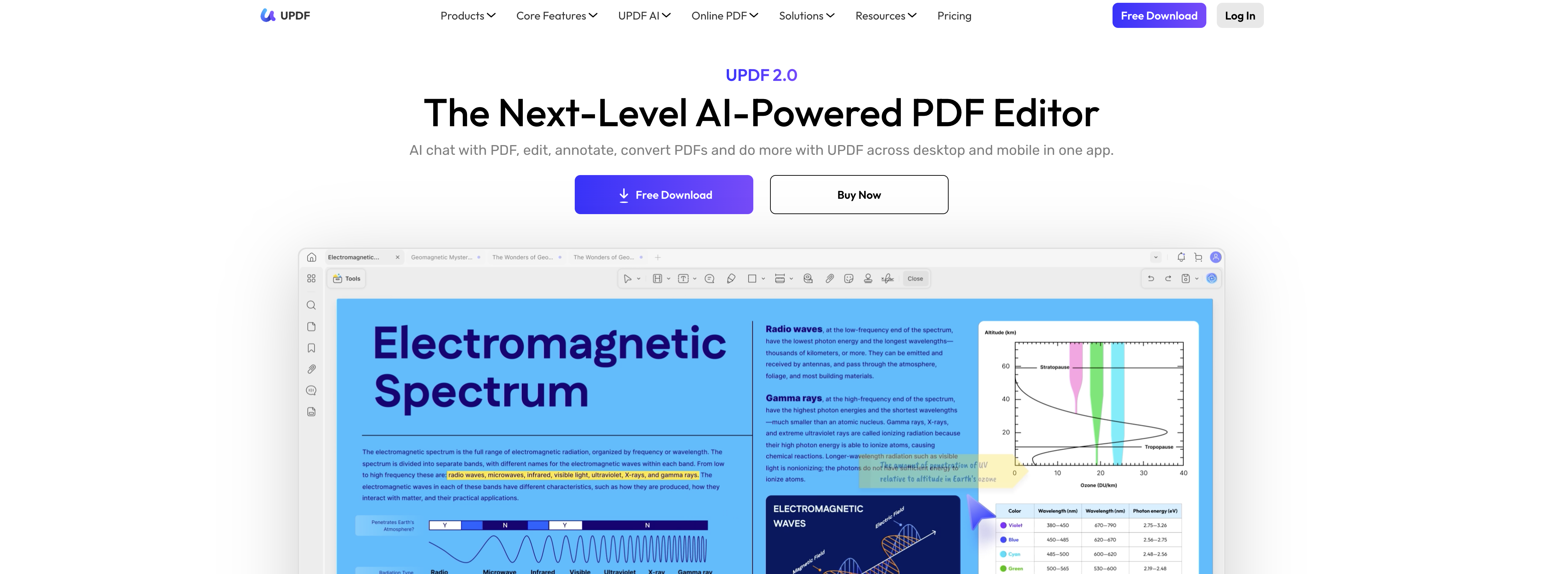
- Instantly edit any PDF text, images, or layout directly within the document using the comprehensive PDF editor.
- Extract and edit text from scanned documents or images using the built-in Optical Character Recognition (OCR) feature.
- Get immediate answers and summaries from lengthy PDFs by chatting with the AI powered by GPT-5 technology.
- Convert dense PDF content into clear, visual mind maps to improve understanding and brainstorming.
- Translate PDF text into other languages directly within the document, removing the need for separate translation software.
- Protect sensitive information by adding passwords, redacting content, and applying digital signatures to PDFs.
- Fill out, create, and save interactive PDF forms without switching to another application.
- Manage documents across up to 4 devices with seamless syncing via the integrated cloud storage service.
- Handle batch operations like merging, splitting, compressing, or converting multiple PDFs to Word or Excel in one go.
- Accelerate academic work with specialized tools for paper search, AI proofreading, writing assistance, and homework help.
Pros & Cons
Pros
- Works on 4 devices
- Cross-platform (Windows, Mac, iOS, Android)
- Cloud storage
- OCR Technology
- PDF Protection
- Document Editing
- Converting PDFs to Mind Maps
- Enterpise solutions
- Subscription-based model
- Text extraction from images
- Supports academic research
- Integrated GPT-5 technology
- PDF Compression
- Batch Processing
- PDF Annotation
- PDF Creation
- Content Summarization
- Image Queries
- Useful for creative endeavors
- PDFs to Word, Excel, or Images
- Support and Education resources
- Online Security and Compliance
- Free access to key features
- PDF Form option
- Optimized for organizations and individuals
- Advanced text adjustments
- PDF Page organization (inserting, extracting, rotating, cropping)
- Redacting and sanitizing PDFs
- Comparatively more scalable and adaptable
- Provides user-friendly interface
- Translate Text feature
- Automated responses to PDF/Image based questions
- PDF Rewriting Assistance
- Availability of discount deals and promotions
- Optimized for scholars
- Handles complex document management
- Generates mind maps from PDFs
- Specialized features for different industries
- Automated summarizing and translation of PDFs
- Education solutions
Cons
- Subscription-based advanced features
- Single subscription, 4 devices limit
- Requires subscription for anonymity
- Limited cloud storage
- Added watermark in trial version
- Limited conversion capabilities in free version
- Limited batch processing
- OCR not fully functional in free version
Reviews
Rate this tool
Loading reviews...
❓ Frequently Asked Questions
UPDF supports various platforms including desktop (Windows and Mac) and mobile (iPhone/iPad and Android).
You can use UPDF on up to 4 devices under a single subscription. This includes any combination of desktop and mobile devices.
UPDF provides functionalities for editing, annotating, and converting PDFs. Its AI chat interacts with documents, while its OCR feature extracts text from images. The software also includes specialized tools for organizing PDFs, PDF protection, and form options.
UPDF's AI chat function allows users to interact with the content in their PDFs and Images. The chat provides instantaneous, automated responses to questions about the content directly within the document. It's powered by advanced GPT-5 technology and can also assist with summarizing PDFs, translating text and converting PDFs to Mind Maps.
Optical Character Recognition (OCR) in UPDF plays a significant role in text extraction. It allows the tool to extract text data from images within PDF documents, hence making them editable or translatable as per the needs of the user.
Yes, UPDF offers a set of organizing tools for PDFs. Users can merge, split, and rotate their PDFs as part of this PDF organizing feature.
With UPDF, users are presented with comprehensive options for PDF protection. This includes features like password protection that secures your document, adding an extra layer of defense against unauthorized access.
UPDF provides a PDF Form option that allows you to interact with form-based content in a PDF format. It enables editing, submitting, and saving form data within PDF files.
UPDF has a specialized feature set designed to assist scholars. This includes a paper search feature, an AI proofreader, an AI writer, and a homework helper, which assist in academic works and enhance scholarly productivity.
For organizational users, UPDF provides an Enterprise plan. The specific features offered in this package would cater to the particular needs of businesses or organizations, such as multiple licenses, premium customer support, or business-specific features.
Advanced AI features in UPDF can be accessed by subscribing to their subscription-based model. Key features are available for free, but subscribing allows for access to advanced AI features along with additional cloud storage.
UPDF has different subscription plans for individuals and organizations. Users can choose to pay for a subscription to enjoy the advanced features or stick with the free version which has limited access to the special features.
UPDF is an all-in-one solution for PDF management. It allows users to edit, annotate, convert, and protect their PDF documents. Additionally, it also provides unique AI features including summarizing PDFs, translating text, and generating responses to questions based on PDF or image content.
GPT-5 technology is a major component of UPDF's AI capabilities. It is responsible for several functions such as summarizing PDFs, translating texts, converting PDFs to Mind Maps, and generating responses to questions based on the content of a PDF or image.
Yes, UPDF can translate text within PDF documents. Powered by GPT-5 technology, this function allows users to read and comprehend texts written in foreign languages without the need for third-party translation software.
Yes, UPDF has the ability to convert PDFs into Mind Maps. This powerful functionality, driven by AI, allows users to turn text-heavy content into more understandable, visually-pleasing Mind Maps.
UPDF is capable of translating text within PDFs. With its AI capabilities, it helps users understand content written in different languages, thus removing language barriers and extending accessibility.
UPDF offers several unique features for scholars. Some of these include a paper search feature, AI proofreader, AI writer, and a homework helper. These tools help ease the academic work process by automating some of the tasks which otherwise would have been tedious and time-consuming.
Yes, UPDF has mobile compatibility as one of its major features. It can be used on both iOS and Android devices, allowing users to edit, annotate, convert, and interact with their PDFs on the go.
UPDF occasionally offers promotional discounts on their subscriptions. For instance, their website currently shares information about a 50% off deal on all of UPDF's comprehensive features. However, it is worth noting that promotional offers might vary over time.
UPDF's primary function is to serve as a comprehensive AI-powered PDF editor tool, implementing a wide array of functionalities like editing, annotating, and converting PDFs.
Yes, UPDF can be used on both desktop and mobile devices. Its cross-platform capabilities extend to Windows and Mac for desktop, as well as iPhone/iPad and Android for mobile devices.
UPDF is compatible with a range of devices. These include desktop platforms like Windows and Mac, as well as mobile platforms such as iPhone/iPad and Android.
UPDF offers unique features designed to streamline the user experience and enhance document management. These include Optical Character Recognition (OCR) for text extraction from images, PDF organisation tools (merge, split, rotate), PDF Protection, and a PDF Form option. Additionally, it uses GPT-5 AI technology for features including summarizing PDFs, translating text, and converting PDFs to Mind Maps.
UPDF's Optical Character Recognition (OCR) is a special feature designed to extract text from image files. This allows users to transition visual information from pictures into editable and searchable text data.
UPDF uses GPT-5 AI technology to power its array of features and provide an efficient, intuitive user experience.
The GPT-5 technology in UPDF drives several novel functions. These include summarizing extensive PDFs, generating mind maps, converting PDFs to various formats, and providing AI-driven responses to queries related to the PDF content or images.
UPDF offers a range of specialized features tailored to scholars. These include a paper search function, AI proofreader, AI writer, and a homework helper, all designed to enhance research and academic work.
UPDF's PDF Protection feature allows users to secure their documents. It implements measures to ensure document privacy by encrypting PDFs and requiring passwords for access. User can also sign, redact and sanitize their PDFs with UPDF, adding an extra layer of security and compliance.
UPDF's PDF Form option allows users to create and work with interactive PDF forms. Users can create new forms, input data into existing forms, and save them for future use.
While the basic features of UPDF are available for non-paying users, access to advanced AI features and additional cloud storage requires a subscription.
UPDF's subscription-based model provides access to advanced AI features, allows for more extensive utilization of the cloud storage, and offers support for multiple devices under a single subscription.
A single UPDF subscription covers use across up to four devices. This could include a combination of desktop (Windows, Mac) and mobile (iOS, Android) devices.
Yes, UPDF can both create and edit PDF files. This includes adjusting and manipulating text, images, links, and page layouts within the PDF.
UPDF's OCR technology is designed to extract text data from images within a PDF. This allows users to edit and interact with formerly non-editable content, increasing the tool's versatility in managing different types of document content.
Yes, UPDF has an AI chat functionality that can interact with documents. This AI functionality can answer queries based on the content of the PDF or images, making document navigation and data extraction simpler.
UPDF's AI assists in document editing by providing features like summarizing extensive PDFs, generating mind maps, converting PDFs to various formats, and providing AI-driven responses to queries related to the PDF content.
UPDF has a built-in feature to handle PDF conversion. It can convert PDFs to other document formats like Word, Excel, or Images. This ensures the software's utility across diverse document workflows.
UPDF provides a cloud storage service where users can store their PDFs and other documents. This allows easy access to and management of files across multiple devices, streamlining the document handling process.
UPDF includes various security measures to protect user's documents. These measures include options for protecting and sanitizing PDFs, measures for compliance and online security, and a feature for securing PDFs with passwords. They are designed to ensure the privacy and integrity of the user's data.
Pricing
Pricing model
Free Trial
Paid options from
$35.99/year
Billing frequency
Yearly
Related Videos
Meet UPDF 2.0 – Redesigned, Reimagined, and More Powerful Than Ever
UPDF•6.9K views•May 28, 2025