PhotoCat AI Image Extender
Overview
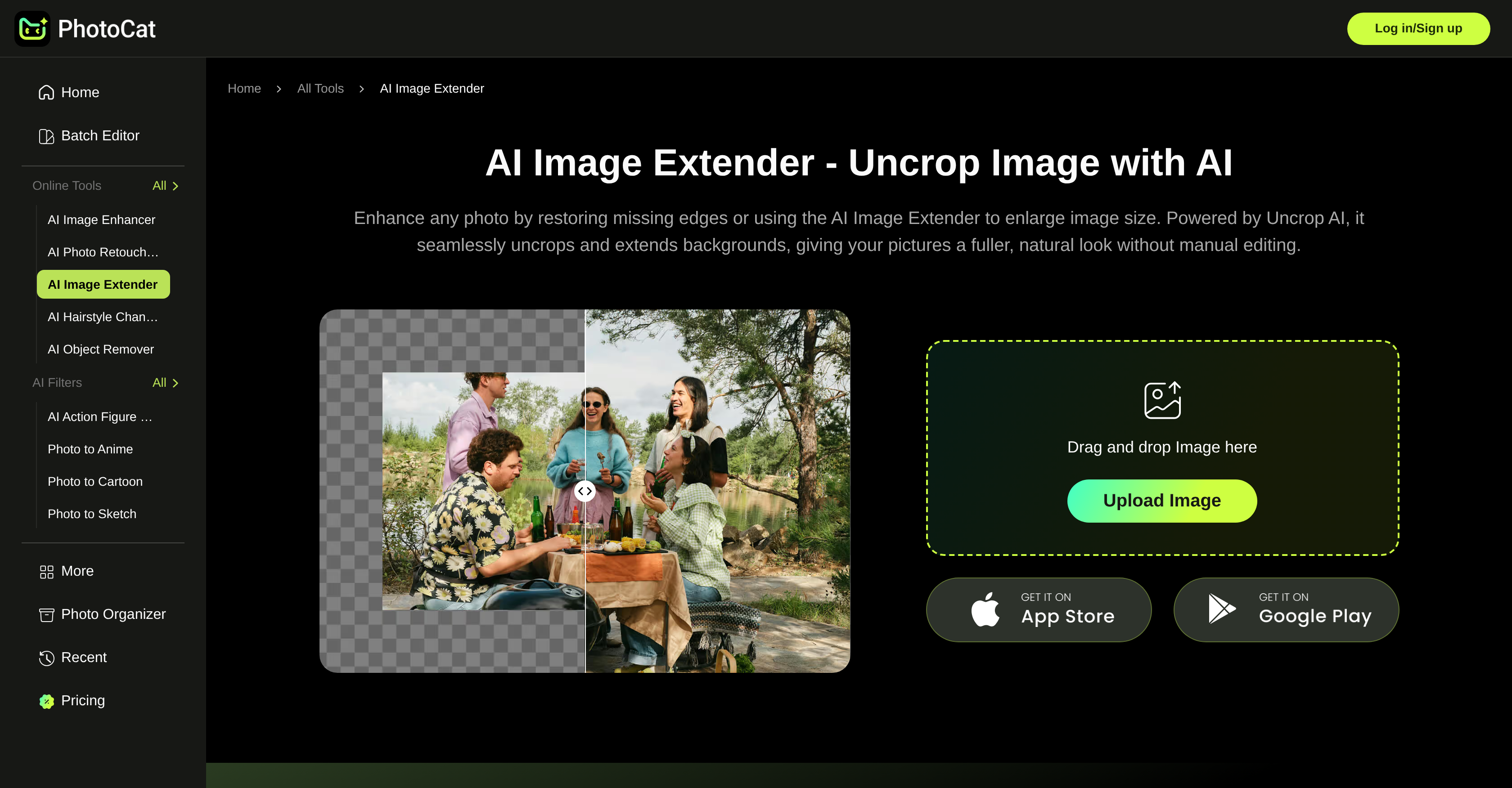
- Eliminate reshoots by adding space for promotional text or codes to product photos with AI-powered background expansion.
- Perfectly size images for Instagram, TikTok, and YouTube in one click using platform-specific preset expansion options.
- Transform tight portraits or scenery shots into wider, framable compositions without distorting the subject.
- Create professional social media banners by naturally extending image edges and enhancing overall composition.
- Download clean, high-resolution 4K results instantly with a watermark-free, unrestricted license for any use.
Pros & Cons
Pros
- Online platform
- Seamless photo expansion
- Quality preservation
- Multi-purpose usability
- Natural look
- No watermarks
- Detail preservation
- Avoids pixel distortion
- Seven preset expansion options
- Platform-specific image resizing
- User-friendly process
- In-depth image analysis
- Clear details at high resolutions
- Preserves authenticity
- Versatile applications
- 4K image expansion
- No image distortion
- Sharp banner designs
- Ideal for social media
- For product photography
- For landscape photography
- For portrait photography
- For e-commerce needs
- Cost effective
- For wider views of sceneries
- Enchanting portraits
- Simple steps to usage
Cons
- Requires internet connection
- No mobile app
- Limited preset expansion options
- No batch processing feature
- No custom size option
- Missing quality setting feature
- Doesn't support all image formats
- Delayed results on heavy usage
- No integration with social platforms
Reviews
Rate this tool
Loading reviews...
❓ Frequently Asked Questions
PhotoCat's AI Image Extender's primary function is to expand photo backgrounds seamlessly using generative AI. This tool is capable of uncropping images without any loss of quality, maintaining natural and clean results.
PhotoCat's AI Image Extender uses a generative AI algorithm that analyses the image, uncrops it, and extends the background while retaining the photo's natural look and sharpness. This process helps in preserving image quality while it gets expanded.
Yes, PhotoCat's AI Image Extender can be used to enlarge images without any loss of quality. The generative AI function ensures maintenance of sharpness and detail while expanding the photo, making the image look authentic and seamless.
No, PhotoCat's AI Image Extender does not cause pixel distortion. By preserving sharpness and detail while expanding the images, it avoids the common pixel distortion seen in many other tools, delivering clear high-resolution results.
PhotoCat's AI Image Extender can be utilized in a range of scenarios including professional product photography, social media banner designs, expanding tight scenery shots into wider views, improving portrait photos, and much more. It's equipped to deal with any visual need involving photo enlargement or uncropping.
In professional product photography, PhotoCat's AI Image Extender can enlarge product images to make them compatible with social media platforms. It affords space for the inclusion of promotional codes, offers, or text on product images, simplifying product shoots.
PhotoCat's AI Image Extender provides seven preset options to expand image sizes to fit requirements for major platforms, such as Instagram, TikTok, Facebook, and YouTube.
PhotoCat's AI Image Extender achieves perfect fit for major platforms by offering seven preset expansion options. These presets are designed specifically for platforms like Instagram, TikTok, Facebook, and YouTube, ensuring images fit without distortion.
To use PhotoCat's AI Image Extender, an image is first uploaded. Next, the size is selected. The AI then generates the expansion, and the user can download the enhanced image.
Yes, PhotoCat's AI Image Extender can be used to extend images for both personal and professional use. Its variety of applications ranges from enhancing social media posts, product photography, to personal portraits, and more.
Yes, PhotoCat's AI Image Extender ensures images are watermark free, making the results clean, usable and without the extra restrictions imposed by other platforms.
PhotoCat's AI Image Extender can improve portrait photos by seamlessly enhancing the boundaries and filling the empty spaces without distorting the images, giving the portraits a more complete and enchanting look.
Yes, PhotoCat's AI Image Extender can convert tight scenery shots into wider views. It allows for the expansion of scenery shots, creating broader, more aesthetic compositions ideal for printing or framing.
Yes, PhotoCat's AI Image Extender is designed to be user-friendly. Users only need to upload an image, choose the size, let the AI generate the expansion, and then download the image. This simple process makes it easy for anyone to use the platform.
Yes, PhotoCat's AI Image Extender can restore missing edges from photos. Its generative AI algorithm analyses the photo, uncrops it neatly and extends the background to restore the edges without any loss in quality.
There are three steps to use PhotoCat's AI Image Extender. An image is first uploaded or dragged and dropped from the user's gallery. Then, the user can choose from the seven preset options or resize the canvas by dragging the image borders to preferred dimensions. After that, clicking 'Generate' enables the AI to process the expansion, and the images can be downloaded for free with one tap.
Yes, PhotoCat's AI Image Extender is a useful tool for designing social media banners. It can enlarge visuals, naturally extend edges, and enhance overall composition in a few steps, lending sharp, professional quality to banners without degrading the image quality.
Yes, PhotoCat's AI Image Extender is suitable for image quality preservation. Its generative AI algorithm ensures maintenance of natural image quality, sharpness, and detail while subtly and authentically expanding the image, resulting in a lossless quality extension.
Yes, PhotoCat's AI Image Extender can be used for image scaling. It enlarges photos while preserving sharpness and detail, ensuring expanded images look natural and authentic, without any quality degradation.
PhotoCat's AI Image Extender avoids pixel distortion common in many similar tools by utilizing a generative AI algorithm. This algorithm maintains the sharpness and detail of the origial image while expanding it, thus assuring clean, high-resolution output without causing pixel distortion.
PhotoCat's AI Image Extender is an AI-powered online tool designed to extend and uncrop photo backgrounds seamlessly. It utilizes a generative AI technology to expand photos in a manner that retains the natural look of the original image and maintains quality.
PhotoCat's AI Image Extender works by using generative AI technology to conduct a detailed analysis of an image and scaling it accordingly. Users only need to upload their image, select their desired size from a range of preset options, and let the AI generate the expansion. Once the process completes, users can simply download the image.
No, there's no quality loss when using PhotoCat's AI Image Extender. It's designed specifically to avoid any loss of quality or resolution during the expansion process. It preserves image detail and sharpness, ensuring that the resulting images maintain clarity, even at high resolutions.
Some potential uses for PhotoCat's AI Image Extender involve professional product photography, enlarging scenery shots into wider views, portrait photos improvement, social media banner designs, and more. It's a versatile tool that can be used for expanding image size across various photography genres and applications.
No, PhotoCat's AI Image Extender does not add watermarks to the images. The AI provides clear, watermark-free results, allowing users to make use of their images without any additional markings or extra restrictions.
PhotoCat's AI Image Extender preserves the sharpness and detail of images by performing an in-depth analysis of the images during the uncropping process. The AI ensures to maintain image quality and clarity during the expansion process, preventing common issues like pixel distortion.
The preset expansion options provided by PhotoCat's AI Image Extender include seven different size options specifically designed to fit the requirements of various major platforms such as Instagram, TikTok, Facebook, and YouTube.
PhotoCat's AI Image Extender is very user-friendly. The process involves simple steps: uploading the image, choosing from the preset size options, allowing the AI to generate the expansion, and finally, downloading the newly enlarged image.
Yes, PhotoCat's AI Image Extender can be utilized effectively for social media optimization. It allows for size adjustments according to the specific requirements of different platforms like Instagram, TikTok, Facebook, YouTube, ensuring photos fit perfectly without distortion.
Absolutely, PhotoCat's AI Image Extender is highly suitable for commercial product photography. It can enlarge product images while maintaining detail and sharpness, making them suitable for e-commerce and other commercial applications.
Yes, PhotoCat's AI Image Extender supports the specific size requirements of platforms like Instagram, TikTok, Facebook, YouTube. It offers seven preset size options that allow photos to fit perfectly without distortion, according to the requirements of these major platforms.
Yes, users can utilize PhotoCat's AI Image Extender for image analysis and resizing. The AI performs a detailed analysis of the image and scales it accordingly, maintaining quality, and preventing distortion.
PhotoCat's AI Image Extender ensures the natural look of images by using its generative AI to expand images in a way that stays true to the original picture's quality and authenticity. Its ability to analyze and reproduce the existing elements in the photo helps in maintaining the naturalness of the extended image.
Yes, PhotoCat's AI Image Extender does offer high-resolution output. It's capable of providing clean, high-resolution 4K results with no pixel distortion, making it perfect for social media, prints, and commercial projects.
Yes, PhotoCat's AI Image Extender is a helpful tool when it comes to banner design and digital marketing. It can expand visuals while maintaining naturalness and detail, making it suitable for creating professional banners for any social channel without losing quality.
To use PhotoCat's AI Image Extender, users only need to upload their image, select the desired size from seven preset options, let the AI generate the expansion, and finally, download the processed image. This user-friendly process is designed to create seamless, high-quality results in a matter of minutes.
To expand an image using PhotoCat's AI Image Extender, start by uploading your image. Next, choose your size from the seven preset options available, or if you prefer, resize the canvas by dragging the image borders to your preferred dimensions. Once that's done, click 'Generate' and let the AI process your expansion. After the expansion is complete, you're able to download your image for free with one tap.
Absolutely, the AI technology behind PhotoCat's AI Image Extender supports enlarging images without distortion. It achieves this by performing an in-depth analysis of each image and enlarging sections in a way that maintains the details and sharpness of the original, resulting in a larger, distortion-free output.
The reviews for PhotoCat's AI Image Extender are generally positive. Users have praised the technology for its impressive capability to effortlessly expand images while maintaining quality and not distorting the image. In addition, many have found the tool extremely easy to use and beneficial for improving their social media posts and reducing reshoots for product photos.
No, there are no extra restrictions when using PhotoCat's AI Image Extender. It provides clean, watermark-free images, allowing users to use their photos without additional restrictions that are often imposed by other platforms.
Pricing
Pricing model
Free Trial
Paid options from
$59.99/year
Billing frequency
Yearly