

PixRemove
Start removing backgrounds the moment you land, with no account and no cost, because the free background remover requires no sign-up.
Listing not yet reviewed by our editors · How we check
Overview
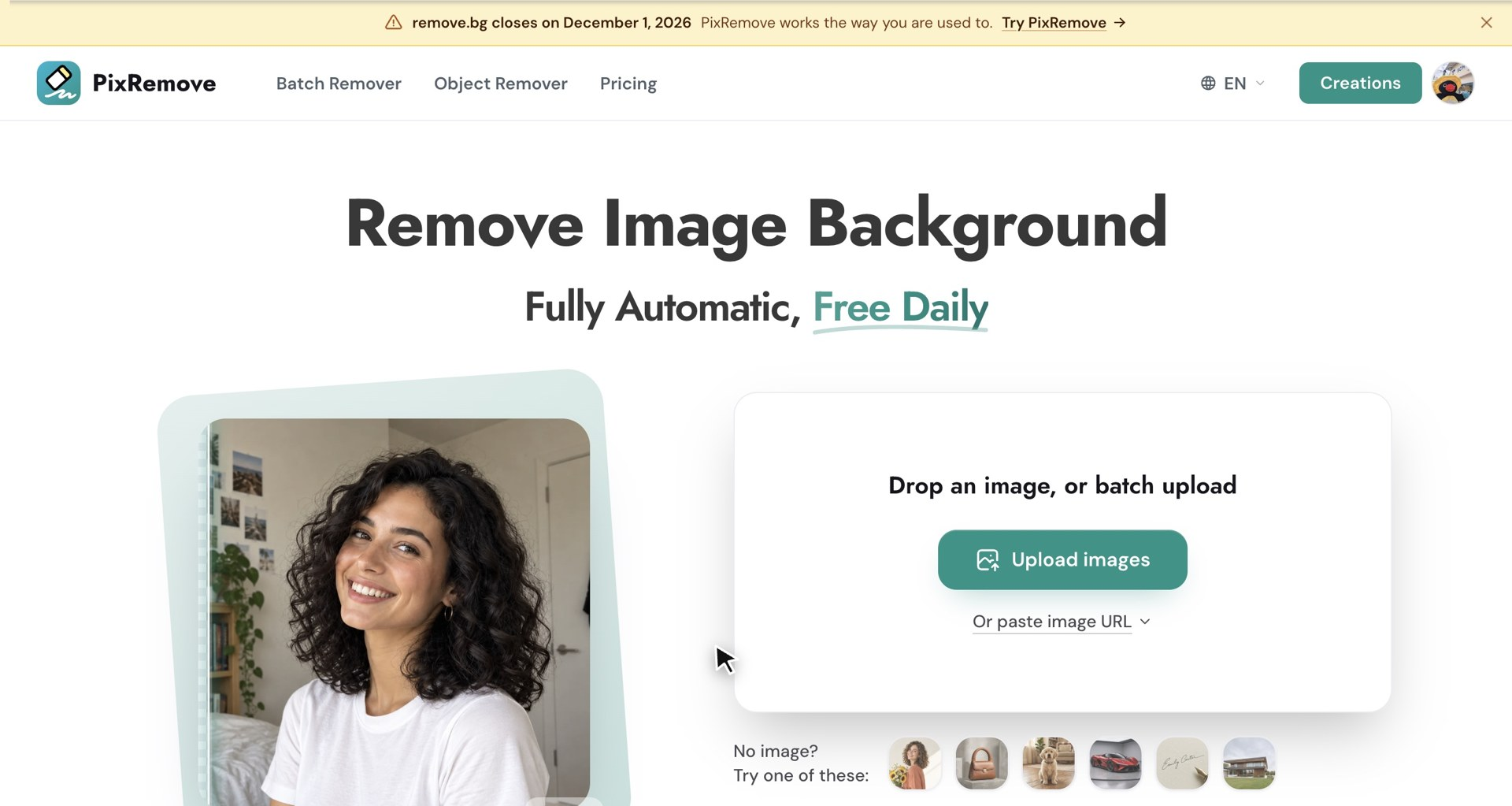
- Start removing backgrounds the moment you land, with no account and no cost, because the free background remover requires no sign-up.
- Publish clean images anywhere without watermarks, and download them as transparent PNG, JPG, or ZIP files.
- Get professional cutouts that keep individual hair strands and gaps inside objects intact, with Magic Brush for refining any edge the AI misses.
- Process a full product catalog or photo shoot in one pass with bulk background removal for up to 50 images at a time, delivered as a single ZIP download.
- Produce marketplace-ready product photos in seconds with a pure white background and drop shadow built for ecommerce listings.
- Place your subject in an entirely new scene that matches its lighting with AI Backgrounds, or choose from photo and solid color backgrounds.
- Erase photobombers, clutter, and distractions without retouching skills using the object remover, which leaves the main subject untouched.
- Finish every image without opening a second app, using the built-in photo editor to add blur, shadows, outlines, text, and filters and to resize for any format or aspect ratio.
- Turn a signature photographed on dark paper into a clean digital signature with signature cleaning, which strips paper shades and grain while keeping natural pen strokes.
- Edit images straight from the web without downloading them first by pasting an image URL, or upload files directly from your device.
Pros & Cons
From the listing; not yet checked by our editors.
Pros
- Free service
- No sign-up required
- No watermark
- High-quality transparent PNGs
- Instant background removal
- Preserves details in cutouts
- Reintegrates subject into new scenes
- Batch processing up to 50 images
- Magic Brush tool
- Signature cleaning from dark paper
- Upcoming video background removal
- Upcoming image upscaling
- Image URL support
- Inbuilt image editor
- Adjustable blur, shadow, outline
- Text addition capabilities
- Multiple filter options
- Resizes images
- Support for full resolution downloads
- Clean file outputs
- Hollow cavity detection for cutouts
- Maintains natural glass transparency
- Advanced document and signature extraction
- Compatible with mobile snapshots
- 27 filter options available
- Batch ZIP downloads
- Supports image workflows
- Good for avatars and stickers creation
- Excellent for photographers, marketers, online sellers
- Useful for auto dealers and real estate teams
- Supports high volume team use
- One-click background removal
- Object removal feature
- Upcoming enlarging small images feature
- Maintains image's original lighting even in new scenes
- Compatible with desktops
- Extracts fine hair details
- Preserves natural pen strokes in signatures
- Availability of transparent cutouts
- Impressive image enhancement tools
- Supports image pasting via URL
- High-resolution outcomes
- Handles complex background replacement
- Changes product pictures in single click
- Allows preview before actual download
- Reserves ability for future video clean-up
- Perfect for design layout makers
- Optimized for article and cover creators
- Straightforward UI
Cons
- Limited to 50 images batch
- Upcoming features not available yet
- No desktop app mentioned
- No API stated
- No explicit data privacy information
- Limited image editing features
- No support for video currently
- No known integration with design software
- No collaborative features mentioned
- Signature cleaning only on dark paper
Alternatives to PixRemove
Tools that share the most tags with PixRemove.
- EzRemove
Browser tool that removes the background from a photo and returns a transparent PNG.
Freemium
Not listed
Nov 24, 2026
- Remove Background by Picsart
Eliminate manual editing and process thousands of product images automatically with AI-powered background removal that scales with your production needs
Freemium · from $10/month
$10/month
Not yet checked
- Lensto: AutoBackground Changer
Remove any photo background automatically without manual brushing using AI-powered background removal
Freemium · from $0.99/month
$0.99/month
Not yet checked
- Slazzer
Create professional product photos instantly with automatic background removal that works in just 5 seconds
Freemium · from $11/month
$11/month
Not yet checked
- Unscreen
Create professional-looking videos without a green screen using automatic AI analysis that works with any background
Freemium
Not listed
Not yet checked
- Merchant Floor | Background Remover
Process entire product catalogs in minutes instead of hours with batch uploads of up to 50 images
Freemium · from $20
$20
Not yet checked
Reviews
Rate this tool
Loading reviews...
Frequently asked questions
What is PixRemove?
PixRemove is an artificial intelligence-powered tool designed to rapidly remove image backgrounds and unwanted objects. This service is free and does not require a sign-up. Additionally, PixRemove creates high-quality transparent PNGs and does not leave a watermark on processed images.
How does PixRemove use AI to remove image backgrounds?
PixRemove uses artificial intelligence to analyze each object and their respective backgrounds in an image. It then identifies the subject and its surrounding elements, selectively separating the background while retaining the subject intact. Unwanted objects are detected and removed, offering a clean, transparent PNG.
What image formats does PixRemove support?
IDK
Does PixRemove leave a watermark on edited images?
PixRemove does not leave a watermark on edited images. This ensures that users have clean, publish-ready images that maintain their original integrity and quality.
What are the image editing features available in PixRemove?
PixRemove offers a wide range of image editing features. It comes with a built-in editor that enables users to make diverse adjustments such as adding a background, applying blur or shadow effects, creating an outline, adding text, applying filters, and resizing the image. Additionally, it offers the 'Magic Brush' tool and 'AI Backgrounds' for enhanced customization.
How can I use PixRemove to remove unwanted objects from images?
PixRemove comes with an Object Removal feature, which users can utilize to selectively eliminate unwanted aspects from their images. Using artificial intelligence, PixRemove precisely identifies and removes the undesired elements, preserving the central image untouched.
Is there a limit to the number of images PixRemove can batch process?
Yes, PixRemove supports batch processing of up to 50 images at one go. This makes it an exceedingly convenient tool for users with high-volume processing needs.
How does PixRemove preserve fine details like hair strands in removed backgrounds?
PixRemove's AI algorithms have been designed to meticulously preserve fine details in images, such as hair strands and cavities in objects. This underlying technology enables enhanced precision in removing backgrounds, thereby ensuring high-quality cutouts with the finest details preserved.