
Pixwith AI
Overview
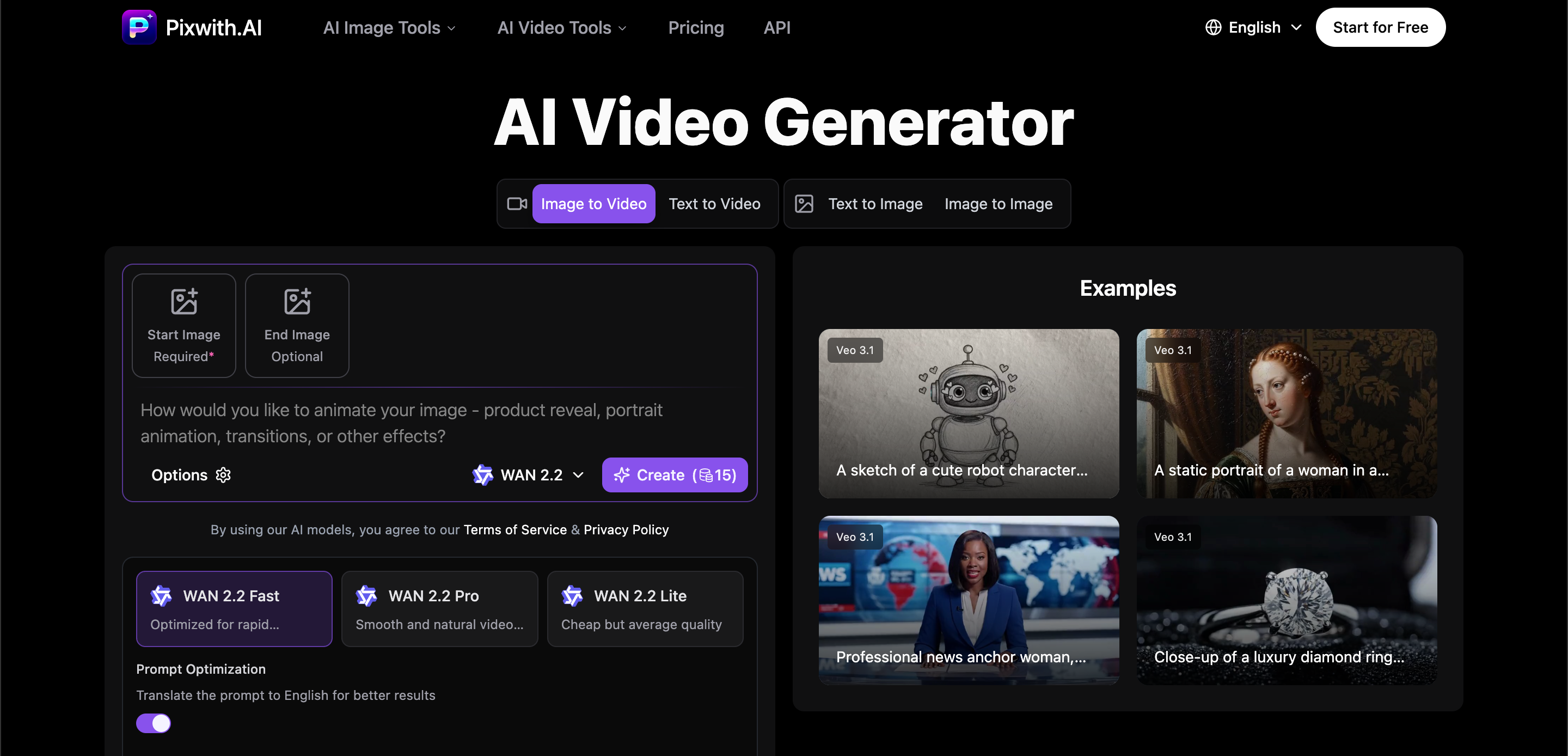
- Launch professional video campaigns instantly without hiring editors using the simple three-step workflow
- Create fully monetizable content with 100% ownership through watermark-free outputs across all AI models
- Generate realistic virtual presenters for training and marketing using the digital human and speaking avatar feature
- Add immersive soundscapes and voice narration automatically with advanced audio generation in premium models
- Match any platform requirement precisely by customizing resolution, duration, and style parameters for each project
- Access industry-leading AI like Sora and Veo without technical expertise through the intuitive model selection interface
- Test drive premium features risk-free using complimentary trial credits before committing to any plan
Pros & Cons
Pros
- Turns text prompts into HD videos
- Multi-resolutions and durations options
- Watermark-free videos
- Offers audio generation capabilities
- Creates digital humans and avatars
- Free trial available
- Simplified 3 steps workflow
- No editing skills needed
- Creates professional-quality videos
- Ideal for content creators
- Immersive storytelling features
- Supports image inputs
- Flexible video style parameters
- Allows branding and monetizing videos
- Includes trial credits
- Realistic virtual presenters creation
- Ideal for corporate training
- Supports multiple language narrations
- Perfect for online education
- Ensures secure cloud storage
- 100% full ownership of content
- Consistent storytelling capabilities
- Can create social ads
- Generates video from images
- Has robust API for developers
- Supports A/B testing
- Monthly style preset updates
- Animator for drawings & art
- Perfect for design firms
- Trusted by content creators
- Supports major privacy regulations
- 24/7 Help center access
- Active community forums
- Supports all image formats
- Lighting fast result generation
- Professional-grade quality outputs
- No credit card info storage
- No creative restrictions
- Ideal for E-commerce owners
Cons
- Lacks integrated video editing
- No multi-language support
- Restricted video duration
- Lack of direct social media sharing
- Confined to model-selected styles
- Complex for first-time users
- Limited free trial model
Reviews
Rate this tool
Loading reviews...
❓ Frequently Asked Questions
Pixwith.AI is an advanced tool powered by artificial intelligence, designed to generate professional-quality videos. Users are not required to possess any editing skills to use this tool. Pixwith.AI is capable of rapidly transforming text prompts into high-definition videos, giving users thorough creative control. The tool incorporates leading AI models in the industry such as OpenAI's Sora and Google's Veo to Kling and Wan, and offers numerous resolution and duration options for video creation. It also allows creation of watermark-free videos across all its AI models, potentially providing a platform for users to brand, monetize and share their creations unrestrictedly. Pixwith.AI also offers a unique feature for creating AI-generated digital humans and speaking avatars, alongside advanced audio generation capabilities for specific premium models.
Pixwith.AI offers a rapid video generation process. Although a precise time frame is not specified, the tool is designed to transform text prompts into high-definition videos quickly and efficiently.
Pixwith.AI combines several industry-leading models for video generation such as OpenAI's Sora, Google's Veo, Kling, and Wan. These models allow the platform to turn text prompts into professional grade videos efficiently.
Users can select the resolution and duration for their videos on Pixwith.AI by picking their preferred options from the multiple resolution and video duration choices that the platform provides. This adaptability allows content creators to tailor their outputs according to different project requirements.
No, Pixwith.AI offers completely watermark-free videos across every single AI model. This feature allows users to brand, share, and monetise their creations without the interference of any platform watermarks.
Yes, Pixwith.AI supports branding and monetization of generated videos. The platform offers completely watermark-free videos across every single AI model, thereby allowing users to brand, share, and monetise their creations without restrictions.
Pixwith.AI boasts sophisticated audio generation capabilities for select premium models. This allows for the creation of videos with synchronized soundscapes, background music and voice narration, thereby providing a full-scale audiovisual experience.
Yes, Pixwith.AI has a feature that allows for the creation of AI-generated digital humans and speaking avatars. This sophisticated feature improves content creation by making videos more engaging and lifelike.
Yes, there is a free trial available for Pixwith.AI. This trial period provides new users with the opportunity to familiarize themselves with the entire suite of AI models and features that the tool offers.
To create videos on Pixwith.AI, users simply follow three steps: 1) Describe the idea, 2) Choose the AI model and configure the settings, and 3) Generate and download the video.
Pixwith.AI helps create professional videos by turning text prompts into high-definition videos rapidly. It offers multiple resolution options, custom video durations and watermark-free outputs. The platform also offers sophisticated audio generation capabilities and the feature to create AI-generated digital humans and speaking avatars to enhance the content.
Yes, Pixwith.AI supports the creation of high-definition videos. The platform offers a range of resolution options that artists and creators can choose from, based on their specific requirements and preferences.
Yes, Pixwith.AI can generate videos from text. It uses advanced artificial intelligence models to transform text prompts into professional, high-definition videos.
Yes, Pixwith.AI is designed to enable users to create professional-quality videos without requiring any editing skills. The platform handles all the advanced processing in the background, transforming text prompts into videos rapidly and efficiently.
The digital human creation feature of Pixwith.AI is powered by its audio-capable models like Sora 2, Veo, and Wan 2.5. This feature lets users create realistic virtual presenters, brand spokespersons, and education instructors, making it a valuable tool for corporate training, marketing videos, online education, and social media content.
The information on their website does not specify a precise limit for the duration of the videos that can be created through Pixwith.AI. However, the site does mention that the tool supports the creation of videos of varying lengths, according to the unique requirements of different projects.
Users can use Pixwith.AI for monetization of their videos as the platform provides completely watermark-free videos for every single AI model, allowing users unrestricted freedom to brand, share, and monetise their creations.
Pixwith.AI offers creative control to users by allowing them to describe their idea, select from various AI models, and configure settings per their requirements for generating videos. The platform gives users comprehensive control over resolution, video duration and output quality, allowing for cinematically realistic, artistically animated and dynamically moving videos.
Yes, Pixwith.AI offers a user-friendly interface and an efficient video creation process. Its workflow is simplified into three steps: describing the idea, selecting the AI Model & configuring settings, and generating & downloading the video, thus making professional video creation simple and efficient.
Pixwith.AI's audio generation capabilities are tied to its specific premium models which include Sora 2, Veo, and Wan 2.5. These models enable the creation of videos with synchronized soundscapes, background music and voice narration, contributing to an immersive audiovisual experience.
Users can leverage Pixwith.AI to create videos in three simple steps. First, they describe their idea or the concept they want their video to portray. Next, they select an AI model and configure settings according to their needs. Lastly, they generate the video and download it. There's no need for advanced editing skills, fancy computer applications, or technical know-how.
Pixwith.AI uses a multitude of industry-leading models like OpenAI's Sora, Google's Veo, Kling, and Wan. These models are designed to create quality videos across a variety of styles and requirements.
Yes, Pixwith.AI allows users to select from multiple resolution options to match their specific content needs. From quick social media clips in standard definition to full 60-second promotional videos in HD, the platform has flexible resolution settings.
Yes, Pixwith.AI offers completely watermark-free videos across every single AI model used. From the very first video created to enterprise-scale production, each video is free of platform watermarks, making them ideal for branding, sharing, and monetizing without restrictions.
Pixwith.AI has advanced audio generation capabilities incorporated into its premium models. These capabilities enable the creation of videos with synchronized soundscapes, background music, and voice narration. The AI handles it all, transforming silent clips into immersive experiences without the need for additional audio editing.
Pixwith.AI offers a unique feature that allows for the creation of lifelike digital humans and avatars. It is driven by audio-capable models like Sora 2, Veo, and Wan 2.5. Using this feature, users can create realistic virtual presenters, brand spokespersons, and educational instructors that engage audiences effectively.
Yes, Pixwith.AI offers a free trial for new users. They receive complimentary trial credits upon registration, which allows them to explore the full suite of AI models and features without any upfront investment.
Creating a video using Pixwith.AI involves three steps. First, the user describes their idea or vision in the input field. Next, they select an AI model and configure resolution, duration, and style parameters. Advanced options like Sora 2 offer videos up to 15 seconds long. Finally, the user generates and downloads their video, which is completely watermark-free and can be as high as a 1080p resolution premium video.
The target audience of Pixwith.AI includes content creators, corporates, and individuals. Its functionalities cater to different uses such as corporate training videos, marketing videos, online educational content, and social media content. It's designed to provide users a more efficient, cost-effective, and high-quality way of creating videos.
Yes, Pixwith.AI supports the creation of videos from image inputs. Users can upload an image or provide an image related data to transform it into a video.
Yes, users can control style parameters when generating a video using Pixwith.AI. They are given the flexibility to configure resolution, duration, and style parameters for their videos with intuitive controls, giving them full control over their creative vision.
The advanced models in Pixwith.AI include OpenAI's Sora, Google's Veo, and Wan. They come equipped with advanced audio generation capabilities and are capable of creating synchronized soundscapes, background music, voice narration, and environmental audio. These models are also capable of creating real-life digital humans and avatars.
For corporate training videos, users can utilize Pixwith.AI's feature of creating AI-generated digital humans and speaking avatars. These lifelike entities can serve as virtual trainers, making the training process more engaging and scalable.
For online education content, educators can leverage Pixwith.AI's video creation capabilities to turn presentations and scripts into engaging educational videos. The availability of audio generation capabilities and digital humans can enhance the learning experience by making it more immersive.
The AI models from OpenAI's Sora and Google's Veo, used by Pixwith.AI, play a key role in generating videos. They have audio generation capabilities and can create lifelike digital humans and avatars. By processing the text input, they can create stunning, realistic, and highly captivating videos.
Pixwith.AI's settings are highly customizable. Users can choose from multiple resolution options, video durations, and style parameters to align with the specific requirements of their project. They have complete control over output quality and length.
Yes, Pixwith.AI is perfectly suited for creating social media content. With custom resolution options, style parameters, and the ability to quickly turn text prompts into captivating videos, it can effectively cater to the fast-paced, visual-heavy environment of social media platforms.
Yes, Pixwith.AI's audio generation capabilities can effectively be used to narrate videos. The AI can generate background music, voice narration, and environmental audio, making the video content more engaging and immersive.
Yes, videos created using Pixwith.AI can be monetized. All videos are completely watermark-free and belong 100% to the user, meaning they can easily be branded, shared, and monetized without any restrictions or additional costs.
Pricing
Pricing model
Freemium
Paid options from
$9.99
Billing frequency
One-time
Refund policy
Users can request full refunds within 7 days if no credits were used, or partial refunds based on remaining credits.